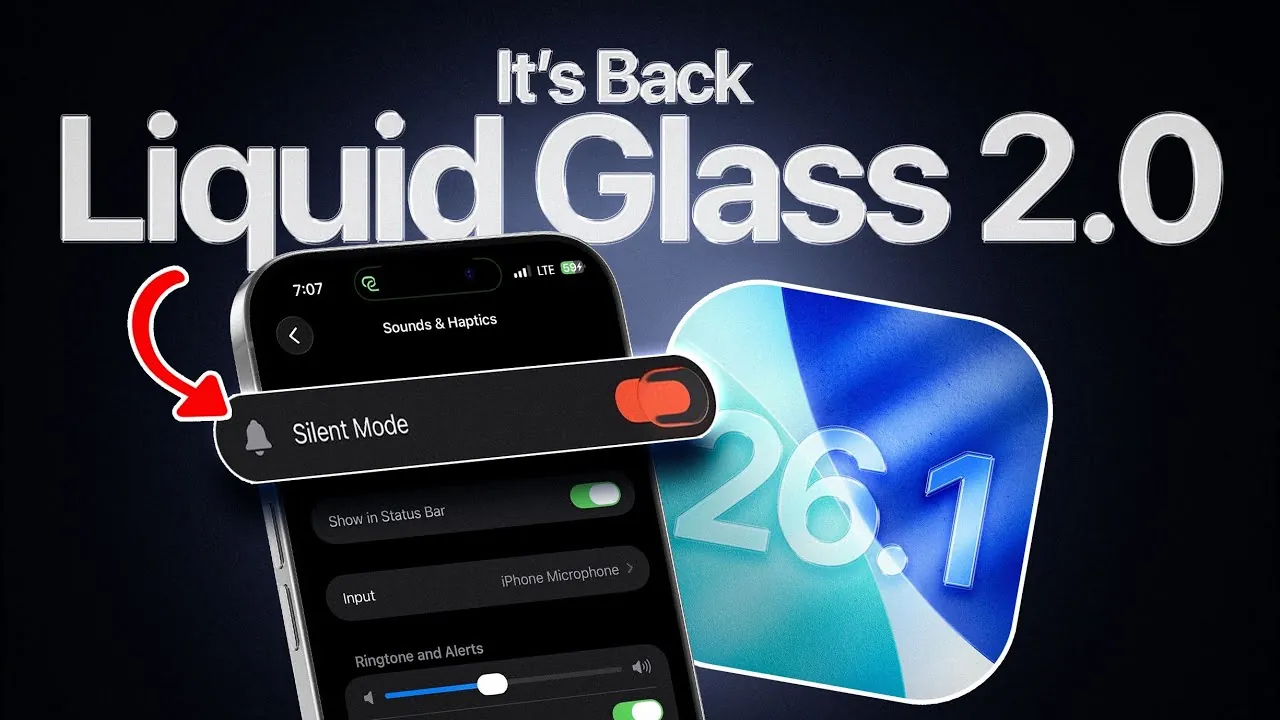
The iOS 26.1 \ update brings a range of enhancements designed to improve security, customization, and performance while maintaining battery stability. This update reflects Apple’s commitment to refining the user experience across its devices, offering practical upgrades that prioritize functionality and usability. In the video below from iDeviceHelp, we get a detailed look at the key features and improvements introduced in this update.

Enhanced Security Features
Security remains a top priority in iOS 26.1, with new features aimed at protecting your device against vulnerabilities. A significant addition to the Privacy & Security settings is the ability to receive seamless security patches without requiring a complete software update. This builds on the rapid security response feature introduced in earlier versions, making sure your device stays protected with minimal disruption. By automating these updates, Apple reduces the need for manual intervention, allowing you to focus on your daily activities while your device remains secure. This proactive approach highlights Apple’s dedication to safeguarding user data and maintaining a robust security framework.
Refined Visual Design and Customization
iOS 26.1 introduces subtle yet impactful changes to the visual design, enhancing the overall user experience. The return of the red silent toggle color restores a familiar and functional design element, making it easier to identify the device’s silent mode status at a glance. Additionally, lock screen customization has been further refined, offering greater control over corner radius adjustments for widgets and notifications. These updates allow users to personalize their devices with precision, creating a more tailored and cohesive interface.
Other visual improvements include polished icons, menus, and labels, which contribute to a cleaner and more unified appearance. These refinements not only enhance usability but also reflect Apple’s ongoing effort to balance aesthetics with functionality. For users who value personalization, these updates provide a more engaging and visually appealing experience.
Display and Brightness Enhancements
The Display & Brightness settings in iOS 26.1 now feature an expanded selection of wallpapers, optimized for clarity and vibrancy. These new wallpapers allow users to further customize their devices, aligning their visual preferences with their personal style. This update underscores Apple’s focus on combining aesthetic appeal with practical functionality, making sure that users can enjoy a visually pleasing interface without compromising performance.
Fitness App Upgrades
The Fitness app receives a significant upgrade with the addition of a custom workout creation feature. This new functionality enables users to design workouts tailored to their specific fitness goals. You can now set parameters such as duration, start times, and calorie goals, giving you greater control over your fitness routine. Whether you’re training for a specific event or simply aiming to stay active, this feature makes it easier to track and achieve your objectives. By empowering users to personalize their fitness plans, Apple continues to support a healthier and more active lifestyle.
Apple Intelligence Fixes and Improvements
Server-side fixes have been implemented to address download issues that previously affected iPhone 17 and iPhone Air users. These adjustments improve the reliability of Apple Intelligence services, making sure smoother access to updates and features. This demonstrates Apple’s commitment to resolving technical challenges promptly, enhancing the overall user experience. By addressing these issues, Apple reinforces its dedication to maintaining a seamless and efficient ecosystem for its users.
AirPods Beta Firmware Updates
For AirPods users, the latest firmware beta (8B5014C) introduces new features and performance enhancements for AirPods Pro 3, AirPods Pro 2 (USB-C and Lightning), and AirPods 4. Beta updates can now be enabled directly through the AirPods settings, providing early access to upcoming improvements. These updates enhance compatibility and functionality, particularly for users who rely heavily on Apple’s audio ecosystem. By offering these updates, Apple ensures that its audio devices remain at the forefront of innovation and user satisfaction.
Performance and Battery Stability
Performance benchmarks for iOS 26.1 reveal a single-core score of 3,714 and a multi-core score of 9,694, indicating steady performance improvements over previous versions. Despite these gains, battery life remains consistent with iOS 26, making sure that users can enjoy enhanced performance without sacrificing longevity. This balance between efficiency and power ensures that your device operates smoothly throughout the day, meeting the demands of both casual and power users.
Key Takeaways from iOS 26.1
The iOS 26.1 beta 2 update highlights Apple’s ongoing efforts to refine its ecosystem with meaningful enhancements. Key improvements include:
- Seamless security patches to protect your device with minimal disruption.
- Refined visual design elements for a more cohesive and polished interface.
- Expanded customization options for lock screens and wallpapers.
- Upgraded Fitness app features to support personalized health goals.
- Server-side fixes to improve Apple Intelligence services and reliability.
- New AirPods firmware beta for enhanced audio functionality.
- Improved performance benchmarks without compromising battery stability.
This update caters to a wide range of user needs, from security and customization to fitness and performance. By addressing both technical and aesthetic aspects, iOS 26.1 ensures a well-rounded and satisfying user experience.
Stay informed about the latest in iOS 26.1 update by exploring our other resources and articles.
- iOS 26.1 Review: Design Enhancements and What They Mean
- iOS 26.1 Beta Features, Updates, and More
- iOS 26.1 Beta: Key Updates and Improvements Explained
- What’s New in iOS 26.1 Beta 2? Features, Updates, and More
- iOS 26.0.1: Fixes, Issues, and Should You Upgrade?
Source & Image Credit: iDeviceHelp
Disclosure: Some of our articles include affiliate links. If you buy something through one of these links, Geeky Gadgets may earn an affiliate commission. Learn about our Disclosure Policy.
