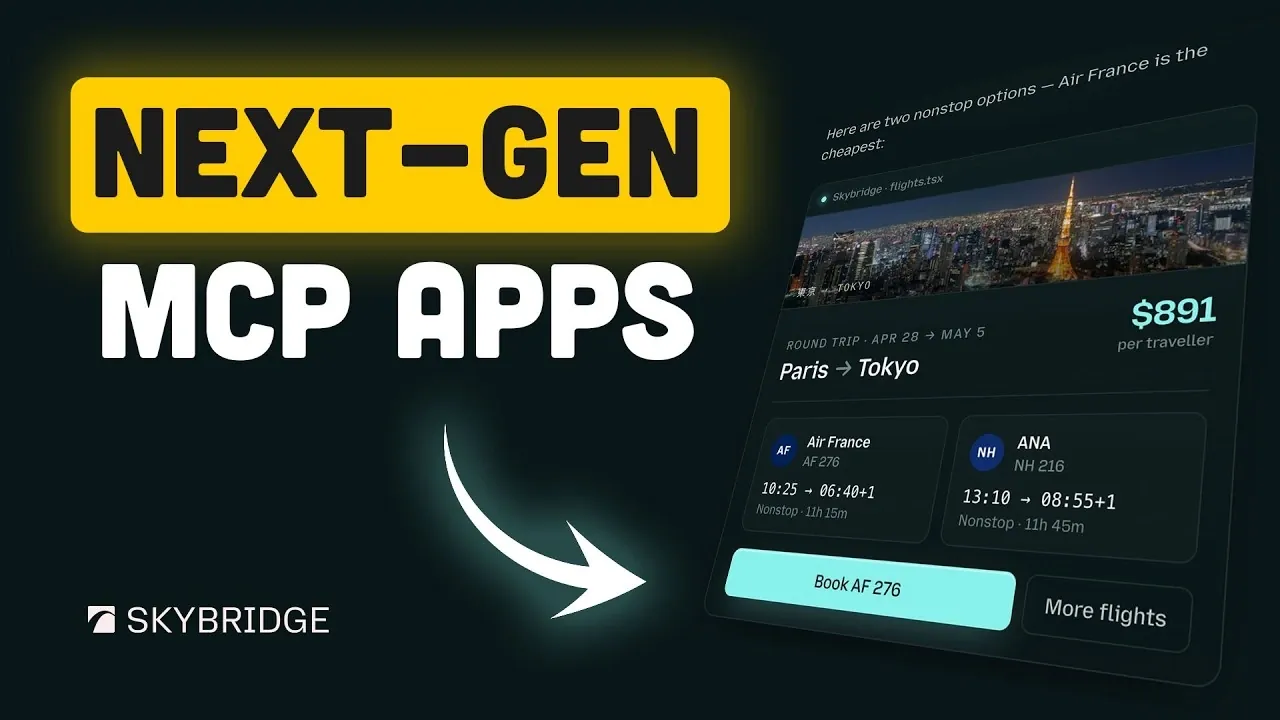
MCP apps, or Multi-Contextual Protocol applications, are reshaping how humans and AI systems collaborate online. These apps assist real-time, synchronized interactions by making sure that both users and AI assistants work with the most current data. For example, an MCP app could help plan a vacation by allowing users to research destinations, compare flights and book accommodations, all within a single, cohesive interface. To simplify the development of these complex systems, frameworks like Skybridge, an open source TypeScript solution by Alpic, handle backend challenges such as state synchronization and security. Better Stack explores how developers can use Skybridge to create MCP apps that are both functional and user-friendly.
This beginner-friendly guide will walk you through the essential steps to build your own MCP app using Skybridge. You’ll discover how to set up a secure development environment, integrate AI platforms like ChatGPT and test your app using features like the Alpic Playground. By the end, you’ll not only understand how to streamline your app’s deployment but also gain practical insights into crafting applications that enhance collaboration and productivity across industries.
What Are MCP Apps?
TL;DR Key Takeaways :
- MCP apps enable real-time, interactive collaboration between humans and AI, synchronizing data and actions across platforms for seamless user experiences.
- Skybridge, an open source TypeScript framework by Alpic, simplifies MCP app development by handling backend complexities like protocol bridging, state synchronization and security.
- Key Skybridge features include the Alpic Playground for live testing, an Integrated Tunnel for secure public URLs and the Beacon Audit Tool for compliance and security checks.
- Skybridge integrates seamlessly with AI platforms like ChatGPT and Claude, allowing advanced functionalities such as natural language processing and personalized recommendations.
- MCP apps have versatile applications across industries, including e-commerce, customer support and productivity tools, offering streamlined workflows and enhanced user experiences.
MCP apps are designed to bridge the gap between human users and AI systems, allowing real-time, interactive communication. These applications allow both parties to share, update and act on information simultaneously, making sure that everyone involved, whether human or AI, is always working with the most up-to-date data.
For instance, imagine planning a vacation with an MCP app. You could collaborate with an AI assistant to research destinations, compare flight options and book accommodations, all within a single, synchronized interface. Similarly, MCP apps can assist with tasks like troubleshooting technical issues or comparing products, offering a streamlined and efficient user experience. The core of these apps lies in their ability to maintain advanced state synchronization, making sure that interactions remain cohesive and accurate.
How Skybridge Simplifies MCP App Development
Developing MCP apps can be a complex process, but Skybridge significantly reduces the challenges involved. This TypeScript framework is specifically designed to handle backend complexities such as protocol bridging, state synchronization and security, allowing developers to focus on creating intuitive user interfaces. By using Skybridge, you can build robust, scalable applications without needing to delve deeply into backend intricacies.
Skybridge is particularly well-suited for developers of all experience levels. Whether you’re a seasoned professional or just starting out, the framework provides the tools and resources necessary to bring your ideas to life. Its integration with React-based user interfaces ensures that your applications are not only functional but also visually appealing and easy to use.

Advance your skills in MCP solutions by reading more of our detailed content.
- JCodeMunch Drastically Reduces Claude AI Token Usage Saving You Money
- How to Play Original Xbox Games On Android : Requirements, Install Steps & Tweaks
- Claude Code Figma MCP Adds Two-Way Design Sync for Team Review
- How Claude Code & Google Stitch 2.0 Are Changing Web Design Forever
- Secret to Building Smarter AI Apps With ShadCN MCP Components
- How Model Context Protocol (MCP) Simplifies AI Workflows and Enhances Productivity
- 7 Hidden Claude Code Features Most Developers Miss
- Why Anthropic Might Have Just Beaten OpenAI and What It Means for You
- Why Elon Musk Just Leased 220,000 GPUs to Anthropic
- The Critical Warning Hidden in Anthropic’s US-China AI Stance
Key Features of the Skybridge Framework
Skybridge offers a suite of tools designed to streamline the development, testing and deployment of MCP apps. These features are tailored to save time, enhance productivity and simplify the overall development process.
- Alpic Playground: A local sandbox environment that allows you to test and refine React widgets with live updates. This tool provides real-time feedback, making it easier to perfect your app’s user interface and functionality.
- Integrated Tunnel: Generate secure public URLs for your local servers with a single click. This feature is invaluable for sharing your app with collaborators or testing it in real-world scenarios without additional setup.
- Beacon Audit Tool: Analyze your app’s metadata and policies to identify potential issues before submission to app stores. This ensures compliance with platform requirements and enhances overall security.
Seamless Integration with AI Platforms
One of Skybridge’s standout features is its ability to integrate seamlessly with leading AI platforms like ChatGPT and Claude. Built-in connectors and customizable permissions ensure smooth communication between your MCP app and AI assistants while maintaining strict control over data access and usage.
This capability is particularly beneficial for applications that rely on advanced AI functionalities, such as natural language processing, predictive analytics, or personalized recommendations. By using these integrations, developers can create applications that deliver highly tailored and intelligent user experiences.
Real-World Applications of MCP Apps
The versatility of MCP apps opens the door to a wide range of practical applications across various industries. Here are a few examples of how these apps can be utilized:
- E-commerce: An MCP app can assist users in comparing products, analyzing specifications and completing purchases within a single interface. For instance, a user shopping for camera lenses could interact with an AI assistant to find the best options based on their needs, making sure a smooth and efficient shopping experience.
- Customer Support: MCP apps can enhance customer service by allowing real-time collaboration between users and AI assistants. Whether troubleshooting technical issues or answering queries, these apps ensure that users receive accurate and timely assistance.
- Productivity Tools: From project management to scheduling, MCP apps can streamline workflows by synchronizing tasks and updates across platforms, allowing teams to collaborate more effectively.
Streamlined Publishing and Deployment
Skybridge simplifies the often complex process of publishing and deploying MCP apps. Its app store readiness tools help ensure that your application meets platform requirements, reducing the likelihood of delays or rejections during submission. Additionally, the framework’s customizable permissions allow you to define how your app interacts with external systems, providing an added layer of security and control.
These features make it easier for developers to bring their applications to market quickly and efficiently, allowing them to focus on refining the user experience rather than navigating technical hurdles.
The Growing Importance of MCP Apps
As technology continues to evolve, MCP apps are poised to become a cornerstone of modern web interactions. By allowing real-time collaboration and shared experiences between humans and AI, these applications offer a glimpse into the future of digital communication. Frameworks like Skybridge play a crucial role in making MCP app development more accessible, empowering developers to create innovative solutions for a wide range of use cases.
Whether you’re building an e-commerce platform, a productivity tool, or a customer support application, MCP apps offer new opportunities to enhance user experiences and redefine how we interact with technology. With tools like Skybridge, you can focus on designing applications that not only meet the demands of today’s users but also anticipate the needs of tomorrow.
Media Credit: Better Stack
Disclosure: Some of our articles include affiliate links. If you buy something through one of these links, Geeky Gadgets may earn an affiliate commission. Learn about our Disclosure Policy.
