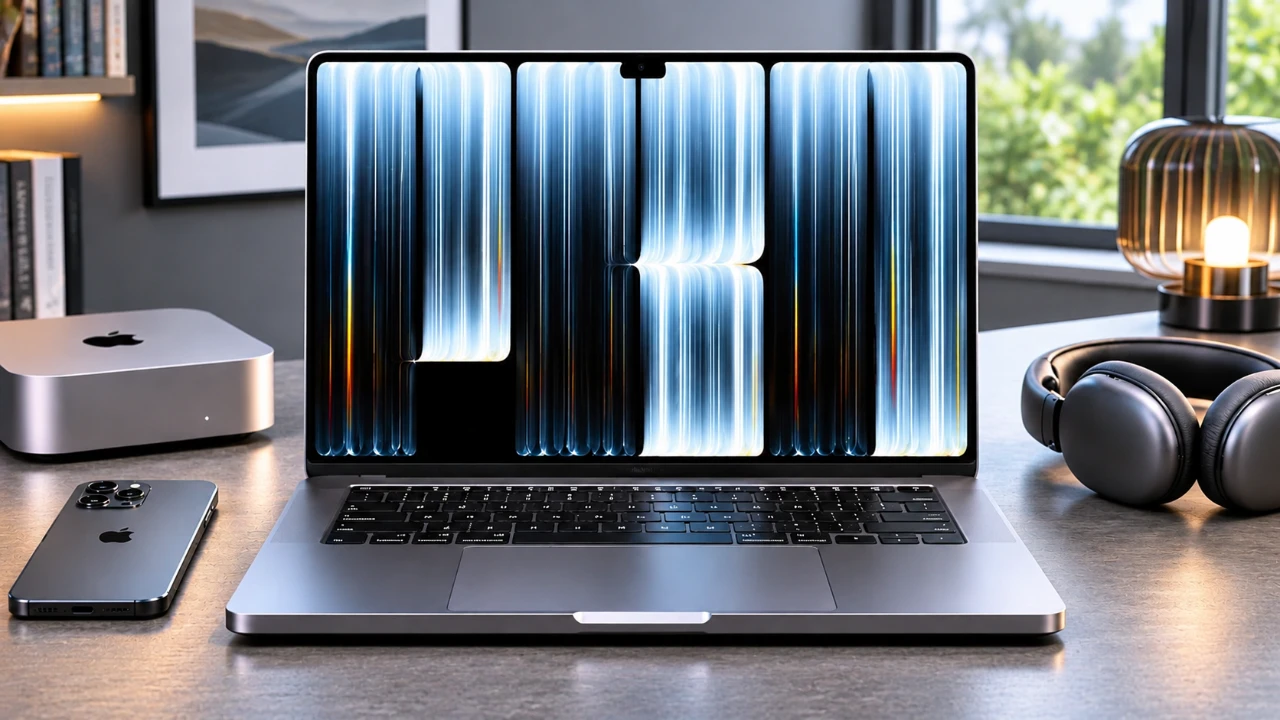
Apple has unveiled its first-ever touchscreen MacBook Pro, marking a pivotal moment in its laptop evolution. This new device combines breakthrough tandem OLED technology with Apple’s signature design philosophy, offering a seamless blend of power, portability, and touch interactivity. Whether you’re a creative professional or a tech enthusiast, this release reshapes how macOS is experienced. The video below from Nikias Molina gives us more details.
TL;DR Key Takeaways :
- First Mac Touchscreen: Brings fluid touch gestures and direct macOS interaction to the MacBook Pro lineup for the first time.
- PROLED XDR Tandem OLED: Delivers stunning 2,000-nit peak brightness, deep blacks, and a 10,000,000:1 contrast ratio.
- Dynamic Island Replaces Notch: Swaps out the traditional webcam notch for an interactive live activities and multitasking hub.
- M5 Pro & M5 Max Power: Driven by Apple’s latest 2nm-class silicon, offering up to 12x the performance of original M1 models.

Touchscreen Integration: A New Dimension for macOS
The introduction of a touchscreen interface to the MacBook Pro lineup is a brand-new addition. For the first time, users can directly interact with macOS through touch gestures, enhancing both functionality and user engagement.
Key Features of the Touchscreen:
- Enhanced Creative Tools: Graphic designers can use touch gestures for precision editing in applications like Affinity Designer, while video editors can navigate timelines effortlessly in Final Cut Pro.
- Streamlined Productivity: Touch-based shortcuts, such as pinch-to-zoom and swipe gestures, simplify workflows, making everyday tasks faster and more intuitive.
This feature bridges the gap between traditional laptops and tablets, offering a more versatile and tactile user experience. It enables users to interact with their devices in ways that were previously exclusive to touch-enabled tablets.
Pro Display XDR with OLED: Visual Excellence
The MacBook Pro’s Pro Display XDR, now featuring tandem OLED technology, sets a new standard for laptop displays. This upgrade delivers exceptional visual performance, making it ideal for professionals who demand reference-caliber visuals.
Display Highlights:
- Unmatched Color and Contrast: The OLED panel provides vibrant colors, deep blacks, and a stunning 10,000,000:1 contrast ratio, making sure every detail is vividly displayed.
- Immersive Design: The curved edges and the introduction of the Dynamic Island replace the traditional notch, creating a more immersive viewing experience.
Whether you’re editing high-resolution images, streaming 4K content, or working on intricate design projects, this display ensures unparalleled clarity and color accuracy, making it a visual powerhouse.
Dynamic Island: Smarter Multitasking
Borrowed from the iPhone, the Dynamic Island makes its debut on the MacBook Pro, transforming multitasking on laptops. This feature enhances productivity by displaying live activities and notifications in a compact, interactive space.
Dynamic Island Benefits:
- Dual Activity Monitoring: Users can track live activities simultaneously, such as monitoring a video export while controlling music playback.
- Seamless Workflow: By reducing the need to switch between apps, the Dynamic Island keeps your focus intact, improving efficiency.
This innovation transforms how users manage tasks, offering a smarter and more streamlined approach to multitasking.
Refined Design: Balancing Portability and Functionality
Apple has introduced several design refinements to enhance the MacBook Pro’s usability and portability. These updates ensure that the device remains both stylish and practical for everyday use.
Notable Design Enhancements:
- Lighter Build: Weighing approximately half a pound less than its predecessor, the MacBook Pro is easier to carry, catering to users on the go.
- Redesigned Hinge: A sturdier hinge design ensures stability during touchscreen interactions, preventing unnecessary screen movement.
- Backlit Apple Logo: The iconic logo returns with adjustable brightness, blending nostalgia with modern functionality.
These thoughtful design changes make the MacBook Pro a perfect companion for professionals who value both aesthetics and practicality.
Performance Revolution: Powered by the M5 Max Chip
At the heart of this MacBook Pro lies the M5 Max chip, delivering unprecedented performance and efficiency. This processor is designed to handle the most demanding tasks with ease, making it a powerhouse for professionals.
Performance Highlights:
- Unmatched Speed: The M5 Max chip supports configurations with up to 128GB of RAM for seamless multitasking.
- Improved Stability: Enhanced image stabilization minimizes screen movement during touch interactions, making sure a smooth experience during video calls and presentations.
- Effortless Multitasking: From rendering 3D models to editing high-resolution videos, the M5 Max chip ensures smooth and efficient performance across all tasks.
This level of performance makes the MacBook Pro an ideal choice for professionals in fields such as design, media production, and engineering.
Empowering Creative Professionals
The combination of touchscreen functionality and hardware advancements makes this MacBook Pro a versatile tool for creative professionals. It is designed to enhance workflows across various industries.
Applications for Creative Workflows:
- Sketching and Editing: The touchscreen allows for precise sketching, annotating, and editing, making it a valuable tool for designers and illustrators.
- Music Production: Music producers can use the touchscreen for intuitive control over mixing and editing tools, streamlining the creative process.
- Collaborative Brainstorming: Apps like Apple Freeform benefit from touch-first functionality, allowing seamless idea generation and collaboration.
These features make the MacBook Pro an indispensable device for professionals in creative industries, offering tools that adapt to their unique needs.
The Future of Touch macOS
The introduction of a touchscreen to the MacBook Pro signals a significant evolution in Apple’s approach to macOS. However, it also highlights opportunities for further development.
Potential Areas for Growth:
- Interface Optimization: Certain macOS elements, such as smaller buttons and menus, could be better optimized for touch input to improve usability.
- Third-Party Integration: Expanding touch support for third-party applications would enhance the overall user experience and broaden the device’s appeal.
Despite these areas for improvement, the touchscreen MacBook Pro lays the foundation for a more interactive and versatile macOS ecosystem, paving the way for future innovations.
Check out more relevant guides from our extensive collection on Touchscreen MacBook Pro that you might find useful.
- Apple Leaked Everything.. AGAIN!
- Apple Officially Confirms New Macs Are Arriving Next Week
- The Touchscreen MacBook Ultra Is Real And Arriving Sooner Than Expected
- Is Apple Launching an OLED MacBook Ultra Soon? Here’s the Latest Scoop
- Is Apple Finally Launching the MacBook Ultra This Month?
Source & Image Credit: Nikias Molina
Disclosure: Some of our articles include affiliate links. If you buy something through one of these links, Geeky Gadgets may earn an affiliate commission. Learn about our Disclosure Policy.
