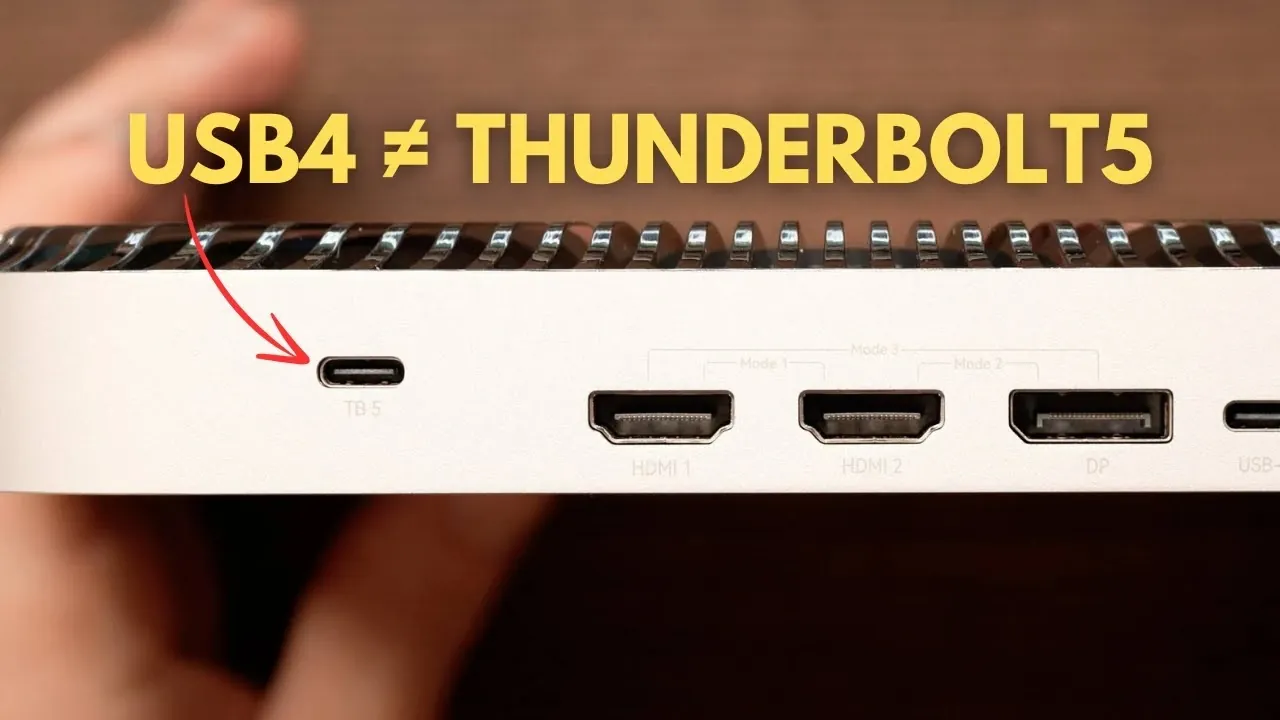
What if the latest USB4 v2 device you just bought wasn’t quite what you thought it was? With its impressive 80Gbps speeds, it’s easy to assume it matches, or even rivals, Thunderbolt 5. But Kevin Muldoon walks through how the two technologies, despite their surface similarities, are fundamentally different in ways that could significantly impact your workflow. From mandatory advanced features to certification requirements, Thunderbolt 5 sets a higher bar for performance and reliability, while USB4 v2 leaves much to the discretion of manufacturers. This flexibility can lead to a frustratingly inconsistent user experience, especially if you’re expecting Thunderbolt-level capabilities.
In this overview, we’ll unpack the key distinctions between USB4 v2 and Thunderbolt 5, helping you understand why labeling matters and how to avoid potential pitfalls when choosing devices. Whether it’s the 240W power delivery that makes Thunderbolt 5 a fantastic option for power-hungry setups or the variability of USB4 v2 implementations, you’ll gain a clearer picture of what each standard offers, and what it doesn’t. If you’ve ever felt overwhelmed by ambiguous product descriptions or wondered what “Thunderbolt-compatible” really means, this breakdown will give you the clarity you need to make smarter tech decisions. Sometimes, the details make all the difference.
USB4 v2 vs Thunderbolt 5
TL;DR Key Takeaways :
- Thunderbolt 5 mandates advanced features like 120Gbps bandwidth swapping, 64Gbps PCIe throughput, and 240W power delivery, making sure consistent high performance, unlike USB4 v2’s optional features.
- Thunderbolt 5 supports DisplayPort 2.1 for 8K displays or multiple 4K monitors, making it ideal for professional and entertainment use.
- Intel certification guarantees Thunderbolt 5 devices meet strict performance and reliability standards, while USB4 v2 devices may vary significantly in quality and capabilities.
- Thunderbolt 5 ensures compatibility with passive cables, simplifying connectivity and reducing the need for specialized accessories.
- Clear labeling and understanding of technical specifications are crucial to avoid confusion between USB4 v2 and Thunderbolt 5, as mislabeling can lead to unmet expectations and inconsistent performance.
How Thunderbolt 5 Stands Apart
Although USB4 v2 and Thunderbolt 5 share some similarities, Thunderbolt 5 distinguishes itself by building on USB4 v2’s foundation with mandatory advanced features that enhance performance, reliability, and versatility. These features include:
- 120Gbps Bandwidth Swapping: Thunderbolt 5 dynamically allocates up to 120Gbps for video-intensive tasks, making it ideal for high-resolution displays and demanding workflows such as video editing or gaming.
- DisplayPort 2.1 Support: Full compatibility with 8K displays or multiple 4K monitors ensures exceptional visual performance for professional and entertainment use.
- 64Gbps PCIe Throughput: High-speed data transfer capabilities support resource-heavy applications like 3D rendering and large-scale file transfers.
- 240W Power Delivery: Thunderbolt 5 supports up to 240W charging, making it suitable for power-hungry devices such as gaming laptops and professional workstations.
- Passive Cable Compatibility: Unlike USB4 v2, Thunderbolt 5 ensures reliable performance even with passive cables, simplifying connectivity and reducing the need for specialized accessories.
- Intel Certification: Every Thunderbolt 5 device undergoes rigorous Intel certification, guaranteeing consistent performance, reliability, and adherence to the standard.
In contrast, USB4 v2 allows manufacturers to selectively implement features. While some USB4 v2 devices may include high-end capabilities, others might only offer basic functionality. This variability can lead to inconsistent performance across devices, making it harder for consumers to predict how a USB4 v2 product will perform in real-world scenarios.
Why Labeling Matters
One of the most significant challenges for consumers lies in deciphering product labeling. Manufacturers often use ambiguous terms like “80Gbps docks” or “Thunderbolt-compatible” without clarifying whether the product adheres to the full Thunderbolt 5 standard. This lack of transparency can lead to confusion and unmet expectations.
For instance, a USB4 v2 dock might advertise compatibility with Thunderbolt devices but lack essential features such as 120Gbps bandwidth swapping or 240W power delivery. Without carefully reviewing product specifications or system overviews, you might inadvertently purchase a device that falls short of your needs. To avoid this, it’s essential to verify whether a product is Intel-certified for Thunderbolt 5 or simply a high-end USB4 v2 device.
USB4 v2 is NOT Thunderbolt 5, Even at 80Gbps!

Take a look at other insightful guides from our broad collection that might capture your interest in Thunderbolt 5.
- Thunderbolt 5 vs 4 vs USB SSD: Key Differences
- Sparkle Studio G Ultra 850 eGPU : Thunderbolt 5 External GPU
- World’s first Thunderbolt 5 cable offers 80 Gbps
- M4 Pro Macs Stack : Thunderbolt 5 Links Make Mac AI Go Way Faster
- ONEXGPU Lite Review : Thunderbolt 5 eGPU for Gamers & Creatives
- Mac Mini M4 Pro Pushed Way Past Thunderbolt 5 Speeds
- Thunderbolt 5 Real World Speeds Tested
- Adonis Cable 240W PD, Thunderbolt 5 8K, USB-C 4 2.0 Rapid
- Razer Core V2 Thunderbolt 5 eGPU Gaming Performance Tested
- The Benefits of Thunderbolt 5 for Professionals and Creatives
Addressing Common Misconceptions
The confusion between USB4 v2 and Thunderbolt 5 extends beyond consumers to even experienced professionals. Mislabeling or misunderstanding these technologies can lead to incorrect assumptions about their capabilities. For example, a recent review mistakenly identified a USB4 v2 dock as a Thunderbolt 5 device, highlighting the importance of verifying technical details before making claims.
This underscores the need for greater education and transparency regarding these evolving standards. By understanding the unique features and requirements of each technology, users can make more informed decisions and avoid potential pitfalls when selecting devices and accessories.
The Overlap Between USB and Thunderbolt Standards
The evolution of USB and Thunderbolt standards has contributed to the current confusion. Thunderbolt often incorporates features from USB but adds mandatory requirements that set it apart. For example, while USB4 v2 introduced 80Gbps speeds, Thunderbolt 5 expanded on this by mandating 120Gbps bandwidth swapping, 64Gbps PCIe throughput, and other advanced features.
This overlap can make it challenging to determine whether a device is truly Thunderbolt 5-certified or simply a high-end USB4 v2 product. To ensure you’re getting the full benefits of Thunderbolt 5, look for Intel certification and carefully review the product’s technical specifications. This distinction is particularly important for professionals who rely on consistent, high-performance connectivity for their workflows.
What You Need to Know
The primary difference between USB4 v2 and Thunderbolt 5 lies in their feature sets and certification requirements. USB4 v2 offers flexibility for manufacturers, resulting in varied performance across devices. In contrast, Thunderbolt 5 guarantees a consistent, high-performance experience by mandating advanced features such as 120Gbps bandwidth swapping, 240W power delivery, and Intel certification.
When deciding between these technologies, consider your specific needs. If you’re a professional working with video-intensive tasks or high-resolution displays, Thunderbolt 5’s mandatory features and reliability make it the better choice. On the other hand, if you’re a casual user seeking basic connectivity, USB4 v2 may suffice, provided you carefully review the product’s specifications.
By staying informed about these standards and verifying product details, you can navigate the complexities of modern technology with confidence. This knowledge will help you select devices and accessories that best support your workflow, making sure optimal performance and reliability in your daily tasks.
Media Credit: Kevin Muldoon
Disclosure: Some of our articles include affiliate links. If you buy something through one of these links, Geeky Gadgets may earn an affiliate commission. Learn about our Disclosure Policy.
