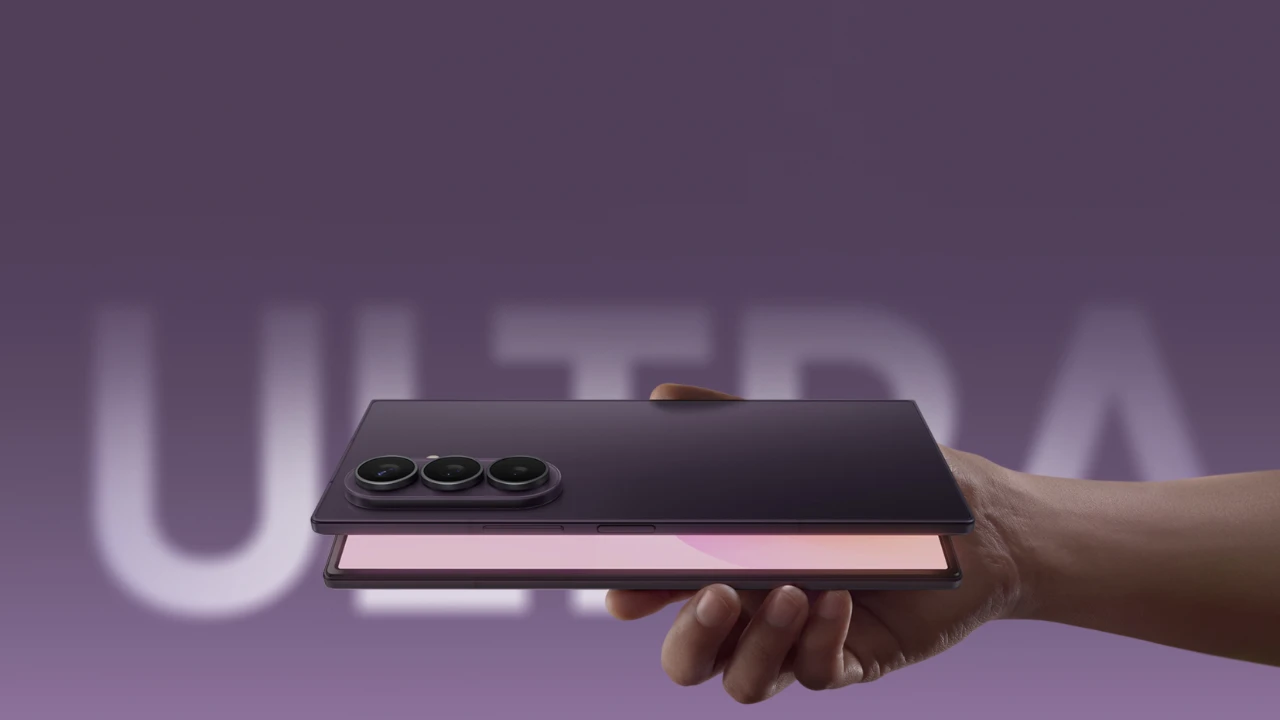
The Samsung Galaxy Z Fold 8 Ultra represents a seamless blend of innovative design and advanced technology, offering a unique experience for users who value productivity, creativity, and versatility. With its expansive foldable display, robust multitasking capabilities, and customizable features, this device is designed to redefine how you interact with your smartphone. By exploring its features and functionalities, you can unlock its full potential and tailor it to suit your needs. The video below from Hayls World gives us a range of tips and tricks for Samsung’s new foldable.

Maximize Efficiency with Multitasking Tools
The Z Fold 8 Ultra is engineered for multitasking, providing tools that enable you to work smarter and faster. Its features are designed to enhance productivity and streamline your workflow:
- Continue Apps on Cover Screen: Seamlessly switch between the cover and main screens without losing your progress, making sure uninterrupted productivity.
- Multi-window and Split-screen Gestures: Open and operate up to three apps simultaneously, allowing you to multitask efficiently, whether you’re editing documents, browsing, or attending virtual meetings.
- Enhanced Taskbar: Access your most-used apps instantly with a streamlined taskbar layout, complete with floating animations for a smoother experience.
- Flex Mode: Transform your device into a mini workstation by using the foldable screen as a laptop-like setup with a trackpad and cursor for added convenience.
These multitasking tools make the Z Fold 8 Ultra a powerful companion for managing both professional and personal tasks with ease.
Unleash Creativity with Advanced Camera Features
The Z Fold 8 Ultra’s camera system is designed to cater to a wide range of users, from casual photographers to content creators. Its advanced features allow you to capture and create with precision:
- Document Scanning: Quickly scan and save documents as PDFs, making it easy to share or archive important files.
- Pro Video and Expert RAW Modes: Capture cinematic-quality videos and adjust lighting, focus and other settings for professional-grade results.
- Horizontal Lock: Maintain stable video recording even while in motion, making sure smooth footage.
- High-quality Webcam: Use the device as a customizable webcam for video calls, streaming, or virtual presentations.
- Advanced Editing Tools: Edit photos and videos directly in the gallery, with options to remove unwanted objects, apply filters, or create 3D effects.
These features make the Z Fold 8 Ultra a versatile tool for photography, videography and creative projects.
Personalize Your Experience with Customization Options
The Z Fold 8 Ultra offers extensive customization options, allowing you to tailor the device to your preferences and enhance its functionality:
- Finder Search Bar: Replace the default Google Search bar with a more powerful search tool for faster and more accurate results.
- Resizable Folders: Organize your apps into large, adjustable folders for better accessibility and a cleaner home screen.
- Good Lock App: Customize the quick settings panel with vertical sliders, unique backgrounds and other personalization options to make the device truly yours.
These customization features ensure that your device not only looks unique but also functions in a way that aligns with your daily needs.
Enhance Everyday Interactions with Gesture Controls
The Z Fold 8 Ultra simplifies navigation and interaction with intuitive gesture and motion controls, making it easier to use the device efficiently:
- Swipe Gestures: Quickly switch between apps or access the taskbar with simple swipe motions, saving time and effort.
- Palm Touch: Lock the screen without closing it, offering a convenient way to secure your device during use.
These gesture controls streamline your interactions, making the device more intuitive and user-friendly.
Optimize Display and Charging Features
The Z Fold 8 Ultra enhances your viewing and charging experience with thoughtful features that combine practicality and style:
- Edge Lighting Effects: Enjoy visually appealing lighting effects during charging, adding a touch of elegance to the process.
- Always-on Display: Use the screen as a bedside clock or notification hub, making sure you stay informed without unlocking the device.
- Wireless PowerShare: Charge other devices using the cover screen, making it a convenient tool for managing power on the go.
These features elevate the overall user experience, blending functionality with aesthetic appeal.
Empower Content Creation with Audio and Video Tools
Whether you’re recording audio or creating videos, the Z Fold 8 Ultra provides tools to enhance your content and bring your ideas to life:
- Audio Eraser: Minimize background noise for clearer and more professional voice recordings.
- My Fan Cam: Automatically track moving subjects for dynamic and engaging video shots.
- Advanced Video Editing: Apply cinematic filters, adjust aspect ratios and fine-tune your videos directly on the device.
These tools make the Z Fold 8 Ultra an invaluable asset for content creators and media enthusiasts.
Discover Hidden Features for Added Functionality
The Z Fold 8 Ultra is packed with lesser-known features that can further enhance your experience and unlock new possibilities:
- Customizable Side Button: Assign the side button to launch AI assistants like ChatGPT or Claude, providing quick access to intelligent tools.
- Advanced Gallery Options: Experiment with creative photo effects, adjustments and filters to produce unique and personalized results.
These hidden features add depth to the device’s capabilities, making it even more versatile and adaptable to your needs.
Source: Hayls World
Disclosure: Some of our articles include affiliate links. If you buy something through one of these links, Geeky Gadgets may earn an affiliate commission. Learn about our Disclosure Policy.
