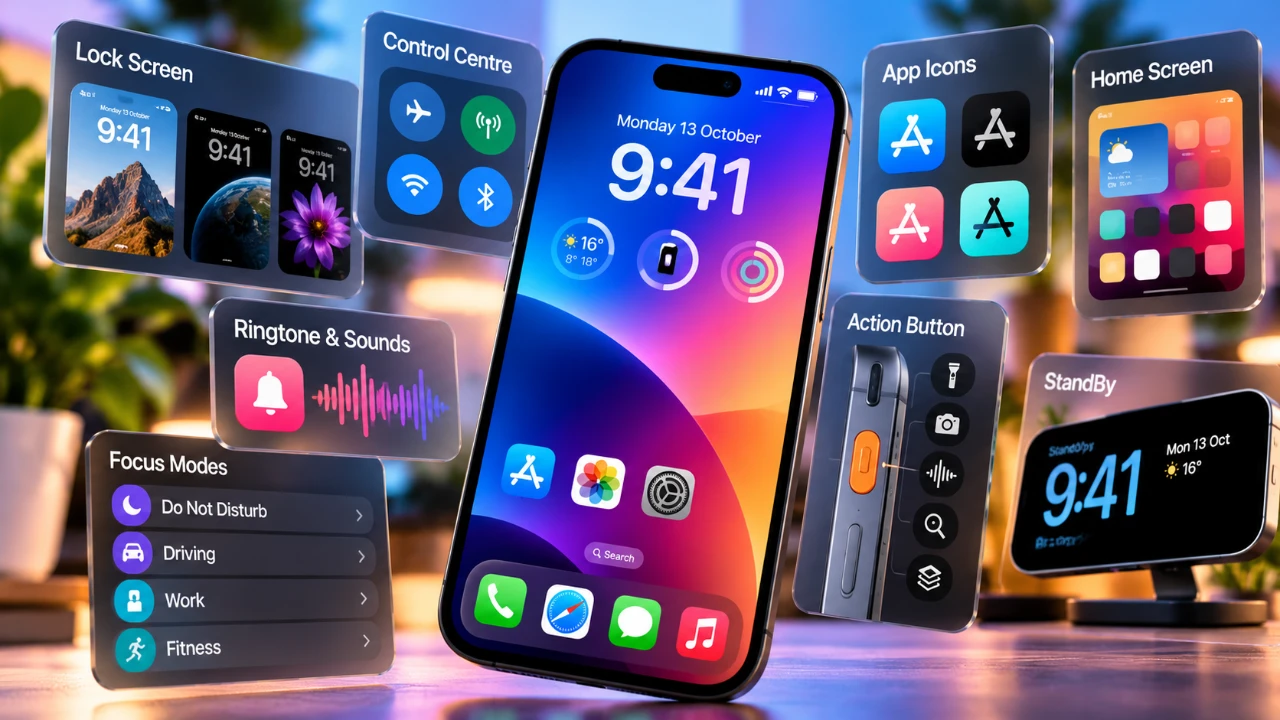
Apple’s iOS 27 introduces a fantastic suite of customization options, giving users unprecedented control over their iPhone’s appearance and functionality. From visual enhancements to advanced audio settings, these updates empower you to craft a device that aligns perfectly with your preferences. Below are seven standout features that redefine how you can personalize your iPhone.

1. Adjust Liquid Glass Transparency
The Liquid Glass design language in iOS 27 introduces a new level of customization by allowing you to fine-tune transparency levels across the interface. This feature lets you decide how much background content is visible through elements like menus and notifications, creating a sleek and modern aesthetic. For those who prioritize readability, the Accessibility settings provide options to reduce transparency further, making sure a user-friendly experience tailored to your needs. Whether you prefer a minimalist or bold design, this feature adapts to your style.
2. Resize and Reposition the Lock Screen Clock
Gone are the days of a static lock screen clock. iOS 27 allows you to resize and reposition the clock on your lock screen, offering a new level of personalization. Whether you want a prominent, bold clock that catches your eye or a subtle, understated display tucked into a corner, this feature lets you design a lock screen that reflects your aesthetic preferences. The flexibility ensures that your lock screen is both visually appealing and functional, adapting seamlessly to your daily routine.
3. Fine-Tune Volume with Independent Controls
Managing your iPhone’s audio settings has never been more precise. iOS 27 introduces independent volume sliders for ringtones, alarms and system alerts, giving you granular control over your device’s sound profile. For example, you can lower your ringtone volume to avoid disruptions while keeping your alarm loud enough to wake you. This level of customization ensures that your iPhone’s audio settings are perfectly aligned with your lifestyle, whether you’re at work, home, or on the go.
4. Create and Extend Wallpapers
Customizing your wallpaper becomes a creative and intuitive process with iOS 27. Using Apple Intelligence, you can now seamlessly extend landscape images to fit your screen, eliminating the need for manual cropping or resizing. Additionally, the system allows you to generate unique wallpapers by providing prompts and selecting from various artistic styles. These tools make it easy to design a background that reflects your personality, whether you prefer vibrant, abstract designs or serene, nature-inspired visuals.
5. Use Full-Screen Widgets
Widgets take on a new dimension in iOS 27 with the introduction of full-screen options. These oversized widgets can occupy an entire page, providing quick access to essential information or frequently used apps. You can also reorder widgets to prioritize what matters most, creating a home screen that is both organized and functional. Whether you’re tracking your fitness goals, monitoring the weather, or managing your calendar, full-screen widgets ensure that the information you need is always at your fingertips.
6. Customize AirPods Equalizer Settings
For audiophiles, iOS 27 offers advanced equalizer settings for AirPods, allowing you to fine-tune bass, mids and treble to create a personalized sound profile. Whether you enjoy bass-heavy music, prefer balanced tones for podcasts, or want crisp highs for classical tracks, these settings ensure that your AirPods deliver the audio experience you desire. This feature enhances your listening experience, making it more immersive and tailored to your preferences.
7. Enhanced Accessibility and Personalization
iOS 27 goes beyond aesthetics, placing a strong emphasis on accessibility and usability. Features like transparency adjustments, sound customization and lock screen personalization cater to a diverse range of user needs. Whether you’re optimizing your device for ease of use or expressing your individuality, these updates ensure that your iPhone feels uniquely yours. The combination of practical functionality and creative freedom makes iOS 27 a significant step forward in personalizing your device.
Why It Matters
The new features in iOS 27 are designed to give you more control over your iPhone, making it a true extension of your personality and lifestyle. By offering tools to adjust transparency, resize clocks, fine-tune audio and more, Apple has created a system that prioritizes both functionality and individuality. These updates not only enhance the usability of your device but also allow you to make it a reflection of your unique style and preferences.
Below are more guides on iPhone from our extensive range of articles.
- iPhone Ultra Fold Launch Date Reportedly Confirmed by Leak
- Apple May Keep the iPhone 18’S Best New Feature Exclusive to the Pro Max
- iPhone Air 2 Leaks: Apple Reportedly Solves the Biggest Battery Flaw
- Why the iPhone Air 2 Might Actually Be Worth Buying This Time
- Early iPhone 18 Reports Point to Major Unconfirmed Shifts
- iPhone Air 2 Leak: Apple Finally Fixes the Camera and Battery
Source: Proper Honest Tech
Disclosure: Some of our articles include affiliate links. If you buy something through one of these links, Geeky Gadgets may earn an affiliate commission. Learn about our Disclosure Policy.
