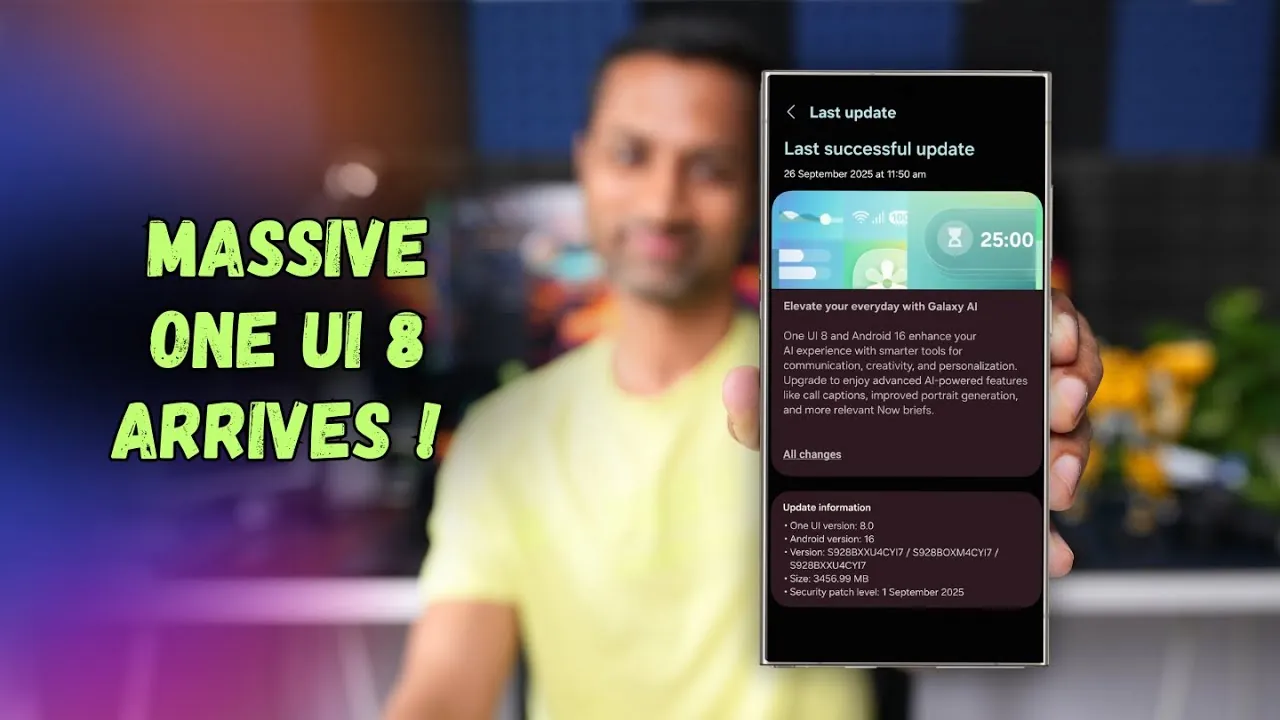
Samsung has officially rolled out the stable version of One UI 8, designed exclusively for the Galaxy S24 series, which includes the S24, S24 Plus, and S24 Ultra. Built on the foundation of Android 16, this update introduces a wide array of features aimed at enhancing usability, security, and overall performance. With a focus on AI-driven tools, refined design, and seamless functionality, One UI 8 is tailored to meet the needs of both casual users and tech enthusiasts, offering a more personalized and efficient smartphone experience. The video below from AppX gives us more details about the update on the Galaxy S24 Series of smartphones.

AI-Powered Features for Enhanced Usability
One UI 8 uses advanced artificial intelligence to make the Galaxy S24 series smarter and more intuitive. This update introduces several key features designed to simplify daily interactions and improve productivity:
- Call Captions: Real-time transcription of phone calls ensures better accessibility and convenience, especially in noisy environments or for users with hearing impairments.
- Enhanced Portrait Generation: AI-powered camera tools enable effortless creation of professional-quality photos, making it easier to capture stunning images in any setting.
- “Now Brief” Widget: A personalized widget that provides daily updates on weather, news, and calendar events, tailored to your preferences and schedule.
These AI-driven tools are designed to streamline your daily tasks, foster creativity, and make your device feel like a personal assistant that adapts to your needs.
Advanced Security Features to Protect Your Data
Security remains a top priority in One UI 8, with significant enhancements aimed at safeguarding sensitive information. The update introduces several robust features to ensure your data remains private and secure:
- September 2025 Security Patch: The latest security updates protect against vulnerabilities, making sure your device stays secure in an ever-evolving digital landscape.
- Enhanced Secure Folder: Powered by Android’s private profile system, this feature isolates sensitive data, offering an additional layer of protection.
- Biometric Separation: Users can now assign distinct biometric data for accessing the Secure Folder, providing an extra level of security for confidential files.
- App Management: The ability to hide and manage apps directly within the Secure Folder enhances privacy and control over your device’s content.
These security upgrades ensure that both personal and professional data remain protected, even in shared or high-risk environments.
Refined Design and Functional Improvements
One UI 8 introduces a polished interface with thoughtful design enhancements that improve both aesthetics and functionality. These updates make navigating your device more intuitive and visually appealing:
- Adaptive Lock Screen Clock: The lock screen clock now automatically adjusts its design to complement your wallpaper, adding a touch of personalization.
- Dynamic Wallpapers: Gradient effects and customizable options allow users to create a more personalized home screen experience.
- Improved Multitasking: A revamped split-screen mode makes managing multiple tasks more efficient, allowing smoother transitions between apps.
- Overhauled Apps: The Samsung Internet browser and Files app have been redesigned with cleaner interfaces, improving usability and navigation.
- Quick Share Enhancements: New animations and file size previews make sharing files faster and more intuitive.
These updates not only enhance the functionality of your device but also make it more enjoyable to use, with a focus on seamless interaction and user satisfaction.
Enhanced Camera and Media Capabilities
For photography and videography enthusiasts, One UI 8 offers a range of new tools that elevate the Galaxy S24 series as a creative powerhouse. These features cater to both casual users and professionals:
- Quick Camera Controls: Faster access to essential settings allows for on-the-go adjustments, making sure you never miss the perfect shot.
- Pro Mode Enhancements: The addition of an exposure monitor provides precise control over lighting, allowing more professional results.
- Audio Eraser Tool: This innovative feature removes unwanted background noise from videos, delivering cleaner and more polished audio.
- Log Video Recording: Capture professional-grade footage with advanced editing capabilities, offering greater flexibility for content creators.
These upgrades make the Galaxy S24 series a versatile tool for capturing high-quality media, whether you’re documenting everyday moments or producing professional content.
Revamped Samsung Apps for Better Integration
Several Samsung apps have been updated to enhance their functionality and usability, making sure a more cohesive experience across the Galaxy S24 series:
- Samsung Notes: The addition of sticky notes allows users to quickly jot down ideas and reminders, improving productivity.
- Redesigned Reminder App: Seamless integration with the Calendar app makes task management more intuitive and efficient.
- Scientific Calculator: Landscape mode now supports advanced calculations, catering to students and professionals alike.
- Galaxy Buds Integration: Quick settings for Galaxy Buds are now accessible directly from the device menu, simplifying control over audio preferences.
These updates ensure that Samsung’s ecosystem of apps works harmoniously, streamlining daily routines and enhancing overall usability.
Improved Connectivity and Performance
One UI 8 also focuses on improving connectivity and device performance, making sure a smoother and more reliable user experience:
- Auracast QR Connections: Joining broadcasts is now easier with QR code support, simplifying the process of connecting to shared audio streams.
- Google Finance Notifications: Stay informed about market trends in real time, making it easier to keep track of financial updates.
- Fluid Animations: Enhanced transitions and interactions provide a seamless and responsive interface, reducing lag and stutters.
- Optimized Performance: Updating all apps via the Galaxy Store ensures compatibility and peak functionality, minimizing performance issues.
These enhancements make the Galaxy S24 series a reliable and efficient device for both personal and professional use, with a focus on stability and connectivity.
Explore further guides and articles from our vast library that you may find relevant to your interests in One UI 8.
- Samsung One UI 8 Features: Top 10 Updates You Should Know
- Samsung One UI 8.0 vs. One UI 7.0: Key Features
- Samsung Expands One UI 8.0 Beta to More Galaxy Devices
- One UI 8: All the New Features Explained in Detail
- Samsung One UI 8 Features and Updates Explained
Source & Image Credit: AppX
Disclosure: Some of our articles include affiliate links. If you buy something through one of these links, Geeky Gadgets may earn an affiliate commission. Learn about our Disclosure Policy.
