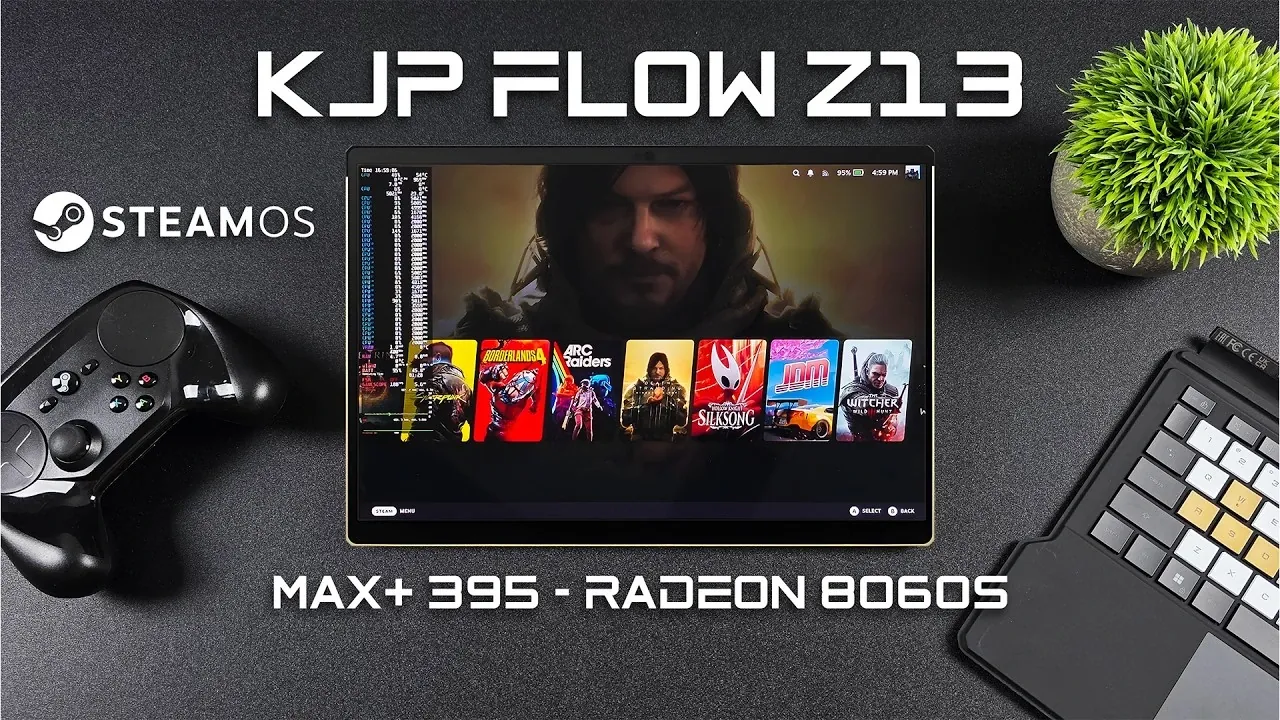
ETA Prime explores the transition from Windows to SteamOS 3.9 on the ROG Flow Z13 KJP Edition, a portable gaming device developed through a collaboration between ASUS ROG and Kojima Productions. Traditionally running on Windows, the ROG Flow Z13 has been tested with SteamOS, a Linux-based operating system designed for gaming. With its robust hardware, including the AMD Ryzen Max Plus 395 APU and Radeon 8060S iGPU, the device delivers smooth gameplay and high performance, even with demanding titles like Cyberpunk 2077. This setup highlights SteamOS’s potential as a viable alternative for gamers seeking a streamlined, gaming-focused platform.
You’ll see how SteamOS uses features like FidelityFX Super Resolution (FSR) and TDP control to optimize performance and battery life. The overview also examines the ROG Flow Z13’s design, including its detachable keyboard and lightweight aluminum-carbon fiber chassis, which enhance portability and versatility. Additionally, you’ll learn about the trade-offs between SteamOS and Windows, such as differences in system controls and compatibility, helping you decide which platform best suits your gaming and productivity needs.
ROG Flow Z13 with SteamOS
TL;DR Key Takeaways :
- The ROG Flow Z13 KJP Edition combines innovative hardware, including the AMD Ryzen Max Plus 395 APU and Radeon 8060S iGPU, delivering exceptional gaming performance.
- SteamOS 3.9 optimizes the device for gaming with features like FidelityFX Super Resolution (FSR), frame generation and extensive customization options.
- The device offers a premium 13.4-inch IPS display with 2560×1600 resolution, 180 Hz refresh rate and Variable Refresh Rate (VRR) support for sharp visuals and smooth gameplay.
- Battery life is highly dependent on TDP settings, ranging from up to 5 hours at 8W to under 1 hour at 70W, requiring careful power management for extended use.
- SteamOS provides a streamlined, gaming-focused alternative to Windows but may lack versatility for non-gaming tasks, making it ideal for gamers prioritizing performance and portability.
The Core of Gaming Performance
The ROG Flow Z13 KJP Edition is powered by the AMD Ryzen Max Plus 395 APU, a high-performance processor boasting 16 cores and 32 threads. This APU integrates the Radeon 8060S iGPU, built on the advanced RDNA 3.5 architecture, featuring 40 compute units that deliver exceptional graphical performance. The device also includes an impressive 128 GB of unified memory, with up to 96 GB configurable for the iGPU, making sure seamless multitasking and smooth gameplay even in demanding scenarios.
The 13.4-inch IPS display enhances the gaming experience with a 2560×1600 resolution, a 180 Hz refresh rate, and Variable Refresh Rate (VRR) support. These features combine to deliver sharp, vibrant visuals and fluid motion, making the device equally suitable for competitive gaming and immersive single-player experiences. Together, these specifications position the ROG Flow Z13 as a hybrid device capable of excelling in both gaming and productivity.
Design: A Blend of Portability and Durability
The ROG Flow Z13 KJP Edition features a chassis crafted from aluminum and carbon fiber, resulting in a lightweight yet durable design. This construction not only enhances portability but also provides a premium aesthetic that appeals to gamers and professionals alike. The detachable keyboard adds a layer of versatility, allowing the device to transition effortlessly between tablet and laptop modes. Whether you are gaming on the move or working in a professional environment, the device adapts seamlessly to your needs.
The thoughtful design extends to its cooling system, which ensures optimal performance during extended gaming sessions. The device remains cool under pressure, allowing users to enjoy high-performance gaming without compromising on comfort or reliability.
SteamOS Tested On the ROG Flow Z13 KJP Edition

Take a look at other insightful guides from our broad collection that might capture your interest in SteamOS.
- Budget SteamOS Mini PC for Living Room Gaming and Streaming
- SteamOS Update Boosts Performance for Older Games on Steam Deck
- MinisForum V3 Gaming Tablet Running SteamOS 3.8 with 165Hz Display
- Full Guide to Installing SteamOS 3.8 on Legion Go S
- Worlds Smallest DIY Steam Machine : Ryzen 7840U for Steady 1080p Play
- Compact Steam OS Gaming PC with RX 7600 Benchmarks
- ROG Flow Z13 Tablet Loaded with SteamOS 3.9, 1440p Gaming & More
- MSI Claw A8 Review : Linux Gaming with Ryzen Z2 Extreme
- Steam Machine Pricing Tipped at $600 to $650 with Supply Tight
- Build a Budget Steam Machine That Easily Hits 1440p
SteamOS 3.9: Optimized for Gaming
SteamOS 3.9 takes full advantage of the ROG Flow Z13’s hardware, offering a gaming-centric operating system that prioritizes performance and user experience. Features like FidelityFX Super Resolution (FSR) and frame generation enhance visual quality and frame rates, while TDP (Thermal Design Power) control allows users to balance performance and battery life according to their needs. Additionally, third-party plugins such as CSS Loader and Deki enable further customization of the SteamOS interface, tailoring it to individual preferences.
Benchmark tests highlight the system’s capabilities, with titles like Cyberpunk 2077 running at high settings in 1440p with stable frame rates. Other demanding games, including Elden Ring and God of War Ragnarok, also perform exceptionally well, demonstrating that SteamOS can rival Windows in delivering a premium gaming experience. These results underscore SteamOS’s potential as a robust alternative for gamers seeking a streamlined and efficient platform.
Battery Life: Balancing Power and Longevity
Battery performance on the ROG Flow Z13 varies depending on the TDP settings, offering flexibility for different usage scenarios. At an 8W TDP, the device achieves up to five hours of battery life, making it ideal for less demanding tasks or indie games. However, higher TDP settings significantly reduce battery life: 45W provides approximately 1.5 hours, while 70W drains the battery in under an hour. This variability highlights the importance of managing power consumption to suit your specific needs, whether gaming or working.
While the device excels in performance, its battery life may pose challenges for users seeking extended portability. Gamers who prioritize high-performance settings should consider keeping the device plugged in during intensive sessions to maintain optimal performance.
SteamOS vs. Windows: Choosing the Right Platform
SteamOS offers a streamlined, gaming-focused alternative to Windows, with a lightweight architecture and optimizations that can outperform Windows in certain gaming scenarios. However, it does come with limitations. Some games may exhibit slightly reduced performance and SteamOS lacks the comprehensive system controls and battery management features available on Windows. Additionally, users accustomed to Windows may face a learning curve when transitioning to SteamOS, particularly for non-gaming tasks.
For gamers who prioritize performance and are open to exploring Linux-based systems, SteamOS provides a compelling option. However, users seeking a more versatile operating system for productivity or creative tasks may find Windows to be a better fit.
Who Should Consider the ROG Flow Z13 with SteamOS?
The ROG Flow Z13 KJP Edition is a versatile device designed to cater to a wide range of users. Gamers who value portability, high performance and a fresh approach to gaming will find SteamOS to be an intriguing alternative. Its ability to deliver smooth gameplay and customization options makes it a strong contender for those seeking a dedicated gaming device.
However, the device’s limitations in battery optimization and non-gaming functionality may deter users who require a more balanced system for everyday tasks. For these individuals, sticking with Windows may provide a more familiar and versatile experience.
Ultimately, the ROG Flow Z13 KJP Edition demonstrates the potential of combining innovative hardware with an alternative operating system. Whether you choose SteamOS or Windows, this device offers a premium gaming experience in a portable and adaptable form factor.
Key Highlights
- The ROG Flow Z13 KJP Edition features advanced hardware, including the AMD Ryzen Max Plus 395 APU and Radeon 8060S iGPU, making sure top-tier gaming performance.
- SteamOS 3.9 uses the device’s capabilities, offering smooth gameplay, advanced features like FSR, and extensive customization options.
- Battery life varies significantly based on TDP settings, requiring careful management for extended use.
- SteamOS provides a strong gaming experience but may lack the versatility and system controls of Windows for non-gaming tasks.
- This device is ideal for gamers seeking a portable, high-performance system and willing to explore Linux-based alternatives.
Media Credit: ETA PRIME
Disclosure: Some of our articles include affiliate links. If you buy something through one of these links, Geeky Gadgets may earn an affiliate commission. Learn about our Disclosure Policy.
