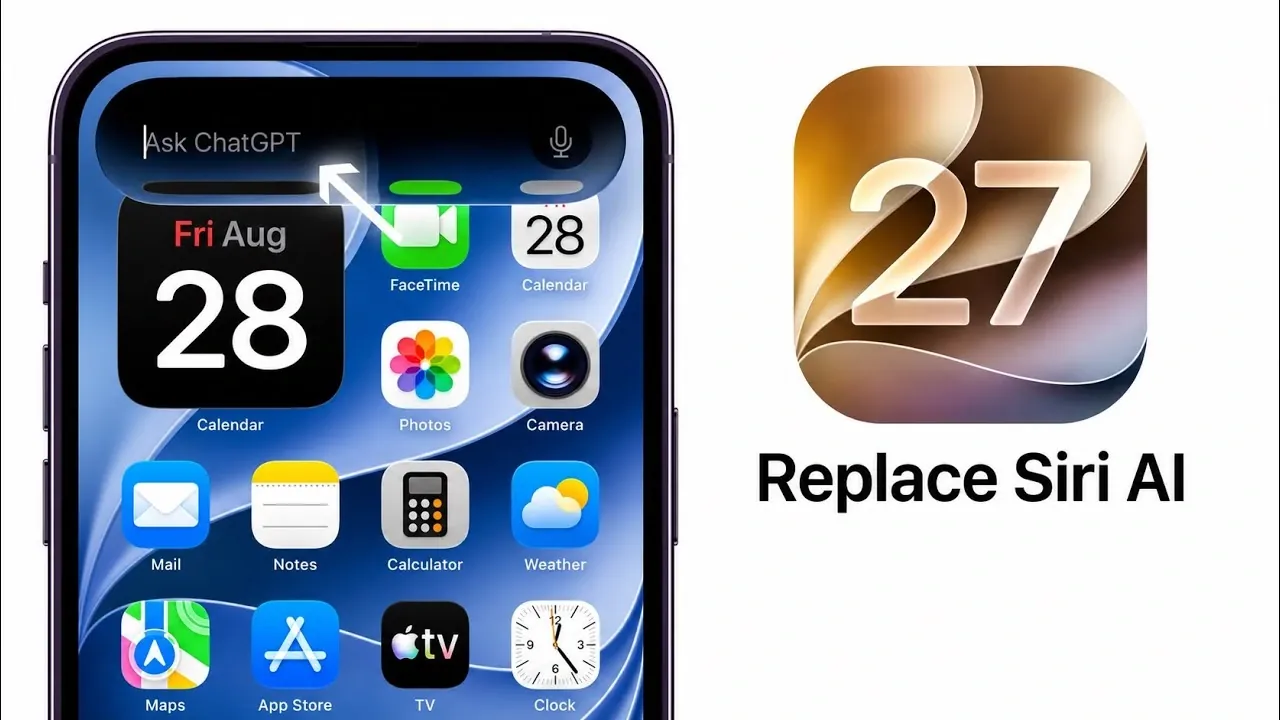
With the release of iOS 27, Apple has introduced the ability to replace Siri with ChatGPT as your primary AI assistant for text-based queries. This feature provides enhanced flexibility, allowing you to customize your device’s AI functionality to better align with your needs. By integrating ChatGPT, users gain access to advanced conversational capabilities, making it a powerful alternative to Siri for specific tasks. The video below from iDeviceHelp explains how to enable the ChatGPT extension, use it effectively, and switch back to Siri when necessary.

How to Enable the ChatGPT Extension
Activating the ChatGPT extension on your iOS 27 device is straightforward. Follow these steps to get started:
- Open the Settings app on your iPhone or iPad.
- Navigate to the Siri & Search section in the menu.
- Scroll through the list of available extensions and locate ChatGPT.
- Enable the extension and log in using your ChatGPT account credentials.
Once activated, ChatGPT becomes available as an alternative AI assistant, ready to handle your text-based queries. This setup allows you to seamlessly integrate ChatGPT into your daily workflow.
Using ChatGPT for Text-Based Queries
After allowing the extension, you can begin using ChatGPT for text-based queries through Siri or Spotlight Search. Here’s how you can make the most of this feature:
- Access the Siri app or swipe down on your home screen to open Spotlight Search.
- Tap the search bar and type in your query.
- Choose the Ask option and select ChatGPT as your assistant.
ChatGPT will process your queries, offering detailed explanations, creative suggestions, or answers to complex questions. Its conversational capabilities make it particularly useful for tasks requiring nuanced responses or in-depth information, providing a more dynamic alternative to Siri.
How to Switch Back to Siri
Switching back to Siri as your primary assistant is just as simple as allowing ChatGPT. Follow these steps to revert to Siri:
- Open the Ask option in Siri or Spotlight Search, as described earlier.
- Select Siri instead of ChatGPT from the list of available assistants.
This seamless switching functionality ensures that you can alternate between Siri and ChatGPT based on your specific needs. Whether you require Siri’s system-level integration or ChatGPT’s conversational depth, iOS 27 provides the flexibility to adapt to your preferences.
Compatibility and Limitations
The ChatGPT extension is fully compatible with text-based inputs in Siri and Spotlight Search on iOS 27. However, it is important to note that Siri remains more deeply integrated with the iOS ecosystem, making it the preferred choice for certain device-specific tasks. These include:
- Setting reminders, alarms and timers
- Managing smart home devices connected to Apple HomeKit
- Initiating phone calls, sending messages, or accessing contacts
While ChatGPT excels in handling conversational and complex queries, Siri’s integration with native iOS features ensures it remains indispensable for tasks that require direct interaction with the operating system.
Customizing Your AI Experience
iOS 27 enables users to personalize their AI assistant experience. ChatGPT is ideal for those who value detailed, conversational interactions, making it a strong choice for brainstorming, research, or creative tasks. On the other hand, Siri’s seamless integration with iOS-specific features ensures it remains the go-to assistant for managing device functions and system-level tasks. This customization allows users to strike a balance between productivity and convenience, tailoring their device to their unique workflow.
Looking Ahead: Future Updates
As Apple continues to refine its AI ecosystem, future updates are expected to enhance the compatibility and functionality of third-party AI assistants like ChatGPT. These updates may include deeper integration with iOS features, improved performance and additional customization options. Such advancements will further expand the versatility of iOS devices, offering users even greater flexibility in managing their AI interactions.
By allowing the ChatGPT extension on iOS 27, you can unlock a new level of customization and functionality for your device. Whether you prioritize conversational depth or system-level efficiency, the ability to switch between ChatGPT and Siri ensures that your device remains optimized for your needs. With ongoing updates and improvements, the future of AI on iOS promises even greater possibilities.
Explore further guides and articles from our vast library that you may find relevant to your interests in iOS 27.
- Apple Delaying iOS 27 Beta 5? Here’s When to Expect the Next Update
- New iOS 27 Beta 5 Release Arrives with a Big Shift Coming
- iOS 27 Beta 5 Is Late: What’s Holding Up Apple’s Next Release?
- The iOS 27 Beta 5 Release Imminent with More New Features
- Apple’s iOS 27 Beta 3 Is Just Days Away: Here’s When It Drops
- Apple iOS 27 Beta 5 Preview: a Look at the Next Release
Source & Image Credit: iDeviceHelp
Disclosure: Some of our articles include affiliate links. If you buy something through one of these links, Geeky Gadgets may earn an affiliate commission. Learn about our Disclosure Policy.
