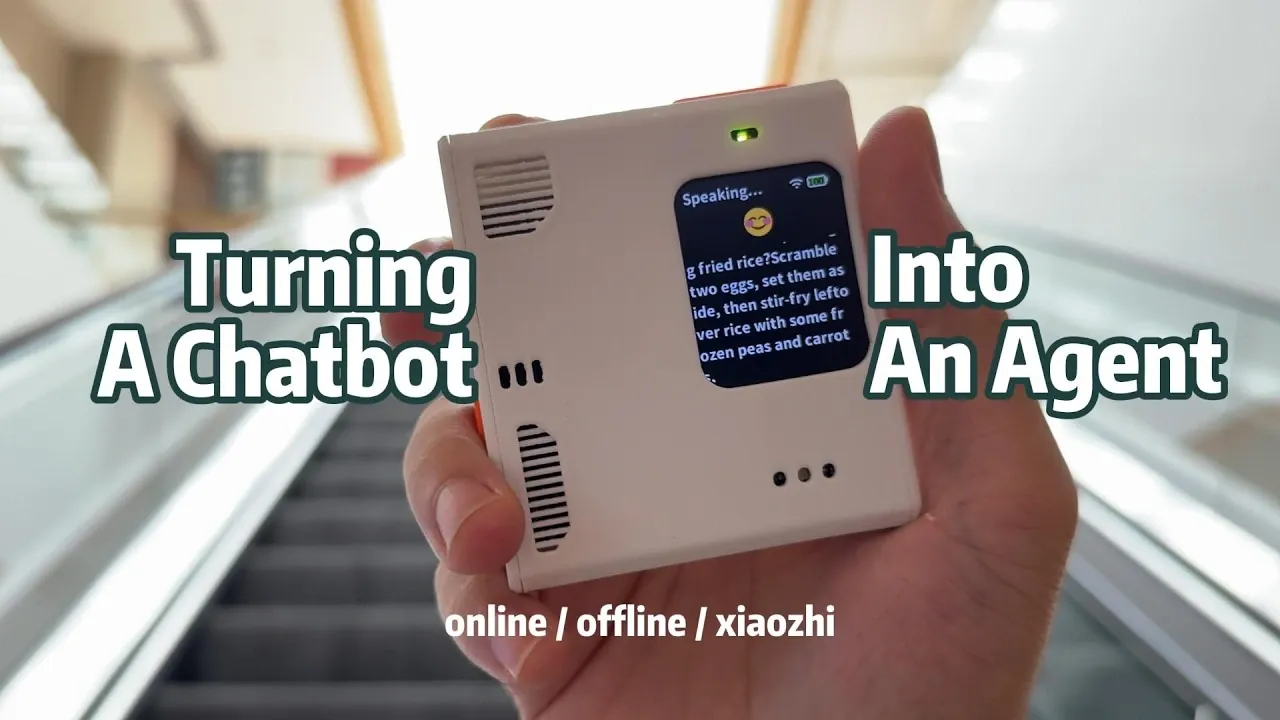
Turning a basic Raspberry Pi chatbot into a functional AI agent demonstrates how modest hardware can support meaningful AI functionality. In this project, Jdaie Lin installed a fresh Raspberry Pi operating system and integrated OpenAI services to enable features like Automatic Speech Recognition (ASR) and Text-to-Speech (TTS) for natural voice interactions. By connecting the chatbot to external services through API integration, it could perform tasks such as web searches, system monitoring and command-line operations, while maintaining conversational context through memory functions.
Explore how the AI agent processes voice commands for tasks like system monitoring and file management. Learn about the trade-offs between offline AI models and cloud-based alternatives and gain insight into how experiments with platforms like Xiao AI informed cost-effective approaches. This explainer provides a step-by-step look at the practical upgrades that expanded the chatbot’s capabilities.
Getting Started: Setting Up the Raspberry Pi
TL;DR Key Takeaways :
- The project transformed a Raspberry Pi chatbot into a fully functional AI agent by integrating features like command-line access, web search and memory, showcasing the potential of affordable AI technology.
- Key upgrades included Automatic Speech Recognition (ASR), Text-to-Speech (TTS), and API integration, allowing the chatbot to process voice commands, respond audibly and interact with online resources.
- The AI agent demonstrated practical applications such as system monitoring, information retrieval, file management and system reporting, enhancing productivity and simplifying workflows.
- Challenges with offline AI models, including limited processing power and reduced accuracy, highlighted the trade-offs between cost-effectiveness and functionality compared to cloud-based services.
- The experiment emphasized the growing accessibility of AI, showing how even low-cost platforms like Raspberry Pi can be transformed into versatile, personalized assistants with advanced features.
The transformation began with a fresh installation of the Raspberry Pi’s operating system to ensure optimal performance and stability. This foundational step provided a clean slate for configuring the chatbot. OpenAI services were then integrated, allowing the chatbot to use Automatic Speech Recognition (ASR) and Text-to-Speech (TTS) capabilities. These features allowed the chatbot to process spoken commands and respond audibly, creating a more interactive and user-friendly experience.
To further enhance its functionality, API integration was employed to connect the chatbot to external services. This step expanded its ability to interact with online resources, paving the way for more advanced features. The initial setup laid the groundwork for a system that could evolve into a practical and interactive AI assistant.
Key Features That Transformed the Chatbot
Several core features were added to elevate the chatbot from a basic conversational tool to a functional AI agent:
- Command-line Access: The chatbot gained the ability to execute Linux commands, allowing it to perform tasks such as checking system resources, managing files and running scripts directly through voice commands.
- Web Search: By integrating web search capabilities, the chatbot could retrieve real-time information from the internet, making it more responsive to user queries and enhancing its utility as an information source.
- Memory: Memory functionality was introduced, allowing the chatbot to retain information from past interactions. This feature improved conversational flow and enabled the chatbot to provide more context-aware responses, making interactions feel more natural and intuitive.
These enhancements transformed the chatbot into a more capable and interactive assistant, bridging the gap between simple automation and intelligent functionality.

Gain further expertise in Raspberry Pi 5 by checking out these recommendations.
- Raspberry Pi 5 tablet using Raspad 3
- WiFi 7 on Raspberry Pi 5: Unlock Blazing Speeds and Next-Gen Features
- 7+ Raspberry Pi 5 operating systems compared and explored
- How to build a Raspberry Pi 5 NAS
- RK3588 ARM PC vs N100 Intel PC Ubuntu 24.04 performance comparison
- Transform Your Raspberry Pi 5 Into a Desktop Powerhouse with Alpine Linux
- Passive cooling a Raspberry Pi 5 for performance
- Best 7 Raspberry Pi Desktop OS Reveiwed for 2026
- Affordable Qualcomm Dragon Q6A Mini PC with Fast UFS Storage & NVMe Support
- Raspberry Pi 5 Server : Build a DIY Energy-Efficient Home Server
What the AI Agent Could Do
With these new features in place, the AI agent demonstrated a wide range of practical applications, showcasing its versatility and potential:
- System Monitoring: The AI agent could monitor system performance, such as memory usage, CPU load and disk space, all through simple voice commands.
- Information Retrieval: It could search for and summarize information on various topics, such as Raspberry Pi updates or general knowledge queries, providing concise and accurate responses.
- File Management: Users could create, edit and manage files using spoken instructions, streamlining tasks that would typically require manual input.
- System Reporting: The AI agent could generate detailed system reports, including hardware specifications and software configurations, making it a valuable tool for troubleshooting and system analysis.
These capabilities demonstrated how a basic chatbot could evolve into a powerful tool for technical tasks, enhancing productivity and simplifying complex workflows.
Challenges of Offline AI Models
The project also explored the use of offline AI models as an alternative to cloud-based services. While these models offered a cost-effective solution, they came with notable limitations:
- Limited Processing Power: Offline models struggled with complex workflows that required advanced reasoning or access to large-scale data processing capabilities.
- Reduced Accuracy: Compared to online AI services, offline models lacked the precision and robustness needed for tasks such as natural language understanding and real-time data retrieval.
These challenges highlighted the trade-offs between affordability and functionality. While offline models are a viable option for basic tasks, they may not be suitable for more demanding applications that require high levels of accuracy and adaptability.
Experimenting with Xiao AI
As part of the project, Xiao AI, an alternative AI platform, was tested to explore its potential as a budget-friendly solution. Xiao AI demonstrated its ability to perform several key functions:
- System Monitoring: Similar to the Raspberry Pi chatbot, Xiao AI could monitor system performance and provide real-time updates.
- File Management: It allowed users to create and manage files efficiently, showcasing its utility for basic administrative tasks.
- Sequential Task Execution: Xiao AI could perform sequential tasks using integrated tools, demonstrating its ability to handle multi-step processes.
Although not as advanced as cloud-based services, Xiao AI provided valuable insights into the potential of compact, cost-effective AI assistants. It served as a reminder that even on a limited budget, AI technology can deliver meaningful functionality.
The Future of Affordable AI Assistants
This project highlights the growing potential of AI to transform simple devices into powerful tools. By integrating advanced features into a low-cost platform like the Raspberry Pi, the experiment demonstrated how accessible AI technologies are becoming, even for hobbyists and small-scale developers.
As AI continues to evolve, its ability to augment tools and devices will expand, opening new opportunities for innovation. Future advancements could lead to compact, always-available AI assistants that enhance productivity, simplify everyday tasks and adapt to individual needs. This experiment serves as a testament to the fantastic potential of AI, showing that even modest hardware can be turned into a personalized, functional assistant with the right tools and creativity.
Media Credit: Jdaie Lin
Disclosure: Some of our articles include affiliate links. If you buy something through one of these links, Geeky Gadgets may earn an affiliate commission. Learn about our Disclosure Policy.
