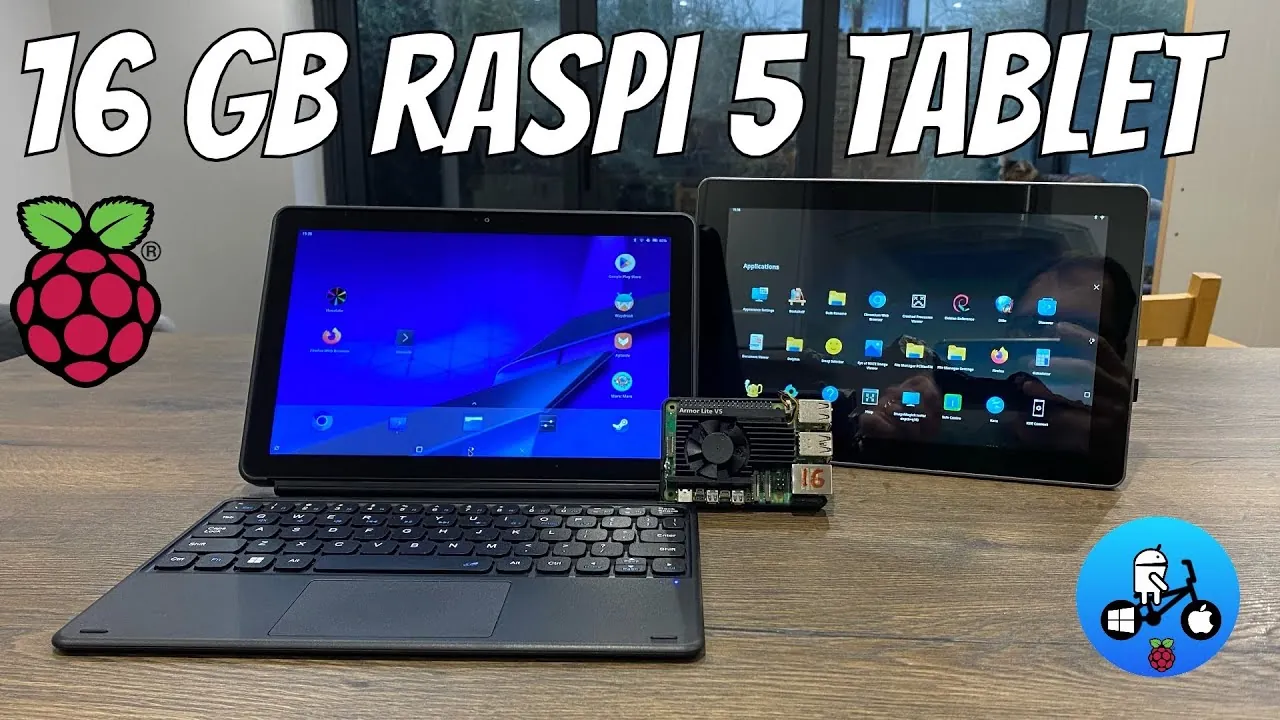
What if your next tablet wasn’t just another off-the-shelf device, but a fully customizable, Linux-powered powerhouse? Enter the Raspberry Pi 5 16GB tablet, a bold experiment in portable computing that merges the flexibility of open source software with the raw potential of single-board hardware. Paired with the RasPad 4 case, this 10-inch touchscreen device promises to turn heads among tech enthusiasts and developers alike. But here’s the catch: while the hardware is undeniably impressive, can Linux, especially in its KDE Plasma and KDE Plasma Mobile forms, truly deliver a seamless touchscreen experience? The answer could redefine what we expect from ARM-based devices, but it also raises some tough questions about Linux’s readiness for this space.
In this coverage, Leepspvideo explores the opportunities and challenges of transforming the Raspberry Pi 5 into a functional tablet. From the promise of its 16GB RAM for multitasking to the hurdles of navigating Linux on a touchscreen, this journey reveals both the potential and the pitfalls of open source innovation. How does it compare to polished alternatives like the Chewy Hi10 X1, and what does this mean for the future of Linux on portable devices? By the end, you’ll gain a deeper understanding of whether this ambitious project is a glimpse of what’s to come, or a reminder of how far Linux still has to go. Sometimes, the most exciting innovations are the ones that challenge the status quo.
Linux Touchscreen Challenges on Raspberry Pi
TL;DR Key Takeaways :
- The Raspberry Pi 5 (16GB variant) paired with the RasPad 4 case transforms into a portable 10-inch touchscreen device but faces challenges with Linux’s touchscreen usability, particularly with KDE Plasma and KDE Plasma Mobile.
- KDE Plasma Mobile, while optimized for touchscreen use, struggles with issues like an unresponsive virtual keyboard, laggy app navigation, and limited ARM architecture optimization.
- x64-based devices like the Chewy Hi10 X1 outperform the Raspberry Pi 5 in touchscreen usability, offering smoother interactions, better software compatibility, and a more refined user experience.
- The Raspberry Pi 5’s hardware, including its 16GB RAM, shows potential for multitasking and performance, but software limitations hinder its effectiveness as a touchscreen device.
- Significant software development and optimization are needed for Linux to become a viable option for ARM-based touchscreen platforms, as demonstrated by the disparity between the Raspberry Pi 5 and x64-based alternatives.
Turning the Raspberry Pi 5 into a Tablet
The RasPad 4 case provides a practical and accessible way to convert the Raspberry Pi 5 into a tablet. Its design emphasizes portability and versatility, making it an attractive option for those seeking a compact computing solution. The 16GB of RAM in the Raspberry Pi 5 enhances its multitasking capabilities, allowing smoother performance for various applications. However, the integration of KDE Plasma, a desktop environment primarily designed for traditional computing, reveals significant limitations when used in a touchscreen context.
Tasks such as navigating menus, resizing windows, or interacting with applications often require the use of a mouse or keyboard, which detracts from the intended tablet experience. While KDE Plasma Mobile, a version of KDE Plasma optimized for mobile devices, offers a more touchscreen-friendly interface, it still falls short in key areas. The virtual keyboard, a critical component for touchscreen interaction, struggles with responsiveness and accuracy. Additionally, navigating apps and settings feels cumbersome, especially when compared to the polished experience offered by x64-based devices. These challenges highlight the current gap in Linux’s readiness for ARM-based touchscreen platforms.
KDE Plasma Mobile on Raspberry Pi
KDE Plasma Mobile represents an ambitious effort to bring Linux closer to touchscreen devices, but its performance on the Raspberry Pi 5 underscores the hurdles that remain. While the installation process is relatively straightforward, the overall user experience is hindered by several critical issues.
- The virtual keyboard frequently fails to register input accurately, making text entry frustrating and unreliable.
- App navigation and settings adjustments are often laggy, reducing the fluidity expected from a touchscreen interface.
- Software optimization for the ARM architecture remains limited, leading to inconsistent performance across applications.
These shortcomings stem from both the hardware constraints of the Raspberry Pi 5 and the developmental state of KDE Plasma Mobile. In contrast, x64-based devices like the Chewy Hi10 X1 tablet demonstrate a more refined and responsive touchscreen experience. The x64 architecture provides better compatibility with Linux applications, resulting in smoother interactions and a more intuitive interface. This disparity highlights the need for further development to make Linux a viable option for ARM-based touchscreen devices.
10” Raspberry Pi 5 16GB Tablet in 2025

Advance your skills in Raspberry Pi 5 by reading more of our detailed content.
- Build a 4-Bay Raspberry Pi 5 NAS With RAID 5 & Swappable Drives
- How to Build a Mini-ITX Desktop PC with Raspberry Pi 5
- Raspberry Pi 5 vs Raspberry Pi 4 mini PCs compared
- How to Build a TrueNAS Server on Raspberry Pi 5 in 2025
- How to Easily Build a Home Server with Raspberry Pi 5
- Raspberry Pi 5 cooling fan vs passive heatsinks compared
- AI Vision Devices Compared: Raspberry Pi 5 vs Jetson Orin Nano
- Raspberry Pi 5 games emulation tested
- How to use the Raspberry Pi 5 Network OS Installer
- Raspberry Pi 5 features improved image processing
Chewy Hi10 X1: A Benchmark for Linux Touchscreen Usability
The Chewy Hi10 X1, powered by an x64 processor, serves as a benchmark for what Linux can achieve on touchscreen devices. Running a Linux distribution with KDE Plasma Mobile, the tablet delivers a responsive and user-friendly interface. The virtual keyboard operates seamlessly, allowing smooth text input, while tools like W Droid allow for Android app integration, further expanding its functionality.
This device demonstrates the potential of Linux when paired with hardware that fully supports its capabilities. The Chewy Hi10 X1’s performance underscores the challenges faced by the Raspberry Pi 5, which, despite its impressive specifications, struggles to match the usability of x64-based devices in a touchscreen context. The success of the Chewy Hi10 X1 highlights the importance of hardware-software synergy in delivering a polished user experience.
Performance and Usability: A Tale of Two Architectures
The Raspberry Pi 5’s 16GB model provides ample processing power for a wide range of tasks, but its performance as a touchscreen device is hindered by software limitations. Linux, while highly versatile, is not yet fully optimized for touchscreen use on ARM-based platforms. Common issues include:
- Applications often require additional configuration to function properly, adding complexity for users.
- The virtual keyboard lacks the polish and reliability needed for seamless interaction.
- Touchscreen responsiveness is inconsistent, leading to a less intuitive user experience.
In contrast, x64-based devices like the Chewy Hi10 X1 excel in these areas. Their architecture allows for better software compatibility, resulting in smoother interactions and a more refined interface. This comparison highlights the need for further development of Linux distributions and desktop environments tailored to ARM-based touchscreen devices. While the Raspberry Pi 5 has the hardware potential, the software ecosystem must evolve to fully realize its capabilities in this context.
The Future of Linux on Touchscreen Devices
The Raspberry Pi 5, when paired with the RasPad 4 tablet case, showcases the potential of single-board computers in portable computing. However, the limitations of Linux as a touchscreen operating system on ARM-based platforms remain a significant challenge. KDE Plasma and KDE Plasma Mobile, while promising, require substantial refinement to deliver a seamless user experience.
On the other hand, x64-based devices like the Chewy Hi10 X1 illustrate what Linux can achieve with the right hardware. With responsive touchscreen functionality, a reliable virtual keyboard, and support for Android app integration, these devices set a high standard for Linux touchscreen performance. For the Raspberry Pi 5 to compete in this space, significant improvements in software optimization and usability are essential. Until these advancements are made, the Raspberry Pi 5 remains a compelling but imperfect option for touchscreen computing, offering a glimpse into the possibilities of ARM-based Linux devices while highlighting the work that still needs to be done.
Media Credit: leepspvideo
Disclosure: Some of our articles include affiliate links. If you buy something through one of these links, Geeky Gadgets may earn an affiliate commission. Learn about our Disclosure Policy.
