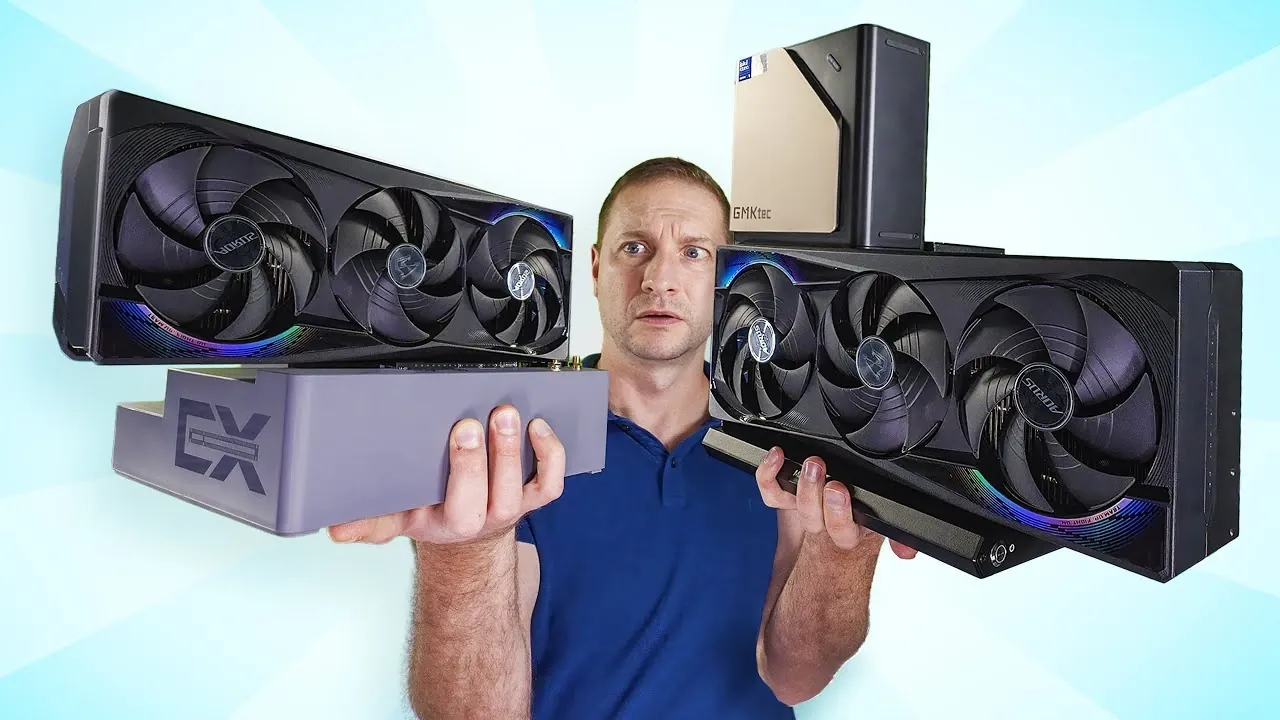
What if the compact, portable mini PC on your desk could rival the power of a full-sized desktop? For years, the debate over external GPU interfaces like PCIe and OCuLink has divided tech enthusiasts, with each camp championing its preferred standard. On one side, PCIe offers staggering bandwidth and raw performance, while OCuLink promises a sleek, portable alternative. But here’s the twist: recent advancements in AI workloads and large language models (LLMs) are reshaping how we evaluate these interfaces. What if the “best” choice isn’t just about bandwidth or size but about how these technologies align with the unique demands of modern computing? This exploration challenges long-held assumptions and uncovers surprising insights into how these interfaces perform in real-world scenarios.
Below Alex Ziskind compares how PCIe vs OCuLink stack up when paired with innovative mini PCs like the GMK Tech Evo T1 and Beink GTI 15. From AI inference to gaming, we’ll unpack the trade-offs between portability and performance, revealing why your choice of interface might depend more on your workflow than raw specs. Whether you’re a developer running dense AI models or a gamer seeking a streamlined setup, this exploration will help you rethink what’s possible with compact computing. Sometimes, the smallest details, like the interface you choose, can make the biggest difference.
OCuLink vs PCIe Explained
TL;DR Key Takeaways :
- Mini PCs like the GMK Tech Evo T1 and Beink GTI 15 offer a balance of portability and performance, with versatile connectivity options such as OCuLink and PCIe Gen 5 for external GPU setups.
- OCuLink provides a compact, portable solution with 7.9 GB/s bandwidth, suitable for smaller GPUs and moderate workloads, while PCIe Gen 5 delivers 31.5 GB/s bandwidth for high-performance GPUs and demanding tasks.
- AI workloads reveal nuanced differences between OCuLink and PCIe, with dense models benefiting more from PCIe’s superior bandwidth, while sparse models may perform adequately on integrated GPUs.
- The GMK Tech Evo T1 is ideal for users prioritizing portability and a clean setup, while the Beink GTI 15 caters to those needing maximum GPU power for resource-intensive applications.
- Choosing between OCuLink and PCIe depends on specific needs: OCuLink excels in mobility and compact setups, whereas PCIe is better suited for stationary, high-performance configurations.
Mini PCs: Compact Powerhouses with Versatile Connectivity
Mini PCs have emerged as a compelling alternative to traditional desktops and laptops, offering a unique combination of portability and performance. Devices such as the GMK Tech Evo T1 and Beink GTI 15 exemplify this trend, showcasing compact designs paired with robust connectivity options. For instance, the Evo T1 incorporates OCuLink ports, allowing external GPU expandability, while the GTI 15 supports PCIe Gen 5, catering to users who demand high-performance setups. These features make mini PCs a versatile choice for professionals, gamers, and tech enthusiasts who require powerful computing in a small form factor.
The appeal of mini PCs lies not only in their size but also in their ability to adapt to a wide range of use cases. Whether you’re a developer running AI models, a gamer seeking smooth performance, or a professional requiring a portable workstation, mini PCs offer a balance of convenience and capability. Their connectivity options, such as OCuLink and PCIe, further enhance their versatility, allowing users to customize their setups based on their specific requirements.
OCuLink vs PCIe: Bandwidth, Expandability, and Practicality
The choice between OCuLink and PCIe hinges on your priorities, as each interface offers distinct advantages and trade-offs. Here’s a closer look at how they compare:
- OCuLink: With a PCIe 4×4 bandwidth of 7.9 GB/s, OCuLink provides a compact and streamlined solution for external GPUs. Its portability makes it ideal for users who prioritize mobility and a clean setup. However, the bandwidth limitations of OCuLink can restrict performance when handling demanding tasks such as dense AI models or high-end gaming. It is best suited for smaller GPUs and moderate workloads.
- PCIe Gen 5: Offering a staggering 31.5 GB/s of bandwidth, PCIe Gen 5 supports high-performance GPUs, making sure optimal performance for resource-intensive applications. This makes it the preferred choice for users focused on raw computing power. However, the trade-off is its bulkier and less portable setup, which may not appeal to those who value mobility and compactness.
The decision between these interfaces ultimately depends on your specific use case. If portability and ease of setup are your priorities, OCuLink is a practical choice. On the other hand, if you require maximum GPU performance for tasks like gaming or AI workloads, PCIe offers the bandwidth and expandability needed to meet those demands.
LLMs Changed My Mind About PCIe vs OCuLink

Take a look at other insightful guides from our broad collection that might capture your interest on PCIe.
- New PCIe 6.0 specifications offer 64 GT/s per lane
- AVerMedia next generation PCIe live streaming capture cards
- NVIDIA liquid-cooled NVIDIA A100 PCIe GPU
- QNAP QM2 PCIe Cards Enhance NAS Performance
- What is PCI vs PCIe and what are the differences?
- Sabrent 10Gbps USB-C enclosure for M.2 2230 PCIe NVMe SSDs
- PCIe 5.0/CXL 2.0 Retimer chip
- Animaionic Maximus Apple Mac external PCIe expansion enclosure
- Complete PCIe 6.0 subsystem solution from Alphawave Semi
- NVIDIA A100 PCIe 80GB PCI based accelerator
AI Inference and Generative AI: Performance Insights
AI workloads provide a nuanced perspective on the differences between OCuLink and PCIe. For AI inference tasks, such as token generation in large language models (LLMs), the performance gap between the two interfaces is often minimal. Sparse models, such as GPT OSS 20B, can sometimes perform better on integrated GPUs (iGPUs) due to reduced data transfer overhead. This highlights the importance of tailoring hardware choices to the specific characteristics of your workloads.
Dense AI models, however, benefit significantly from discrete GPUs connected via PCIe or OCuLink. These GPUs excel in token generation tasks, particularly for longer prompts, where their processing power and memory bandwidth come into play. While OCuLink’s bandwidth limitations may restrict its compatibility with high-end GPUs, it remains a viable option for smaller GPUs in portable setups. PCIe, with its superior bandwidth, is better suited for handling the demands of dense models and resource-intensive applications.
GMK Tech Evo T1 vs Beink GTI 15: Comparing Practical Applications
The GMK Tech Evo T1 and Beink GTI 15 serve as excellent examples of how OCuLink and PCIe interfaces cater to different user needs. Here’s a practical comparison of these devices:
- GMK Tech Evo T1: This mini PC’s compact design and OCuLink expandability make it an attractive choice for users who value portability and a tidy setup. It pairs well with smaller GPUs, offering sufficient performance for moderate workloads, such as casual gaming or light AI tasks. Its streamlined design is ideal for users who frequently move their setups or require a clutter-free workspace.
- Beink GTI 15: Equipped with PCIe Gen 5, the GTI 15 supports high-end GPUs, delivering exceptional performance for demanding applications. This makes it a strong contender for users focused on gaming, AI model training, or other resource-intensive tasks. However, its larger footprint and less portable design may not suit users who prioritize mobility.
Your choice between these devices should align with your specific requirements. If you need a portable, compact solution, the Evo T1 is a practical option. For users seeking maximum GPU power and performance, the GTI 15 offers the capabilities needed to handle demanding workloads.
Key Considerations for Choosing the Right Interface
When deciding between OCuLink and PCIe, it’s essential to consider the trade-offs and align your choice with your computing needs. Here are some practical considerations:
- OCuLink: Best suited for users who prioritize portability and a clean, compact setup. Its bandwidth is sufficient for moderate workloads and smaller GPUs, making it a practical choice for mobile setups. However, it may struggle to meet the demands of high-performance GPUs or resource-intensive tasks.
- PCIe: Ideal for users who require maximum bandwidth and expandability. PCIe’s superior performance makes it the go-to option for stationary setups focused on gaming, AI workloads, or other demanding applications. The trade-off is reduced portability and a bulkier design.
By understanding the capabilities and limitations of each interface, you can make an informed decision that aligns with your specific use case. Whether you prioritize portability or raw performance, both OCuLink and PCIe offer unique advantages that cater to a wide range of computing needs.
Media Credit: Alex Ziskind
Disclosure: Some of our articles include affiliate links. If you buy something through one of these links, Geeky Gadgets may earn an affiliate commission. Learn about our Disclosure Policy.
