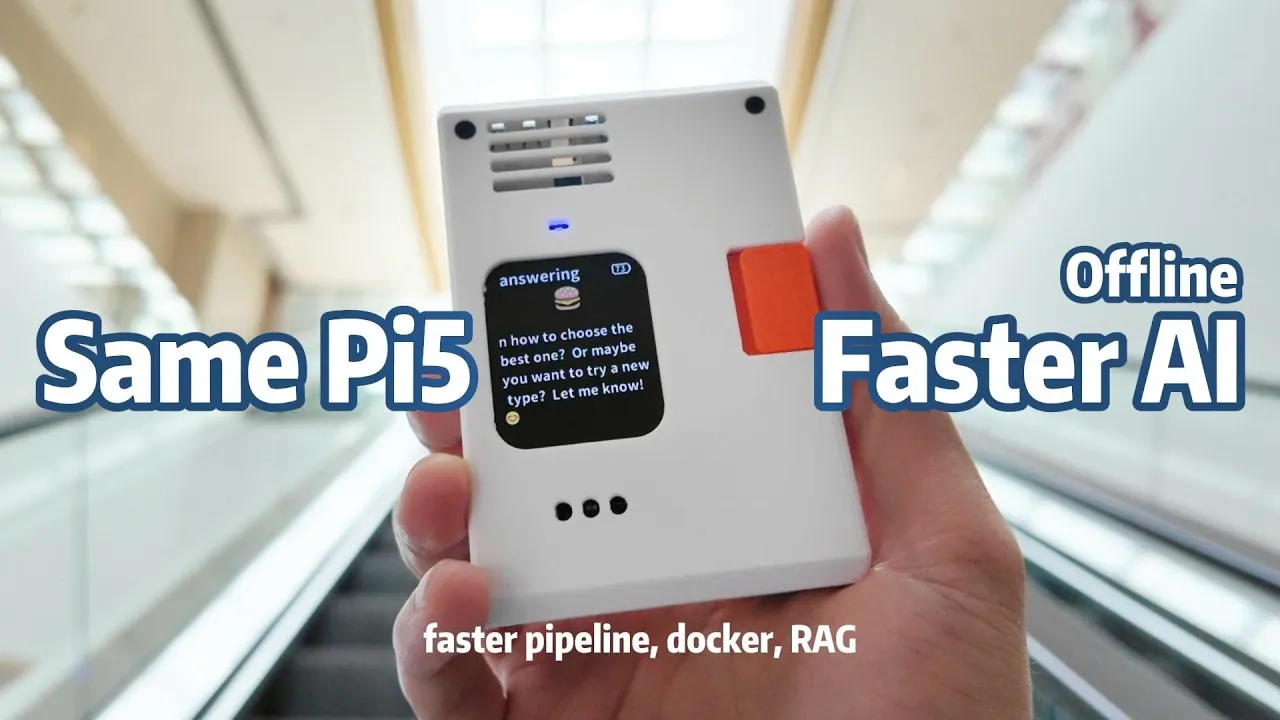
What if your offline Raspberry Pi AI chatbot could respond almost instantly, without spending a single extra dollar on hardware? In this walkthrough, Jdaie Lin shows how clever software optimizations can dramatically enhance performance, turning even modest devices into highly responsive conversational systems. Imagine slashing speech processing delays from 8 seconds to just 1.5 seconds or experiencing voice responses with virtually no lag. These aren’t minor adjustments, they’re fantastic changes that make your chatbot feel faster, smarter, and more engaging. Best of all, it’s achieved using the Raspberry Pi you already own.
This explainer dives into the strategies behind this performance boost, including Faster Whisper for rapid speech recognition and preloading language models for seamless interactions. You’ll also discover how innovations like Piper HTTP and Docker scalability can unlock even greater potential from your Raspberry Pi. Whether you’re building a personal assistant, an educational companion, or a specialized support system, these methods demonstrate how to create a chatbot that doesn’t just work, it impresses. It’s a testament to how rethinking your approach can deliver innovative results.
Speeding Up Raspberry Pi Chatbot
TL;DR Key Takeaways :
- Optimized Automatic Speech Recognition (ASR) by switching to Faster Whisper and preloading the model, reducing transcription time from 8 seconds to 1.5 seconds for real-time interactions.
- Preloaded the Language Model (LLM) during startup to eliminate initialization delays, making sure smoother and more responsive chatbot conversations.
- Enhanced Text-to-Speech (TTS) performance by using Piper HTTP, reducing synthesis time from 2-3 seconds to 500 milliseconds for near-instantaneous voice responses.
- Implemented Docker containerization for scalability, allowing resource-intensive tasks like ASR and TTS to run on external hardware while maintaining the chatbot interface on the Raspberry Pi.
- Integrated a local knowledge base using Qent, allowing the chatbot to provide tailored responses based on user-provided files, such as PDFs or text documents, for specialized applications.
1: Optimizing Automatic Speech Recognition (ASR)
Automatic Speech Recognition is the first step in processing user input, but it often becomes a performance bottleneck. Initially, using the standard Whisper model for speech transcription led to delays of up to 8 seconds per query. This was addressed by switching to Faster Whisper, a more efficient variant, which reduced transcription time to just 1.5 seconds.
Key improvements included:
- Implementing a persistent Python HTTP server to preload the ASR model into memory. This eliminated the need to reload the model for each query, significantly reducing processing time.
- Achieving near-instantaneous speech input processing, which is essential for real-time interactions and a seamless user experience.
These changes ensure that the ASR system operates efficiently, making it a reliable foundation for your chatbot.
2: Preloading the Language Model (LLM)
The language model is the core of your chatbot, responsible for generating contextually relevant responses. However, loading the model on demand can introduce noticeable delays, particularly during the first interaction. To address this, the system was configured to preload the LLM during startup.
This optimization offers several benefits:
- Eliminates initialization delays, making sure the model is always ready to process queries.
- Maintains a smoother and more natural conversational flow by keeping the LLM active in memory.
By preloading the LLM, the chatbot becomes more responsive, enhancing the overall user experience and making interactions feel more immediate.
Fast Offline Raspberry Pi AI Chatbot : No Extra Hardware
Enhance your knowledge on Raspberry Pi 5 by exploring a selection of articles and guides on the subject.
- Raspberry Pi 5 M.2 SSD HAT+ PCIe Gen 3 board launches for $9
- Add a Raspberry Pi 5 SSD NVMe storage with ease
- Build Your Own 10″ Raspberry Pi 5 Tablet Running KDE Mobile Linux
- Awesome Raspberry Pi 5 Offline AI Chatbot Project
- Raspberry Pi 5 features improved image processing
- Raspberry Pi 5 industrial PC with M.2 NVMe storage adapter
- Raspberry Pi 5 cooling cases and fanless passive heatsinks compared
- Raspberry Pi 5 tablet using Raspad 3
- Raspberry Pi 5 16GB Review : Features, Price & Performance
3: Enhancing Text-to-Speech (TTS) Performance
Text-to-Speech functionality is critical for converting chatbot responses into natural-sounding audio. Initially, the command-line version of Piper was used, but it required 2-3 seconds to synthesize speech. Switching to Piper HTTP reduced synthesis time to just 500 milliseconds.
This improvement delivers several advantages:
- Voice responses become almost instantaneous, significantly improving usability in real-world scenarios.
- Faster TTS enhances the practicality of the chatbot for applications requiring quick feedback, such as customer service or interactive learning tools.
By optimizing TTS performance, the chatbot becomes more engaging and effective, particularly in scenarios where speed is critical.
4: Scaling with Docker
While the Raspberry Pi 5 is a capable device, some tasks can benefit from offloading to more powerful hardware. Docker containerization was employed to package ASR and TTS services into modular containers, offering a scalable and flexible solution.
Key benefits of this approach include:
- Scalability: Resource-intensive services can be deployed on external machines, such as a desktop computer, while the chatbot interface remains on the Raspberry Pi.
- Flexibility: The modular architecture allows for easy adaptation to different hardware configurations, allowing seamless integration with various systems.
For example, running ASR and TTS services on a desktop while maintaining the chatbot interface on the Raspberry Pi ensures that resource-heavy tasks do not overwhelm the Pi, allowing it to focus on other functions.
5: Adding a Local Knowledge Base
To enhance the chatbot’s versatility, a local knowledge base was integrated using a vector database called Qent. This feature enables the chatbot to answer queries based on user-provided files, such as PDFs or text documents.
Here’s how it works:
- User files are indexed in the vector database, allowing the chatbot to retrieve relevant information quickly and accurately.
- This capability is particularly useful for specialized applications, such as technical support, educational tools, or personalized assistance.
By incorporating a local knowledge base, the chatbot becomes more adaptable to specific use cases, offering tailored responses based on the provided data. This customization makes the system highly practical for niche applications.
6: Exploring Additional Features
The flexibility of the Raspberry Pi platform allows for further enhancements beyond the core functionalities. For instance, a vision server was added to enable image processing tasks. Using a Raspberry Pi Zero equipped with a camera, the chatbot can:
- Describe images in detail, providing visual context for users.
- Perform basic object recognition, expanding its utility in fields such as accessibility or security.
These additional features demonstrate the adaptability of the setup, which can be tailored to various use cases. Whether you are working with a Raspberry Pi 5 or a more constrained device like the Raspberry Pi Zero, these optimizations ensure the chatbot remains efficient and responsive.
Maximizing the Potential of Your Raspberry Pi Chatbot
Improving the performance of an offline AI chatbot on a Raspberry Pi does not require expensive hardware upgrades. By focusing on strategic software enhancements, you can achieve significant gains in speed, functionality, and versatility. Key strategies include:
- Optimizing ASR with Faster Whisper for reduced transcription time.
- Preloading the language model to eliminate initialization delays.
- Switching to Piper HTTP for faster TTS synthesis.
- Using Docker for scalability and modularity.
- Integrating a local knowledge base for advanced customization.
These improvements not only make the chatbot faster but also more adaptable to a wide range of applications. Whether you are developing a personal project or a specialized tool, these strategies ensure your Raspberry Pi chatbot is ready to meet your needs efficiently and effectively.
Media Credit: Jdaie Lin
Disclosure: Some of our articles include affiliate links. If you buy something through one of these links, Geeky Gadgets may earn an affiliate commission. Learn about our Disclosure Policy.
