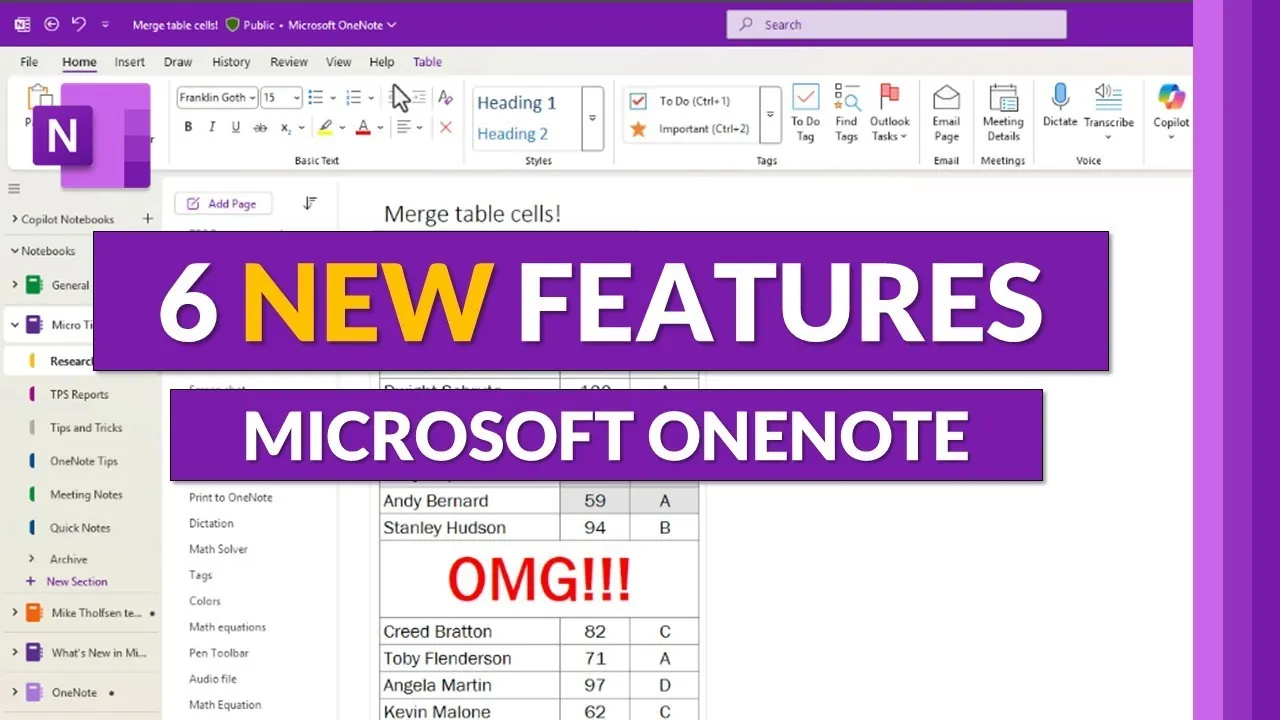
What if your note-taking app could do more than just store your thoughts, what if it could actively help you work smarter? With the Fall 2025 updates to Microsoft OneNote, that vision is closer than ever. From AI-powered assistance that drafts to-do lists for you to long-awaited features like merging table cells, OneNote is redefining how we interact with digital notebooks. These updates aren’t just incremental improvements, they’re targeted solutions to the everyday frustrations of students, professionals, and educators alike. Whether you’re juggling complex projects or organizing lesson plans, these new tools promise to make your workflow smoother, faster, and more intuitive.
In this overview, Mike Tholfsen explains six standout features that are reshaping the OneNote experience. You’ll discover how tools like the redesigned search box and cross-device margin fixes eliminate common pain points, while innovations like Microsoft 365 Copilot bring the power of AI to your fingertips. But that’s just the beginning, each update is packed with thoughtful enhancements designed to save time and elevate productivity. As you read on, consider how these features could transform the way you capture, organize, and share your ideas. After all, the best tools don’t just adapt to your needs, they anticipate them.
Microsoft OneNote Fall 2025 Updates
TL;DR Key Takeaways :
- Merge Table Cells: Users can now merge and split table cells for greater flexibility in table formatting, allowing more effective data organization and presentation.
- Paste Without Formatting Shortcut: A new shortcut (Ctrl+Shift+V for Windows, Command+Shift+V for Mac) allows users to paste text without retaining original formatting, making sure consistency in notes.
- Redesigned Search Box: The updated search box offers faster navigation and a streamlined interface, making it easier to locate content in extensive notebooks.
- Microsoft 365 Copilot Integration: AI-powered assistance helps users summarize notes, create to-do lists, and draft content, enhancing productivity for professionals and students.
- Class Notebook Toolbar for Educators: A built-in toolbar simplifies lesson organization and collaboration, eliminating the need for separate add-ins and supporting educators effectively.
Merge Table Cells for Flexible Formatting
One of the most anticipated updates is the ability to merge and split table cells directly within OneNote. This feature provides greater flexibility in creating and customizing tables, allowing users to organize and present data more effectively. Whether you are drafting a project timeline, creating a study guide, or preparing a report, merging cells enables you to design table layouts that align with your specific needs. This update is being rolled out globally, making sure that all users can benefit from enhanced table formatting. The ability to create visually appealing and functional tables is now more accessible than ever.
Paste Without Formatting Shortcut
A common frustration when copying and pasting text is dealing with mismatched formatting. To address this, OneNote now includes a “Paste Without Formatting” shortcut—Ctrl+Shift+V for Windows and Command+Shift+V for Mac. This feature strips the original formatting from copied text, making sure it seamlessly matches the style of your existing notes. By aligning with similar shortcuts in other Microsoft applications, this update not only saves time but also ensures a consistent and polished appearance across your documents. This small yet impactful addition simplifies the process of integrating external content into your notes.
New Microsoft OneNote Fall 2025 Features

Dive deeper into Microsoft OneNote with other articles and guides we have written below.
- How to Use Microsoft OneNote Tables to Organize Your Notes
- How to Use PARA in Microsoft OneNote to Boost Productivity
- The Complete Guide to Microsoft OneNote Features and Benefits
- How to Use Microsoft OneNote for Maximum Productivity
- 5 New Microsoft OneNote Features for 2025 to Boost Productivity
- How to Use Microsoft OneNote for Effective Project Management
- Top Features of Microsoft OneNote You Need to Know
- Microsoft OneNote For Mac Launching Later This Month?
- Advanced Note-Taking Techniques with Microsoft OneNote
- Microsoft OneNote iOS App Updated With iPad Support
Redesigned Search Box for Faster Navigation
Navigating through extensive notebooks is now faster and more intuitive with the redesigned search box. Integrated directly into the page interface, the compact search bar minimizes distractions and optimizes screen space. You can activate it with a simple click or by pressing Ctrl+F, and it conveniently disappears when not in use. This streamlined design enhances the user experience by making it easier to locate specific content without interrupting your workflow. The improved search functionality is particularly useful for users managing large volumes of notes.
Mobile Page Margin Fixes for Cross-Device Consistency
For users who frequently switch between mobile and desktop devices, Microsoft has addressed a long-standing issue: inconsistent page margins. New pages created on iOS and Android devices will now sync with proper margins when viewed on desktop. While this update currently applies only to newly created pages, Microsoft has announced plans to address older pages with margin discrepancies in future updates. This improvement ensures a more cohesive and professional appearance across devices, making it easier to maintain consistency in your notes.
Microsoft 365 Copilot Integration
AI-powered assistance has been integrated into OneNote with the introduction of Microsoft 365 Copilot. This feature can help you summarize notes, generate to-do lists, and draft content based on your input. Users can customize the visibility of Copilot icons and manage its integration through their settings, making sure full control over how AI is used. This tool is particularly valuable for professionals handling complex projects or students managing multiple assignments, as it simplifies the process of organizing and synthesizing information.
Class Notebook Toolbar for Educators
Educators now have access to a built-in Class Notebook toolbar, which simplifies the management of class notebooks directly within OneNote for Windows. Previously available as a separate add-in, this toolbar is now seamlessly integrated into the app. It provides quick access to essential tools for organizing lessons, distributing content, and collaborating with students. By eliminating the need for additional installations, this update allows teachers to focus more on instruction and less on technical setup. This enhancement underscores Microsoft’s commitment to supporting educators in creating efficient and engaging learning environments.
Enhanced Features for a Better User Experience
The Fall 2025 updates to Microsoft OneNote reflect a clear focus on improving usability and addressing practical needs. From flexible table formatting and streamlined navigation to AI integration and tools tailored for educators, these features cater to a diverse range of users. Whether you are a student, a professional, or a teacher, these updates are designed to make your note-taking experience more efficient and effective. Explore these new features to unlock the full potential of OneNote and elevate your productivity across all your tasks.
Media Credit: Mike Tholfsen
Disclosure: Some of our articles include affiliate links. If you buy something through one of these links, Geeky Gadgets may earn an affiliate commission. Learn about our Disclosure Policy.
