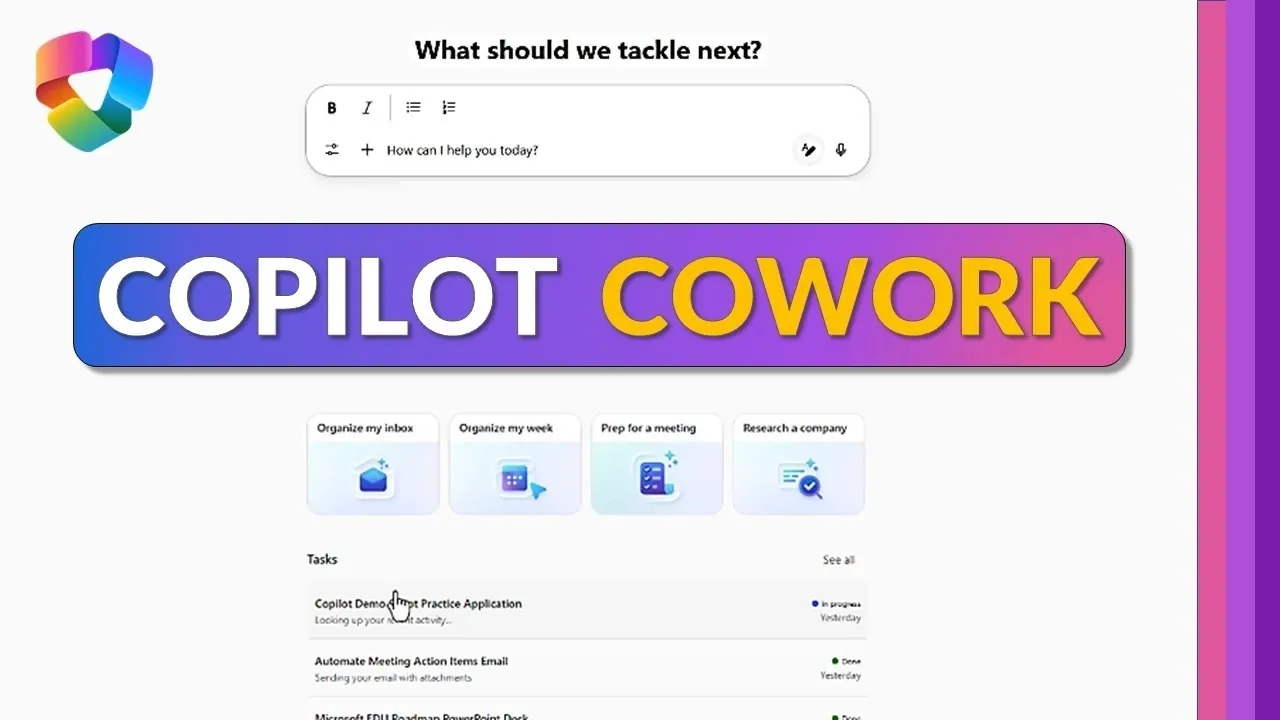
Microsoft 365’s Copilot Co-work offers a practical approach to simplifying workflows and automating everyday tasks. As highlighted by Mike Tholfsen, this AI-driven feature integrates seamlessly across the Microsoft 365 suite, allowing users to save time and focus on more strategic priorities. For instance, Copilot can generate tailored meeting agendas by analyzing your calendar, emails and Teams messages, reducing the effort spent on preparation. By automating such routine activities, professionals can redirect their energy toward decision-making and creative problem-solving.
Explore how Copilot Co-work can enhance your productivity through specific applications like automating repetitive tasks, streamlining document creation and even building custom apps without coding expertise. You’ll also gain insight into how it supports task management with integrated data views and scheduled prompts to keep you organized. These capabilities make it easier to manage complex workflows while making sure high-quality outcomes across your projects.
Boost Productivity with Copilot
TL;DR Key Takeaways :
- Copilot Co-work automates repetitive tasks, such as generating reports and preparing meeting agendas, saving time and reducing manual effort.
- It streamlines the creation of professional documents and presentations, allowing users to produce high-quality outputs quickly and efficiently.
- Users can build custom apps without coding expertise, fostering innovation and addressing specific challenges with tailored solutions.
- Scheduled prompts and notifications help users stay organized, track deadlines and maintain consistent follow-ups on tasks and projects.
- Copilot Co-work integrates data across Microsoft 365 tools, offering seamless task management, real-time insights and enhanced productivity.
1. Automate Repetitive Tasks to Save Time
Repetitive tasks often consume significant time and energy, but Copilot Co-work offers a solution by automating these processes. For example:
- Generate comprehensive reports, such as financial summaries or project updates, by analyzing data from Excel and other connected sources.
- Prepare for meetings effortlessly as Copilot reviews your calendar, emails and Teams messages to create tailored agendas, summaries and actionable plans.
By automating these routine activities, you can redirect your focus to critical decision-making and problem-solving, reducing the burden of administrative work. This capability ensures that your time is spent on tasks that truly require your expertise.
2. Streamline Document and Presentation Creation
Creating professional documents and presentations is faster and more efficient with Copilot Co-work. Whether you need a Word document, Excel spreadsheet, or PowerPoint presentation, Copilot generates content based on your specific prompts and requirements. Examples include:
- Automating the creation of meeting decks, briefing documents and follow-up emails simultaneously, making sure consistency and accuracy across all outputs.
- Drafting polished presentations for client meetings or internal reviews in minutes, saving hours of manual effort.
This feature is particularly beneficial for professionals managing multiple projects or working under tight deadlines, as it ensures high-quality results with minimal effort.

Gain further expertise in Microsoft 365 by checking out these recommendations.
- Use Microsoft Copilot for Event Agendas and Email Drafts
- Microsoft 365 Business Premium Pricing in 2026: Security Features & No Increase
- What’s New in Microsoft 365 March 2026
- Microsoft 365 Cloud Policy Service for Efficient Policy Management
- 15 Best Copilot Tips for Outlook, Excel, Word, Teams & PowerPoint
- New Microsoft 365 features rolled out in July 2024
- Claude Code Concepts : Prompts, Permissions, Tools & Memory
- 7 New Microsoft 365 Copilot Features for Outlook, Voice & More
- Microsoft 365 Copilot Teach Features for Teachers (2026)
- Microsoft 365 Copilot Tips for Faster Meeting Preparation
3. Build Custom Apps Without Coding Expertise
Copilot Co-work enables users to create custom applications tailored to their unique needs, even without advanced technical skills. This feature enables you to develop interactive tools for various purposes, such as training, collaboration, or practice. Examples include:
- Teleprompter modes for presentations or public speaking practice, helping you deliver with confidence.
- Fill-in-the-blank exercises and memory tests for training sessions, enhancing learning and engagement.
These custom apps address specific challenges, improve team collaboration and boost efficiency, all without requiring extensive development resources. This widespread access of app creation allows teams to innovate and adapt quickly.
4. Stay Organized with Scheduled Prompts and Notifications
Staying organized and on top of deadlines is simpler with Copilot’s scheduling and notification capabilities. You can:
- Set automated prompts to analyze meeting transcripts for action items and send summaries to stakeholders, making sure everyone stays informed.
- Schedule reminders for recurring tasks, promoting consistent follow-ups and better task tracking.
These features help you maintain momentum on projects and ensure that no critical detail is overlooked. By keeping your tasks and deadlines in check, Copilot Co-work supports a more structured and efficient workflow.
5. Manage Tasks and Integrate Data for Better Insights
Task management and data integration are made seamless with Copilot Co-work, allowing you to stay on top of your responsibilities while gaining valuable insights. Key functionalities include:
- Monitoring task progress through list or board views, allowing you to track completed, in-progress and upcoming activities with ease.
- Accessing output files directly from the Co-work interface via OneDrive integration, simplifying file management and retrieval.
- Using Work IQ (formerly Substrate) to analyze and connect data across Microsoft 365 applications, such as emails, SharePoint and documents, for actionable insights.
This comprehensive integration not only optimizes workflows but also enables you to make informed decisions based on real-time data, enhancing overall productivity.
Maximize Productivity with Copilot Co-work
Copilot Co-work in Microsoft 365 is a powerful tool designed to simplify workflows and enhance productivity. By automating repetitive tasks, streamlining content creation and integrating data across tools like Word, Excel, PowerPoint, Outlook and Teams, it allows you to focus on strategic priorities. Whether you’re managing projects, preparing presentations, or developing custom solutions, Copilot Co-work equips you with the tools to work smarter, achieve more and stay ahead in today’s fast-paced professional environment.
Media Credit: Mike Tholfsen
Disclosure: Some of our articles include affiliate links. If you buy something through one of these links, Geeky Gadgets may earn an affiliate commission. Learn about our Disclosure Policy.
