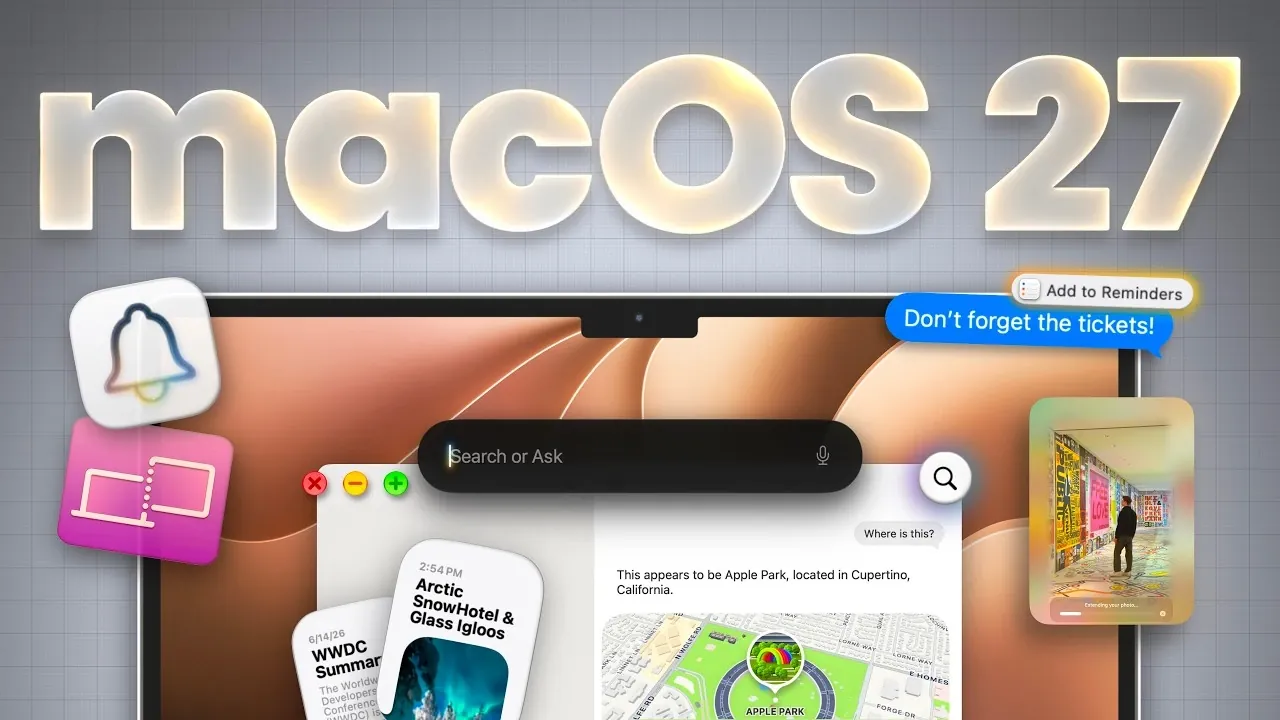
Apple’s latest operating system, macOS 27 “Golden Gate,” brings a host of updates designed to enhance productivity and usability across the board. As highlighted by MacVince, one standout feature is the integration of AI-powered automation, such as the updated Finder, which now offers file naming suggestions based on document content. This improvement, alongside natural language event creation in Calendar and smarter tab organization in Safari, showcases how macOS 27 aims to simplify everyday workflows for users of all kinds.
Dive into this launch overview to explore how macOS 27 reshapes your interaction with the Mac ecosystem. You’ll gain insight into the refined design elements, like the new Dynamic Menu Bar and customizable Liquid Glass Transparency, as well as enhanced app functionality, including Markdown support in Notes and expanded automation options in Shortcuts. Whether you’re curious about the upgraded Siri features or the accessibility improvements like system-wide live captions, this breakdown covers the key updates that make macOS 27 a comprehensive release.
macOS 27 Golden Gate
TL;DR Key Takeaways :
- macOS 27 “Golden Gate” introduces advanced AI features, including AI-powered file organization, natural language event creation and professional-level photo editing tools.
- Refined design updates include a dynamic menu bar, customizable translucency, improved widgets and unified sidebars for a more cohesive user experience.
- Siri enhancements include Spotlight integration, cross-device syncing, contextual awareness and visual intelligence for improved productivity and usability.
- Built-in app updates focus on collaboration and functionality, with improvements to Notes, Freeform, Shortcuts and Photos for better organization and sharing.
- Performance and accessibility upgrades include faster AirDrop, system-wide live captions and background app monitoring, making sure inclusivity and efficiency for all users.
AI and Automation: Smarter Tools for Everyday Tasks
macOS 27 uses innovative AI to simplify and enhance daily workflows, offering tools that save time and improve efficiency. Key updates include:
- Finder: AI-powered file naming suggestions based on document content help you organize files more effectively and reduce manual effort.
- Calendar: Natural language processing allows you to create events effortlessly by typing phrases like “Lunch with Sarah next Friday at noon.”
- Safari: AI organizes tabs by topic, monitors websites for updates and even enables web extension creation using plain English prompts, making browsing more intuitive.
- Password Manager: Identifies weak or reused passwords and suggests secure alternatives, bolstering your online security.
- Photos: Advanced AI tools enable professional-level editing, such as removing imperfections, reframing images and expanding photo boundaries with ease.
These features are designed to reduce repetitive tasks, allowing you to focus on what matters most while your Mac handles the details.
Refined Design and Enhanced Usability
macOS 27 introduces several design and usability improvements, focusing on both aesthetics and functionality to create a seamless user experience:
- Dynamic Menu Bar: Automatically adjusts to limited screen space by consolidating items into an expandable menu, making sure a cleaner and more organized interface.
- Screen Recording: Now includes system audio, making it ideal for creating tutorials, presentations, or capturing gameplay.
- Liquid Glass Transparency: Offers customizable translucency for system elements, allowing users to personalize their interface to suit their preferences.
- Widgets: Extra-large widget sizes improve visibility, while a redesigned battery icon provides clearer and more detailed status updates.
- Unified Sidebars and Toolbars: A consistent design across apps improves navigation and usability, creating a cohesive experience throughout the operating system.
These updates aim to make macOS 27 more visually appealing and user-friendly, catering to both casual users and professionals who rely on efficiency and clarity.

Here is a selection of other guides from our extensive library of content you may find of interest on macOS 27 Golden Gate.
- Why macOS 27 is Officially Apple’s Biggest Mac Update Yet
- macOS 27 Beta 3 Unlocks Golden Gate Upgrades for Testers
- What Makes macOS 27 Golden Gate Apple’s Best Update Yet
- Apple Brings Advanced Siri AI to macOS 27
- macOS 27 Golden Gate: 10 New Features and AI Upgrades
- macOS 27 Beta 6 is Now Available: All the Latest Features
- Apple Releases macOS 27 RC: Everything New in the Update
- The Biggest Changes Coming to macOS 27 Golden Gate
- What Apple is Hiding Inside the Upcoming macOS 27 Update
- 7 Apple Ecosystem Updates That Actually Matter : macOS 27
Siri: Smarter and More Context-Aware
Siri has undergone significant upgrades in macOS 27, making it a more versatile and intuitive assistant. These enhancements include:
- Spotlight Integration: Siri now works seamlessly with Spotlight, allowing you to type queries for precise and detailed results.
- Cross-Device Syncing: A dedicated Siri app syncs conversations across devices via iCloud, making sure continuity and convenience.
- Visual Intelligence: Interact with Siri by highlighting text or images on your screen to request related information or perform specific actions.
- Contextual Awareness: Siri delivers more relevant responses based on context and clearly displays the sources of its information for added transparency.
These improvements make Siri a more powerful tool, capable of adapting to your needs and enhancing productivity across various tasks.
App Updates: Enhanced Collaboration and Functionality
macOS 27 brings updates to several built-in apps, focusing on improving usability, collaboration and functionality:
- Notes: Now supports Markdown for formatting, divider lines for better organization and enhanced sharing tools for seamless collaboration with others.
- Freeform: Introduces folder organization, shared folders for team projects and a new dark mode for improved usability in low-light environments.
- Shortcuts: Adds new triggers, such as automating screenshots or responding to notifications, expanding the possibilities for automation enthusiasts.
- Photos: Features like exporting single video frames, sharing albums via web links and organizing your library with new photo collections make managing media more efficient.
These updates ensure that macOS apps remain versatile and user-friendly, whether you’re managing professional projects or organizing personal content.
Performance and Accessibility: A Focus on Inclusivity
macOS 27 emphasizes performance and accessibility, making sure the operating system is both efficient and inclusive for all users. Key features include:
- AirDrop: Faster and more reliable file transfers between Apple devices, improving convenience for users who frequently share files.
- Live Captions: System-wide live captions, even when your Mac is muted, enhance accessibility for users with hearing impairments.
- Background App Monitoring: Apps running in the background are now marked in the dock, helping you manage system resources more effectively and avoid unnecessary slowdowns.
These enhancements make macOS 27 more responsive and accessible, making sure a better experience for all users, regardless of their needs or preferences.
Touch Gestures and Future Possibilities
One of the most intriguing additions in macOS 27 is the introduction of touch gestures when using an iPad as a second display. This feature allows users to interact with their Mac in new ways, sparking speculation about the potential for touchscreen support in future MacBook models. While Apple has not confirmed any plans to integrate touch functionality into macOS, this update suggests that the company is exploring new possibilities for how users interact with their devices.
A Comprehensive Update for All Users
macOS 27 “Golden Gate” delivers a balanced mix of user-requested improvements and innovative features. By focusing on AI-driven tools, refined design and enhanced usability, this update caters to a diverse range of users. Whether you’re organizing files, editing photos, collaborating on projects, or exploring new ways to interact with your Mac, macOS 27 provides tools that make your device more powerful, intuitive and efficient.
Media Credit: MacVince
Disclosure: Some of our articles include affiliate links. If you buy something through one of these links, Geeky Gadgets may earn an affiliate commission. Learn about our Disclosure Policy.
