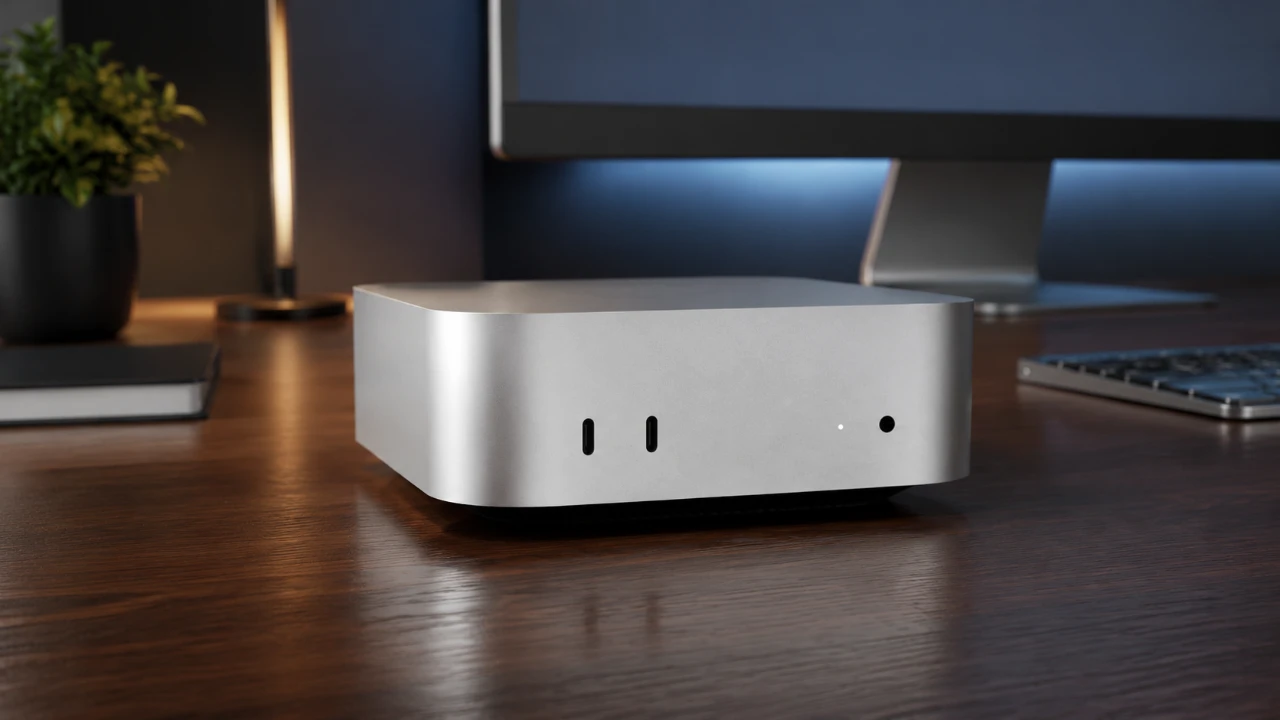
Apple has introduced its latest Mac Mini models, the M5 Pro and M6, marking a significant step forward in compact computing. These devices are designed to cater to distinct user groups, with the M5 Pro targeting professionals who require high-performance systems and the M6 offering a more affordable option for everyday users. The video below from HalfManHalfTech provides more insights into their features, performance, and use cases, while also comparing them to the older M4 Mac Mini to provide a clearer perspective.

Who Are These Models For?
Apple has carefully positioned the M5 Pro and M6 to meet the needs of different audiences:
- M6 Mac Mini: Priced at $899, this model is perfect for students, office workers and individuals engaging in light creative tasks such as photo editing or casual video production. It offers a balance of affordability and performance for general-purpose computing.
- M5 Pro Mac Mini: Starting at $1,699, this model is tailored for professionals in demanding fields like video editing, 3D modeling and software development. While it delivers exceptional performance, it is not intended to replace the Mac Studio for the most resource-intensive tasks.
By offering these two models, Apple ensures that users can select a Mac Mini that aligns with their specific needs and budgets.
Memory and Storage Options
The memory and storage configurations of the M5 Pro and M6 highlight their distinct capabilities:
- M6 Mac Mini: Comes with 16GB of memory as the base configuration, expandable to 32GB. Storage options range from 256GB to 2TB, making it suitable for everyday tasks and moderate workloads.
- M5 Pro Mac Mini: Starts with 24GB of memory, which can be expanded to 64GB. Storage options range from 512GB to an impressive 8TB, catering to professionals who handle large datasets and require extensive multitasking capabilities.
These options emphasize the M5 Pro’s ability to handle more demanding tasks, while the M6 remains a reliable choice for general users.
Performance: A Tale of Two CPUs
The performance of the M5 Pro and M6 is driven by their distinct processors, each designed for specific workloads:
- M5 Pro: Powered by an 18-core CPU (6 super cores and 12 performance cores) and a 20-core GPU, it delivers exceptional multitasking and rendering capabilities. With a memory bandwidth of 170GB/s, it is ideal for professionals managing complex workflows.
- M6: Features a 12-core CPU (2 super cores and 4 performance cores) and a 12-core GPU. While its memory bandwidth of 37GB/s is lower, it provides solid performance for everyday tasks and light creative work.
The M5 Pro excels in multicore performance, making it a better choice for professionals, while the M6 offers strong single-core performance for general use.
Connectivity and Ports
Both models share a similar port layout, but there are notable differences in their connectivity capabilities:
- M5 Pro: Equipped with Thunderbolt 5, offering up to 80Gbps bandwidth and 120Gbps for display connections. This makes it suitable for high-speed data transfers and connecting multiple high-resolution displays.
- M6: Limited to Thunderbolt 4, with a maximum bandwidth of 40Gbps. While sufficient for most users, it lacks the advanced capabilities of Thunderbolt 5.
Both models include Wi-Fi 7, providing faster and more reliable wireless connectivity compared to the M4 Mac Mini’s Wi-Fi 6E. This ensures a seamless experience for users who rely on wireless networks.
Design and Portability
The M5 Pro and M6 maintain the sleek, minimalist design that the Mac Mini lineup is known for. Despite their compact form factor, there are slight differences in weight:
- M5 Pro: Weighs 1.6 pounds, reflecting its more advanced internal components.
- M6: Slightly lighter at 1.5 pounds, making it even more portable.
Both models are highly space-efficient, making them ideal for a variety of work environments, from home offices to professional studios.
Performance Benchmarks
Benchmark tests reveal the performance gap between the two models:
- M5 Pro: Achieves a Geekbench multicore score of 30,585 and a single-core score of 3,752. Its SSD read/write speeds reach 6,000 MB/s, making it well-suited for handling large files and demanding tasks.
- M6: Scores 22,411 in multicore performance and 4,078 in single-core performance. Its SSD speeds of 3,100 MB/s are adequate for everyday use but fall short of the M5 Pro’s capabilities.
These benchmarks underscore the M5 Pro’s dominance in professional scenarios, while the M6 remains a capable option for general users.
Use Cases: Which Model Fits Your Needs?
The M5 Pro and M6 are designed for different workflows, making sure that users can find a model that suits their specific requirements:
- M6 Mac Mini: Ideal for students, office tasks, and light creative work such as photo editing or casual video production. Its affordability and solid performance make it a practical choice for general users.
- M5 Pro Mac Mini: Best suited for professionals handling video editing, 3D artistry, and software development. For the most intensive tasks, such as large-scale 3D rendering or AI model training, the Mac Studio remains a better option.
Pricing and Trade-In Considerations
With the M5 Pro and M6 representing a significant investment, it’s important to consider pricing and trade-in options. Apple’s recent price increases have impacted trade-in values, making private sales a potentially better route for upgrading. Evaluating your specific needs and budget is crucial to ensure you select the right model.
Setup and User Experience
Both models run macOS 27.0, offering a seamless setup process and a smooth user experience. Key differences include:
- M5 Pro: Enhanced with faster Thunderbolt and SSD performance, making it ideal for professional workflows.
- M6: Provides a reliable and efficient platform for everyday computing tasks.
These differences ensure that users can enjoy a tailored experience based on their chosen model.
Final Thoughts
The Mac Mini M5 Pro and M6 offer a compelling balance between performance and affordability, catering to a wide range of users. The M6 is a cost-effective solution for general users, while the M5 Pro excels in professional workloads. By understanding their specifications, performance benchmarks and use cases, you can make an informed decision that aligns with your computing needs and budget. Whether you prioritize everyday efficiency or advanced capabilities, Apple’s latest Mac Mini lineup delivers options that meet diverse demands.
Here are more detailed guides and articles that you may find helpful on Mac Mini.
- Apple Mac Mini M5 Leak Reveals New Late 2026 Release Window
- Apple Hiked the Mac Mini to $899, but the M6 Specs Might Justify It
- Apple’s Fall Mac Lineup: M5 Ultra Mac Studio, iPad Mini, and iPhone Ultra Fold
- M4 vs M6 Mac Mini: Apple’s First 2Nm Chip Brings a Massive Performance Jump
- Apple’s $899 M6 Mac Mini Is Powerful, but Is It Still a Budget Champion?
- MacBook Ultra, Neo, and M6: Is Apple Overcomplicating the Mac?
Source: HalfManHalfTech
Disclosure: Some of our articles include affiliate links. If you buy something through one of these links, Geeky Gadgets may earn an affiliate commission. Learn about our Disclosure Policy.
