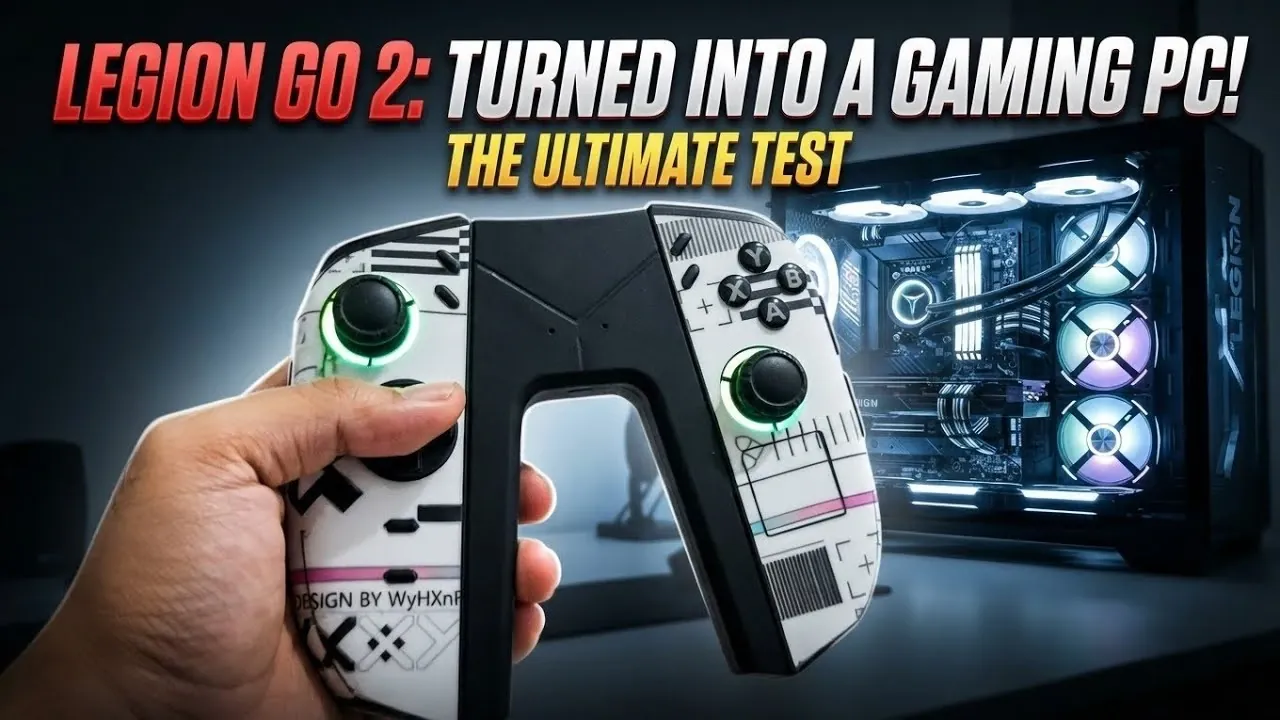
This project transforms a Lenovo Legion Go 2 into a gaming PC capable of running an RTX 5060 eGPU. In the video guide below OF Tech highlights how combining this handheld device with a JSOX docking station and a TCL mini-LED TV can support 1440p gaming. Although challenges include managing the placement of the USB-C port on the Legion Go 2 and making sure high-quality cables are used to maintain stable connections during demanding gaming sessions.
Dive into configuring the JSOX docking station for effective peripheral management and pairing the setup with a TCL mini-LED TV for sharper visuals. Learn how to enable DLSS to boost performance, apply Variable Refresh Rate (VRR) to minimize screen tearing and maintain system stability by addressing eGPU ventilation needs.
Key Hardware Components for the Upgrade
TL;DR Key Takeaways :
- The Lenovo Legion Go 2 can be transformed into a high-performance gaming PC by integrating an RTX 5060 eGPU, a JSOX docking station and a TCL mini-LED TV, allowing smooth 1440p gameplay.
- Essential accessories like the JSOX docking station provide versatile connectivity, while the TCL mini-LED TV enhances visuals with superior contrast and color accuracy.
- Optimizing performance involves using technologies like DLSS and frame generation, which improve visuals and fluidity in demanding games such as Forza Horizon 6 and Assassin’s Creed Black Flag.
- Technical tips for a stable setup include using high-quality cables, keeping drivers updated, making sure proper ventilation for the eGPU and choosing 1440p resolution for the best balance of performance and visuals.
- Additional features like detachable controllers, touchpads and VRR/G-Sync compatibility on the TCL mini-LED TV enhance usability and provide an immersive gaming experience.
To achieve a seamless and efficient gaming setup, you’ll need to invest in the following essential components:
- JSOX Docking Station: This multifunctional hub is crucial for connecting peripherals. It provides multiple ports, including USB, HDMI and USB-C, making sure smooth integration with the Lenovo Legion Go 2 and other devices.
- RTX 5060 eGPU: The external GPU is the cornerstone of this setup, delivering the graphical power required for demanding games and high-resolution performance.
- TCL Mini-LED TV: Renowned for its superior contrast, brightness and color accuracy, this display enhances your gaming experience with immersive visuals and vibrant colors.
When setting up your hardware, pay close attention to the placement of the Lenovo Legion Go 2’s USB-C port. Poor cable management can lead to unstable connections or interference, which may disrupt gameplay. Using high-quality cables is essential to maintain a reliable connection and prevent system crashes during intensive gaming sessions.
Optimizing Performance for Gaming
Pairing the Lenovo Legion Go 2 with an RTX 5060 eGPU unlocks the ability to game at 1440p resolution, striking a balance between sharp visuals and stable frame rates. Performance benchmarks consistently demonstrate smooth gameplay across resolutions, including 1080p, 1440p and even 4K. However, due to the docking station’s refresh rate cap of 120 Hz, 1440p remains the optimal resolution for most gaming scenarios.
Advanced technologies such as DLSS (Deep Learning Super Sampling) and frame generation further enhance the gaming experience. DLSS uses AI to upscale lower-resolution images, providing high-quality visuals without compromising performance. Frame generation, on the other hand, improves fluidity, especially in fast-paced games. Popular titles like Forza Horizon 6 and Assassin’s Creed Black Flag showcase the system’s ability to handle graphically demanding scenarios with ease, delivering a smooth and immersive experience.

Find more information on Lenovo Legion Go 2 by browsing our extensive range of articles, guides and tutorials.
- Lenovo Legion Go SteamOS Hands-on Testing Reveals Strong AAA Gaming
- Emulation on the Legion Go 2 : Relive Retro Classics Like Never Before
- Legion Go 2 Z2 Extreme vs Z2 : APU Real FPS Benchmarks You Can Trust
- Legion Go 2 Z2 Extreme GPU Driver Update Released
- Lenovo Legion Go 2 vs ROG Xbox Ally X vs MSI Claw 8 AI : Handheld Showdown!
- Legion Go 2 vs Legion Go 1: Assassin’s Creed Black Flag Resynced
- Lenovo Legion Go 2 Review: Impractical Design Meets Premium Power
- Lenovo Legion Go 2 : Preorders, Pricing and Specifications
- Lenovo Legion Go 2 Review : Handheld Gaming Beast Outshines Your PC. But Is It Worth It?
- Lenovo Legion Go 2 Review : Premium OLED Power with Painful Tradeoffs
Enhancing Usability with Accessories and Features
The Lenovo Legion Go 2’s detachable controllers and touchpad add a layer of versatility to your gaming setup. These features enable intuitive navigation and precise control, particularly in games that require quick reflexes or intricate movements. The JSOX docking station complements this functionality by including a controller holder, making sure your accessories remain organized and easily accessible.
For an even more seamless gaming experience, enable Variable Refresh Rate (VRR) or G-Sync on your TCL mini-LED TV. These technologies synchronize the display’s refresh rate with the GPU’s output, effectively reducing screen tearing and stuttering. This synchronization enhances the overall fluidity of gameplay, making fast-paced action sequences more enjoyable and immersive.
Technical Tips for a Stable and Efficient Setup
To maintain a stable and efficient gaming system, consider the following technical recommendations:
- Use High-Quality Cables: Investing in durable, high-quality cables minimizes the risk of connectivity issues, such as system crashes or restarts during gameplay.
- Keep Drivers and Firmware Updated: Regular updates for your Lenovo Legion Go 2 and eGPU ensure compatibility with the latest games and optimize overall performance.
- Ensure Proper Ventilation: External GPUs generate significant heat during extended gaming sessions. Adequate cooling is essential to prevent overheating and maintain the longevity of your hardware.
- Choose the Right Resolution: While the docking station supports 4K output, its refresh rate limitations make 1440p the preferred resolution for most games, balancing visual clarity and performance.
By following these tips, you can avoid common pitfalls and ensure a smooth gaming experience, even during extended sessions.
Unlocking the Full Potential of Your Lenovo Legion Go 2
Combining the Lenovo Legion Go 2 with an RTX 5060 eGPU, a JSOX docking station and a TCL mini-LED TV transforms this portable device into a high-performance gaming PC. This setup delivers exceptional visuals, smooth gameplay and a level of versatility that rivals traditional gaming consoles. With careful hardware selection, proper configuration and attention to detail, you can enjoy an immersive gaming experience across a wide range of titles. Whether you’re a casual gamer or a dedicated enthusiast, this upgrade unlocks the full potential of your Lenovo Legion Go 2, offering a compelling alternative to conventional gaming systems.
Media Credit: OF Tech
Disclosure: Some of our articles include affiliate links. If you buy something through one of these links, Geeky Gadgets may earn an affiliate commission. Learn about our Disclosure Policy.
