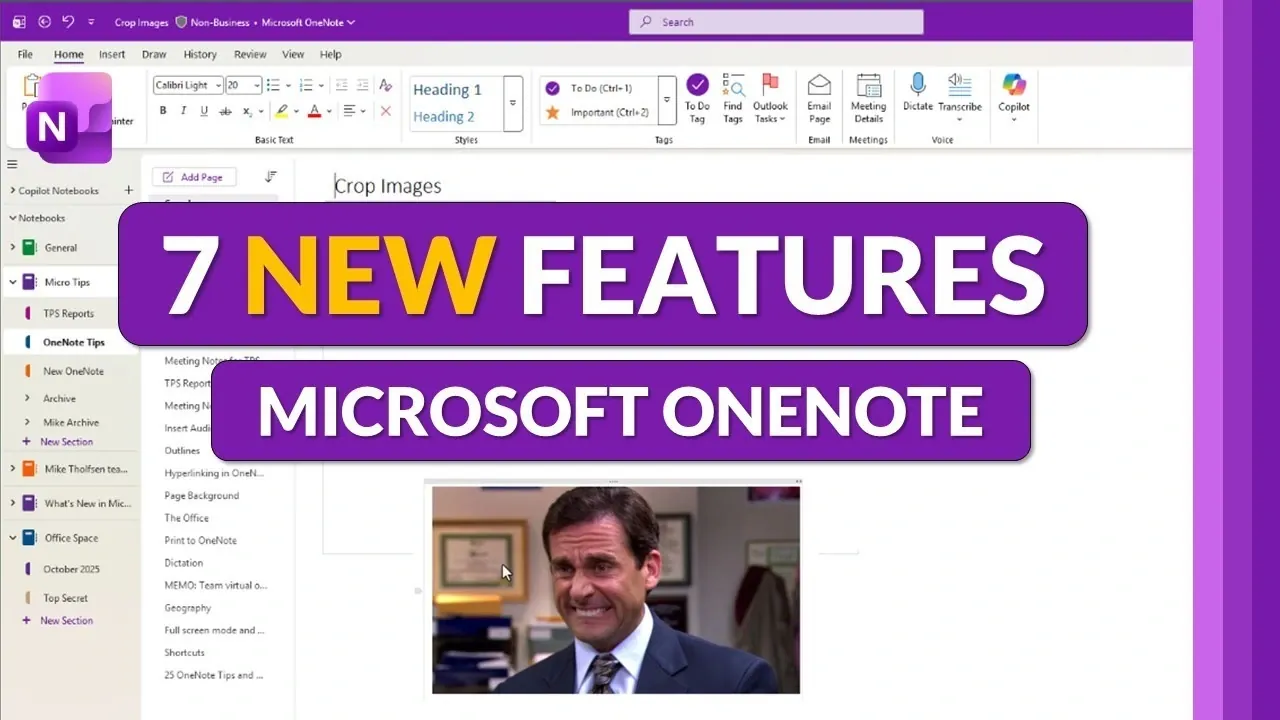
How often do you find yourself juggling multiple apps just to get simple tasks done? From editing images to managing multilingual notes, the constant switching can feel like a productivity black hole. In this breakdown, Mike Tholfsen walks through how Microsoft OneNote’s 2026 updates aim to eliminate those inefficiencies with seven innovative features. Whether you’re a student, professional, or someone who simply loves staying organized, these upgrades promise to redefine how you approach note-taking and collaboration. With smarter AI, enhanced security, and even a refreshed design, OneNote is stepping into the future with bold improvements that cater to both casual users and power users alike.
So, what’s new? Imagine cropping images directly in your notes without ever leaving the app or having an AI assistant summarize your meeting minutes in seconds. These are just a few of the highlights that make this year’s updates stand out. From streamlined workflows to stronger data protection, each feature is designed to save time and simplify your daily tasks. But there’s more to uncover, like how OneNote is making multilingual collaboration effortless or why its revamped task management system feels surprisingly intuitive. These changes aren’t just about convenience; they’re about transforming how you work and communicate. Could this be the most versatile version of OneNote yet? You decide.
Microsoft OneNote 2026 Updates
TL;DR Key Takeaways :
- OneNote introduces a built-in image cropping tool, allowing users to resize and edit images directly within the app, streamlining workflows and saving time.
- The integration of AI-powered Copilot Chat enables advanced functionalities like summarizing notes, generating content, and automating tasks, enhancing productivity.
- Enhanced touch keyboard functionality improves usability for touch-enabled devices, offering customizable settings for a smoother experience on tablets and hybrids.
- Modern sensitivity labels enhance data security by allowing users to classify and protect sensitive information, making sure compliance with organizational policies.
- Updated task management features, including redesigned circular checkboxes, simplify tracking progress and prioritizing tasks, improving organization and productivity.
Built-in Image Cropping
OneNote now includes a built-in image cropping tool, eliminating the need for external editing software. This feature allows you to resize, crop, and adjust images directly within the app, streamlining your workflow. The interface is intuitive, allowing users to make precise edits with ease. For added convenience, keyboard shortcuts have been integrated, making the process faster and more efficient. Whether you’re preparing a presentation, organizing visual content, or enhancing your notes, this tool ensures accuracy while saving valuable time.
Copilot Chat Integration
The integration of Copilot Chat, an AI-powered assistant, brings advanced functionality to OneNote. This feature enables you to summarize notes, generate content, and interact with enterprise-protected data seamlessly. For example, you can instruct Copilot to draft a meeting agenda based on your notes or extract actionable insights from a document. Premium users gain access to even more robust AI capabilities, such as advanced data analysis and content generation. By automating complex tasks, Copilot significantly boosts efficiency, allowing you to focus on higher-priority activities.
Microsoft OneNoteUpdate Q1 2026

Expand your understanding of Microsoft OneNote with additional resources from our extensive library of articles.
- How to Use Microsoft OneNote for Effective Project Management
- Microsoft OneNote For Mac Launching Later This Month?
- How to Seamlessly Transition to Microsoft’s New OneNote App
- Advanced Note-Taking Techniques with Microsoft OneNote
- Apple Notes vs MS OneNote : Which Note-Taking App is Best
- How to Use Microsoft OneNote for Maximum Productivity
- How to Use Microsoft Copilot in OneNote : Features, Benefits & Tips
- Apple Notes vs Microsoft OneNote : Detailed Comparison for 2025
- The Complete Guide to Microsoft OneNote Features and Benefits
- 5 New Microsoft OneNote Features for 2025 to Boost Productivity
Touch Keyboard Improvements
For users of touch-enabled devices, OneNote now offers enhanced touch keyboard functionality. The keyboard activates automatically when needed, making sure a smoother and more intuitive experience for tablet and hybrid device users. Customizable settings allow you to adjust the keyboard’s layout and responsiveness to suit your preferences. This update is particularly beneficial for professionals and students who rely on touch devices for productivity while on the move. By improving accessibility and responsiveness, this feature enhances the overall user experience.
Language Interoperability
OneNote’s improved language interoperability simplifies multilingual note-taking, making it easier to work across different languages. You can now set proofing languages for entire pages, reducing spelling and grammar errors while improving content accuracy. This feature is especially valuable for international teams, students, and professionals who frequently switch between languages. By streamlining language settings, OneNote promotes clearer communication and better collaboration in diverse environments, making sure that your notes are both accurate and professional.
Modern Sensitivity Labels
With data security being a top priority, OneNote now includes modern sensitivity labels to help you classify and protect sensitive information. These labels allow you to restrict access to specific sections or encrypt confidential data, making sure compliance with organizational policies and data protection regulations. For example, enterprise users can use sensitivity labels to safeguard proprietary information or limit access to sensitive project details. This feature is particularly beneficial for businesses and professionals handling confidential documents, offering peace of mind and enhanced security.
Updated To-Do Checkboxes
Task management in OneNote has been refined with redesigned circular checkboxes, aligning with modern task management tools. The new design is visually appealing and makes it easier to track progress and prioritize tasks. Whether you’re managing a personal to-do list or coordinating team projects, this update simplifies task tracking and enhances organization. By providing a more streamlined and user-friendly interface, this feature helps you stay on top of your responsibilities and maintain productivity.
Refreshed OneNote Icon
The final update is a refreshed OneNote icon, featuring a modernized design that aligns with Microsoft’s broader visual identity. While this change is primarily aesthetic, it reflects the software’s evolution and commitment to staying current with design trends. The updated icon enhances the app’s visual appeal, contributing to a cohesive and polished user experience. This subtle yet impactful change underscores Microsoft’s dedication to maintaining a contemporary and professional image.
Transforming Note-Taking and Productivity
The 2026 updates to Microsoft OneNote demonstrate a clear focus on innovation, addressing user needs across functionality, design, and security. From the AI-powered Copilot Chat to enhanced language interoperability and modern sensitivity labels, these features cater to a wide range of use cases. Whether you’re a student, professional, or casual user, these advancements make OneNote a more versatile and powerful tool for note-taking and productivity. By integrating these updates, Microsoft reinforces OneNote’s position as a leading platform for organizing information and streamlining workflows.
Media Credit: Mike Tholfsen
Disclosure: Some of our articles include affiliate links. If you buy something through one of these links, Geeky Gadgets may earn an affiliate commission. Learn about our Disclosure Policy.
