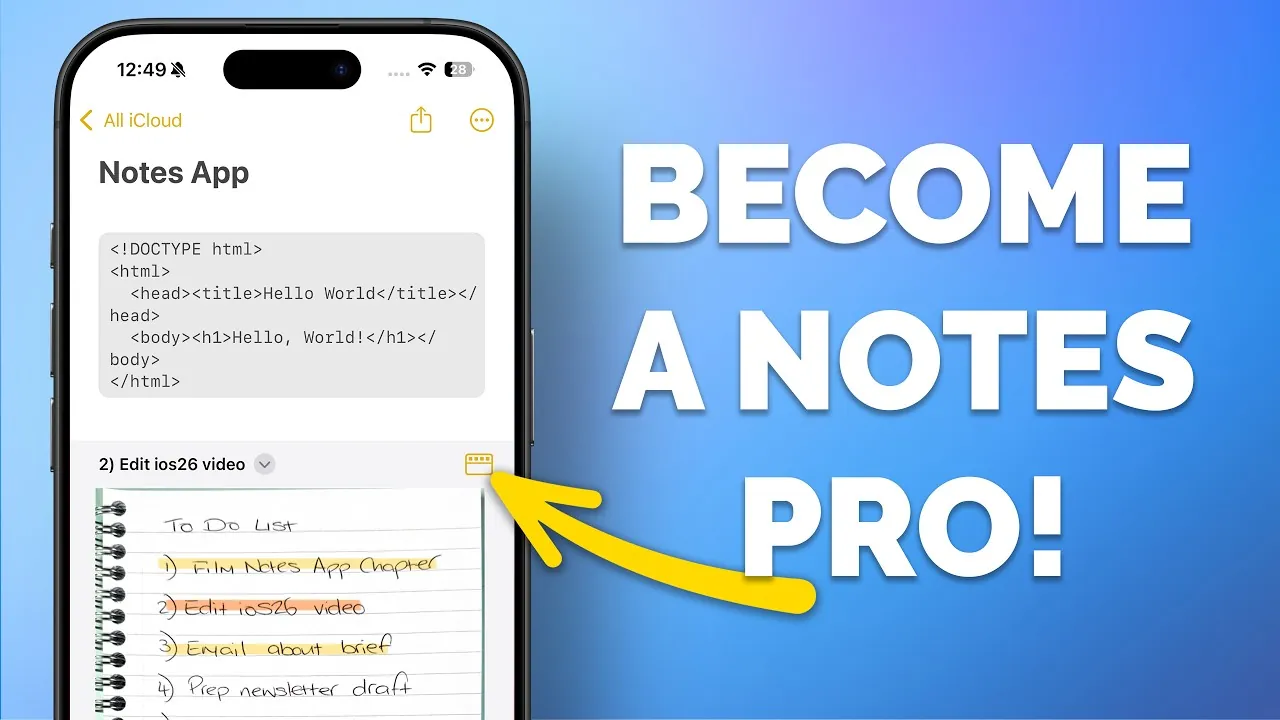
The iPhone Notes app has grown into a versatile tool that goes far beyond simple note-taking. It is now a feature-rich platform designed to boost productivity, enhance organization, and assist collaboration. Whether you’re a student, professional, or casual user, understanding its capabilities can transform the way you manage information. Below are ten essential tips to help you make the most of the Notes app in a new video from Proper Honest Tech.

1. Navigate Notes with Ease
Efficient navigation is key to staying productive. The “Recent Notes” feature allows you to quickly access your most recently viewed or edited notes. This is especially helpful when managing multiple projects or frequently revisiting specific notes. Instead of scrolling endlessly, you can instantly locate the information you need, saving valuable time and effort.
2. Turn Documents into Searchable PDFs
The Notes app enables you to convert documents or web articles into searchable PDFs. By using the iPhone’s print-to-PDF function, you can save important content directly into Notes. Later, you can search for specific text within these files, making it an invaluable tool for research, document management, or archiving essential information.
3. Link Notes and Websites
Organize your information by linking notes to external websites or other notes. This feature allows you to create a network of interconnected resources, ideal for research, project management, or building personal knowledge bases. By centralizing your references, you can streamline your workflow and ensure everything you need is easily accessible.
4. Convert Handwriting to Text
For those who prefer handwriting, the Notes app offers a feature to scan handwritten content and convert it into editable text or searchable PDFs. This ensures that even handwritten notes remain easy to find and use as your collection grows. It’s a practical way to combine the flexibility of handwriting with the efficiency of digital organization.
5. Use Collapsible Headings for Clarity
Long notes can become overwhelming, but collapsible headings provide a solution. By organizing content into expandable sections, you can focus on the most relevant information while keeping the rest neatly hidden. This feature is particularly useful for detailed plans, lengthy documents, or structured outlines.
6. Collaborate with Shared Folders
Collaboration is seamless with the Notes app. You can share entire folders with others, allowing real-time editing and project management. Whether you’re coordinating with colleagues, planning events, or working on group projects, this feature ensures everyone stays aligned and up-to-date.
7. Integrate Notes with Reminders
The Notes app integrates smoothly with the Reminders app, allowing you to link notes to actionable tasks. Using Siri or drag-and-drop functionality, you can connect specific notes to reminders. This ensures that critical information is tied to your to-do list, helping you stay organized and productive.
8. Automate Organization with Smart Folders
Smart folders simplify the process of organizing your notes. By setting filters such as tags, creation dates, or attachments, you can create dynamic folders that update automatically. This feature eliminates the need for manual sorting, saving time and keeping your notes effortlessly organized.
9. Format with Monospaced Text
For technical content like code snippets, serial numbers, or other precise text, monospaced formatting is an essential tool. This fixed-width font ensures your text is easy to read and interpret, making it ideal for technical documentation, detailed lists, or any content requiring precision.
10. Annotate PDFs Directly
The Notes app supports PDF annotation, allowing you to highlight text, draw, or add comments directly within PDFs. This feature is particularly useful for reviewing documents, sharing feedback, or marking up important files. It’s a practical way to manage and edit documents without needing additional software.
What’s Next for the Notes App?
Apple continues to enhance the Notes app with each iOS update. Upcoming features include the ability to export notes in Markdown format, which is especially beneficial for web content creators. Additionally, enhanced Apple Watch integration will allow users to create and access notes directly from their wrist using Siri or dictation. These updates promise to make the app even more versatile and user-friendly.
Maximize the Notes App’s Capabilities
The iPhone Notes app is more than just a digital notebook—it’s a comprehensive tool for productivity and organization. By using features like searchable PDFs, collapsible headings, and smart folders, you can streamline your workflow and stay on top of your tasks. Whether you’re managing personal projects, collaborating with a team, or simply organizing your thoughts, the Notes app is equipped to meet your needs. Explore these features today and unlock its full potential.
Stay informed about the latest in the iPhone Notes app by exploring our other resources and articles.
- Top 10 iPhone Notes App Features You Need to Know
- How to Reset a Forgotten Apple Notes App Password on iPhone 16
- Effortlessly Scan Documents to Notes on iPhone or iPad
- The Ultimate Guide to Scanning Documents with Your iPhone
- How to Organize Apple Notes : Smart Folders and Tags Explained
Source & Image Credit: Proper Honest Tech
Disclosure: Some of our articles include affiliate links. If you buy something through one of these links, Geeky Gadgets may earn an affiliate commission. Learn about our Disclosure Policy.
