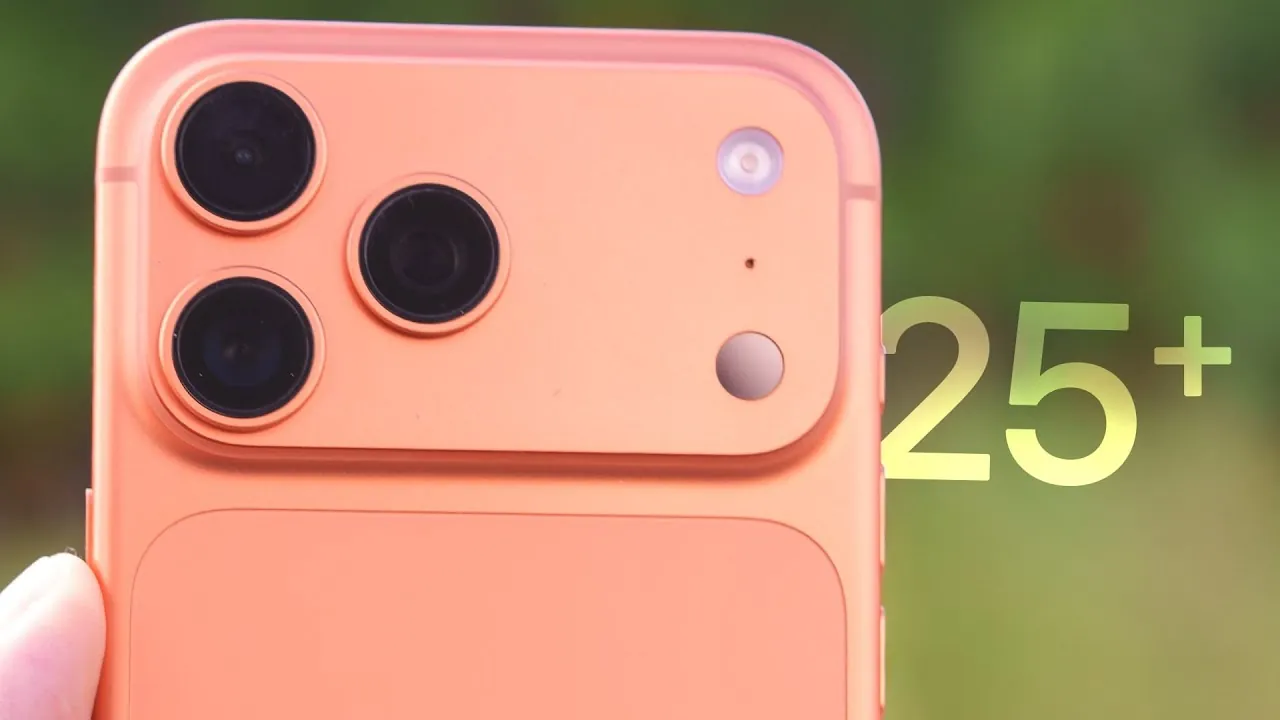
The iPhone 17 Pro Max represents a pinnacle of modern technology, offering a suite of features that cater to a wide range of users. From its innovative camera system to its customizable interface, this device is designed to elevate your daily experience. Whether you’re a photography enthusiast, a gamer, or someone who prioritizes productivity, the following tips and tricks will help you unlock the full potential of your iPhone 17 Pro Max. By mastering these features, you can transform your device into a powerful tool tailored to your unique needs. The video below from
Brandon Butch walks us through these tips & tricks
Accessibility Features: Simplify Navigation
Navigating the expansive 6.9-inch display of the iPhone 17 Pro Max is made easier with its robust accessibility options. These features are designed to enhance usability and ensure comfort during extended use:
- Reachability: Quickly bring the top of the screen closer to your thumb, making one-handed use more convenient.
- One-Handed Keyboard: Activate a compact keyboard layout for easier typing, especially when on the move.
- Display Pulse Smoothing: Reduce eye strain caused by OLED flickering, particularly in low-light environments.
These tools are especially useful for users who prefer ergonomic solutions without compromising on the device’s functionality.
Camera Enhancements: Elevate Your Photography
The iPhone 17 Pro Max features an advanced camera system that caters to both casual users and professional photographers. With a range of features designed to capture stunning visuals, this device ensures every shot is memorable:
- 48MP Telephoto Lens: Achieve 4-8x optical zoom for sharp, detailed images, even from a distance.
- Lens Cleaning Hints: Regularly clean your lenses to maintain optimal image quality and clarity.
- Dual Capture: Record simultaneously with the front and rear cameras, perfect for vlogging or interviews.
- ProRAW and ProRes: Enable these settings for high-resolution photos and videos with professional-grade detail.
- White Balance Lock: Ensure consistent color tones during video recording, even in changing lighting conditions.
- Photographic Styles: Customize tones and color profiles to match your personal aesthetic preferences.
- 18MP Center Stage Camera: Enjoy auto-zoom and rotation for perfectly framed selfies and video calls.
By exploring these features, you can take your photography and videography to the next level, capturing moments with unparalleled precision and creativity.
Action Button Customization: Streamline Your Workflow
The new Action Button on the iPhone 17 Pro Max is a versatile addition that allows you to personalize your device’s functionality. This feature is designed to enhance efficiency and simplify everyday tasks:
- Shortcut Mapping: Assign essential functions, such as opening the Control Center or activating Spotlight Search, to the Action Button for quick access.
- Custom Shortcuts: Create personalized shortcuts for frequently used apps or tasks, tailoring the button to your specific needs.
This customization ensures that your most-used features are always within reach, saving you time and effort throughout the day.
Battery Optimization: Extend Your Device’s Lifespan
Maximizing battery performance is crucial for making sure your iPhone 17 Pro Max remains reliable over time. By implementing these strategies, you can preserve battery health and enjoy longer usage between charges:
- Charge Limit: Set a charging cap, such as 90%, to reduce wear on the battery and extend its overall lifespan.
- Clean Energy Charging: Disable this feature when you need faster charging, particularly during busy schedules.
- 40W Fast Charging: Take advantage of rapid charging to reach 50% battery in just 20 minutes, ideal for users on the go.
These tips not only improve daily performance but also contribute to the long-term durability of your device.
Display and Customization: Make It Your Own
The iPhone 17 Pro Max’s OLED display and customization options allow you to personalize your device to reflect your style and preferences. These features enhance both aesthetics and functionality:
- Home Screen Icons: Customize your app icons to match your phone or case color, creating a cohesive and stylish look.
- Spatial Scenes: Enable dynamic 3D effects on your lock screen that respond to your movements, adding a unique touch to your device.
- Auto-Brightness: Use the 3,000-nit peak brightness for clear visibility, even in bright outdoor conditions.
These options ensure your iPhone 17 Pro Max is not only functional but also a reflection of your personal taste.
Gaming and Performance: Power for Every Task
The iPhone 17 Pro Max is engineered to handle demanding tasks, making it an excellent choice for gamers and power users. Its advanced hardware and software features provide a seamless and immersive experience:
- Vapor Chamber Cooling: Maintain peak performance during intensive gaming or video editing sessions without overheating.
- Game Overlays: Access leaderboards, adjust controller settings, or toggle game modes without interrupting gameplay.
These capabilities ensure that your device remains responsive and efficient, even under heavy workloads.
Audio and Video Recording: Tools for Creators
For content creators and those who enjoy capturing memories, the iPhone 17 Pro Max offers a range of advanced audio and video recording features:
- Audio Input Switching: Use AirPods or external microphones for clearer sound during video recording sessions.
- ProRes Video Recording: Save high-quality videos directly to an external SSD, freeing up internal storage for other uses.
These tools empower you to produce professional-grade content with ease, whether you’re recording a vlog or documenting special moments.
Additional Tips: Enhance Everyday Use
To further optimize your iPhone 17 Pro Max experience, consider these additional tips:
- App-Specific Shortcuts: Add frequently used app features to the Control Center for quick and easy access.
- Disable Center Stage: Turn off this feature in FaceTime for a more static and personal video call experience.
- Camera Controls: Customize the camera interface to focus on the tools you use most often, streamlining your photography workflow.
- Messages App Settings: Prevent photos taken in-app from automatically saving to your photo library, keeping your gallery organized and clutter-free.
These practical tips ensure that your device remains intuitive and efficient, adapting to your daily needs with ease.
The iPhone 17 Pro Max is more than just a smartphone—it’s a versatile tool designed to enhance every aspect of your life. By exploring and mastering these features, you can unlock its full potential, making sure it becomes an indispensable part of your daily routine.
Advance your skills in iPhone 17 Pro Max camera features by reading more of our detailed content.
- iPhone 17 Pro Max Camera Leaks: 5 Innovative Features
- iPhone 17 Pro Max vs iPhone Air: Camera Features Compared
- iPhone 17 Pro Max: Key Features, Specs, and What to Expect
- iPhone 17 Pro Max vs Pixel 10 Pro XL vs Galaxy S25 Ultra
- iPhone 17 Pro Max Leaks: Features, Design, and Camera
Source & Image Credit: Brandon Butch
Disclosure: Some of our articles include affiliate links. If you buy something through one of these links, Geeky Gadgets may earn an affiliate commission. Learn about our Disclosure Policy.
