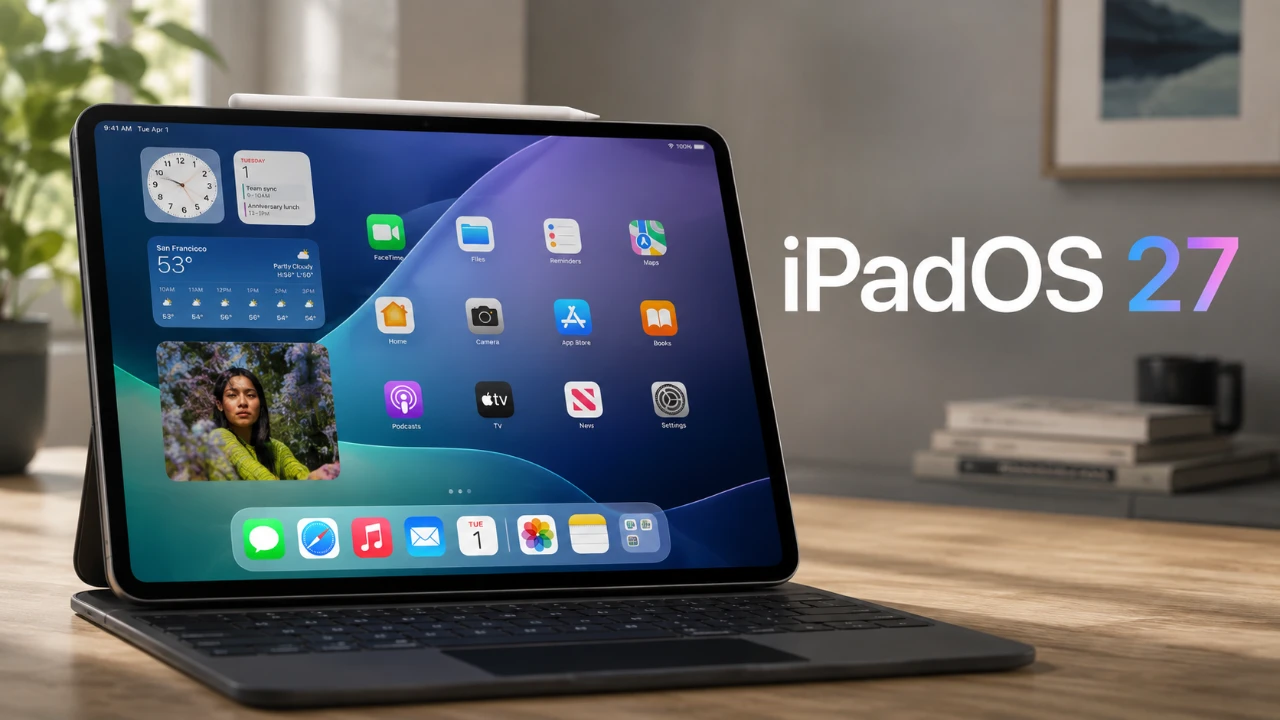
Apple’s iPadOS 27 developer beta 5 introduces a series of updates aimed at refining the user experience and unifying design elements across its ecosystem. These changes, ranging from redesigned app icons to expanded Siri customization options, reflect Apple’s ongoing commitment to delivering a cohesive and user-friendly platform. Below, we explore the most notable updates and their potential implications for users. The video below from SlatePad gives us more details about the latest beta.

Enhanced Hover Effects for Window Controls
One of the most notable updates in iPadOS 27 beta 5 is the introduction of hover effects for window controls. When hovering over the traffic light buttons in app windows using a mouse or Apple Pencil, the buttons now expand slightly. This feature mirrors similar functionality in macOS, signaling Apple’s intent to create a seamless experience across devices.
This update not only improves usability but also hints at Apple’s potential exploration of future innovations, such as touchscreen-enabled MacBooks. By integrating such features, Apple is laying the groundwork for a more intuitive and interconnected ecosystem, where users can transition effortlessly between devices.
Subtle Yet Impactful Redesigns for App Icons
Apple has introduced subtle but meaningful updates to several app icons in iPadOS 27 beta 5. These changes aim to modernize the design language while maintaining a sense of familiarity. Key updates include:
- Safari Icon: The updated Safari icon emphasizes its compass elements, offering improved clarity and visual appeal.
- Preview Icon: The redesigned Preview icon has sparked mixed reactions. While some users find its intent unclear, it aligns visually with other system icons, making sure consistency.
- Siri Icon: Now resembling the Siri orb seen in the interface, this redesign has been widely praised for its improved aesthetics.
- Remote and Settings Icons: These icons have received minor cosmetic updates, with little impact on their functionality.
These updates reflect Apple’s focus on visual consistency across its ecosystem, making sure that users experience a unified design language regardless of the device they are using.
Expanded Siri Voice Customization
The beta introduces new options for customizing Siri voices, allowing users to adjust the pace and expressivity of both American and British voices. This enhancement provides a more personalized interaction with Siri, catering to individual preferences.
Additionally, the overall voice quality has been improved, resulting in a smoother and more natural listening experience. These updates underscore Apple’s commitment to making Siri more adaptable and user-centric, enhancing its role as a digital assistant.
Battery Icon Alignment and Cross-Platform Consistency
The battery icon in iPadOS 27 beta 5 has been redesigned to match the version used on iPhones. This change is part of Apple’s broader effort to ensure visual consistency across devices, making it easier for users to transition between platforms without confusion.
This alignment is emblematic of Apple’s strategy to create a unified ecosystem, where design elements and functionality are seamlessly integrated. By prioritizing consistency, Apple simplifies navigation and enhances the overall user experience.
New Software Update Transparency
For the first time, iPadOS now displays the date of the last software update installation directly in the “Software Update” settings. This practical addition provides greater transparency, allowing users to track their device’s update history more effectively.
This feature not only enhances usability but also reinforces Apple’s focus on empowering users with clear and accessible information about their devices.
Refined Siri Orb Design
The Siri orb has undergone a design update, adopting a more subdued and minimalist appearance. While some users appreciate the streamlined look, others miss the vibrancy of previous designs. Regardless of personal preferences, this change aligns with Apple’s broader trend toward simplified visuals, which aim to reduce visual clutter and enhance focus.
Driving Cross-Platform Consistency and Future Innovations
Many of the updates in iPadOS 27 beta 5 reflect Apple’s emphasis on cross-platform consistency. By aligning design elements and functionality with macOS and iPhone, Apple is creating a more unified ecosystem. This approach not only simplifies navigation for users but also lays the groundwork for potential future innovations, such as touchscreen MacBooks or enhanced Apple Pencil capabilities.
These updates demonstrate Apple’s dedication to delivering a polished and cohesive platform. Whether through redesigned icons, improved Siri voices, or subtle interface tweaks, iPadOS 27 beta 5 highlights Apple’s focus on enhancing customization, refining the user experience and unifying its ecosystem. With the final release of iPadOS 27 expected in the coming weeks, users can look forward to a platform that prioritizes both functionality and design harmony.
Unlock more potential in iPadOS 27 beta by reading previous articles we have written.
- iPadOS 27 Beta 3 Finally Unlocks the iPad’s Full Multitasking Potential
- New iOS 27 Beta 5 Release Arrives with a Big Shift Coming
- Apple Delaying iOS 27 Beta 5? Here’s When to Expect the Next Update
- Apple’s iOS 27 Beta 3 Is Just Days Away: Here’s When It Drops
- iOS 27 Beta 5 Is Late: What’s Holding Up Apple’s Next Release?
Source & Image Credit: SlatePad
Disclosure: Some of our articles include affiliate links. If you buy something through one of these links, Geeky Gadgets may earn an affiliate commission. Learn about our Disclosure Policy.
