Apple’s iOS 27 introduces a range of features designed to elevate how you interact with your device. Whether you prioritize personalization, efficiency, or advanced functionality, this update delivers tools to enhance your experience. With a focus on user-centric design and AI-driven improvements, iOS 27 redefines what your iPhone can do. Below is a detailed look at the most impactful features you should explore immediately after updating, in a new video from iDeviceHelp.

Liquid Glass Appearance Slider: Personalize Your Interface
One of the standout features in iOS 27 is the liquid glass appearance slider, a systemwide tool that allows you to customize the transparency and tint of menus, notifications and controls. This feature enables you to create a visual aesthetic that aligns with your personal style. Whether you prefer a sleek and minimalistic design or a bold, vibrant look, the liquid glass slider offers unparalleled flexibility. By adjusting these settings, you can make your device feel uniquely yours while maintaining a cohesive and polished interface.
Advanced Siri AI: Smarter and More Intuitive
Siri has undergone a significant upgrade in iOS 27, with advanced AI capabilities that make it more intelligent and intuitive. The assistant now features improved contextual awareness and on-screen intelligence, allowing it to provide more relevant and timely assistance. Key enhancements include:
- Object recognition through your camera for real-time identification and suggestions.
- In-app assistance tailored to your ongoing activity, such as drafting emails or navigating apps.
- Improved task management with greater accuracy and ease.
Additionally, Siri’s redesigned interface simplifies interactions, making it easier to manage conversations and commands. These improvements transform Siri into a proactive and reliable tool for managing your daily tasks and activities.
Customizable Camera Tools: Photography Made Easier
For photography enthusiasts, iOS 27 introduces customizable camera controls that put you in charge of your creative process. You can now rearrange and edit quick-access tools, making sure that your favorite features are always within reach. Enhanced night mode, advanced timer settings and other tools provide greater flexibility, allowing you to capture stunning shots in any lighting condition. Whether you’re a professional photographer or a casual user, these updates make it easier to achieve the perfect shot.
AI-Powered Photo Editing: Professional Results with Minimal Effort
iOS 27’s AI-driven photo editing tools simplify complex editing tasks, making professional-quality results accessible to everyone. The new tools include:
- Cleanup Tool: Seamlessly remove unwanted objects from your photos for a cleaner composition.
- Extend Feature: Expand the edges of your images to create broader and more dynamic compositions.
- Reframe Tool: Adjust subject angles to achieve a polished and professional look.
These features are designed to deliver impressive results with minimal effort, making photo editing more approachable for users of all skill levels.
Voice-Powered Shortcuts: Streamline Your Tasks
Automation becomes more accessible with iOS 27’s voice-powered shortcuts. Using Apple Intelligence, you can create custom shortcuts for your daily tasks simply by speaking. Whether it’s setting reminders, controlling smart home devices, or launching specific apps, this feature saves time and simplifies your workflow. By integrating voice commands with automation, iOS 27 ensures that managing your tasks is both efficient and effortless.
Safari Tab Organization: Smarter Browsing
Safari’s new tab grouping feature revolutionizes web browsing by automatically organizing tabs based on their content. This reduces clutter and makes it easier to locate the information you need. Whether you’re multitasking or managing multiple projects, this feature enhances your browsing experience by keeping your tabs neatly categorized. With smarter tab organization, you can navigate the web more efficiently and stay focused on your priorities.
Sound and Haptics Control: Fine-Tune Your Audio
iOS 27 introduces granular sound and haptics controls, allowing you to adjust volume levels for ringtones, alarms, timers and system sounds independently. This level of customization ensures that your device’s audio settings align with your preferences, whether you’re in a quiet environment or a busy setting. By fine-tuning these controls, you can create an audio experience that suits your lifestyle.
Custom AirPods Equalization: Tailored Audio Experience
For audiophiles, iOS 27 offers a custom EQ feature for AirPods, allowing you to manually adjust lows, mids and highs to create a personalized audio profile. If you’re unsure where to start, recommended EQ settings are also available, providing expert guidance for an optimal listening experience. This feature ensures that your audio is tailored to your preferences, whether you’re listening to music, podcasts, or audiobooks.
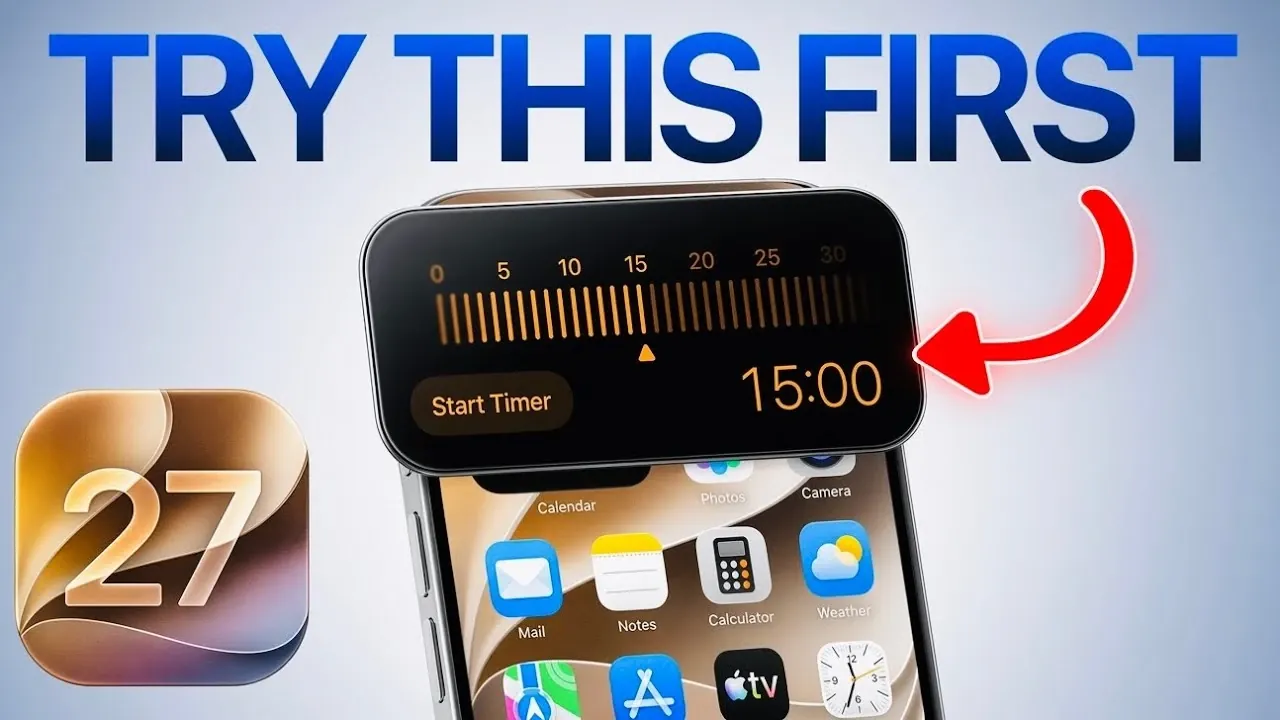
Dynamic Island Timer Interface: Simplified Time Management
The Dynamic Island in iOS 27 now includes an updated timer interface, making it easier to set and manage multiple timers simultaneously. The new design provides a clear and intuitive way to track time, whether you’re cooking, exercising, or managing daily tasks. This enhancement streamlines time management, making sure that you stay organized and on schedule.
Explore the Full Potential of iOS 27
iOS 27 exemplifies Apple’s commitment to user-centric design, AI integration and enhanced customization. From the liquid glass appearance slider to advanced Siri capabilities and personalized audio settings, this update enables you to tailor your device to your unique needs. By exploring these features, you can unlock a more intuitive, efficient and personalized experience with your iPhone.
Here are more detailed guides and articles that you may find helpful on iOS 27 Features.
- iOS 27: Features That Change Everything
- iOS 27: Apple’s Massive Siri AI Upgrade Finally Delivers
- Apple’s iOS 27: Here Are the Features That Matter
- Apple iOS 27 Reportedly Resolves a Major iPhone Problem
- New AirPods Features Coming to Your iPhone in iOS 27
Source & Image Credit: iDeviceHelp
Disclosure: Some of our articles include affiliate links. If you buy something through one of these links, Geeky Gadgets may earn an affiliate commission. Learn about our Disclosure Policy.
