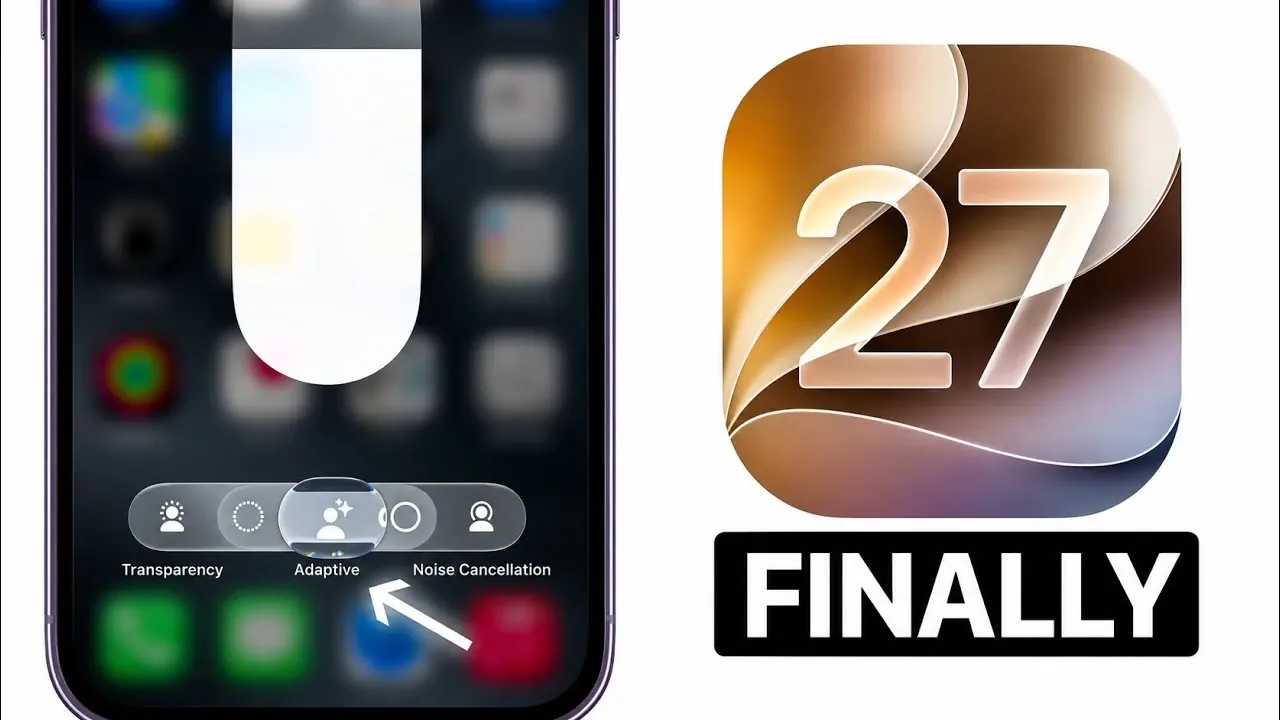
Apple’s iOS 27 developer beta 4 introduces a series of updates designed to enhance functionality, usability, and aesthetics. With improvements ranging from a refined user interface to smarter Siri interactions and upgraded AirPods controls, this release underscores Apple’s commitment to delivering a seamless and intuitive experience. Below is a detailed look at the most notable changes and their practical implications. The video below from iDeviceHelp gives us more details on the latest beta.

Refined User Interface: A Blend of Elegance and Functionality
The user interface in iOS 27 has been thoughtfully reimagined to improve both visual appeal and usability. Apple’s signature liquid glass design now extends to additional system elements, creating a cohesive and modern aesthetic. Key updates include:
- A redesigned volume HUD that incorporates tinted glass effects, blending seamlessly into the background for a less intrusive experience.
- Enhanced dark mode with higher contrast for widgets, ensuring better readability in low-light environments.
These updates not only elevate the visual experience but also align with Apple’s minimalist design philosophy, striking a balance between form and function.
Widgets: Enhanced Customization and Interactivity
Widgets in iOS 27 have been significantly upgraded, offering a more personalized and interactive experience. The improvements focus on combining functionality with visual harmony, making sure widgets remain both practical and aesthetically pleasing. Notable enhancements include:
- Expanded customization options, allowing users to tailor widgets to their specific preferences and needs.
- Smoother interactions, with liquid glass effects that adapt dynamically to your wallpaper for a cohesive look.
Whether you’re monitoring your fitness goals or staying updated on the weather, these changes make widgets more versatile and user-friendly.
Siri: Smarter Multitasking and Enhanced Responsiveness
Siri has become more versatile in iOS 27, with updates aimed at improving multitasking and responsiveness. A standout feature is Siri’s ability to continue providing information even while you interact with other parts of the interface. For example:
- If you ask Siri for directions and then switch to another app, Siri will keep delivering guidance without interruption.
This improvement ensures that voice interactions remain fluid and efficient, allowing you to stay focused on your tasks while receiving real-time assistance.
AirPods Controls: Streamlined and Intuitive
AirPods users will benefit from several enhancements that make managing audio settings more intuitive and precise. These updates aim to improve both functionality and user experience. Key changes include:
- Direct access to adaptive audio settings from the Control Center, simplifying adjustments.
- A liquid glass slider for volume control, offering a sleek and modern interface.
- Haptic feedback for volume changes, providing a tactile response for greater precision and engagement.
These updates ensure that managing audio settings is not only easier but also more enjoyable, catering to both casual listeners and audiophiles.
Subtle System Tweaks: Enhancing Everyday Usability
Beyond the major updates, iOS 27 introduces several smaller refinements that collectively enhance the overall user experience. These subtle changes demonstrate Apple’s attention to detail and commitment to improving everyday interactions. Highlights include:
- A redesigned compass app with a cleaner interface and improved accuracy, making navigation more reliable.
- Streamlined clipboard functionality, allowing smoother copying and pasting of text across apps.
- A new TV extension feature that pre-downloads the next two episodes of your favorite shows, making sure of uninterrupted viewing.
While these tweaks may seem minor, they contribute to a more polished and efficient operating system, making daily tasks more seamless.
A Comprehensive Update for a Better User Experience
The iOS 27 developer beta 4 update exemplifies Apple’s dedication to thoughtful refinement and innovation. From the expanded liquid glass interface to smarter Siri functionality and enhanced AirPods controls, this release addresses both aesthetic and practical needs. By incorporating subtle system tweaks alongside major feature updates, Apple continues to set a high standard for mobile operating systems. These changes not only enhance usability but also create a more engaging and cohesive user experience, making sure that iOS 27 remains a powerful and intuitive platform for users worldwide.
Learn more about iOS 27 with other articles and guides we have written below.
- Apple’s iOS 27 Beta 3 Is Just Days Away: Here’s When It Drops
- iOS 27 Leaks Reveal the End of an Era: Apple’s New Priorities Confirmed
- iOS 27 Beta 2 Changes: What Apple Is Modifying to Improve Performance
- First Look at the Upcoming iOS 27 Beta 4 Update Preview
- Should You Install iOS 27 Beta 3 or Wait for the Public Beta?
Source & Image Credit: iDeviceHelp
Disclosure: Some of our articles include affiliate links. If you buy something through one of these links, Geeky Gadgets may earn an affiliate commission. Learn about our Disclosure Policy.
