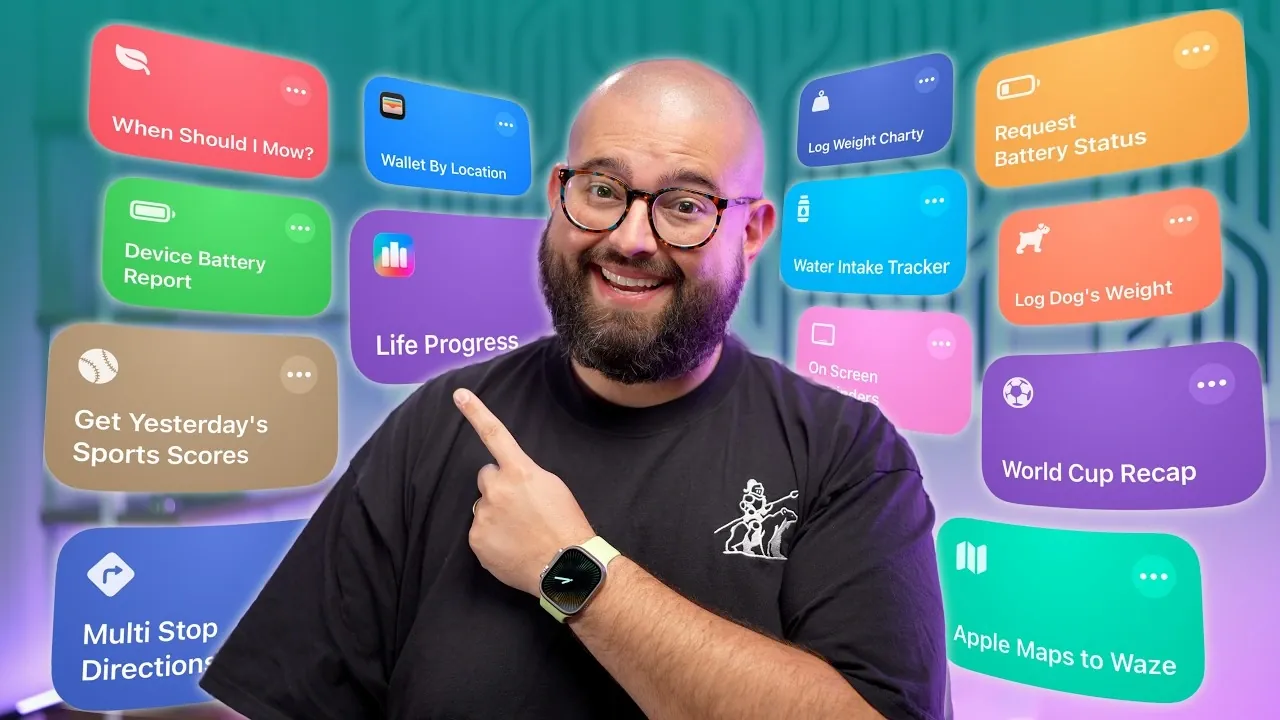
Apple’s iPhone shortcuts have redefined how users interact with their devices, offering a robust suite of tools to automate tasks and boost productivity. With the release of iOS 26 and the highly anticipated iOS 27, these shortcuts are becoming indispensable for casual users and tech enthusiasts alike. Whether you aim to streamline daily routines, visualize data, or integrate third-party apps, the possibilities are expansive. Here’s how iPhone shortcuts can elevate your experience and make your device a more powerful tool. The video below from Stephen Robles gives us a look at some awesome iPhone shortcuts.

Streamline Everyday Tasks
iPhone shortcuts are designed to simplify repetitive tasks, saving you both time and effort. By automating daily activities, you can focus on what truly matters while your device handles the rest. For instance, you can create shortcuts that:
- Generate multi-stop directions from calendar events, making sure you’re always on time for appointments or meetings.
- Deliver real-time updates on sports scores for your favorite teams or major events like the World Cup.
- Provide weather-based recommendations, such as the best time to complete outdoor activities like mowing the lawn or going for a run.
These automations reduce the mental load of managing small but frequent tasks, allowing you to stay organized and efficient throughout your day.
Visualize Data with Charty
For those who enjoy tracking personal metrics, the Charty app enhances iPhone shortcuts by allowing the creation of visual charts. This tool allows you to monitor and update data in real time, making it easier to stay on top of your goals. Examples of data you can track include:
- Fitness progress, such as weight changes, workout hours, or step counts.
- Daily habits, like water intake, energy usage, or sleep patterns.
- Financial metrics, including monthly expenses or savings goals.
These charts can be integrated into widgets or even displayed as part of your wallpaper. For example, you could set up a shortcut to show your fitness progress directly on your lock screen, offering a constant visual reminder of your achievements. Charty transforms raw data into actionable insights, helping you make informed decisions and stay motivated.
Expand Functionality with Third-Party Apps
The versatility of iPhone shortcuts extends far beyond Apple’s native apps, thanks to integrations with third-party platforms like Make. These tools allow you to automate tasks across thousands of apps, unlocking new levels of customization and efficiency. With Make, you can:
- Organize and rename screenshots automatically, keeping your photo library tidy and searchable.
- Save email attachments directly to cloud storage platforms like Google Drive or Dropbox.
- Create personalized workflows using AI tools to summarize tasks, draft emails, or manage schedules.
With support for over 3,000 apps, the customization options are nearly limitless. Whether you’re managing RSS feeds, automating social media posts, or creating complex workflows, these integrations make your iPhone a more versatile and powerful tool.
What’s New in iOS 27?
The upcoming iOS 27 introduces several enhancements that significantly improve the functionality of iPhone shortcuts. These updates are designed to make automation more intuitive and responsive to real-time needs. Key features include:
- Notification-triggered automations: Act on alerts as they happen, such as forwarding messages, setting reminders, or initiating calls based on specific notifications.
- Enhanced “Get On Screen Context” action: Extract visible data from your screen to create shortcuts that interact with reminders, files, or text, streamlining multitasking.
- Improved search capabilities: Quickly locate and act on information across apps like Contacts, Mail and Messages, saving you time and effort.
- Direct automation toggles: Enable or disable automations directly from your shortcut list, giving you greater control over your workflows.
These advancements make it easier than ever to customize your iPhone experience, making sure that your device adapts to your unique needs and preferences.
Personalized Shortcuts for Unique Needs
One of the most compelling aspects of iPhone shortcuts is their ability to be tailored to individual lifestyles. By creating personalized automations, you can make your device more intuitive and responsive. Examples of custom shortcuts include:
- Location-based triggers that activate wallet passes, such as gym memberships or coffee shop loyalty cards, when you arrive at specific locations.
- Automated reminders with alarms to ensure you never miss important tasks or deadlines.
- Data logging shortcuts to track metrics like pet weight, daily expenses, or fitness milestones, helping you stay organized and informed.
These customizations allow your iPhone to seamlessly integrate into your daily routine, enhancing both convenience and productivity.
Customize Your Wallpaper and Lock Screen
With iOS 26 and 27, Apple has introduced new personalization options for wallpapers and lock screens, allowing users to automate updates based on their goals or milestones. For example:
- Fitness enthusiasts can display a chart of weekly workout hours as their lock screen background, serving as a constant motivator.
- Students might showcase a countdown to an important exam or project deadline, keeping them focused and on track.
These features not only enhance the aesthetic appeal of your device but also provide practical benefits by keeping your objectives front and center.
Engage with the Shortcuts Community
The iPhone shortcuts ecosystem thrives on a vibrant community of users and developers who share their expertise and creations. By engaging with this community, you can:
- Discover and share custom shortcuts tailored to specific needs, expanding your library of tools.
- Learn advanced techniques through online forums, video tutorials and step-by-step guides.
- Stay updated on the latest features and trends via live streams, newsletters and community discussions.
This collaborative environment ensures that you’re always equipped with the knowledge and resources to maximize the potential of your iPhone shortcuts.
Elevate Your iPhone Experience
iPhone shortcuts have become a cornerstone of Apple’s ecosystem, offering unparalleled opportunities for automation and personalization. From simplifying daily tasks to visualizing data and integrating third-party apps, these tools cater to a wide range of users. With the advancements in iOS 27, including notification-triggered actions and enhanced search capabilities, the potential for productivity and customization continues to grow. By exploring these features and engaging with the shortcuts community, you can transform your iPhone into a powerful, personalized assistant that adapts to your unique needs.
Become an expert in iPhone shortcuts with the help of our in-depth articles and helpful guides.
- Master iPhone Shortcuts for Faster Access to Your Most Import Apps & Settings
- Must-Have Apple Shortcuts for Your iPhone
- 20 Apple Shortcuts That Make Your iPhone Smarter Than Ever
- iOS 27 Leaks Reveal the End of an Era: Apple’s New Priorities Confirmed
- Apple Just Dropped iOS 26.5 RC2: Here’s Everything New
Source & Image Credit: Stephen Robles
Disclosure: Some of our articles include affiliate links. If you buy something through one of these links, Geeky Gadgets may earn an affiliate commission. Learn about our Disclosure Policy.
