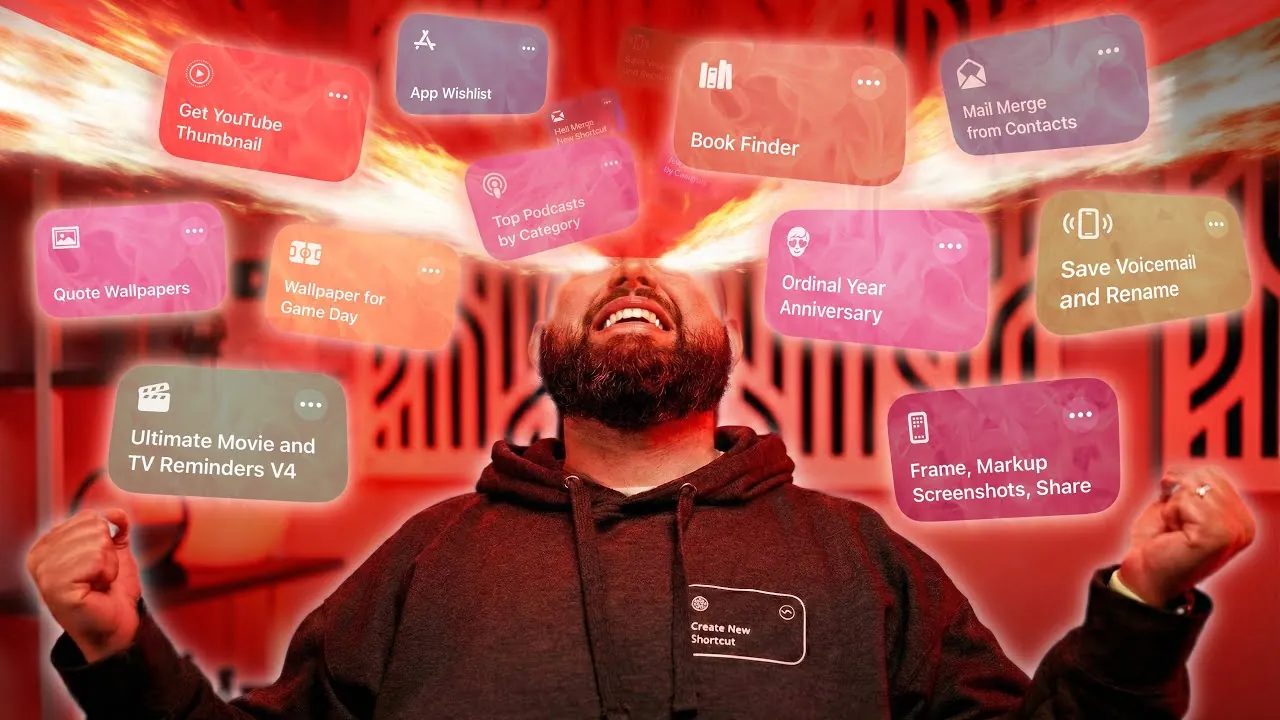
Apple Shortcuts have transformed how you interact with your devices, offering a versatile toolkit to automate tasks, personalize your experience, and enhance productivity. These shortcuts are designed to streamline routines, spark creativity, and optimize device functionality. Whether you’re managing reminders, organizing entertainment, or customizing your device, these tools provide practical solutions to everyday challenges. The video below from Stephen Robles gives us a look at 20 awesome shortcuts you need to try.

1. Book Search and Reminders
For avid readers, the Open Library API shortcut is an invaluable tool. It enables you to search for books by title or author and seamlessly add them to your reminders. Key details such as the author, publication year, page count, and purchase links for platforms like Amazon or Apple Books are included. This ensures your reading list remains well-organized and easily accessible, helping you stay on top of your literary goals.
2. Inspirational Wallpaper Automation
Start your day with a fresh dose of motivation through the Toolbox Pro-powered wallpaper automation shortcut. This tool generates daily wallpapers featuring inspirational quotes, which you can customize with your preferred fonts, colors, and styles. By aligning with your aesthetic preferences, this shortcut ensures your device feels uniquely tailored to you while providing a positive start to your day.
3. Sports Team Integration
Stay connected to your favorite sports teams by integrating their schedules directly into your calendar. This shortcut adds game times, locations, and other relevant details, making sure you never miss a match. For an extra layer of personalization, you can automate wallpaper changes on game days, showcasing your team’s colors or logo to celebrate your fandom.
4. Movie and TV Show Management
Discover and organize your entertainment effortlessly with this shortcut. It allows you to search for movies and TV shows, locate streaming options, and add titles to your reminders. Additionally, it includes links to trailers and platforms like Netflix or Hulu, making it easier to keep track of must-watch content and plan your viewing schedule.
5. Mail Merge Automation
Simplify email communication with a mail merge shortcut that automates personalized messages. By using contact details such as names and company information, this tool streamlines professional outreach, event invitations, or any scenario requiring tailored emails. It saves time while maintaining a personal touch, making it an essential tool for both personal and professional use.
6. App Wishlist
Keep track of apps you’re interested in with the app wishlist shortcut. Save links, prices, and ratings to your reminders for easy reference. This is particularly useful for monitoring app sales, curating a list of tools you plan to download, or simply keeping an organized record of apps that catch your attention.
7. Screenshot Markup and Framing
Enhance the appearance of your screenshots with this shortcut. It allows you to annotate images and add customizable gradient backgrounds, making your visuals more polished and shareable. Whether for professional presentations or personal projects, this tool ensures your screenshots stand out.
8. Video Transcription and Summarization
Extract key information from videos with this transcription shortcut. It converts videos from your photo library into text and saves summarized results directly to Apple Notes. This is particularly useful for organizing insights from educational content, interviews, or any video material you want to reference later.
9. YouTube Shortcuts
Enhance your YouTube experience with a shortcut that uses RSS feeds to access the latest videos from your favorite channels. You can also reformat or save thumbnails as square images or in their original format, giving you more control over how you manage and interact with your content.
10. Podcast Discovery
Explore new audio content with this podcast discovery shortcut. Browse top-rated podcasts by category, whether you’re interested in technology, health, or entertainment. This tool makes it easy to find and play content that aligns with your interests, helping you stay informed and entertained.
11. Anniversary and Event Tracking
Never miss an important date with this shortcut, which tracks anniversaries and events by adding recurring reminders to your calendar. Labels like “3rd Anniversary” or “Annual Meeting” ensure you stay on top of significant milestones, both personal and professional.
12. Voicemail Saving and Renaming
Organize your voicemails with ease using this shortcut. It saves voicemails as audio files with filenames that include the sender’s name and date. This makes it simple to locate specific messages when needed, making sure your communications remain accessible and well-organized.
13. Apple TV Automation
Streamline your Apple TV experience with automation. This shortcut can wake up your Apple TV, open specific apps, and even start playing content. It provides a seamless way to enjoy your favorite shows and movies without unnecessary steps.
14. Mac Shortcuts Enhancements
Boost your Mac’s functionality with Shortcutie, a tool that enables advanced actions like clearing all notifications. This shortcut helps you stay focused by reducing distractions and keeping your desktop organized, making it an essential addition to your productivity toolkit.
15. Community Collaboration and AI Integration
Use the power of community-driven improvements and AI tools like Claude to create custom shortcuts. These tools allow you to design solutions tailored to your specific needs, fostering innovation and creativity while enhancing the functionality of your devices.
16. Daily Task Automation
Simplify your daily routine with shortcuts that automate tasks such as setting alarms, sending messages, or launching apps. These tools save time and ensure you stay on track throughout the day, making your schedule more manageable and efficient.
17. Health and Fitness Tracking
Prioritize your well-being with shortcuts that integrate health data to log workouts, track hydration, or remind you to take breaks. These tools make it easier to maintain a healthy lifestyle by keeping your fitness goals within reach.
18. Travel Planning
Plan your trips effortlessly with shortcuts that organize itineraries, check flight statuses, or find nearby attractions. These tools help you stay prepared and make the most of your travels, making for a smoother and more enjoyable experience.
19. Smart Home Controls
Manage your smart home devices with shortcuts that adjust lighting, control thermostats, or lock doors. These automations enhance the efficiency and convenience of your home, allowing you to focus on what matters most.
20. File Organization
Keep your digital files tidy with shortcuts that rename, sort, or move documents based on specific criteria. This ensures your files are always easy to find and manage, helping you maintain a clutter-free digital workspace.
Take a look at other insightful guides from our broad collection that might capture your interest in Apple Shortcuts.
- How to Automate AI Note-Taking with Apple Shortcuts and Notes
- Must-Have Apple Shortcuts for Your iPhone
- How to Use Apple Shortcuts to Organize Apple Notes Folders
- Apple Intelligence Shortcuts Will Transform Your Daily Life
- 15 Innovative iPhone Shortcuts You Need
Source & Image Credit: Stephen Robles
Disclosure: Some of our articles include affiliate links. If you buy something through one of these links, Geeky Gadgets may earn an affiliate commission. Learn about our Disclosure Policy.
