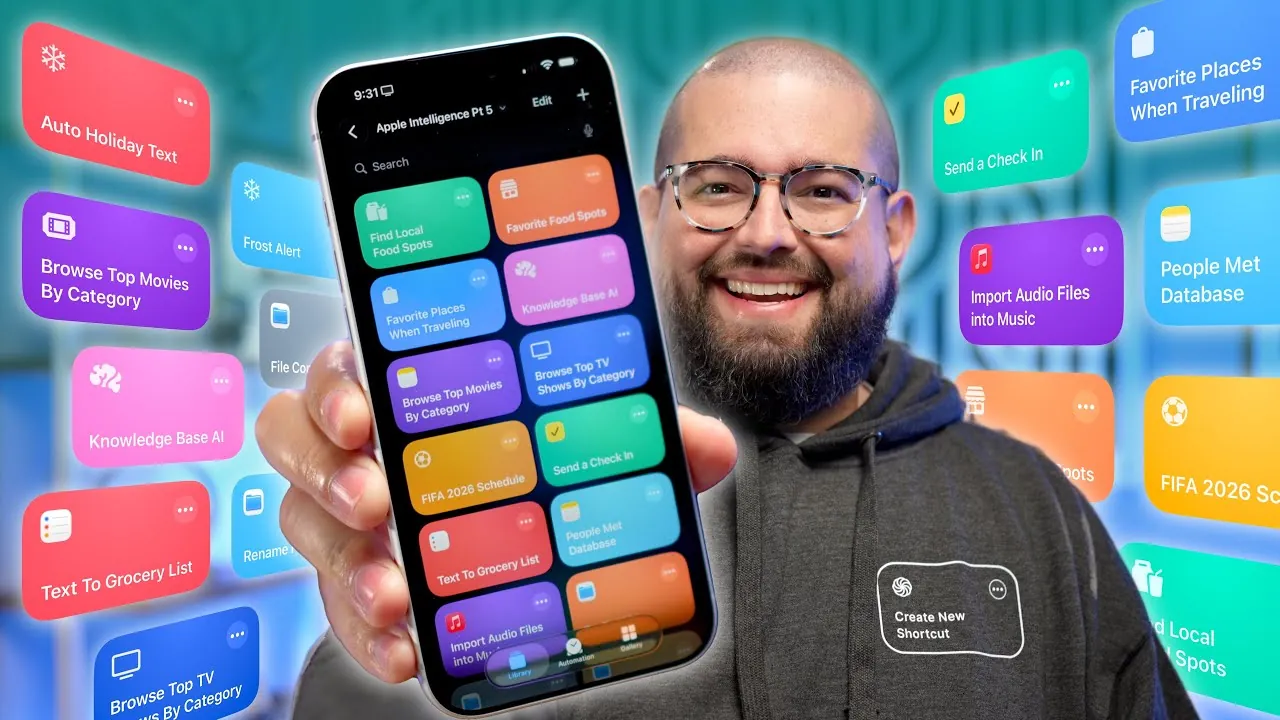
Apple Shortcuts provide a powerful way to streamline your daily routines, offering tools to automate tasks, boost productivity, and customize workflows. By integrating automation with artificial intelligence, these shortcuts enable you to handle everything from managing files to discovering entertainment options with ease. The video below from Stephen Robles explores practical applications of Apple Shortcuts, showcasing how they can enhance efficiency and simplify your everyday life. We get to find out about some new Apple Shortcuts that you may not have tried.

Effortlessly Discover Local Food Spots
Finding the best local restaurants has never been easier. With Apple Shortcuts, you can quickly identify dining options by analyzing social media images or screenshots. For example, if you come across a restaurant recommendation on Instagram, a shortcut can extract the restaurant’s name, location, and ratings, saving these details in Apple Notes for future reference. Whether you’re exploring a new city or rediscovering your hometown, this feature ensures you always have a curated list of dining options at your fingertips. By eliminating the need for extensive research, you can focus on enjoying your culinary adventures.
Create and Manage a Personal Knowledge Base
Organizing and accessing information becomes seamless with Apple Shortcuts. By using AI-powered search capabilities, you can locate specific details within documents, PDFs, or manuals in seconds. For instance, if you’re a professional managing technical data or a student working on academic projects, shortcuts can automate the retrieval of relevant content, saving you time and effort. You can even create workflows to categorize and store information in a structured format, transforming your device into a personalized knowledge base. This functionality is invaluable for anyone handling large volumes of data or needing quick access to critical information.
Streamline Entertainment Choices
Apple Shortcuts simplify the process of finding entertainment tailored to your preferences. Instead of endlessly scrolling through streaming platforms, you can use shortcuts to generate personalized recommendations based on your favorite genres. These suggestions can include direct streaming links and additional details, which can be saved in Apple Notes for easy access. This feature allows you to spend less time searching and more time enjoying your favorite movies and TV shows. Whether you’re planning a movie night or looking for a new series to binge-watch, this tool ensures your entertainment choices are both convenient and enjoyable.
Automate and Simplify Daily Tasks
Managing everyday responsibilities becomes significantly easier with Apple Shortcuts. For example, you can convert text messages into grocery lists within the Reminders app, making sure you never forget essential items. Additionally, you can create workflows to log details about new acquaintances, such as conversation highlights or shared interests, helping you maintain meaningful connections. These automated processes reduce mental clutter and free up time for more important activities. By integrating shortcuts into your daily routine, you can focus on what truly matters while staying organized and efficient.
Enhance File Management Efficiency
Apple Shortcuts offer robust tools for organizing and managing your digital workspace. You can automate tasks such as renaming files based on their creation date, converting files between formats like PDF and JPEG, or importing media files directly into Apple Music. These capabilities ensure that your files are always accessible and neatly organized, reducing the time spent on manual file management. Whether you’re a professional handling large volumes of data or simply looking to keep your personal files in order, these tools provide practical solutions for maintaining a clutter-free workspace.
Stay Prepared with Weather-Based Alerts
Weather-based alerts powered by Apple Shortcuts help you stay ahead of changing conditions. You can set up notifications for specific events, such as freezing temperatures, heavy rain, or high winds, and receive reminders tailored to your needs. For instance, if you’re planning an outdoor event, a shortcut can notify you of potential weather disruptions and suggest alternative plans. This feature ensures that you’re always prepared, whether you’re commuting, traveling, or organizing activities. By automating weather updates, you can make informed decisions and avoid unnecessary surprises.
Personalize Holiday Greetings with Ease
Apple Shortcuts simplify the process of sending personalized holiday messages. You can create workflows to generate tailored greetings for different contact groups, making sure each recipient feels appreciated. For example, you can design a shortcut to send customized messages to family, friends, or colleagues, complete with unique text and images. This feature is particularly useful during busy holiday seasons, allowing you to maintain meaningful connections without the repetitive task of crafting individual messages. By automating this process, you can focus on enjoying the festivities while staying connected with loved ones.
Connect with the Shortcuts Community
Apple Shortcuts open the door to a vibrant community of users and creators. By engaging with this network, you can share ideas, request custom workflows, and access a vast library of pre-built shortcuts. Weekly live streams, forums, and collaborative resources provide ongoing inspiration, helping you discover innovative ways to optimize your routines. Whether you’re a beginner or an experienced user, the community offers valuable insights and support, allowing you to unlock the full potential of Apple Shortcuts. By participating in this ecosystem, you can continuously refine your workflows and explore new possibilities.
Dive deeper into Apple Shortcuts with other articles and guides we have written below.
- 10 Awesome iPad Shortcuts for the Apple Pencil Pro
- How to Automate AI Note-Taking with Apple Shortcuts and Notes
- Apple Intelligence Shortcuts Will Transform Your Daily Life
- 20 Must-Know Apple Intelligence Shortcuts in iOS 26
- 15 Innovative iPhone Shortcuts You Need
Source & Image Credit: Stephen Robles
Disclosure: Some of our articles include affiliate links. If you buy something through one of these links, Geeky Gadgets may earn an affiliate commission. Learn about our Disclosure Policy.
