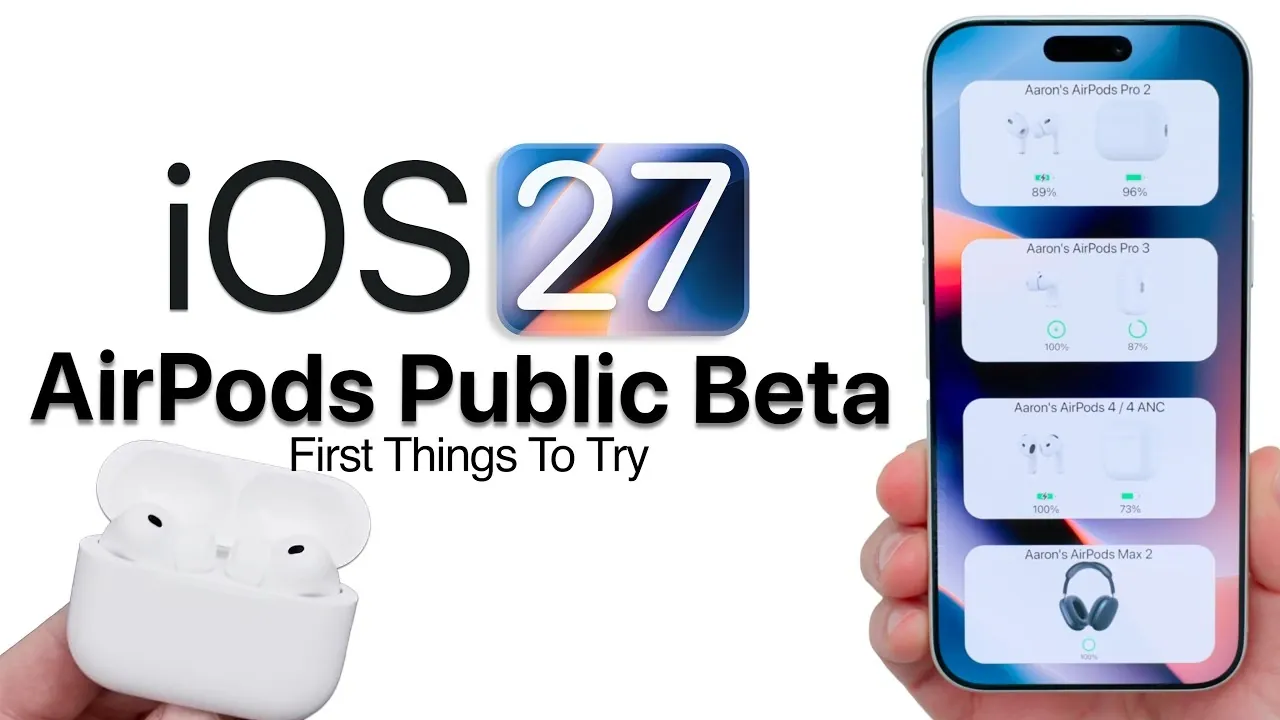
Apple has officially released the iOS 27 public beta, accompanied by a firmware update for AirPods, introducing a suite of new features aimed at enhancing the overall user experience. These updates are particularly beneficial for users of the latest AirPods models, offering advanced functionalities and deeper integration within Apple’s ecosystem. However, as with any beta release, there are critical factors to consider before proceeding. Below is a detailed overview of what this update entails and the steps you should take to get started in a new video from Zollotech.

Supported Devices
The iOS 27 beta and its corresponding AirPods firmware update are optimized to unlock advanced features on the latest AirPods models. These updates use the innovative hardware capabilities of newer devices, making sure a more seamless and feature-rich experience. The following devices are fully supported:
- AirPods Pro 2: Enhanced noise cancellation and adaptive audio features.
- AirPods Pro 3: Precision Finding and Gym Kit integration for fitness enthusiasts.
- AirPods 4: Improved sound quality and customizable EQ settings.
- AirPods 4 with Active Noise Cancellation: Advanced noise management for diverse environments.
- AirPods Max 2: Superior audio fidelity and expanded Siri functionality.
While older AirPods models remain compatible with iOS 27, they lack access to certain advanced features due to hardware limitations. Users of these models will still benefit from general improvements, such as stability enhancements and minor performance upgrades, but features like Precision Finding and Adaptive Mode adjustments may not be available.
How to Install the Beta Update
Installing the beta update for your AirPods requires allowing firmware updates through the AirPods menu in your iPhone’s settings. To ensure a smooth and successful installation process, follow these steps carefully:
- Place your AirPods in their charging case and keep them near your iPhone to maintain a stable connection.
- Ensure your AirPods are charged to at least 50% before initiating the update to avoid interruptions.
- Connect the charging case to a power source during the update process for optimal performance.
- Be prepared for longer update times, especially for charging cases, as these updates may take more time to complete.
It is crucial to note that beta updates are irreversible. Once installed, you cannot roll back to a previous firmware version. Proceed with caution, especially if you rely heavily on your AirPods for daily use.
New Features to Explore
The iOS 27 beta introduces a variety of new features designed to enhance the functionality and personalization of your AirPods. Here are the key highlights:
- Redesigned Settings Menu: The AirPods settings menu has been overhauled for improved navigation, making it easier to customize and access features.
- Customizable Music Equalizer (EQ): Personalize your audio experience by adjusting bass, treble and midrange frequencies to suit your preferences.
- Adaptive Mode Adjustments: Fine-tune noise cancellation and transparency settings to adapt to your surroundings and specific needs.
- Enhanced Siri AI Integration: Enjoy more intuitive and seamless interactions with Siri, including faster response times and expanded voice commands.
- Name Recognition: AirPods now support name recognition in over 50 languages, improving accessibility for a global audience.
- Precision Finding: Locate your AirPods Pro 3 with pinpoint accuracy using your Apple Watch running watchOS 27, adding convenience to your daily routine.
- Gym Kit Integration: Sync heart rate data from AirPods Pro 3 to compatible gym equipment, offering a more comprehensive and connected workout experience.
These features highlight Apple’s focus on personalization, accessibility and seamless integration across its ecosystem, making sure a more tailored and efficient user experience.
Limitations and Considerations
While the beta updates bring exciting new functionalities, there are several limitations and considerations to keep in mind:
- Irreversible Updates: Once you install the beta firmware, you cannot revert to a previous version. If you encounter issues, you’ll need to wait for the next beta release or the final public version.
- Longer Update Times for Charging Cases: Firmware updates for AirPods charging cases may take significantly longer than updates for the AirPods themselves. Plan accordingly to avoid disruptions.
- Potential Bugs and Stability Issues: As with any beta software, there is a risk of encountering bugs or instability. If you rely heavily on your AirPods for work or daily activities, consider whether the potential benefits outweigh the risks.
These considerations are essential for making an informed decision about whether to participate in the beta program.
What’s Next?
The final public release of iOS 27 and the AirPods firmware update is expected to arrive in mid-September, likely coinciding with the launch of Apple’s next-generation iPhone. Apple may introduce additional features or refinements in subsequent beta updates, so it’s worth keeping an eye out for further developments. If you’re part of the beta program, your feedback can play a crucial role in shaping the final release.
The iOS 27 public beta and AirPods firmware update provide a glimpse into the future of Apple’s ecosystem. With features like customizable EQ settings, enhanced Siri integration and Precision Finding, these updates aim to improve functionality and user experience. If you choose to participate in the beta program, take the time to explore these innovations and provide valuable feedback to Apple. However, remember to weigh the potential risks and limitations before diving in.
Below are more guides on iOS 27 from our extensive range of articles.
- Apple’s iOS 27 Beta 3 Is Just Days Away: Here’s When It Drops
- iOS 27 Leaks Reveal the End of an Era: Apple’s New Priorities Confirmed
- iOS 27 Beta 2 Changes: What Apple Is Modifying to Improve Performance
- Should You Install iOS 27 Beta 3 or Wait for the Public Beta?
- iOS 27 Could Be Apple’s ‘Snow Leopard’ Moment, Focusing on One Huge Change
Source & Image Credit: zollotech
Disclosure: Some of our articles include affiliate links. If you buy something through one of these links, Geeky Gadgets may earn an affiliate commission. Learn about our Disclosure Policy.
