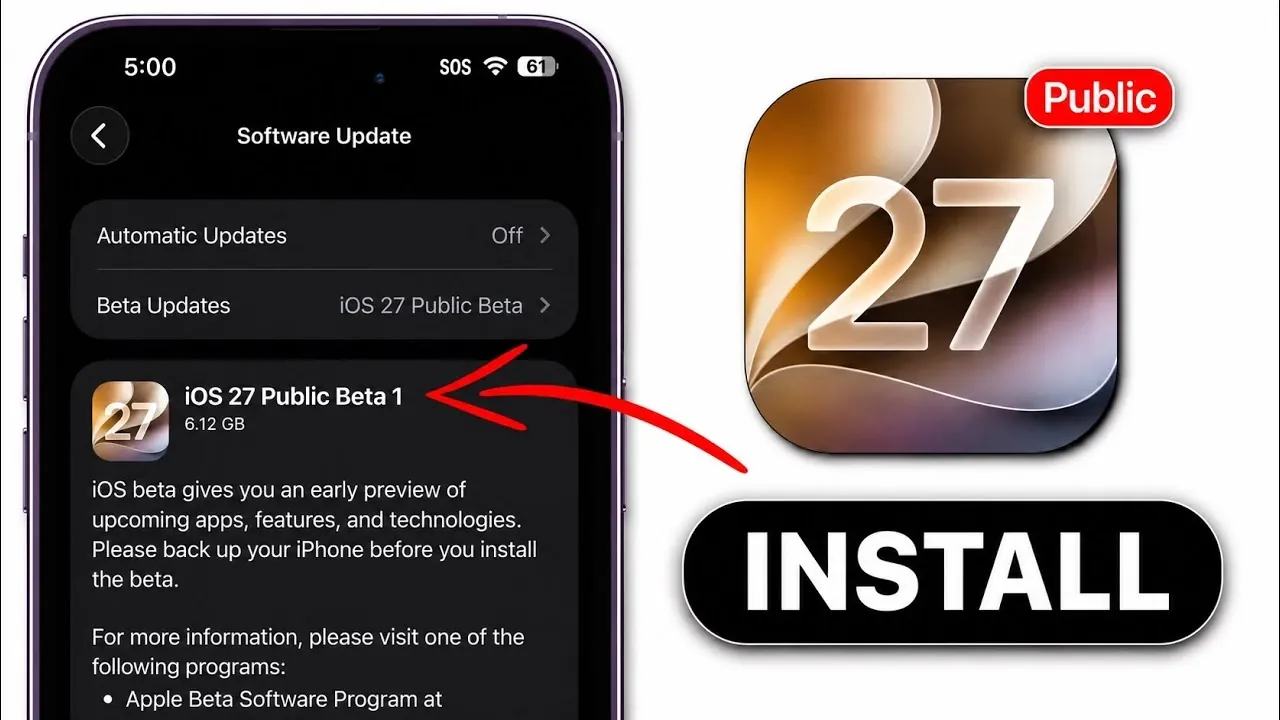
Apple has officially released the first public beta of iOS 27, offering you an early opportunity to explore the next version of its operating system. This public beta aligns closely with Developer Beta 3 in terms of features and stability, providing a glimpse into what’s coming before the full release expected in September. However, as with all beta software, there are important factors to consider, including potential risks and limitations, before deciding to install it.

Key Features and Considerations for iOS 27 Public Beta
The iOS 27 Public Beta is part of Apple’s ongoing effort to refine its software through public testing. By participating, you gain early access to new features and improvements, but it’s essential to approach beta software with caution. Beta versions often include bugs, performance issues, and reduced battery efficiency, which can affect your device’s usability. Apple has emphasized that this release is still under development, meaning your experience may vary depending on your device model and usage patterns.
Some highlights of the iOS 27 Public Beta include:
- Enhanced Customization: New options for widgets, lock screens and app layouts allow for greater personalization.
- Improved Performance: Apple has introduced optimizations aimed at faster app launches and smoother multitasking.
- Privacy Updates: Expanded privacy controls give you more transparency over app tracking and data sharing.
While these features are exciting, it’s important to remember that beta software is inherently experimental. If you rely heavily on your device for work or daily tasks, you may want to wait for the official release.
Steps to Install iOS 27 Public Beta
If you’re ready to try the iOS 27 Public Beta, Apple has streamlined the installation process. Follow these steps to ensure a smooth setup:
- Join Apple’s Beta Program: Visit Apple’s official beta software website and sign in with your Apple ID. Enrolling in the program grants you access to beta updates for iOS and other Apple platforms.
- Back Up Your Device: Use iCloud or a computer to create a secure backup of your data. This step is critical in case you encounter issues and need to restore your device to its previous state.
- Enable Beta Updates: On your device, navigate to “Settings” > “General” > “Software Update” and enable beta updates. Once activated, your device will download and install the iOS 27 Public Beta.
Taking these precautions ensures that you can explore the beta safely while minimizing the risk of data loss or device instability.
Compatibility Across the Apple Ecosystem
The iOS 27 Public Beta extends beyond iPhones, encompassing updates for iPadOS, macOS, watchOS, tvOS, HomePod and AirPods. This interconnected approach allows you to test new features across Apple’s ecosystem, providing a cohesive experience for those with multiple Apple devices. For example:
- iPadOS: Enhanced multitasking features and new Apple Pencil tools.
- macOS: Improved integration with iOS apps and expanded Continuity features.
- watchOS: New health tracking metrics and redesigned watch faces.
While this broad compatibility is appealing, the same caution applies; beta software can impact performance and stability. It’s advisable to use secondary devices for testing to avoid disruptions to your primary workflow.
Performance and Stability Insights
Early reports indicate that iOS 27 Public Beta 1 is relatively stable compared to earlier beta versions. However, users have noted minor bugs, occasional app crashes and reduced battery life, particularly on older devices. These issues are typical of beta software and are expected to improve with subsequent updates as Apple incorporates user feedback.
If you’re using a newer device, you may experience fewer performance issues, but it’s still wise to monitor how the beta affects your daily usage. Apple’s beta program relies on feedback from testers like you to identify and resolve these issues before the official release.
Should You Install iOS 27 Public Beta?
Deciding whether to install the iOS 27 Public Beta depends on your needs and device usage. Consider the following scenarios:
- If You Rely on Your Device Daily: It’s best to wait for the official release in September to avoid potential disruptions caused by beta-related bugs or performance issues.
- If You Have a Secondary Device: The public beta is an excellent opportunity to explore new features and provide feedback to Apple without risking your primary device’s functionality.
- If You Enjoy Early Access: Testing the beta allows you to experience Apple’s latest innovations firsthand and contribute to the refinement of the final product.
Ultimately, the decision comes down to your willingness to navigate the challenges of beta software in exchange for early access to iOS 27’s features.
Exploring the Future of iOS
The release of iOS 27 Public Beta 1 represents a significant milestone in Apple’s software development process. By participating in the beta program, you play a role in shaping the future of iOS, helping Apple identify and address issues before the official launch. Whether you choose to install the beta or wait for the polished release, iOS 27 promises to deliver a more refined and feature-rich experience across Apple’s ecosystem.
Here are additional guides from our expansive article library that you may find useful on iOS 27 Public Beta.
- The Difference Between the iOS 27 Public and Developer Betas
- Should You Install iOS 27 Beta 3 or Wait for the Public Beta?
- How to Safely Move from iOS 27 Developer Beta to Public Beta
- Is iOS 27 Beta 4 the Update Public Testers Have Been Waiting For?
- iOS 27 Public Beta Checklist: Things to Do Before You Download
Source & Image Credit: iDeviceHelp
Disclosure: Some of our articles include affiliate links. If you buy something through one of these links, Geeky Gadgets may earn an affiliate commission. Learn about our Disclosure Policy.
