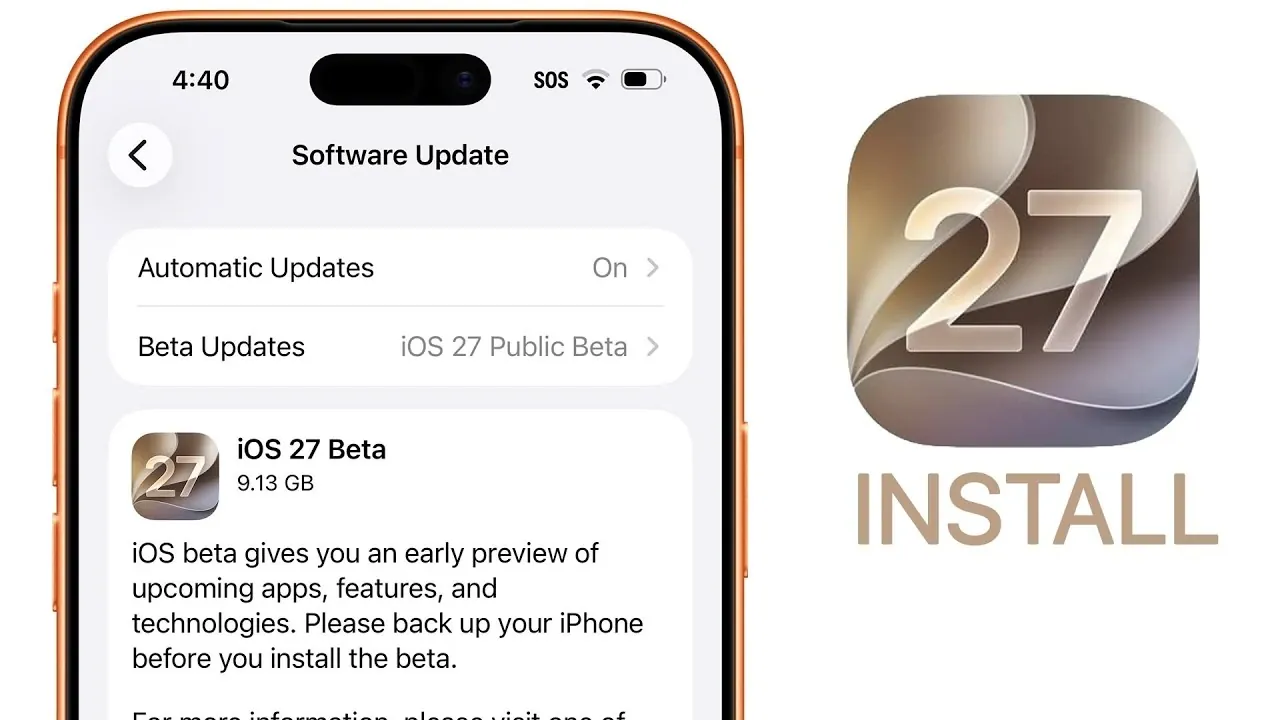
Apple has officially launched the iOS 27 public beta, offering you an early glimpse into the latest features and updates of its operating system. This release not only allows you to explore new functionalities but also provides an opportunity to contribute valuable feedback that helps refine the final version. Below, you’ll find detailed guidance on installing the beta, an in-depth look at its standout features, and essential tips for beta testers. The video below from Brandon Butch gives us more details about the new beta.

How to Install the iOS 27 Public Beta
Installing the iOS 27 public beta is straightforward, but preparation is key to making sure a smooth experience. Follow these steps to get started:
- Open Safari on your iPhone or iPad and visit beta.apple.com.
- Sign in with your Apple ID and agree to the terms of the beta software program.
- Enroll your device by downloading the beta profile and allowing beta updates in Settings > General > Software Updates.
- Back up your device using iCloud or a computer to safeguard your data in case of unexpected issues.
Once your device is enrolled, navigate to the Software Update section in your settings to download and install the iOS 27 public beta. Ensure your device is connected to Wi-Fi and has sufficient battery life before proceeding.
Top Features in iOS 27
The iOS 27 public beta introduces a variety of features designed to enhance functionality, customization and user experience. Here are the most notable updates:
Siri AI Enhancements
Siri has been significantly upgraded with advanced AI capabilities, making it more intuitive and versatile than ever. You can now create natural language shortcuts to automate tasks across multiple apps. Additionally, a new standalone Siri app serves as a centralized hub for managing voice commands, settings and integrations, giving you greater control over how you interact with your device.
Liquid Glass Slider
The liquid glass slider is a new customization tool that allows you to adjust the transparency of system elements. This feature provides greater control over your device’s appearance, allowing a more personalized and visually appealing interface. Whether you prefer a bold or subtle look, the slider offers flexibility to match your style.
Compact Time Display
Lock screen customization has been expanded with the introduction of a compact time display. This feature lets you opt for a cleaner, minimalistic presentation of the time, enhancing the aesthetic appeal of your lock screen. It’s a small but impactful change that adds a touch of sophistication to your device.
Wallet Pass Creation
iOS 27 simplifies the process of organizing digital passes with the ability to create custom wallet passes. Whether it’s for tickets, memberships, or other uses, this feature allows you to design and manage passes directly from your device, making them more accessible and convenient.
Generative AI Tools
Photo editing in iOS 27 is powered by generative AI, introducing advanced tools for photo cleanup, extension and reframing. These features enable you to enhance your images with professional-level precision, even if you’re a casual user. The tools are designed to be intuitive, allowing anyone to achieve impressive results with minimal effort.
Important Considerations for Beta Testers
Participating in the iOS 27 public beta comes with its share of benefits and challenges. While the public beta is more stable than the developer beta, it’s still a pre-release version of the software. Here are some key points to keep in mind:
- Use the Feedback app to overview bugs, suggest improvements and share your experiences directly with Apple.
- Be prepared for occasional app crashes, performance issues, or reduced battery life, especially with third-party apps that may not yet be optimized for iOS 27.
- If possible, install the beta on a secondary device to avoid disruptions on your primary device.
By understanding these considerations, you can make an informed decision about whether to participate in the beta program and how to best prepare for potential challenges.
Developer Beta vs Public Beta: What’s the Difference?
The developer beta and public beta serve distinct purposes and cater to different audiences. The developer beta is released earlier and is intended for app developers to test their software and ensure compatibility with the new operating system. As a result, it often contains more bugs and is less stable.
The public beta, on the other hand, undergoes additional testing and fixes before being released to a broader audience. It is designed to be more stable and user-friendly, making it a safer option for general users who want to explore new features. If you’re enrolled in both programs, you can switch between the developer and public beta versions through the settings menu. Keep in mind that features and settings in the beta may change before the final release.
Exploring the Future of iOS
The iOS 27 public beta offers a unique opportunity to experience Apple’s latest innovations firsthand. From enhanced Siri AI to advanced photo editing tools, the new features are designed to improve usability and customization. By participating in the beta program, you not only get early access to these updates but also play a crucial role in shaping the final version of the software. As you explore iOS 27, remember to provide feedback and stay informed about potential challenges, making sure a rewarding and productive beta testing experience.
Here are additional guides from our expansive article library that you may find useful on iOS 27 Public Beta.
- The Difference Between the iOS 27 Public and Developer Betas
- Should You Install iOS 27 Beta 3 or Wait for the Public Beta?
- How to Safely Move from iOS 27 Developer Beta to Public Beta
- Is iOS 27 Beta 4 the Update Public Testers Have Been Waiting For?
- iOS 27 Public Beta Checklist: Things to Do Before You Download
Source & Image Credit: Brandon Butch
Disclosure: Some of our articles include affiliate links. If you buy something through one of these links, Geeky Gadgets may earn an affiliate commission. Learn about our Disclosure Policy.
