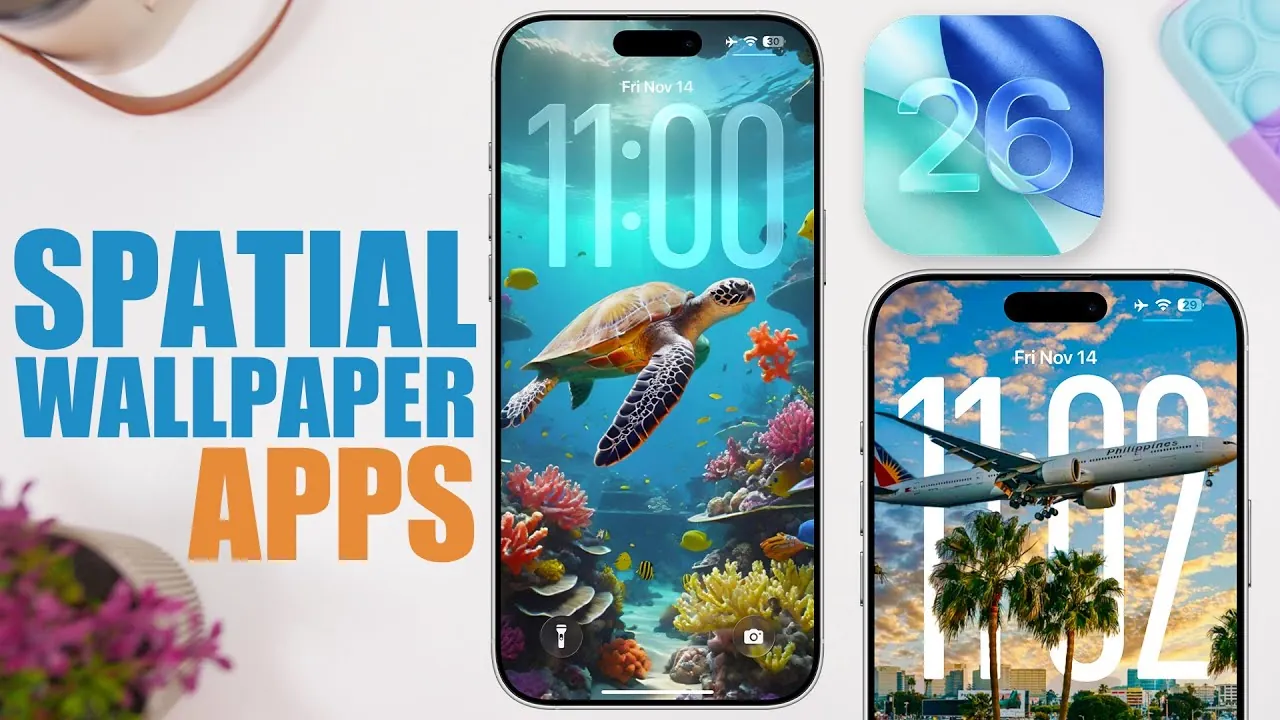
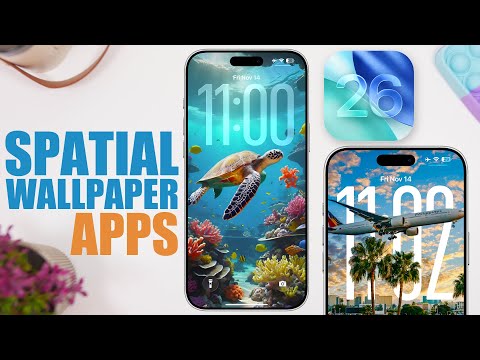
Spatial wallpapers, a standout feature of iOS 26, redefine how you personalize your iPhone by introducing a dynamic and interactive visual experience. These wallpapers respond to your device’s motion, creating a layered effect that adds depth and movement to your lock screen. With the right tools and resources, you can elevate your device’s aesthetic appeal and make it truly unique. The video below from iReviews explores the best apps and platforms to help you find high-quality spatial wallpapers, making sure your iPhone reflects your style.
What Are Spatial Wallpapers?
Spatial wallpapers represent a significant evolution from traditional static or depth-effect designs. Exclusive to iOS 26, these wallpapers integrate motion-responsive elements that interact with your device’s sensors. As you tilt or move your iPhone, the wallpaper reacts, creating a dynamic and immersive visual effect.
To fully use this feature, it’s essential to choose wallpapers with a clear central subject, such as a person, object, or distinct focal point. These designs maximize the spatial effect, while abstract or overly complex images may not achieve the same level of impact. By selecting the right type of wallpaper, you can enhance the depth and interactivity of your lock screen.
Top Apps for Finding Spatial Wallpapers
Several apps are specifically designed to help you discover and download stunning spatial wallpapers. Here are the top recommendations:
- My Screen: This free app offers a wide range of categories, including the popular “Fluid Time” collection, which combines depth and spatial effects. It’s an excellent choice for users seeking diverse options without additional costs.
- Wallpaper X: Renowned for its liquid glass designs, this app features dynamic collections such as shuffle, top-rated, and abstract wallpapers. It’s perfect for experimenting with unique and eye-catching visual styles.
- Wall Bite: Specializing in wallpapers optimized for central subjects, Wall Bite provides premium, trending, and free designs. Its curated selection ensures compatibility with iOS 26’s spatial effect, making it a reliable option for high-quality wallpapers.
- Wallcraft: With an extensive library of wallpapers, Wallcraft allows users to crop and preview designs for lock screen compatibility. This app is ideal for those who want to customize their wallpapers for a perfect fit.
- Wallpaper Central: Redesigned specifically for iOS 26, this app offers a comprehensive collection of liquid glass, depth effect, and spatial wallpapers. It’s a go-to platform for exploring innovative and visually striking styles.
Additional Resources for High-Quality Wallpapers
Beyond dedicated apps, several online platforms provide excellent resources for discovering spatial wallpapers. These platforms are particularly useful for users who prefer a broader selection or enjoy exploring community-driven content:
- X (formerly Twitter): Numerous accounts regularly share high-resolution wallpapers, often in 4K quality, that are fully compatible with iOS 26’s spatial effect. Following these accounts can provide a steady stream of fresh and creative designs.
- Reddit Subreddits: Communities such as r/DepthEffectWallpapers and r/iPhoneWallpapers feature user-submitted designs tailored for iOS 26. These subreddits are frequently updated, offering previews and compatibility tips to help you find the perfect wallpaper.
How to Choose the Best Spatial Wallpapers
Selecting the right spatial wallpaper can significantly enhance your lock screen’s visual appeal. Keep these tips in mind to make the most of this feature:
- Choose wallpapers with a distinct central subject, such as a person, object, or clear focal point, to maximize the spatial effect.
- Be mindful of abstract or overly complex designs, as they may not fully use the dynamic depth features of iOS 26.
- Preview wallpapers on your device’s lock screen to ensure they align with the spatial effect and complement your phone’s overall aesthetic.
- Experiment with different styles and categories to find a design that resonates with your personal taste while showcasing the interactive capabilities of spatial wallpapers.
Enhancing Your iPhone with Spatial Wallpapers
Spatial wallpapers in iOS 26 offer a unique opportunity to personalize your device with dynamic visuals that blend depth and interactivity. By exploring apps like My Screen, Wallpaper X, and Wall Bite, or using platforms such as Reddit and X, you can access a vast array of designs tailored to this innovative feature. Focusing on wallpapers with a clear central subject ensures you maximize the spatial effect, transforming your lock screen into a visually stunning and immersive experience. With the right tools and a bit of creativity, your iPhone can become a true reflection of your style and personality.
Uncover more insights about Spatial wallpapers in the previous articles we have written.
- How to Setup Spatial iPhone Wallpaper
- Shoot Incredible Spatial Photos & Videos on iPhone
- Unlock 3D Memories: How to Create Spatial Photos on Vision Pro
- iOS 26: The Hidden Features Apple Didn’t Tell You About
- iOS 26 Lock Screen and Home Screen Features Explained
Source & Image Credit: iReviews
Disclosure: Some of our articles include affiliate links. If you buy something through one of these links, Geeky Gadgets may earn an affiliate commission. Learn about our Disclosure Policy.
