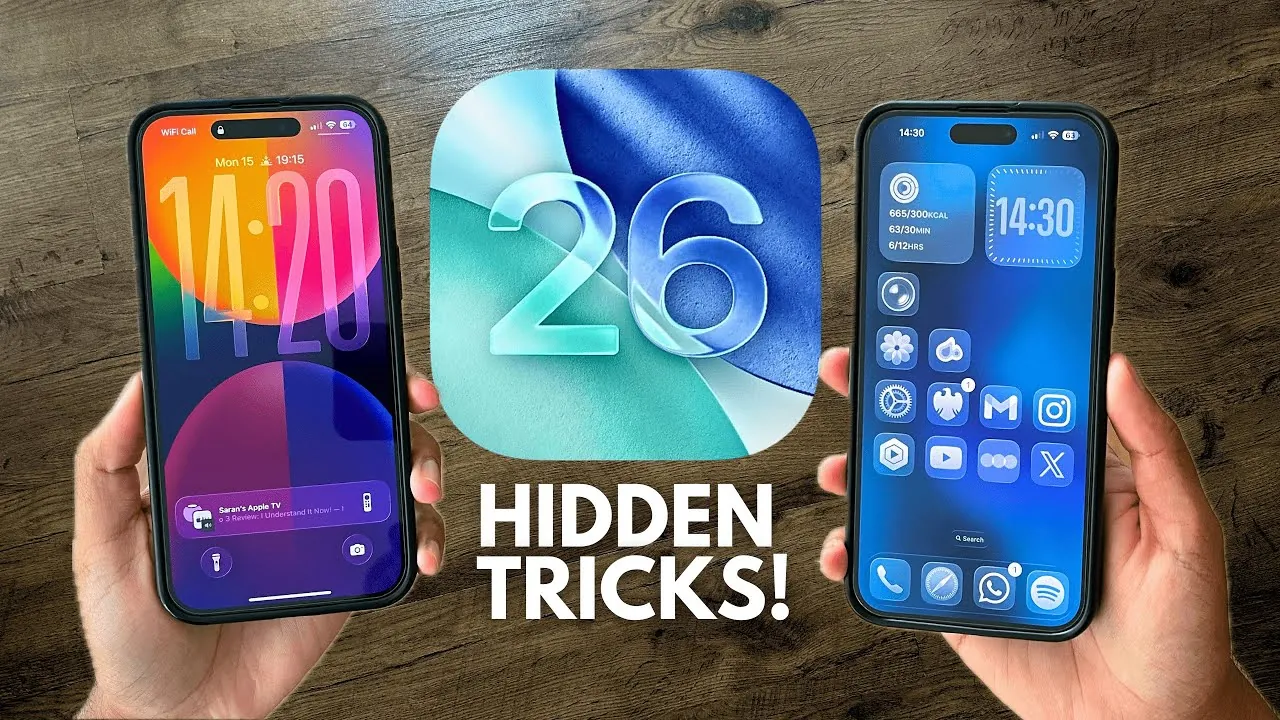
iOS 26 delivers a comprehensive update designed to refine your iPhone experience, blending aesthetic sophistication with practical functionality. Whether you own the latest iPhone or an older model, this update introduces a variety of features aimed at improving usability, enhancing visuals, and streamlining everyday tasks. From a visually immersive interface to smarter tools, iOS 26 offers a well-rounded package that caters to diverse user needs. The video below from SaranByte gives us more details on some of the new features in iOS 26.

Liquid Glass Design: A Modern Visual Upgrade
One of the most visually captivating aspects of iOS 26 is the Liquid Glass Design, a translucent, glass-like interface that dynamically reacts to light and motion. This polished design is seamlessly integrated across system menus, notifications, and widgets, creating a cohesive and immersive visual experience.
For users who prioritize functionality, the accessibility settings allow customization of text visibility, making sure the interface remains both sleek and practical. This balance between aesthetics and usability ensures that the design enhances your device without compromising its core functionality.
Interactive and Dynamic Lock Screen
The lock screen in iOS 26 has been reimagined to be both visually engaging and highly functional. Dynamic clock resizing ensures that the time adjusts its position and size based on incoming notifications, maintaining a clean and uncluttered display. Additionally, supported songs in Apple Music can now showcase full-screen animated album art, transforming your lock screen into a vibrant, personalized space.
These enhancements not only elevate the visual appeal of your lock screen but also improve its practicality, making it easier to manage notifications and enjoy a more personalized experience.
Improved Gesture Navigation
Navigating your iPhone has never been more intuitive, thanks to the enhanced gesture controls in iOS 26. The updated swipe-back feature allows you to return to the previous screen by swiping from the bottom edge, a particularly useful improvement for users of larger devices.
This streamlined navigation reduces the need for excessive hand movements, making interactions smoother and more efficient. Whether you’re browsing apps or multitasking, these refined gestures enhance usability across the board.
Smarter Call Management: Call Screening and Hold Assist
iOS 26 introduces advanced tools to make managing calls more efficient and less intrusive. The call screening feature transcribes unknown callers in real time, allowing you to decide whether to answer without picking up. Meanwhile, the Hold Assist function waits on hold during calls and notifies you when a representative is available.
These features are designed to save time and reduce interruptions, offering a more seamless and convenient way to handle calls in both personal and professional contexts.
Enhanced Messaging Features for Better Communication
The Messages app receives a significant upgrade in iOS 26, introducing features that enhance both personal and group communication. Key updates include:
- Custom wallpapers for conversations, visible to both participants, add a unique and personal touch.
- Poll creation in group chats, complete with AI-generated suggestions for quicker decision-making.
- Apple Cash integration for seamless money transfers directly within chats.
- Enhanced typing indicators and selective text highlighting for more interactive and engaging conversations.
These updates make the Messages app a more versatile tool, catering to a wide range of communication needs while improving user engagement.
Context-Aware AI and Visual Intelligence
iOS 26 uses advanced context-aware AI tools to make your iPhone smarter and more intuitive. For example, when you take a screenshot, your device can suggest related actions, such as adding events to your calendar or finding tickets online.
This feature, available on iPhone 15 Pro and newer models, uses visual intelligence to simplify everyday tasks, enhancing productivity and streamlining workflows for users across various scenarios.
Apple Music Automix and Enhanced Listening
Music enthusiasts will appreciate the new Apple Music Automix feature, which ensures seamless transitions between songs. Whether you’re hosting a gathering or enjoying a solo session, this feature keeps the music flowing without interruptions.
Additionally, the live lyric translation feature allows you to follow along with songs in different languages, enriching your listening experience and making it more inclusive for a global audience.
Upgraded Wallet and Preview Apps
The Wallet app in iOS 26 introduces automatic loyalty point tracking and support for digital passports, though the latter is currently limited to the United States. These updates make managing your digital assets more convenient and efficient.
Meanwhile, the new Preview app offers robust tools for PDF markup, image editing, and document signing, transforming your iPhone into a versatile tool for both personal and professional use.
Adaptive Low Power Mode for Longer Battery Life
Battery optimization takes a significant step forward with the introduction of Adaptive Low Power Mode in iOS 26. This feature uses real-time battery management to extend usage without compromising performance.
Available on iPhone 15 Pro and newer models, this intelligent system ensures your device lasts longer, even during periods of heavy use, making it an essential tool for users who rely on their devices throughout the day.
Additional Features: Gaming Hub and Simplified Camera UI
Gamers will benefit from the new Games app, which consolidates all iOS games and Game Center stats into one convenient location. This centralized hub makes it easier to access your favorite games and track your progress.
The camera app also receives a redesign, featuring a simplified interface that makes capturing the perfect shot more intuitive. These updates cater to both casual users and enthusiasts, enhancing the overall experience and usability of your device.
Comprehensive Enhancements for All Users
iOS 26 represents a thoughtful blend of visual sophistication and practical enhancements, making sure a better experience for all iPhone users. From the sleek Liquid Glass Design to smarter AI tools and improved battery management, this update caters to a wide range of needs. While some features are exclusive to newer devices, older models still benefit from many of the improvements, making iOS 26 a versatile and inclusive update. Whether you’re drawn to the aesthetic upgrades or the functional innovations, this release offers a compelling package that enhances your device’s capabilities.
Dive deeper into iOS 26 features with other articles and guides we have written below.
- iOS 26 Beta 6 Features: What’s New and Improved
- iOS 26 Release: Key Features and Updates for Apple Users
- iOS 26 Features and Updates: Everything You Need to Know
- Hidden Features in iOS 26 You Need to Know About
- iOS 26: Liquid Glass & The TOP Features You Need to See!
Source & Image Credit: SaranByte
Disclosure: Some of our articles include affiliate links. If you buy something through one of these links, Geeky Gadgets may earn an affiliate commission. Learn about our Disclosure Policy.
