Apple Music on iOS 26 introduces a range of updates aimed at enhancing both convenience and personalization for users. With features like a new pinning option, improved library organization, and a dedicated Home Screen widget, managing your music collection becomes more intuitive and efficient. These updates are designed to simplify how you access and enjoy your favorite tracks, playlists, and albums. Below is a detailed exploration of these features and how they can transform your listening experience from Jacob’s QuickTips.

Pin Your Favorites for Quick Access
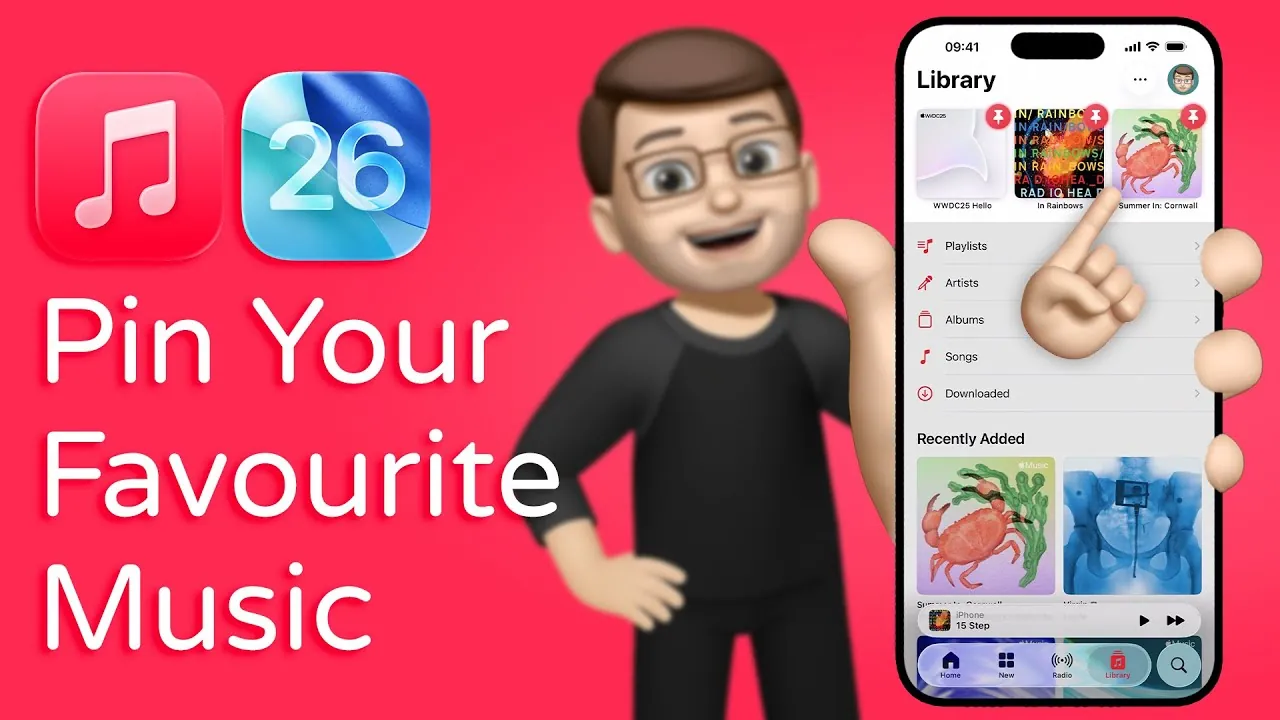
The pinning feature in iOS 26 is a practical addition that ensures your favorite music is always within reach. By long-pressing on an album, playlist, or song—or using the three-dot menu—you can select the “Pin” option to save it. Once pinned, these items are prominently displayed at the top of the Library tab, making them easy to locate.
If your preferences change, unpinning is just as simple: repeat the process and select “Unpin.” This feature eliminates the need to scroll through extensive lists, saving you time and effort. Whether you’re revisiting a favorite album or quickly accessing a playlist for your morning run, the pinning feature keeps your most-loved music front and center.
Organize Your Library with Ease
The introduction of pinned content brings a new level of organization to the Library tab. Instead of navigating through a cluttered collection, you can focus on the music that matters most to you. Pinned items are visually distinct, making sure they stand out and remain accessible at a glance.
This update is particularly useful for users with extensive music libraries. Whether you’re a casual listener or a dedicated audiophile, the ability to prioritize your favorite tracks and playlists makes your library more intuitive and user-friendly. It’s a thoughtful improvement that caters to a wide range of listening habits, making sure your music is always organized and easy to navigate.
Access Pinned Music from Your Home Screen
iOS 26 takes accessibility a step further with a Home Screen widget dedicated to pinned music. Adding this widget is straightforward: long-press on your Home Screen, select “Edit,” and choose the Music widget. Once added, your pinned albums, playlists, or songs are just a tap away, allowing you to start listening without even opening the Apple Music app.
This feature is ideal for users who value efficiency. Whether you’re in a rush or simply prefer quick access to your curated favorites, the widget offers a seamless way to enjoy your music directly from your device’s main interface. It’s a small but impactful addition that enhances the overall user experience.
Personalize Your Listening Experience
The updates in iOS 26 reflect Apple’s ongoing focus on customization and personalization. The pinning feature and Home Screen widget allow you to tailor your music experience to your unique preferences. Whether you’re curating workout playlists, highlighting favorite albums, or bookmarking newly discovered tracks, these tools make it easy to align your library with your listening habits.
By giving users more control over how their music is organized and accessed, Apple Music becomes a platform that feels uniquely yours. This level of personalization not only enhances functionality but also makes the app more enjoyable to use, making sure that your music experience is as dynamic and versatile as your tastes.
Why These Updates Matter
The enhancements introduced in iOS 26 underscore Apple’s commitment to improving how users interact with their music. By incorporating features like pinning, better library organization, and a Home Screen widget, Apple Music becomes more intuitive and user-centric. These updates are designed to save time, reduce friction, and create a more seamless listening experience.
For casual listeners, these features simplify access to favorite tracks and playlists. For dedicated music enthusiasts, they offer tools to better manage and personalize extensive libraries. Regardless of your listening habits, these updates ensure that Apple Music continues to evolve in ways that prioritize user needs and elevate your connection to the music you love.
Here are more detailed guides and articles that you may find helpful on Apple Music iOS 26.
- Apple Music iOS 26 Features: Everything You Need to Know
- Apple Music iOS 26 Update: New Features You Need to Know
- iOS 26 Beta 5: Apple CarPlay Updates and Features
- iOS 26 Apple CarPlay Features: What’s New and Why It Matters
- iOS 26 Public Beta: Top Features You Need to Try
Source & Image Credit: Jacob’s QuickTips for iPhone
Disclosure: Some of our articles include affiliate links. If you buy something through one of these links, Geeky Gadgets may earn an affiliate commission. Learn about our Disclosure Policy.
