
The release of iOS 26 brought a wide range of features and settings aimed at enhancing your iPhone experience. With a focus on usability, customization, and efficiency, these updates empower you to tailor your device to your preferences without relying on third-party apps. By exploring these enhancements, you can discover new ways to make your iPhone more intuitive and aligned with your daily needs. The video below from 9to5Mac gives us a look at some iOS 26 features you may not know about.
Smarter Copy-and-Paste Functionality
iOS 26 introduces significant improvements to the copy-and-paste process, offering greater control and flexibility. These updates allow you to seamlessly integrate copied content into your workflow. For example:
- “Paste and Match Style” ensures that pasted text aligns perfectly with the formatting of your document, eliminating the need for manual adjustments.
- “Paste and Go” in Safari allows you to instantly navigate to copied URLs, streamlining your browsing experience.
These enhancements make everyday tasks faster and more intuitive, reducing the friction often associated with formatting and navigation.
Independent Volume Controls
Managing audio on your iPhone is now more precise with the introduction of independent volume controls in iOS 26. Through the updated “Sound & Haptics” settings, you can:
- Adjust the ringer volume separately from media playback, making sure notifications remain silent while enjoying music or videos.
- Fine-tune audio settings to suit different environments, whether noisy or quiet.
This feature provides greater flexibility, allowing you to customize your audio preferences without compromising on convenience.
Customizable Incoming Call Displays
iOS 26 gives you more control over how incoming calls are displayed, making sure they fit seamlessly into your workflow. You can now choose between:
- Banner notifications for a less intrusive experience, allowing you to continue using your device without interruption.
- Full-screen alerts for maximum visibility, ideal for making sure you never miss an important call.
Additionally, you can enable or disable call announcements through your device’s speakers or headphones, providing a tailored experience that keeps you informed without unnecessary disruptions.
Enhanced Camera Tools
The iOS 26 camera app introduces a suite of advanced features designed to elevate your photography and videography experience. Key updates include:
- Manual macro mode for capturing detailed close-up shots with precision.
- Lens cleaning alerts to help maintain optimal photo quality.
- New shortcuts for quicker access to essential camera functions.
- The ability to disable lock screen camera access for added privacy and security.
- Post-recording video editing to switch between portrait and landscape orientations, offering greater flexibility in video creation.
- A “Cleanup” tool in the Photos app to blur sensitive information, such as faces or license plates, directly within the app.
These tools make capturing, editing, and securing your photos and videos more versatile and user-friendly.
Improved Screenshot and Screen Capture Options
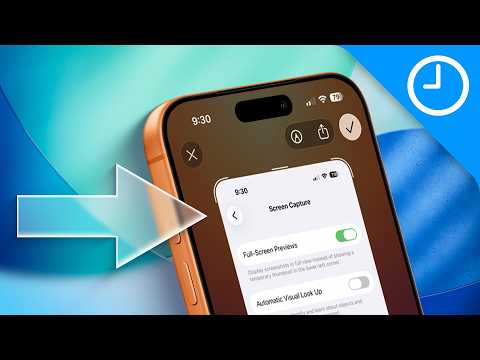
Taking and managing screenshots has been refined in iOS 26, making it a more efficient process. New features include:
- The ability to revert to the classic screenshot interface, catering to users who prefer a familiar layout.
- AI-powered visual lookup that can extract text or identify objects directly from screenshots, adding functionality to a commonly used feature.
These updates enhance the utility of screenshots, making them a more powerful tool for productivity and information sharing.
Customizable Alarm Snooze Durations
The Clock app in iOS 26 introduces the ability to personalize your alarm snooze intervals. Instead of the default nine-minute snooze, you can now set durations ranging from one to 15 minutes. This small but impactful change ensures your alarms align perfectly with your schedule, helping you start your day on the right note.
Contact-Specific Personalization
iOS 26 enhances how you interact with your contacts by allowing greater personalization. You can now assign:
- Unique ringtones to specific contacts, making it easier to identify callers without looking at your screen.
- Custom haptic vibrations for calls or messages, providing a tactile way to recognize who’s reaching out.
These features add a personal touch to your device, making communication more intuitive and enjoyable.
Effortless Navigation Shortcuts
Navigating through apps is now faster and more intuitive with iOS 26. By long-pressing the back arrow in supported apps, you can quickly jump to previous pages or sections. This simple yet effective shortcut saves time and effort, especially when multitasking or navigating complex app interfaces.
Podcast Transcriptions and Sharing
For podcast enthusiasts, iOS 26 introduces automatic transcriptions, making it easier to follow along with spoken content. Additional features include:
- The ability to highlight specific moments by selecting timestamps allows you to revisit key parts of a podcast effortlessly.
- Sharing highlighted moments with others allows them to jump directly to the selected segment.
These updates enhance accessibility and make sharing podcast content more engaging and practical.
Explore the Possibilities
iOS 26 represents a significant step forward in making your iPhone more intuitive, customizable, and efficient. From smarter copy-and-paste options to advanced camera tools and personalized snooze intervals, these updates are designed to seamlessly integrate into your lifestyle. By taking advantage of these features, you can unlock new ways to optimize your iPhone experience and make your device work better for you.
Discover other guides from our vast content that could be of interest on iOS 26 features.
- iOS 26 Ultimate Guide: Features and Customization Tip
- New Apple Notes iOS 26 Features : Markdown, 3D Graphs & More
- iOS 26 Beta 8 Release Timeline and New Features Overview
- 12 Hidden Features in iOS 26 to Maximize Your iPhone
- What’s New in iOS 26 Beta 3? Key Updates and Features
Source & Image Credit: 9to5Mac
Disclosure: Some of our articles include affiliate links. If you buy something through one of these links, Geeky Gadgets may earn an affiliate commission. Learn about our Disclosure Policy.
