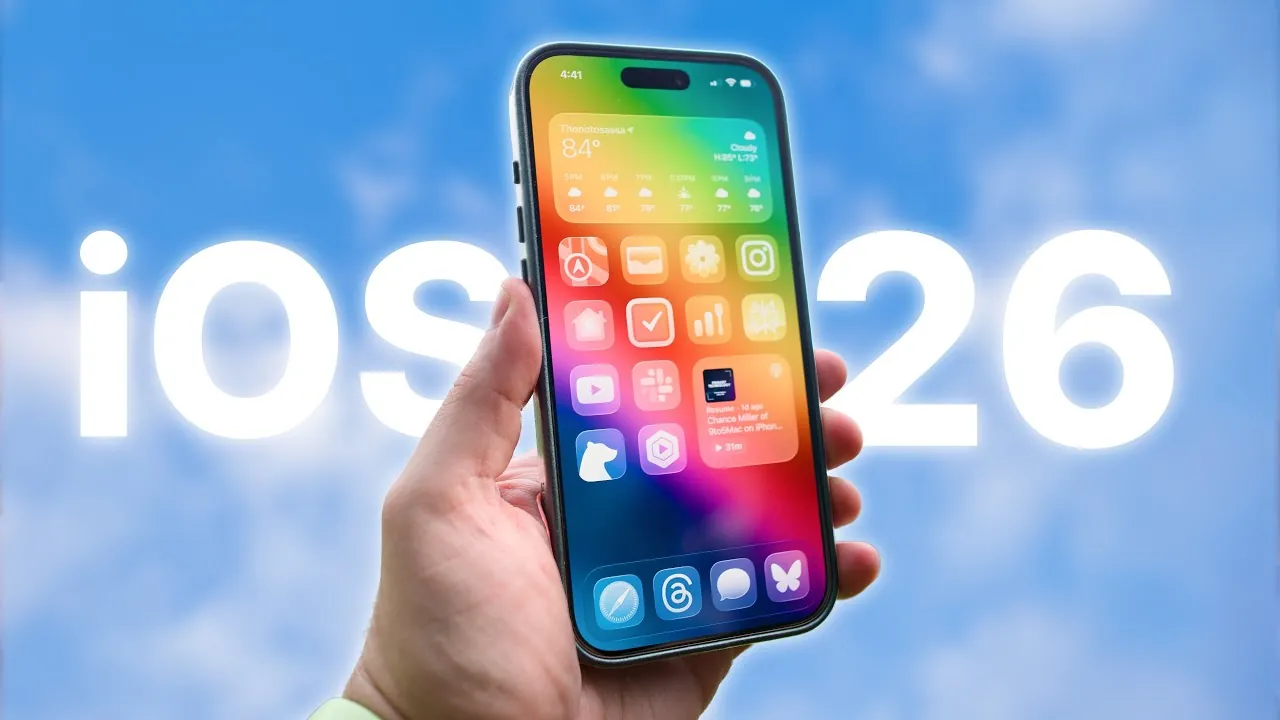
iOS 26 marks a significant milestone in Apple’s mobile operating system evolution, introducing a bold visual transformation alongside practical enhancements. With its new “Liquid Glass” design, the update emphasizes aesthetics while incorporating features aimed at improving productivity and convenience. However, these advancements come with trade-offs, particularly in performance and usability, which may divide user opinions. In the video below, Stephen Robles delves into the key aspects of iOS 26, exploring its design, app updates, new features, and overall impact on the iPhone experience.
Visual Overhaul: The “Liquid Glass” Design
The defining feature of iOS 26 is its “Liquid Glass” design, which reimagines the interface with shimmering transparency, spatial depth, and dynamic 3D effects. This design language extends across the operating system, creating a cohesive and immersive visual experience. Customizable home screen icons now feature glass-like textures, tinting options, and color-matching capabilities, allowing you to personalize your device in ways not previously possible. The lock screen also benefits from this overhaul, with 3D effects that respond to your movements, adding a layer of interactivity.
While the design is undeniably stunning, it introduces some challenges. The elegant animations, while visually appealing, can feel slower, potentially impacting efficiency. For users who prioritize speed and responsiveness, this shift may feel like a step back compared to the snappier performance of earlier versions such as iOS 18. These trade-offs highlight the tension between form and function that defines iOS 26.
App-Specific Enhancements
iOS 26 brings a suite of updates to core apps, aligning them with the new design language while introducing features that enhance usability. These changes aim to provide a more seamless and enjoyable experience across various use cases.
- Camera App: A redesigned interface simplifies navigation, making it easier to switch between modes and adjust settings. This update caters to both casual users and photography enthusiasts, making sure accessibility without compromising functionality.
- Apple Music: Animated album artwork now appears on the lock screen, adding a dynamic visual element to music playback. Features like Auto Mix for seamless transitions and real-time lyric translation further elevate the listening experience.
- Apple Podcasts: Expanded playback speeds (up to 3x) and dialogue enhancement improve audio clarity, while full-bleed episode artwork enhances the visual appeal of the app.
- Safari: A transparent tab bar creates a cleaner look, but some features now require additional taps, which may slow navigation for users accustomed to quicker workflows.
- Maps: Larger buttons and clearer navigation details improve usability, particularly for drivers seeking safer and more intuitive directions.
- Files App: The ability to set default apps for specific file types and improved contextual menus streamline file management, making the app more versatile.
- Wallet App: Enhanced functionality allows you to save credit card details, including expiration dates and security codes, offering added convenience without compromising security.
New Features: Productivity and Convenience
Beyond its visual updates, iOS 26 introduces several new features designed to enhance productivity and simplify daily tasks. These additions demonstrate Apple’s commitment to blending innovation with practicality.
- Visual Intelligence: Improved text and object recognition enables actions like reverse image searches and adding dates from screenshots directly to your calendar, streamlining workflows.
- Messages: Spam filtering and transaction categorization make managing conversations easier, while conversation wallpapers allow for greater personalization.
- Phone App: Advanced call screening and hold assist features reduce interruptions, giving you more control over incoming calls.
- AirPods: New features such as low battery notifications, sleep detection for automatic playback pausing, and camera remote functionality enhance the overall AirPods experience.
- Search Bar Placement: A persistent search bar at the bottom of apps improves accessibility, helping you locate information more efficiently.
- Shortcuts: Expanded automation options integrate seamlessly with Apple Intelligence, allowing more complex workflows tailored to your specific needs.
Performance vs. Usability
While iOS 26 excels in visual appeal, some design choices may hinder functionality. The slower animations and transitions, though elegant, can feel less responsive compared to the faster performance of earlier iterations. Additionally, certain app updates, such as those in Apple Music and Safari, now require extra steps for common actions, which could frustrate users accustomed to quicker workflows. These changes highlight the ongoing challenge of balancing aesthetics with practicality.
Accessibility Options: Customizing Your Experience
To address concerns about usability, iOS 26 includes robust accessibility settings that allow you to tailor the interface to your preferences. Options to reduce transparency and animations create a simpler, more functional experience reminiscent of earlier versions. These settings empower you to strike a balance between the sophisticated design of iOS 26 and the speed and efficiency you may prioritize.
Ultimately, iOS 26 represents a bold evolution of Apple’s mobile operating system. Its “Liquid Glass” design sets a new standard for aesthetics, while app-specific enhancements and innovative features aim to improve functionality. However, the slower animations and additional steps required in some workflows may challenge users who value efficiency. For those who prioritize visual appeal, iOS 26 offers a compelling upgrade. Meanwhile, accessibility settings provide a way to adapt the system to meet diverse user needs, making sure that iOS 26 can cater to a wide range of preferences and priorities.
Explore further guides and articles from our vast library that you may find relevant to your interests in Liquid Glass design.
- Apple’s Liquid Glass Design in iOS 26
- Apple Unveils ‘Liquid Glass’: A New Era of Software Design
- Liquid Glass Showdown: iOS 26 Beta 1 vs. Beta 3 – What Changed
- iOS 26 Beta 3: Apple Nerfed Liquid Glass?
- iOS 26 Beta 3: Liquid Glass Tweaks & Hidden Changes!
Source & Image Credit: Stephen Robles
Disclosure: Some of our articles include affiliate links. If you buy something through one of these links, Geeky Gadgets may earn an affiliate commission. Learn about our Disclosure Policy.
