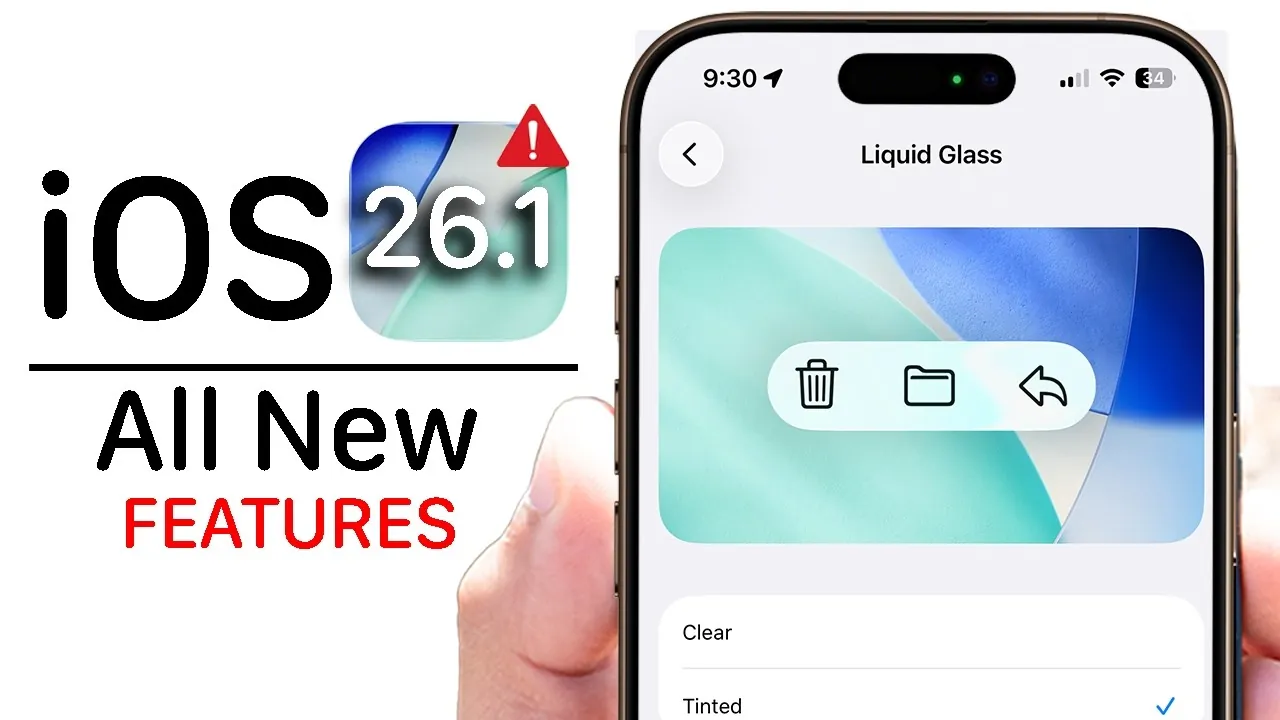
Apple has officially launched iOS 26.1, a feature-rich update that introduces subtle design enhancements, innovative technologies, and essential performance improvements. This release focuses on refining the user experience, bolstering security, and integrating advanced display innovations. Whether you’re a casual user or a tech enthusiast, iOS 26.1 delivers a wide array of updates designed to enhance your device’s functionality. Below is a detailed exploration of the most noteworthy features and improvements. The video below from HotshotTek shows us some more hidden features in iOS 26.1.

Display and UI: Liquid Glass Technology
One of the standout features of iOS 26.1 is the debut of liquid glass display technology, a new innovation that redefines screen customization. Users can now choose between “clear” or “tinted” liquid glass options, creating a visually dynamic and personalized display experience. These settings can be accessed under the “Display & Brightness” menu, where Apple has also introduced a collection of new wallpapers specifically designed to complement the liquid glass effect.
The user interface has undergone subtle yet impactful refinements. The phone app keyboard and video scrub bar now feature liquid glass-inspired designs, offering a sleek and modern aesthetic. These updates not only enhance the visual appeal of the interface but also improve its responsiveness, making everyday interactions smoother and more intuitive.
Siri Gets Smarter and More Inclusive
Siri has received a significant upgrade in iOS 26.1, shedding its “beta” status to deliver a more polished and reliable experience. The voice assistant now supports additional languages, including Dutch, Norwegian, Portuguese, Swedish, and Traditional Chinese, making it accessible to a broader global audience.
For AirPods users, Siri’s live translation capabilities have been expanded to include these new languages, allowing seamless communication in multilingual settings. Whether you’re traveling abroad or engaging in cross-language conversations, Siri’s enhanced functionality ensures smoother and more efficient interactions.
AirPods: Enhanced Connectivity and Features
iOS 26.1 introduces several improvements for AirPods, particularly for AirPods Pro 3, AirPods Pro 2, and AirPods 4. The update optimizes connectivity, allowing faster pairing and more stable connections. These enhancements ensure a seamless audio experience, whether you’re listening to music, taking calls, or using Siri hands-free.
Additionally, the live translation feature has been refined, allowing for real-time language translation in a wider range of scenarios. This makes AirPods an even more integral part of the Apple ecosystem, enhancing their utility for both casual and professional use.
Privacy Boost: Lock Screen Camera Control
Privacy remains a cornerstone of Apple’s software updates, and iOS 26.1 introduces a new feature to enhance device security. The lock screen camera toggle allows users to disable quick access to the camera directly from the lock screen. This prevents unintended or unauthorized use of the camera, giving you greater control over your device’s security without sacrificing convenience.
This feature is particularly beneficial for users who prioritize privacy, as it reduces the risk of accidental camera activation or unauthorized access while the device is locked.
Apple Music: Gesture Controls and More
Music enthusiasts will appreciate the updates to Apple Music in iOS 26.1. The app now supports gesture controls, allowing users to switch tracks with simple swipes. This intuitive navigation method makes it easier to manage playlists and enjoy a seamless listening experience.
Additionally, Apple Music features smoother animations and transitions, creating a more immersive and visually appealing interface. The expanded “Go To” options for playlists, albums, and artists simplify the process of exploring your music library. For karaoke fans, improved microphone connectivity ensures higher-quality audio during sing-along sessions, enhancing the overall experience.
Security and Performance Upgrades
iOS 26.1 addresses several critical security vulnerabilities, implementing patches to protect user data and privacy. These updates are essential for safeguarding your device against potential threats, making this upgrade a priority for all users.
In terms of performance, iOS 26.1 delivers a stable and reliable experience. Testing has shown no significant impact on battery life, and no major bugs have been reported, ensuring a smooth transition for users who choose to upgrade. These improvements underscore Apple’s commitment to providing a consistent and dependable operating system.
Why Upgrade to iOS 26.1?
iOS 26.1 is more than just a routine update—it represents a comprehensive enhancement to your device’s functionality and user experience. From the innovative liquid glass display technology to the expanded capabilities of Siri and the improved security measures, this update offers meaningful improvements across the board.
Whether you’re drawn to the aesthetic refinements, the enhanced performance of AirPods, or the privacy-focused features, iOS 26.1 is designed to elevate your daily interactions with your iPhone. By upgrading, you ensure that your device remains secure, efficient, and equipped with the latest innovations Apple has to offer.
Enhance your knowledge of iOS 26.1 features by exploring a selection of articles and guides on the subject.
- How to Get Ready for iOS 26.1: Tips and Tricks
- iOS 26.1 Review: Design Enhancements and What They Mean
- iOS Beta Features, Updates, and More
- iOS 26.1 Beta 3 Features: What’s New and Why It Matters
- iOS 26.1 Beta 2 Features: Liquid Glass Effect and More Explained
Source & Image Credit: HotshotTek
Disclosure: Some of our articles include affiliate links. If you buy something through one of these links, Geeky Gadgets may earn an affiliate commission. Learn about our Disclosure Policy.
