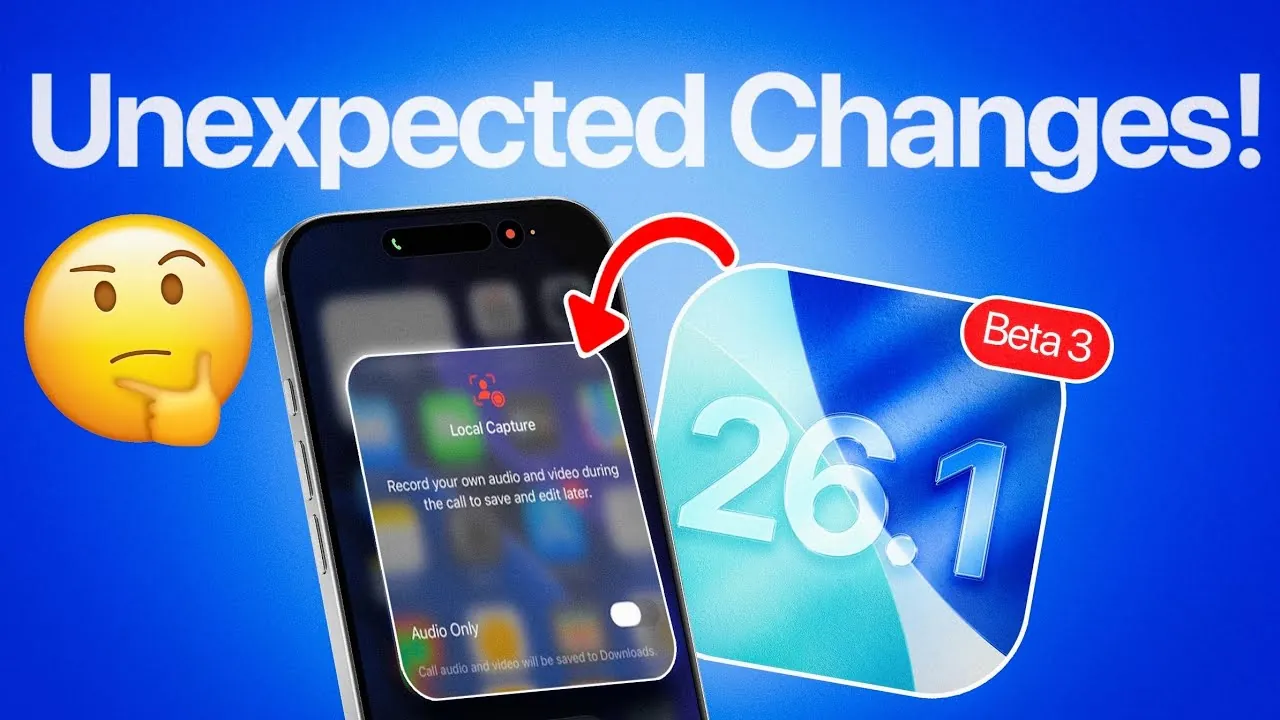
Apple has unveiled iOS 26.1 Beta 3, offering developers and tech enthusiasts an early look at its latest software advancements. This beta version introduces several significant updates, including a rebranded Apple TV icon, third-party AI integration, enhanced privacy tools, and a local call recording feature. These updates underscore Apple’s commitment to refining user experience and staying ahead of technological trends. A public beta release is anticipated soon, with further refinements expected before the final version becomes available. The video below from iDeviceHelp gives us more details on the new beta

Apple TV Rebranding: A Streamlined and Vibrant Identity
One of the most striking changes in iOS 26.1 Beta 3 is the rebranding of Apple TV Plus to simply “Apple TV.” Accompanying this shift is a redesigned icon that features bold, vibrant colors, creating a fresh and modern visual identity. This update aligns Apple TV with the broader Apple ecosystem, making sure a cohesive design language across devices such as iPhones, iPads, and Apple TVs. By simplifying its branding, Apple aims to enhance the platform’s appeal and accessibility, making it easier for users to identify and engage with its services.
Third-Party AI Integration: Broadening AI Capabilities
The inclusion of third-party AI integration in iOS 26.1 Beta 3 marks a significant step forward for Apple’s ecosystem. This feature hints at potential compatibility with platforms like Google Gemini, offering users expanded options for AI-powered tools and services. By embracing third-party AI, Apple is positioning itself to cater to a wider range of user preferences and needs, whether for personal productivity or professional applications. While specific details remain limited, this development highlights Apple’s recognition of AI’s growing importance in daily life and its commitment to providing flexible, user-centric solutions.
Privacy Enhancements: Strengthening Security and Control
Privacy remains a cornerstone of Apple’s software philosophy, and iOS 26.1 Beta 3 introduces new tools to bolster user security. A key feature is “Background Security Improvements,” which enables critical security updates to be installed independently of full system updates. Additionally, users now have the ability to manage and delete downloaded security files directly from their device settings. These enhancements provide users with greater control over their security while maintaining a seamless experience. Apple’s proactive approach to safeguarding user data reflects its dedication to addressing the challenges of an increasingly complex digital landscape.
Local Capture Feature: Integrated Call Recording Made Simple
A standout addition in this beta is the local capture feature, which allows users to record both audio and video calls, including FaceTime and standard phone calls. Recordings are securely stored in the Files app, making sure easy access and management. A dedicated toggle in the Control Center provides quick and convenient activation of this feature. This functionality is particularly valuable for users who need to document calls for personal or professional purposes. By integrating call recording directly into the operating system, Apple offers a secure and user-friendly solution that aligns with its focus on convenience and privacy.
Beta Release Timeline: A Phased Approach to Perfection
The rollout of iOS 26.1 Beta 3 follows a structured and iterative process. Weekly updates are expected as Apple continues to refine the software, with at least two more beta versions anticipated before the release candidate stage. This phased approach allows Apple to address potential issues and fine-tune features, making sure a polished and reliable final release. Developers and early adopters can look forward to incremental improvements as the beta progresses, offering a glimpse into the future of Apple’s software ecosystem.
What These Updates Mean for Apple Users
The updates introduced in iOS 26.1 Beta 3 reflect Apple’s ongoing efforts to enhance functionality, security, and user experience across its ecosystem. The rebranded Apple TV icon simplifies and modernizes the platform’s identity, while third-party AI integration expands the range of tools available to users. Enhanced privacy features provide greater control and security, and the local capture feature offers a practical solution for call recording. Together, these updates demonstrate Apple’s commitment to innovation and user-centric design, setting the stage for a robust and feature-rich final release. As the beta evolves, users can anticipate further refinements that will shape the future of Apple’s software landscape.
Take a look at other insightful guides from our broad collection that might capture your interest in iOS 26.1 Beta 3.
- iOS 26.1 Beta: Key Updates and Improvements Explained
- iOS 26.1 Beta 2 Features: Liquid Glass Effect and More Explained
- iOS 26.1 Beta 2 Features: Liquid Glass Design and More
- macOS 26 Beta 3: Features, Performance, and Upgrades
- iOS 26.1 Beta 2 Features: Everything You Need to Know
Source & Image Credit: iDeviceHelp
Disclosure: Some of our articles include affiliate links. If you buy something through one of these links, Geeky Gadgets may earn an affiliate commission. Learn about our Disclosure Policy.
