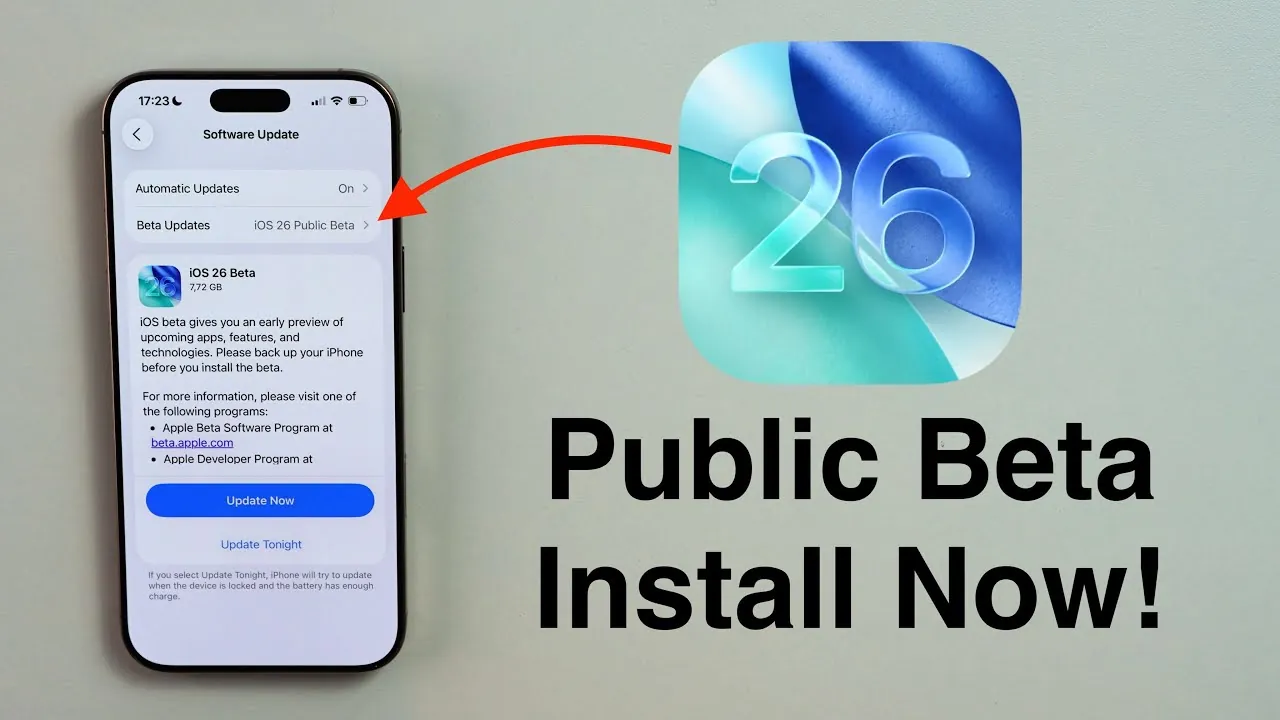
The release of the iOS 26 public beta marks an exciting opportunity for users to explore the latest features and enhancements Apple has to offer. Designed to provide a more polished and stable experience compared to earlier developer versions, the public beta allows users to preview upcoming changes while contributing valuable feedback. The video below from Daniel About Tech outlines the steps to update your device to the iOS 26 public beta, ensuring a smooth and secure installation process.

Verify Device Compatibility
Before proceeding with the update, it is essential to confirm that your device supports iOS 26. Apple’s public beta program typically includes a wide range of devices, but verifying compatibility is crucial to avoid potential issues. To check, visit the official Apple Beta Software Program website at beta.apple.com. Once there, log in using your Apple ID or create an account if you do not already have one. Making sure compatibility at this stage will save time and prevent unnecessary complications during the installation process.
Enroll Your Device in the Beta Program
Once you have confirmed compatibility, the next step is to enroll your device in the Apple Beta Software Program. After signing in, follow the on-screen instructions to register your device. This step is necessary to enable your device to receive beta updates.
Before proceeding further, it is critical to back up your data. Beta software, while stable, is still in development and may contain bugs or glitches. Backing up your data ensures you can restore your device to its previous state if needed. You can back up your device in two ways:
- iCloud Backup: Navigate to Settings > [Your Name] > iCloud > iCloud Backup, then select Back Up Now.
- Local Backup: Connect your device to a computer and use Finder (on macOS) or iTunes (on Windows) to create an archived backup.
Taking this precautionary step will protect your data and provide peace of mind throughout the update process.
Installing the iOS 26 Public Beta
Once your device is enrolled in the beta program, you are ready to install the iOS 26 public beta. Follow these steps to complete the installation:
- Open Settings on your device.
- Go to General > Software Update.
- Locate the iOS 26 public beta and select Download and Install.
Ensure your device is connected to a stable Wi-Fi network and has sufficient battery life or is plugged into a power source. Follow the on-screen prompts to complete the installation. The process is similar to a standard software update and typically takes a few minutes, depending on your internet speed and device performance.
Switching from Developer Beta to Public Beta
If you are currently using the iOS 26 developer beta, transitioning to the public beta is a straightforward process. The public beta is generally more stable and better suited for everyday use. To make the switch:
- Unenroll from the developer beta by removing the configuration profile. Navigate to Settings > General > VPN & Device Management, then delete the profile associated with the developer beta.
- Enroll your device in the public beta program by following the steps outlined earlier in this guide.
- Install the public beta using the standard update process described above.
This transition ensures you benefit from the improved stability and reliability of the public beta while continuing to explore the latest features of iOS 26.
Best Practices for a Smooth Update
To ensure a seamless and trouble-free update experience, consider the following best practices:
- Confirm Compatibility: Verify that your device supports iOS 26 before beginning the update process.
- Back Up Your Data: Create a backup using iCloud or a local computer to safeguard your information.
- Check Storage Space: Ensure your device has enough available storage to accommodate the update.
- Use a Stable Connection: Download the beta software over a reliable Wi-Fi network to avoid interruptions.
- Charge Your Device: Keep your device charged or connected to a power source during the installation.
Following these steps will help you avoid common pitfalls and ensure a successful update to the iOS 26 public beta.
Exploring the Benefits of iOS 26
Updating to the iOS 26 public beta allows you to experience Apple’s latest innovations ahead of the official release. While beta software may occasionally present minor bugs or performance issues, the public beta is designed to be stable enough for everyday use. By participating in the beta program, you not only gain early access to exciting new features but also contribute valuable feedback that helps Apple refine the final release. With proper preparation and adherence to the steps outlined in this guide, you can enjoy a secure and seamless update experience while exploring the enhancements iOS 26 has to offer.
Discover other guides from our vast content that could be of interest on iOS 26 Public Beta.
- iOS 26 Public Beta: Key Features and What to Expect
- Get Ready for iOS 26 Beta 3: Expected Release & Key Changes
- iOS 26 Public Beta: A Complete Guide to Apple’s Latest Update
- iOS 26 Beta 3 Features, Release Date, and More
- Apple CarPlay iOS 26 Public Beta: Key Features and More
Source & Image Credit: Daniel About Tech
Disclosure: Some of our articles include affiliate links. If you buy something through one of these links, Geeky Gadgets may earn an affiliate commission. Learn about our Disclosure Policy.
