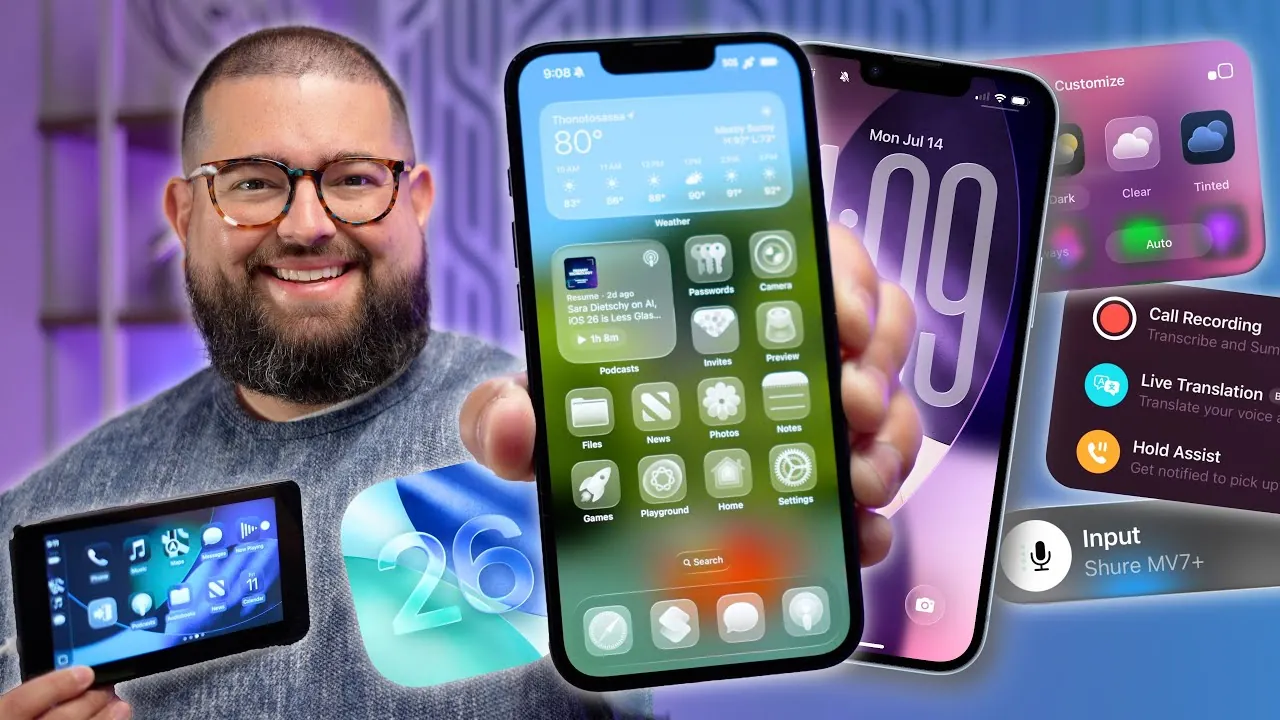
iOS 26 introduces a wide array of updates designed to enhance usability, personalization, and efficiency across Apple devices. With the public beta now available, this latest version of Apple’s mobile operating system offers features that cater to casual users, professionals, and tech enthusiasts alike. From innovative lock screen designs to smarter system intelligence, iOS 26 delivers a robust and versatile experience. Below is an in-depth exploration of its most impactful updates. In the video below, Stephen Robles gives us a look at all of the new features available in iOS 26 Public Beta.

Lock Screen and Home Screen: Unprecedented Customization
The lock screen in iOS 26 has been reimagined to provide users with greater control and personalization. A new “liquid glass” clock design allows you to resize and reposition the clock, offering a more tailored aesthetic. Spatial scene effects bring depth to your photos with 3D parallax, creating a dynamic and visually engaging experience. Apple Music now integrates full-screen album art and animations directly on the lock screen, adding a layer of interactivity. Transparent app icons seamlessly adapt to light and dark modes, making sure a cohesive design. Additionally, a variety of new wallpapers and color themes allow for even more customization options, making your device truly unique.
Camera: Smarter and More Intuitive
The camera app in iOS 26 has been redesigned to simplify controls while enhancing functionality. A six-dot menu provides quick access to key settings, allowing you to adjust video frame rates and resolutions directly within the app. Lens cleaning notifications ensure your photos remain sharp and clear, adding a practical touch to the camera’s usability. These updates make capturing high-quality images and videos easier and more intuitive, whether you’re a casual user or a photography enthusiast.
Messages: Streamlined and Versatile Communication
Messaging in iOS 26 has been enhanced with features that improve both functionality and user experience. A redesigned conversation view organizes links, locations, and customization options into a cleaner, more intuitive interface. Real-time translation allows you to translate individual messages or entire conversations instantly, breaking down language barriers. Group chat polls enable collaborative decision-making, while improved spam protection and contact management ensure a safer and more streamlined communication experience.
AirPods: Enhanced Features for Everyday Use
AirPods receive several significant updates in iOS 26, making them more functional and versatile. Conversation awareness adjusts audio levels based on recognized voices, making sure you never miss important interactions. Sleep detection pauses media playback when you fall asleep, adding convenience to your listening experience. Additionally, AirPods can now function as a remote control for your camera, and they support studio-quality audio recording, making them an invaluable tool for content creators.
Control Center: Simplified Connectivity
The Control Center in iOS 26 has been refined to improve connectivity and media management. Switching between Wi-Fi and Bluetooth networks is now faster and more intuitive. AirPlay volume controls have been enhanced, allowing you to manage multiple devices effortlessly. These updates streamline everyday tasks, making them quicker and more efficient.
App-Specific Enhancements
Several apps in iOS 26 receive targeted updates that improve their functionality and user experience:
- Podcasts: Features like edge-to-edge episode artwork, 3x playback speed, and enhanced dialogue clarity enhance the listening experience.
- Photos: New tools for spatial scene creation, customizable collections, and advanced filtering options make managing your photo library easier.
- Safari: Gesture-based navigation, tab muting, and expanded web app functionality improve browsing efficiency.
- Music: Auto-mix transitions, pinned playlists, and lyric translations add new dimensions to music enjoyment.
- Maps: Preferred routes, visited places tracking, and improved sharing links enhance navigation and trip planning.
- Wallet: Digital ID support, enhanced boarding passes, and order tracking expand its utility.
System Intelligence and Accessibility: Smarter and More Inclusive
iOS 26 uses advanced system intelligence to simplify everyday tasks and improve accessibility. Visual intelligence enables features like event creation from photos, reverse image search, and text summarization. Accessibility updates include shared settings for families, new background sounds for focus, and improved focus modes that filter calls based on SIM cards. These features ensure the operating system is adaptable to a wide range of user needs.
Productivity Tools: Saving Time and Effort
Productivity enhancements in iOS 26 are designed to streamline workflows and save time. Password history tracking and two-factor code autofill simplify credential management. Notes now supports Markdown import and export, while Reminders offers auto-categorization and quick creation via the Control Center. These tools cater to users looking to maximize efficiency in their daily tasks.
FaceTime and Phone App: Enhanced Communication
FaceTime introduces live captions and real-time translations, making conversations more accessible to all users. The phone app now includes call screening, hold assist, and transcription of calls directly into Notes. Additionally, you can create custom ringtones from audio files, adding a personal touch to your device.
Gaming and Entertainment: Elevated Experiences
For gaming enthusiasts, iOS 26 introduces a dedicated Games app to manage Apple Arcade titles. USB-C controller pairing expands compatibility, offering a smoother gaming experience. These updates cater to both casual players and dedicated gamers, enhancing entertainment options across the board.
Shortcuts and Automation: Smarter Workflows
Automation in iOS 26 takes a significant step forward with new Apple Intelligence actions for text summarization, image generation, and custom prompts. Integration with Siri and ChatGPT enables more complex workflows, empowering users to automate tasks with greater precision and ease.
CarPlay: Enhanced Functionality
CarPlay becomes more versatile with widget support for apps like HomeKit, Music, and Podcasts. A compact call UI and message tap-backs improve usability, making sure a safer and more efficient driving experience.
Additional Features
iOS 26 rounds out its updates with several smaller but impactful features:
- Local video and audio capture during FaceTime or third-party app use.
- A Preview app for PDF creation and management.
- Enhanced screen time controls for children, providing better parental oversight.
Looking Ahead with iOS 26
iOS 26 delivers a comprehensive suite of updates that enhance customization, productivity, and overall user experience. Whether you’re exploring the new lock screen designs, using advanced system intelligence, or enjoying app-specific improvements, this update ensures your device works smarter and more intuitively. With its public beta already available, iOS 26 sets a new standard for what users can expect from their devices.
Take a look at other insightful guides from our broad collection that might capture your interest in iOS 26 Features.
- iOS 26 Apple CarPlay: New Features, Navigation, and More
- iOS 26 Beta 4 Release: Top Features and Performance
- iOS 26 Release Date, Features, and What to Expect
- iOS 26 iMessage Features: Customization, Translation, and More
- Discover the Hidden Features of iOS 26
Source & Image Credit: Stephen Robles
Disclosure: Some of our articles include affiliate links. If you buy something through one of these links, Geeky Gadgets may earn an affiliate commission. Learn about our Disclosure Policy.
