Apple’s iOS 26 introduces a comprehensive suite of features aimed at enhancing your iPhone experience. With a strong emphasis on customization, efficiency, and accessibility, this update enables you to take greater control over your device. From personalized interfaces to smarter tools for managing everyday tasks, iOS 26 is designed to make your iPhone more intuitive and adaptable. Below is a detailed exploration of the most impactful updates and how they can improve your daily interactions with your device in a new video from Proper Honest Tech.

Home Screen and Lock Screen Customization
iOS 26 takes personalization to the next level with its advanced home and lock screen customization options. You can now adjust the clock’s size and position on the lock screen, allowing for a more tailored appearance. Additionally, the new “Clear” app icon feature introduces a frosted glass effect, offering a sleek and modern aesthetic that blends style with functionality. These updates not only let you design a layout that reflects your personality but also ensure that your device remains practical and easy to navigate.
For users who value organization, the ability to create custom widget stacks on the home screen adds another layer of flexibility. This feature allows you to group related widgets together, making it easier to access the information you need at a glance. Whether you prioritize productivity, entertainment, or aesthetics, these tools enable you to craft an interface that suits your lifestyle.
Smarter Battery Optimization with AI
Battery performance is a critical concern for most iPhone users, and iOS 26 addresses this with its innovative “Adaptive Power” mode. Powered by artificial intelligence, this feature learns your usage patterns over time to optimize performance and extend battery life. Whether you’re streaming videos, gaming, or working on the go, your device intelligently adjusts its settings to conserve energy without compromising functionality.
The updated battery section provides detailed insights into power consumption, breaking down which apps or activities are using the most energy. This transparency helps you make informed decisions about how to manage your device’s battery life. Additionally, the system includes proactive notifications to suggest energy-saving measures, such as dimming the screen or closing background apps, making sure your iPhone runs efficiently throughout the day.
Improved Accessibility Features
Accessibility continues to be a cornerstone of Apple’s design philosophy, and iOS 26 introduces several enhancements to make your device more inclusive. The “Reduce Transparency” option minimizes visual effects in areas like the Control Center and App Library, improving readability for users with visual impairments or those who prefer a cleaner interface. This feature is particularly beneficial for individuals who find excessive visual elements distracting or overwhelming.
Another notable addition is the enhanced VoiceOver functionality, which now provides more detailed descriptions of on-screen elements. This improvement ensures that users with visual impairments can navigate their devices with greater confidence and ease. By prioritizing inclusivity, iOS 26 ensures that your iPhone is accessible to everyone, regardless of their needs or preferences.
Streamlined Audio Connectivity
Managing audio connections has never been easier, thanks to the “Keep Audio with Headphones” setting in iOS 26. This feature prioritizes headphone connections over other devices, making sure uninterrupted listening experiences. Whether you’re on a call, streaming music, or watching a video, your iPhone automatically maintains the preferred audio output, eliminating the need for constant manual adjustments.
For users who frequently switch between devices, this update simplifies the process by providing a centralized menu for managing audio sources. This ensures that you can seamlessly transition between tasks without losing focus or experiencing unnecessary interruptions.
Advanced Screenshot Tools
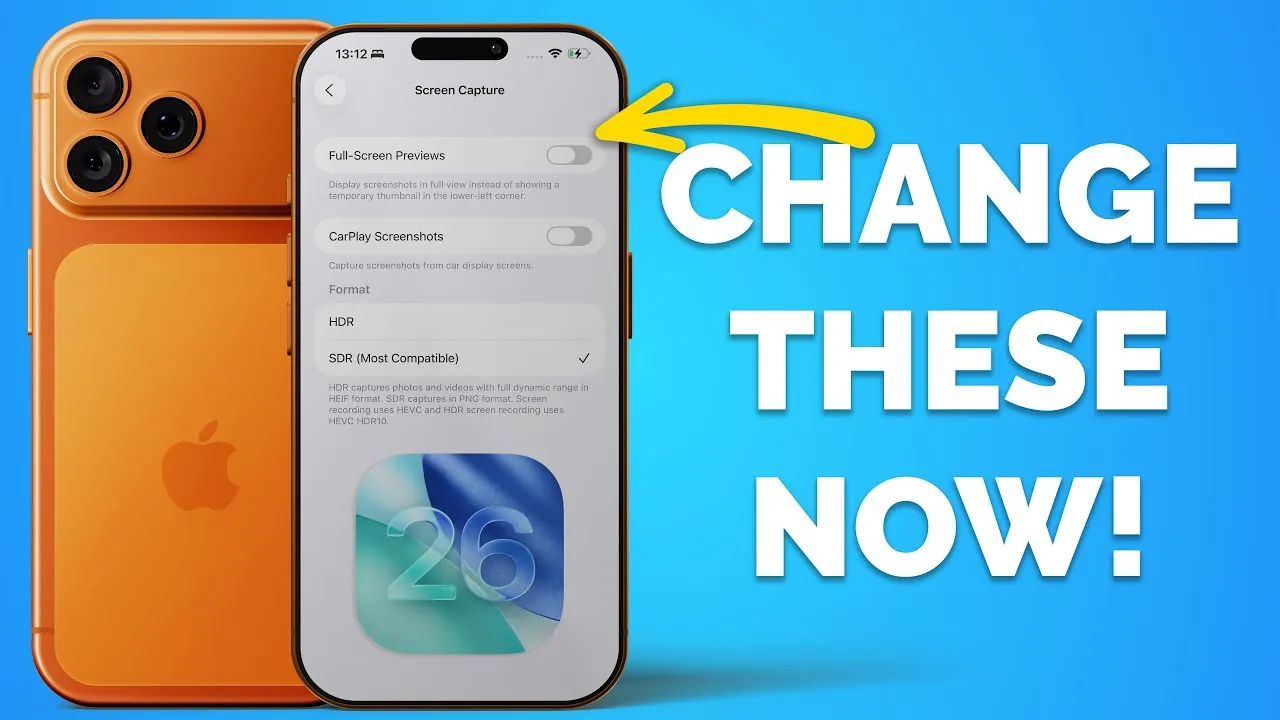
iOS 26 introduces a range of powerful tools for capturing and managing screenshots. You can now preview full-screen captures with built-in editing options, making it easier to annotate, crop, or share images directly from your device. The system also includes automatic visual lookup, which analyzes screenshots for relevant information, such as identifying landmarks, objects, or text.
Additional features, such as toggling between HDR and SDR modes or disabling CarPlay screenshots, provide greater control over how you capture and share content. These updates streamline the process of documenting and sharing information, making it more efficient and user-friendly.
Enhanced Call Screening and Management
Unwanted calls are a common annoyance, but iOS 26’s “Screen Incoming Calls” feature offers a practical solution. This automated tool filters unknown callers, saving you time and reducing interruptions. By identifying potential spam or telemarketing calls, the system ensures that you can focus on the conversations that matter most.
Another useful addition is the notification system for call waiting. When someone on hold becomes available, your iPhone alerts you, making sure you never miss important updates or opportunities to reconnect. These tools provide greater control over your communication, making it easier to manage your time and stay connected.
Centralized Blocked Contacts Management
Privacy and security are paramount, and iOS 26 simplifies the process of managing blocked contacts with a centralized list under Privacy & Security settings. This feature consolidates all blocked numbers in one location, making it easier to review, update, or remove entries as needed. By streamlining this process, Apple ensures that maintaining your privacy requires minimal effort.
This update is particularly useful for users who frequently update their contact lists or need to manage multiple blocked numbers. With just a few taps, you can ensure that your device remains a secure and private space.
Interactive CarPlay Widgets
CarPlay receives a significant upgrade in iOS 26 with the introduction of customizable and interactive widgets. Accessible via a new widget page, these tools allow you to interact with apps and information directly from your car’s display. Whether you’re navigating, controlling music, or checking your schedule, these widgets enhance convenience and safety while driving.
The ability to customize the widget layout ensures that you can prioritize the information most relevant to your needs. This update not only improves functionality but also aligns with Apple’s commitment to creating safer, more intuitive in-car experiences.
Lens Cleaning Detection
For photography enthusiasts, iOS 26 introduces an innovative lens cleaning detection feature. When dirt or smudges are detected on your camera lenses, your device provides on-screen prompts to clean them. This ensures that your photos remain sharp and clear, eliminating the guesswork involved in maintaining image quality.
This small but impactful addition is a testament to Apple’s attention to detail, offering a practical solution for users who rely on their iPhones for capturing high-quality images.
Customizable Alarm Snooze Duration
The Clock app in iOS 26 now allows you to adjust snooze times, offering a range of options from 1 to 15 minutes. This flexibility lets you tailor alarms to your schedule, whether you need a quick reminder or a longer break. By providing greater control over your morning routine, this feature helps you start your day on your terms.
Why These Updates Matter
iOS 26 is a comprehensive update that prioritizes personalization, efficiency, and accessibility. From AI-driven battery management to enhanced call screening and interactive CarPlay widgets, these features are designed to make your iPhone work better for you. By exploring and customizing these settings, you can unlock the full potential of iOS 26 and enjoy a more seamless, user-friendly experience. Take advantage of these innovations today to transform the way you interact with your device.
Browse through more resources below from our in-depth content covering more areas on iOS 26 features.
- iOS 26: The Hidden Features Apple Didn’t Tell You About
- 10 Hidden Features in iOS 26 You Need to Know About
- Apple CarPlay in iOS 26: Everything You Need to Know
- iOS 26 Release: Key Features and Updates for Apple Users
- Top 10 Hidden iOS 26 Features You Need to Know About
Source & Image Credit: Proper Honest Tech
Disclosure: Some of our articles include affiliate links. If you buy something through one of these links, Geeky Gadgets may earn an affiliate commission. Learn about our Disclosure Policy.
