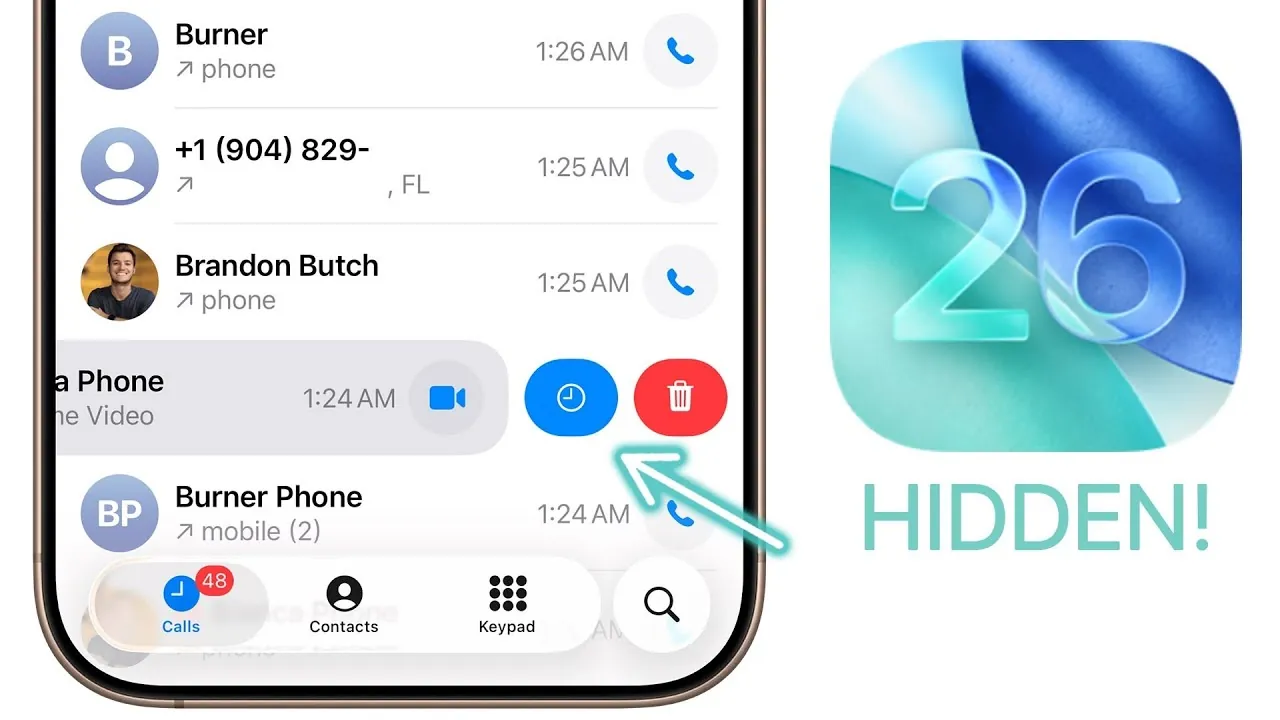
iOS 26 brings a wealth of hidden features aimed at enhancing usability, customization, and efficiency. Whether you’re navigating apps, managing communications, or personalizing your device, these updates are designed to make your interactions smoother and more intuitive. Below is a detailed exploration of the most impactful features you need to know in a new video from Brandon Butch.

Streamlined Navigation and Smarter Search
Navigating your device has never been more seamless. With iOS 26, you can now swipe from anywhere on the screen to go back, eliminating the need to reach for specific buttons. This small yet impactful change simplifies multitasking and makes app navigation more fluid. The result is a faster, more intuitive user experience that adapts to your natural gestures.
The search functionality in Messages has also been significantly upgraded with natural language processing. For example, typing phrases like “photos from last weekend” instantly retrieves relevant images, saving you time and effort. This smarter search capability ensures you can locate what you need with minimal hassle, making communication and organization more efficient.
Enhanced Call and Messaging Management
Managing calls and messages is now more intuitive with iOS 26. Key updates include:
- Scheduling call-back reminders for missed calls, making sure you never forget to follow up.
- A dedicated settings section for blocked contacts, giving you greater control over who can reach you.
- The ability to view call history for individual contacts, making it easier to track conversations over time.
- Saving photos sent via Messages directly to your photo library with a single tap for quicker access.
These features streamline communication and help you stay organized, making sure you never miss an important call or message.
Photos and Camera: Smarter and Sharper
The Photos app now recognizes concert images and links them to event details and related Apple Music content. This integration allows you to relive your favorite moments effortlessly, whether it’s revisiting a concert or exploring related music. This feature bridges the gap between your memories and your media library, creating a more cohesive experience.
On the camera side, iOS 26 introduces lens cleaning hints. If your lens is smudged, you’ll receive a prompt to clean it, making sure clearer and sharper photos every time. This proactive feature ensures your photos maintain the highest quality, even in less-than-ideal conditions.
Customization Takes Center Stage
Personalization options in iOS 26 allow you to tailor your device to your unique style and preferences:
- Match app icons to your phone or case color for a cohesive and polished aesthetic.
- Blur wallpapers on the always-on display for improved visibility without sacrificing style.
- Customize folders and tags in the Files app with colors and emojis, making file organization more intuitive and visually appealing.
These updates empower you to make your device truly your own, blending functionality with personal expression.
Wallet and Payment Upgrades
Apple Wallet now supports storing physical card details, consolidating all your payment methods in one convenient place. Additionally, Apple Card users can manually categorize transactions, providing deeper insights into spending habits. These enhancements make managing your finances more convenient and transparent, giving you greater control over your financial data.
Music and Podcast Features for Audiophiles
Music and podcast enthusiasts will appreciate the new features introduced in iOS 26:
- Pin and customize playlist actions for quicker access to your favorite tracks and albums.
- Translate song lyrics into different languages, making it easier to understand and enjoy global hits.
- Adjust podcast playback speed with intuitive gestures and save custom settings for individual shows.
These updates cater to a more personalized and enjoyable listening experience, whether you’re discovering new music or catching up on your favorite podcasts.
Accessibility and Background Sound Controls
iOS 26 introduces thoughtful accessibility improvements, including customizable vehicle motion cues for better navigation. For background sounds, you can now use a timer and equalizer to fine-tune ambient audio, enhancing focus or relaxation based on your needs. These features demonstrate Apple’s commitment to inclusivity and user comfort, making sure the device adapts to a wide range of preferences and requirements.
Safari and Tab Management Made Easier
Browsing in Safari is now more efficient with enhanced tab management tools. You can:
- Duplicate tabs for multitasking without losing your place.
- Arrange tabs by title or website for better organization and quicker access.
- Switch between tabs effortlessly using new gestures, streamlining your browsing experience.
These updates simplify multitasking and improve your overall productivity, making Safari a more powerful tool for both casual and professional use.
Passwords and Security: More Control, Better Protection
The Passwords app now includes a history feature, allowing you to view previous entries for easier account management. Additionally, you can share device identifiers like IMEI and EID via barcode, streamlining device setup and troubleshooting. These updates prioritize both convenience and security, making sure your sensitive information is both accessible and protected.
Other Noteworthy Features
iOS 26 also introduces several smaller yet impactful updates that enhance versatility and creativity:
- Create custom ringtones directly through the Files app for a more personalized auditory experience.
- Use voice isolation and studio voice options for high-quality audio recordings, perfect for podcasts or voice memos.
- Mix and match emojis to create more personalized and expressive messages.
- Use the magnifier tool for detailed screenshots and precise edits, improving productivity and creativity.
These features add depth and flexibility to your daily tasks, making your device a more powerful tool for work and play.
Elevate Your iPhone Experience
iOS 26 is packed with hidden features that elevate your iPhone experience. From smarter navigation and enhanced communication tools to deeper customization and improved security, these updates are designed to make your device more intuitive and enjoyable. Whether you’re exploring new ways to personalize your phone or streamlining your daily tasks, iOS 26 ensures a more efficient and engaging interaction with your device.
Take a look at other insightful guides from our broad collection that might capture your interest in iOS 26 hidden features.
- Hidden Features in iOS 26 You Need to Know About
- Discover the Hidden Features of iOS 26
- Top 10 Hidden iOS 26 Features You Need to Know About
- 10 Hidden Features in iOS 26 You Need to Know About
- iOS 26 Beta 6 Features: What’s New and Improved
Source & Image Credit: Brandon Butch
Disclosure: Some of our articles include affiliate links. If you buy something through one of these links, Geeky Gadgets may earn an affiliate commission. Learn about our Disclosure Policy.
