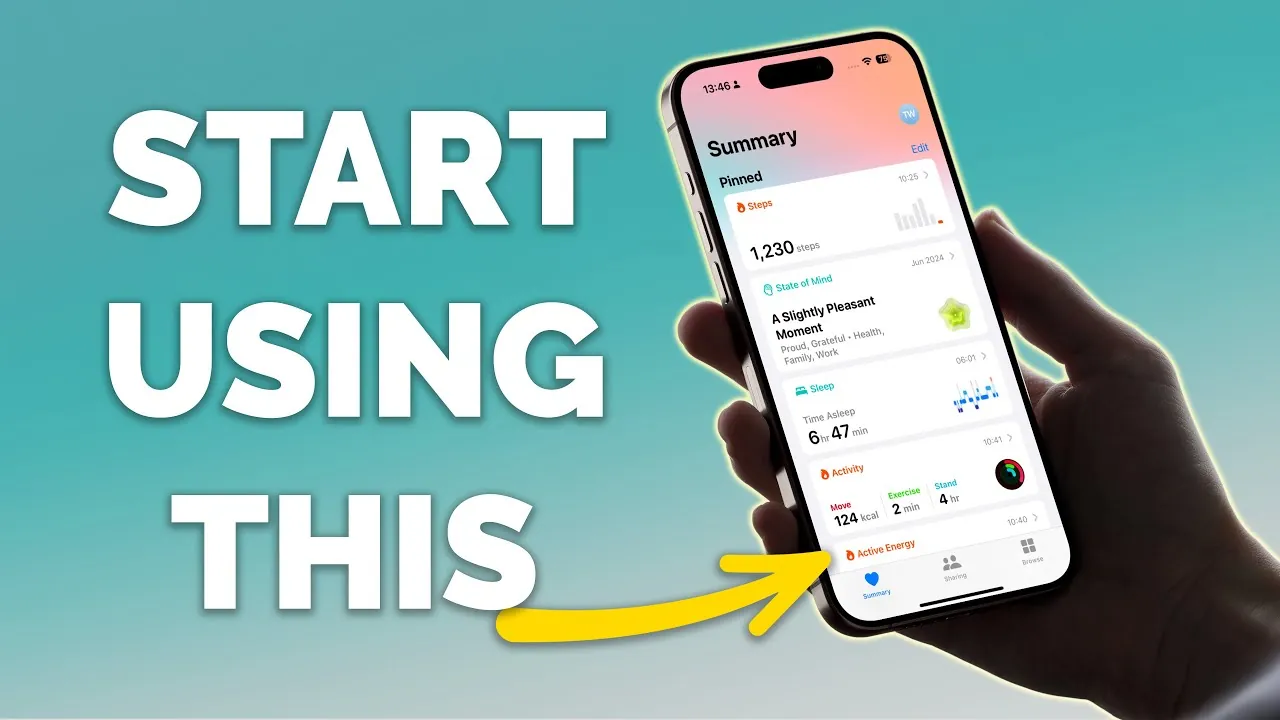
Have you ever wondered how much your daily habits truly impact your overall health? From the number of steps you take to the quality of your sleep, even the smallest details can reveal powerful insights about your well-being. The Apple Health app is more than just a step counter or calorie tracker—it’s a comprehensive health companion that puts your wellness data at your fingertips. Whether you’re looking to improve your sleep patterns, monitor your heart rate, or stay on top of your medications, this app offers a streamlined way to take control of your health. But with so many features packed into one platform, figuring out where to start can feel overwhelming. That’s where this how-to comes in.
In this guide by Proper Honest Tech, you’ll uncover how to unlock the full potential of the Apple Health app. From customizing your health dashboard to setting up life-changing tools like sleep tracking and symptom logging, this step-by-step walkthrough will help you tailor the app to your unique needs. You’ll also discover how to use advanced features, like sharing health data securely or creating a Medical ID for emergencies. Whether you’re a tech-savvy fitness enthusiast or someone just beginning their wellness journey, this guide will show you how to make the app work for you. After all, your health is personal—shouldn’t your tools be, too?
Apple Health App Overview
TL;DR Key Takeaways :
- The Apple Health app serves as a centralized hub for tracking and managing health data, offering features like sleep tracking, medication management, and symptom logging.
- Customizing the Health Dashboard allows users to prioritize and easily access the most relevant health metrics, such as step count, heart rate, and sleep patterns.
- Key features include tools for improving sleep habits, monitoring mental well-being, and managing medications with reminders and visual cues for easy identification.
- The app supports emergency preparedness through the Medical ID feature, which stores critical health information and emergency contacts accessible from the lock screen.
- Additional functionalities include tracking hearing health, sunlight exposure, and securely sharing health data with trusted individuals or healthcare providers.
Customizing Your Health Dashboard
The Summary page is the core of the Apple Health app, offering a personalized overview of your health metrics. Customizing this dashboard ensures that the data most relevant to you is always accessible.
- Visit the “Browse” section to explore a variety of health categories, such as heart health, activity, or nutrition.
- Pin important metrics like step count, heart rate, or sleep patterns to your dashboard for quick reference.
- Reorganize or remove items to keep the interface clean and focused on your priorities.
By tailoring your dashboard, you can stay informed about the metrics that matter most, making it easier to track progress and identify trends.
Tracking and Enhancing Sleep
Sleep is a cornerstone of overall health, and the Apple Health app offers tools to help you establish and maintain better sleep habits. Its sleep tracking feature provides insights into your nightly rest and long-term patterns.
- Set up a sleep schedule that aligns with your daily routine, including separate settings for weekdays and weekends.
- Enable wind-down reminders and alarms to promote consistent sleep patterns.
- Pair the app with an Apple Watch to monitor sleep duration, quality, and disruptions for more detailed insights.
- Analyze trends over time to identify areas where you can improve your sleep hygiene.
By prioritizing sleep, you can enhance your physical health, mental clarity, and overall energy levels.
Health Tracking with the Apple Health App

Unlock more potential in Apple Health app features by reading previous articles we have written.
- The Ultimate Guide to Apple’s iPhone Health App
- How to Use The New iOS 18 Health App
- How to Optimize Apple Health on the iPhone
- Apple Siri commands to access Health app data and log workouts
- 5 Apple Watch Apps to Unlock Hidden Features
- 20 Hidden Apple Watch Tips & Tricks
- Apple Watch Ultra 2 now available in black titanium finish for $799
- Apple Watch Ultra 2 officially launches from $799
- Apple Watch Series 10: Hidden Features You NEED to Know
- Every New Apple Watch Feature Coming in WatchOS 11
Supporting Mental Well-Being
Mental health is an integral part of overall wellness, and the Apple Health app provides tools to help you monitor and manage your emotional state. Regular tracking can foster greater self-awareness and support mental resilience.
- Log your daily mood or momentary feelings to create a record of your emotional well-being.
- Add context to your entries by noting potential triggers, stressors, or positive influences.
- Review visual charts and trends to identify patterns and correlations over time.
- Set reminders for regular check-ins to ensure consistent tracking and reflection.
These features encourage mindfulness and can help you take proactive steps to maintain emotional balance.
Managing Medications Effectively
The medication tracking feature simplifies the process of managing your prescriptions, making sure you stay consistent with your regimen. This tool is especially useful for those with complex schedules or multiple medications.
- Add medications to the app, including details like dosage, frequency, and time of day.
- Set reminders to help you take your medications on time and avoid missed doses.
- Use visual cues, such as pill shapes and colors, for easy identification of each medication.
By staying organized and consistent, you can improve treatment outcomes and reduce the risk of errors.
Using the Medical ID for Emergencies
The Medical ID feature is a critical tool for emergency preparedness, providing first responders with essential health information when time is of the essence.
- Store vital details such as medical conditions, allergies, medications, and blood type.
- Add emergency contacts who can be reached quickly in urgent situations.
- Enable visibility of your Medical ID from the lock screen or during emergency calls.
This feature ensures that critical information is readily available, potentially saving valuable time in emergencies.
Tracking Symptoms and Identifying Patterns
Symptom tracking is a powerful tool for understanding your health and communicating effectively with healthcare providers. The Apple Health app allows you to log and analyze symptoms over time.
- Record recurring symptoms, such as headaches, fatigue, or digestive issues.
- Log details like severity, timing, and potential triggers to provide context.
- Review historical data to identify patterns or evaluate the effectiveness of treatments.
This feature enables you to take an active role in managing your health and making informed decisions.
Monitoring Hearing Health
Protecting your hearing is essential, and the Apple Health app includes features to help you monitor and maintain auditory health.
- Track headphone audio levels and receive alerts if you’re exposed to prolonged loud sounds.
- Log hearing test results manually or upload scanned documents for easy reference.
These tools help you safeguard your hearing and prevent potential damage from excessive noise exposure.
Tracking Time in Daylight
Exposure to natural light plays a crucial role in regulating mood, sleep, and eye health. With an Apple Watch, you can monitor your daily sunlight exposure.
- Access this data in the “Other Data” section of the app to track how much time you spend outdoors.
- Use the insights to ensure you’re getting adequate sunlight for optimal health benefits.
This feature encourages healthy habits and supports overall well-being.
Sharing Health Data Securely
The Apple Health app allows you to share specific health metrics with trusted individuals or healthcare providers, facilitating collaboration and informed care decisions.
- Customize what data is shared to maintain control over your privacy and preferences.
- Stop sharing at any time if your needs or circumstances change.
This functionality ensures that your health data is used effectively while respecting your privacy.
Empowering Your Health Journey
The Apple Health app is a comprehensive tool designed to support your journey toward better health. By using its features, you can gain valuable insights into your well-being, establish healthier habits, and make informed decisions. From tracking sleep and symptoms to managing medications and sharing data securely, the app equips you with the tools you need to take control of your health with confidence and ease.
Media Credit: Proper Honest Tech
Disclosure: Some of our articles include affiliate links. If you buy something through one of these links, Geeky Gadgets may earn an affiliate commission. Learn about our Disclosure Policy.
