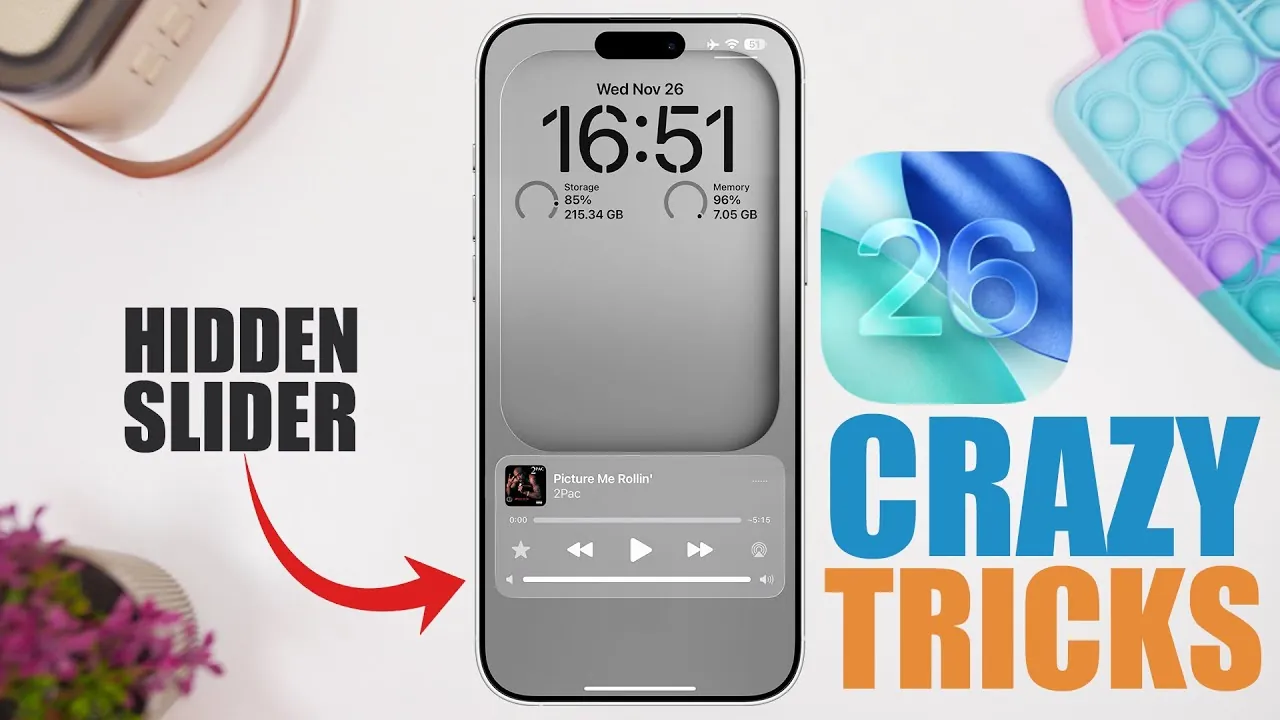
Apple’s iOS 26 introduces a range of practical enhancements and innovative tools designed to improve usability, expand customization options, and enhance functionality across its ecosystem. Whether you’re managing calls, navigating with Maps, or personalizing your iMessage experience, this update focuses on making daily interactions with your iPhone more seamless and efficient. Below, we explore the most notable updates and their real-world applications. The video below from iReviews shows us a range of awesome iPhone tips.

Maps App Enhancements: Simplified Location Sharing
The Maps app in iOS 26 introduces a streamlined location-sharing feature powered by 3D Touch technology. With a single press on the home screen, users can instantly send their current location to contacts. This feature is particularly useful for coordinating meetups, sharing your whereabouts in real time, or making sure safety during travel. By reducing the steps required for location sharing, Apple has made the process faster and more intuitive, allowing users to focus on their interactions rather than navigating through menus.
Phone App Updates: Smarter Call Management
Managing calls becomes significantly more efficient with iOS 26’s enhanced call screening feature. When an unknown number calls, the system prompts the caller to state their purpose before your phone rings. This allows you to decide whether to answer, minimizing unnecessary interruptions and saving time. Additionally, the updated call history feature provides a detailed communication log for individual contacts, allowing users to track past conversations with ease. These updates are particularly beneficial for professionals and users who prioritize efficient communication management.
iMessage Improvements: Enhanced Usability and Personalization
iMessage receives two major updates that cater to both practicality and aesthetic preferences. The new text selection tool allows users to highlight and copy specific portions of a message bubble, making it easier to extract important details from lengthy conversations. On the personalization front, customizable message backgrounds enable users to add colors, filters, or pre-designed themes to their chats. These features not only enhance usability but also allow users to express their individuality, making messaging a more engaging and tailored experience.
AirPods Functionality: Expanding Beyond Audio
iOS 26 significantly enhances the versatility of AirPods by introducing features that extend beyond audio playback. The new AirPods camera remote allows users to control their iPhone’s camera for taking photos or videos, making group shots and hands-free recording more convenient. Additionally, AirPods can now function as a microphone for video recording, making sure clearer audio capture during filming. These updates highlight Apple’s commitment to maximizing the potential of its hardware, offering users greater flexibility in how they interact with their devices.
Clock App Addition: Customizable Snooze Durations
The Clock app now includes a customizable snooze duration feature, allowing users to set intervals between 1 and 15 minutes. This addition caters to a wide range of preferences, whether you need a quick nudge to wake up or prefer longer gaps between alarms. By addressing this often-overlooked aspect of alarm functionality, Apple provides a more tailored and user-centric wake-up experience, making sure that the feature adapts to individual routines.
Music App and Lock Screen: Convenient Volume Control
For music enthusiasts, iOS 26 introduces a lock screen volume slider accessible through accessibility settings. This feature allows users to adjust audio levels directly from the lock screen without unlocking their device. It’s a small but impactful addition that simplifies music control, particularly when you’re on the go or multitasking. By integrating this functionality into the lock screen, Apple enhances the overall convenience of managing audio playback.
Refining the iPhone Experience
iOS 26 delivers a thoughtful combination of practical enhancements and creative features that cater to a diverse range of user needs. From the streamlined location sharing in Maps to the personalized iMessage options and the expanded AirPods capabilities, these updates reflect Apple’s ongoing commitment to usability and customization. By focusing on intuitive design and versatile functionality, Apple ensures that the iPhone experience remains both user-friendly and adaptable to modern lifestyles.
Discover other guides from our vast content that could be of interest on iOS 26 features.
- iOS 26 Ultimate Guide: Features and Customization Tip
- New Apple Notes iOS 26 Features : Markdown, 3D Graphs & More
- iOS 26 Beta 8 Release Timeline and New Features Overview
- What’s New in iOS 26 Beta 9? Key Updates and Features
- 12 Hidden iOS 26 Features You Need to Know About
Source & Image Credit: iReviews
Disclosure: Some of our articles include affiliate links. If you buy something through one of these links, Geeky Gadgets may earn an affiliate commission. Learn about our Disclosure Policy.
