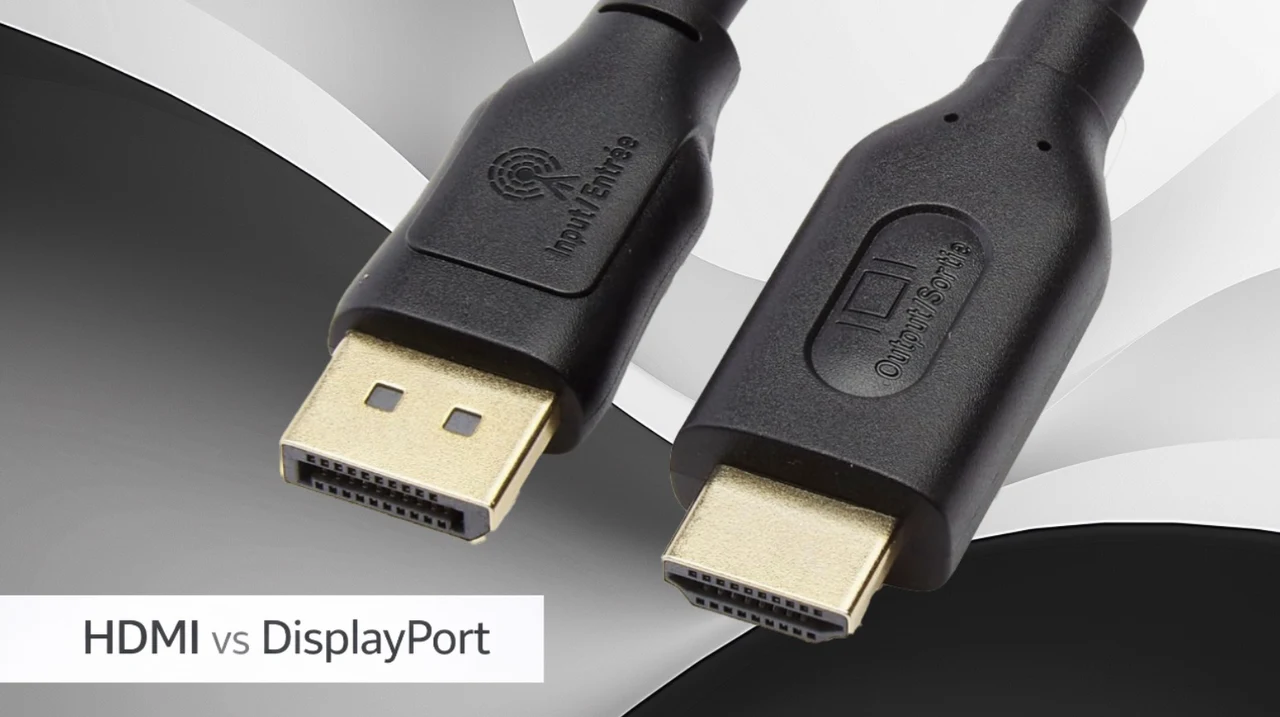
HDMI and DisplayPort are two widely used standards for connecting displays, each designed with specific strengths to cater to different needs. As highlighted by Switch and Click, HDMI is often the go-to choice for home entertainment systems due to features like ARC (Audio Return Channel) and ALLM (Auto Low-Latency Mode), which enhance audio setups and gaming responsiveness. On the other hand, DisplayPort excels in professional and gaming environments, offering higher bandwidth, up to 80 Gbps with DisplayPort 2.1, and advanced capabilities like MST (Multi-Stream Transport) for multi-monitor setups. Understanding these distinctions is crucial for selecting the right option based on your setup and performance goals.
This overview breaks down the key differences between HDMI and DisplayPort to help you make an informed decision. You’ll learn how bandwidth impacts resolution and refresh rates, why licensing structures influence device costs and how unique features like Adaptive Sync or CEC (Consumer Electronics Control) cater to specific use cases. Whether you’re optimizing a gaming rig, configuring a professional workstation, or setting up a home theater, this guide provides the insights you need to choose the most suitable connection standard for your needs.
HDMI vs DisplayPort Guide 2026
TL;DR Key Takeaways :
- HDMI 2.1 supports up to 48 Gbps bandwidth, making it ideal for 4K at 120 Hz or 8K at 60 Hz, while DisplayPort 2.1 offers 80 Gbps, allowing 4K at 240 Hz or 8K at 60 Hz without compression, catering to professional and gaming needs.
- HDMI is optimized for home entertainment with features like ARC, CEC and ALLM, whereas DisplayPort excels in professional and gaming setups with MST, Adaptive Sync and USB-C compatibility.
- HDMI requires licensing fees, which can increase device costs, while DisplayPort’s VESA membership and testing fees are generally more cost-effective for manufacturers.
- HDMI is best for home theaters and gaming consoles, while DisplayPort is preferred for multi-monitor setups, professional displays and high-performance gaming due to its advanced features and higher bandwidth.
- HDMI, introduced in 2002, focuses on consumer electronics, while DisplayPort, designed later, targets PC users and professionals with flexibility and performance in mind.
Bandwidth: The Foundation of Display Performance
Bandwidth is a critical factor in determining the resolution and refresh rates a connection can support. A higher bandwidth ensures smoother visuals and better image quality. Here’s how HDMI and DisplayPort compare in this regard:
- HDMI 2.1: Provides up to 48 Gbps of bandwidth, allowing support for 4K resolution at 120 Hz or 8K at 60 Hz. This makes it a strong choice for high-definition home entertainment systems.
- DisplayPort 2.1: Offers an impressive 80 Gbps, allowing for 4K resolution at 240 Hz or 8K at 60 Hz without compression. This makes it ideal for professional environments and high-performance gaming setups.
While HDMI delivers substantial bandwidth for most consumer applications, DisplayPort’s higher capacity and compression-free transmission make it a preferred option for tasks requiring precise image quality. Always verify your device’s compatibility with the specific version of HDMI or DisplayPort to ensure you maximize performance.
Features: Tailored for Specific Use Cases
HDMI and DisplayPort are equipped with unique features designed to cater to their primary audiences. These features enhance their functionality and usability in different scenarios:
- HDMI: Designed with home entertainment in mind, HDMI includes features like ARC (Audio Return Channel) for simplified audio setups, CEC (Consumer Electronics Control) for unified control of multiple devices and ALLM (Auto Low-Latency Mode) for smoother gaming experiences. Additionally, mini and micro HDMI connectors provide versatility for smaller devices such as cameras and tablets.
- DisplayPort: Geared toward professionals and gamers, DisplayPort supports MST (Multi-Stream Transport) for daisy-chaining multiple monitors, Adaptive Sync technologies like AMD FreeSync and Nvidia G-Sync for tear-free gaming and dual-mode capability for HDMI signal output via adapters. Its compatibility with USB-C further enhances its flexibility for modern devices.
Each standard excels in its respective domain. HDMI is better suited for general entertainment and gaming, while DisplayPort is ideal for professional workflows and advanced gaming setups.

Become an expert in HDMI with the help of our in-depth articles and helpful guides.
- Steam Machine HDMI 2.1 Limits, Valve and AMD Fixes Explained
- Apple TV 2026 Release Date, Pricing and Advanced Features
- Is DisplayPort better than HDMI?
- Does DisplayPort carry audio?
- 2026 Apple TV 4K: Everything You Need to Know
- 4URPC Gen 2: The Ultimate Wireless 4K HDMI Solution
- Steam Deck Docking Guide 2026 :Use It Like a Desktop Gaming PC
- How to Use Samsung DeX on the Galaxy S25 Ultra
Licensing Structures and Cost Implications
The licensing and cost structures of HDMI and DisplayPort influence their adoption and the pricing of devices that use these standards:
- HDMI: Requires manufacturers to pay licensing fees, including an annual fee of $10,000 for selling over 10,000 units. These costs are often reflected in the retail price of HDMI-enabled devices.
- DisplayPort: Does not require direct licensing fees but involves membership in the Video Electronics Standards Association (VESA) and product testing fees. This structure is generally more cost-effective for manufacturers, particularly for large-scale production.
While both standards involve costs, DisplayPort’s approach is often seen as more economical for manufacturers, which can translate to lower costs for end-users in certain cases.
Applications: Choosing the Right Standard for Your Needs
The choice between HDMI and DisplayPort largely depends on your intended use and the devices you own. Each standard is optimized for specific applications:
- HDMI: Best suited for home theaters, gaming consoles and general entertainment systems due to its robust audio-visual features and widespread compatibility with consumer electronics.
- DisplayPort: Ideal for multi-monitor PC setups, professional displays and high-performance gaming. Its advanced features and higher bandwidth make it a preferred choice for users who demand superior performance.
When deciding, consider the ports available on your devices and the specific requirements of your setup. Compatibility is often the deciding factor in selecting the right standard.
Historical Development: Understanding Their Origins
The origins of HDMI and DisplayPort reveal the design priorities that shaped their evolution and current applications:
- HDMI: Introduced in 2002, HDMI was developed as a digital alternative to analog connections like VGA and DVI. Its primary goal was to enhance picture and audio quality for consumer electronics, making it the standard for home entertainment.
- DisplayPort: Launched later to address the needs of PC users and professionals, DisplayPort was designed with flexibility and performance in mind. It supports higher resolutions, advanced features like MST and Adaptive Sync technologies, making it a favorite among gamers and professionals.
These differing origins explain why HDMI dominates consumer electronics, while DisplayPort is more prevalent in professional and gaming environments.
Making the Right Choice
Selecting between HDMI and DisplayPort ultimately comes down to your specific needs and the devices you use. Each standard has its strengths:
- HDMI: A versatile and user-friendly option for home entertainment and gaming, offering widespread compatibility and robust features.
- DisplayPort: A performance-oriented choice for professionals and gamers, providing advanced capabilities, higher refresh rates and support for multi-monitor setups.
By carefully evaluating your requirements and making sure compatibility with your devices, you can choose the standard that best aligns with your goals. Whether you’re building a innovative gaming rig or enhancing your home theater, understanding these standards ensures you achieve the best possible performance.
Media Credit: Switch and Click
Disclosure: Some of our articles include affiliate links. If you buy something through one of these links, Geeky Gadgets may earn an affiliate commission. Learn about our Disclosure Policy.
