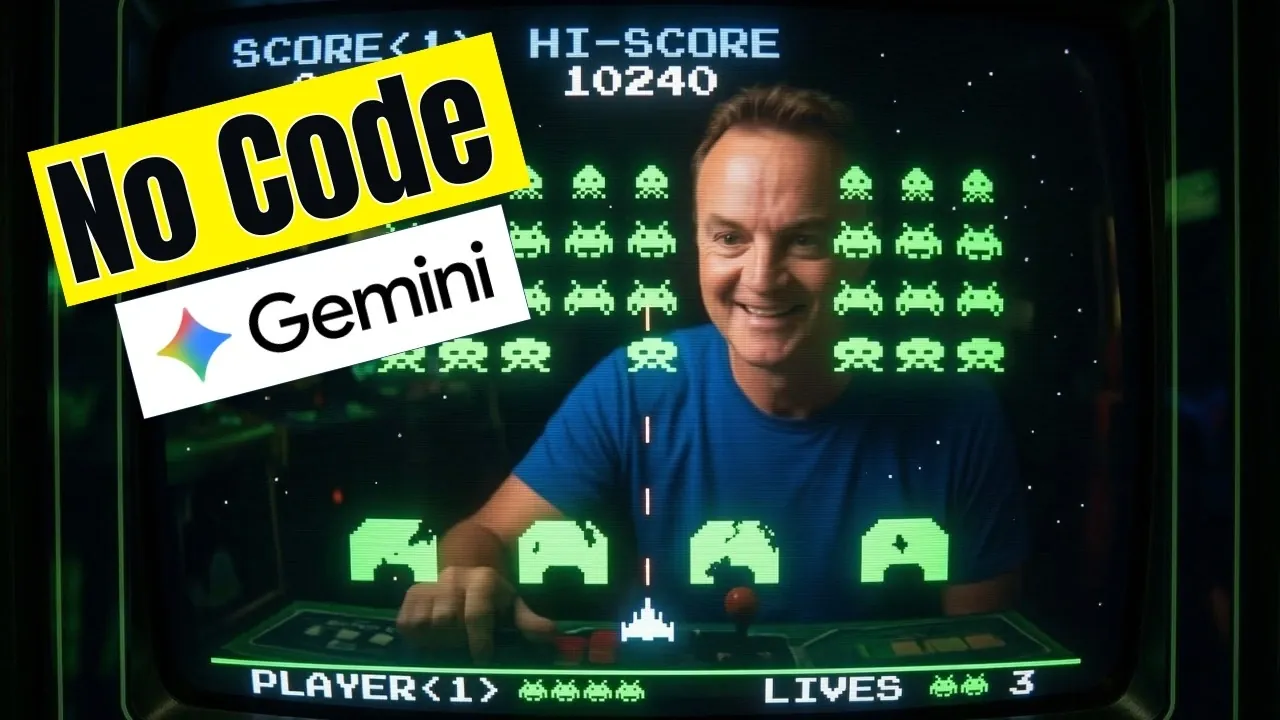
Gemini Canvas, powered by Google’s Gemini AI, provides a structured platform for creating applications, dashboards and even games without requiring coding knowledge. According to Teacher’s Tech, users can generate up to eight functional apps in just 15 minutes, thanks to features like its interactive workspace. For example, users can create and customize outputs such as personal finance trackers or 3D models, with advanced AI options available for Pro and Ultra subscribers to handle more detailed projects.
Discover how to use Gemini Canvas to build applications tailored to your needs, from interactive dashboards to educational resources. Learn how to refine initial outputs, adjust designs and enhance functionality for specific use cases. This guide will also cover practical examples, such as creating budget planners or presentation-ready visuals, to help you fully understand the platform’s capabilities.
What is Gemini Canvas?
TL;DR Key Takeaways :
- Gemini Canvas is an AI-powered platform by Google that enables users to create applications, games, dashboards and more without requiring coding skills, making it accessible to both beginners and professionals.
- The platform offers real-time interactivity, allowing users to customize outputs and refine projects iteratively based on feedback for enhanced precision and quality.
- Pro and Ultra subscribers gain access to advanced AI models and additional customization options, making it suitable for tackling more complex and detailed projects.
- Gemini Canvas supports a wide range of use cases, including personal finance apps, educational tools, game development, 3D visualizations and executive dashboards, showcasing its versatility.
- With its intuitive interface and cloud-based architecture, Gemini Canvas simplifies workflows, fosters creativity and enables users to efficiently bring their ideas to life from any device.
Gemini Canvas is a dynamic platform that transcends the capabilities of traditional AI chatbots. Instead of focusing solely on text-based responses, it delivers tangible outputs such as applications, dashboards and games. This interactive workspace bridges the gap between creativity and functionality, making it an essential tool for streamlining workflows and exploring new ideas. The platform is free to use, but Pro and Ultra subscribers unlock advanced AI models and additional customization options, making it suitable for tackling more complex projects.
Key Features & Capabilities
Gemini Canvas stands out for its ability to generate diverse outputs from simple prompts. Its core features include:
- No Coding Required: Create applications, tools and visualizations without needing programming skills.
- Real-Time Interactivity: Customize outputs and receive immediate feedback to refine your projects.
- Advanced AI Models: Handle complex projects with upgraded AI capabilities for greater precision and detail.
These features make Gemini Canvas a versatile tool for a wide range of users, including app developers, educators, business professionals and hobbyists.

Discover other guides from our vast content that could be of interest on Gemini 3.
- Gemini 3.5 Leak Details, Early Tests Show Mixed Performance
- Gemini 3.5 vs GPT-5 vs Claude : Early Scores & Speed Insights
- Google Gemini 3.5 Leak : Fierce Falcon vs Ghost Falcon
- Gemini 3.1 Pro Leak: Third-Party Benchmark Listing Suggests Updates
- Google’s Secret Gemini 3 Pro GA Models Leaked
- Gemini 3.5 vs GPT-5.1 High: Coding, Design, and Test Results
- Gemini 3.1 Flash Lite Adjustable Reasoning Depth : Fully Tested
- Gemini 3.1 Pro: Thinking Levels and Benchmark Gains Explained
- What’s Next in AI : Gemini 3.5 Hints with Faster Flash & Tighter Workspaces
- Google Gemini 3 Tips : Tone Presets & Added Files for Faster Tasks
How Can You Use Gemini Canvas?
Gemini Canvas offers practical solutions for both personal and professional projects. Its versatility allows users to achieve a variety of goals, such as:
- Personal Finance App: Build a budget planner with automated calculations, charts and alerts to track expenses and savings.
- Website Creation: Design fully functional websites by integrating research data sourced from Notebook LM.
- Executive Dashboards: Transform raw data, such as CSV files, into interactive dashboards with visualizations and filters for better decision-making.
- Educational Tools: Generate detailed research reports, interactive quizzes, or study aids to enhance learning experiences.
- Game Development: Create and play games, such as Space Invaders, by providing detailed prompts and refining gameplay elements.
- Infographics: Turn text-based content into visually appealing infographics for presentations, reports, or marketing materials.
- 3D Visualizations: Develop interactive 3D models, such as architectural designs, product prototypes, or a solar system simulation.
- Utility Apps: Build practical tools like timers, trackers, or flashcard generators to simplify everyday tasks.
These examples highlight the platform’s flexibility, making it an ideal choice for users with diverse goals and varying levels of expertise.
Customization and Iterative Refinement
One of the most powerful aspects of Gemini Canvas is its ability to refine outputs based on user feedback. After generating an initial result, you can provide additional instructions to adjust the design, functionality, or layout. For instance, if you’re creating an infographic, you can tweak the color scheme, add new data points, or rearrange elements to improve clarity and visual appeal. This iterative process ensures that the final product aligns with your vision, saving time and effort while enhancing the overall quality of your work.
Why Gemini Canvas Stands Out
Gemini Canvas redefines app development and content creation by making these processes accessible to users without technical expertise. By reducing reliance on third-party tools and expensive software, it provides a cost-effective solution for tasks that traditionally required specialized skills. Whether you’re a small business owner building a custom dashboard, a student creating a game for a class project, or an educator designing interactive learning materials, Gemini Canvas enables you to achieve your goals efficiently and effectively.
Getting Started with Gemini Canvas
Accessing Gemini Canvas is simple and user-friendly. Visit gemini.google.com, where an intuitive interface guides you through the creation process step by step. Once your project is complete, you can share it directly with others or export it for further use. The platform’s cloud-based architecture ensures that your projects are accessible from any device, making it ideal for collaborative efforts or on-the-go adjustments. This flexibility allows you to work seamlessly, whether you’re at home, in the office, or traveling.
Empowering Creativity and Productivity
Gemini Canvas offers a versatile platform that combines advanced AI models with an intuitive interface, allowing users to create functional applications, interactive dashboards and more in just minutes. By simplifying complex tasks and fostering creativity, it enables individuals and teams to tackle professional challenges or explore innovative ideas with ease. Whether you’re a beginner or an experienced professional, Gemini Canvas provides the tools you need to bring your vision to life.
Media Credit: Teacher’s Tech
Disclosure: Some of our articles include affiliate links. If you buy something through one of these links, Geeky Gadgets may earn an affiliate commission. Learn about our Disclosure Policy.
