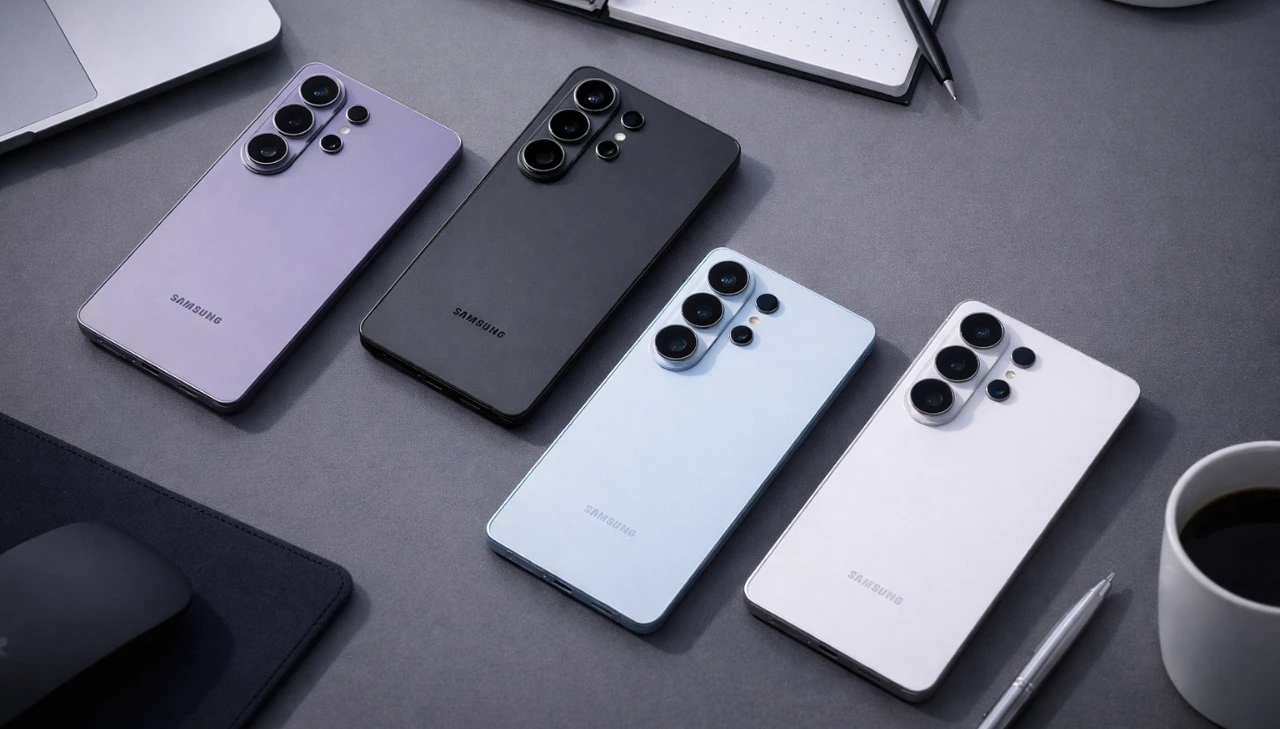
The Galaxy S26 Ultra’s S Pen is far more than a simple stylus; it’s a versatile tool designed to elevate productivity, creativity, and personalization. Whether you’re a professional managing complex tasks, a student juggling assignments, or a creative enthusiast exploring new ideas, the S Pen offers a range of features that extend well beyond basic note-taking. By understanding its full capabilities, you can unlock a more seamless and efficient experience with the Galaxy S26 Ultra. The video below from HotShotTek shows us a range of tips & tricks to get the most out of your S Pen.

Streamlined Note-Taking for Any Situation
The S Pen transforms the way you capture and organize ideas. Removing the S Pen from its slot automatically launches the Notes app, allowing you to jot down thoughts in seconds. For moments when speed is essential, the lock screen note feature enables you to write without unlocking your phone. This is particularly useful during meetings, lectures, or brainstorming sessions.
For larger projects, the infinite scrolling function ensures you’ll never run out of space, making it ideal for detailed planning or extensive note-taking. The S Pen also offers customizable tools, allowing you to adjust pen thickness, colors and eraser settings to suit your preferences. These features make note-taking not only intuitive but also highly personalized, making sure that your workflow remains uninterrupted.
AI-Powered Tools for Smarter Productivity
The integration of advanced AI capabilities with the S Pen enhances productivity by simplifying everyday tasks. Forget the traditional methods of taking screenshots, use the S Pen to crop, annotate and edit images directly on your device. This feature is particularly useful for professionals who need to share visual content quickly and efficiently.
The reverse image search, powered by Google AI Gemini, allows you to identify products, find similar items online, or gather additional information with a simple gesture. For students and professionals, the S Pen’s ability to solve mathematical equations and format text streamlines complex tasks, making it an indispensable tool for tackling challenges with precision and ease.
Effortless Translation at Your Fingertips
Breaking language barriers has never been easier with the S Pen’s built-in translation feature. By hovering over text on websites, documents, or images, you can instantly translate content into your preferred language. Switching between languages is seamless and the availability of offline language packs ensures that this feature remains functional even without an internet connection.
This capability is particularly valuable for travelers, multilingual professionals, or anyone working in diverse environments. Whether you’re navigating foreign websites or collaborating with international teams, the S Pen’s translation tool enhances communication and understanding.
Personalized Customization for Your Workflow
The S Pen adapts to your unique needs through extensive customization options. With air Commands, you can add shortcuts to your most-used apps or tools, streamlining your workflow and saving valuable time. The Good Lock app, combined with the Pantastic module, takes personalization a step further by allowing you to modify S Pen icons, sounds and the layout of air commands.
Choose from circular, linear, or retro styles and adjust background blur settings to create a user interface that aligns with your preferences. These customization options ensure that the S Pen not only enhances functionality but also reflects your personal style, making it an integral part of your device experience.
Creative Tools to Unleash Your Imagination
For artists, designers, and creative thinkers, the S Pen offers a suite of tools to bring ideas to life. The Creative Studio feature enables you to generate AI-powered artwork, design custom stickers, and create unique digital content. Whether you’re sketching concepts, refining designs, or experimenting with prompts to produce digital art, the S Pen provides the precision and flexibility needed for professional and personal projects alike.
This functionality makes the S Pen a valuable asset for creative professionals seeking to expand their capabilities or hobbyists looking to explore new artistic avenues. Its ability to combine traditional drawing techniques with advanced digital tools ensures that your creative potential is fully realized.
Accessibility Features for Inclusive Usability
The S Pen is designed with inclusivity in mind, offering features that cater to a wide range of users. The magnification tool allows you to zoom in on text or images with adjustable levels, making content easier to read or view. This is particularly beneficial for individuals with visual impairments or those working with intricate visuals.
By prioritizing accessibility, the S Pen ensures that its advanced features are available to everyone, regardless of their specific needs. This commitment to usability highlights the Galaxy S26 Ultra’s focus on creating a device that serves a diverse audience.
Everyday Convenience at Its Best
The S Pen integrates seamlessly into your daily routine with practical enhancements that prioritize convenience. You can customize its insertion orientation to accommodate phone cases, making sure smooth operation regardless of your device setup. Additionally, adding shortcuts to frequently used apps, such as streaming platforms or productivity tools, allows for quick and easy access.
These thoughtful features make the S Pen an indispensable companion for managing daily tasks, enhancing both efficiency and ease of use. By integrating these small yet impactful details, the S Pen becomes a tool that simplifies your interactions with the Galaxy S26 Ultra.
A Stylus That Redefines Versatility
The Galaxy S26 Ultra’s S Pen stands out as a comprehensive tool that enhances how you interact with your device. From effortless note-taking and AI-powered productivity tools to advanced translation capabilities and creative features, the S Pen enables users to achieve more in both professional and personal contexts. Its extensive customization options and accessibility features ensure that it adapts to individual needs, making it a valuable asset for a wide range of users. Whether you’re managing tasks, exploring artistic projects, or simplifying daily interactions, the S Pen is designed to elevate your experience with the Galaxy S26 Ultra.
Below are more guides on Galaxy S26 Ultra from our extensive range of articles.
- Samsung Galaxy S26 Ultra Design Leaks and Camera Upgrades
- Samsung Galaxy S26 Ultra: Pros, Cons and Key Features
- Samsung Galaxy S26 Ultra Launch Date, Features and Innovation
- Samsung Galaxy S26 Ultra: 2nm Chip, 60W Charging & Design
- Why the Samsung Galaxy S26 Ultra Redefines Smartphones
Source & Image Credit: HotshotTek
Disclosure: Some of our articles include affiliate links. If you buy something through one of these links, Geeky Gadgets may earn an affiliate commission. Learn about our Disclosure Policy.
