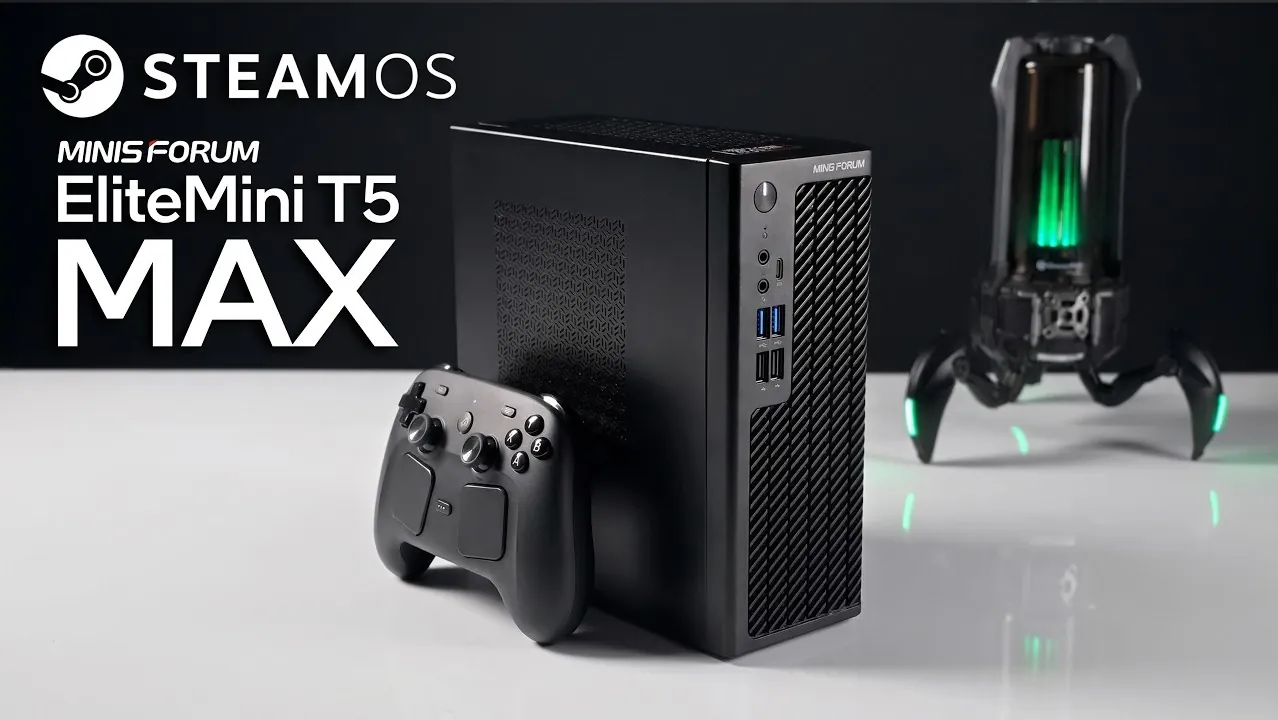
The Minisforum EliteMini T5 Max is a 6.3L small form factor PC that integrates the versatility of a Linux-based desktop with the gaming functionality of SteamOS. According to ETA Prime, it is powered by the AMD Ryzen AI Max Plus 388 APU, which balances CPU and GPU performance for tasks like 1440p gaming and professional workloads. With 48GB of unified memory operating at 6400 MT/s and USB4 support for fast external connectivity, the T5 Max is built to handle demanding scenarios while maintaining a compact and portable design.
Discover how the EliteMini T5 Max manages performance in graphically intensive games such as Cyberpunk 2077 and Spider-Man 2 using FidelityFX Super Resolution (FSR). Learn about its dual-boot setup, which enables switching between SteamOS and Windows and examine its thermal management system designed for sustained performance during extended use. This analysis provides a closer look at the device’s features and how they align with practical use cases.
Minisforum T5 Max PC
TL;DR Key Takeaways :
- The Minisforum EliteMini T5 Max features a compact 6.3L design, combining sleek aesthetics with practicality for gaming and productivity.
- Powered by the AMD Ryzen AI Max Plus 388 APU, it delivers balanced CPU and GPU performance, supported by 48GB of unified memory for multitasking.
- Pre-installed with SteamOS, it supports dual-boot functionality with Windows, catering to both gaming and professional use cases.
- Offers impressive 1440p gaming performance with FidelityFX Super Resolution (FSR) technology, though ultra settings may cause minor performance dips.
- Includes expandable storage, USB4 support and efficient thermal management, making it a versatile and reliable small form factor PC.
- Compact 6.3L design with a sleek, modern aesthetic.
- Equipped with the AMD Ryzen AI Max Plus 388 APU, offering robust CPU and GPU capabilities.
- Features 48GB of unified memory running at 6400 MT/s for smooth multitasking.
- Pre-installed with SteamOS and supports dual-boot functionality for Windows.
- Expandable storage options and USB4 support for high-speed external connectivity.
Hardware Design: Compact Yet Functional
The T5 Max is built around a custom mini-ITX motherboard, featuring the AMD Ryzen AI Max Plus 388 APU. This processor strikes a balance between CPU and GPU performance, making it suitable for gaming, media consumption and general computing tasks. The inclusion of 48GB of unified memory ensures reliable performance, even during demanding applications, though it may not match the speed of higher-end configurations.
Thermal management is a critical aspect of the T5 Max’s design. Its integrated cooling system, which includes a large heatsink and a pre-installed power supply, ensures efficient heat dissipation. This allows the device to maintain optimal performance during extended gaming or productivity sessions. Additionally, the system offers flexible storage options, with an extra SSD slot for easy expansion. The inclusion of USB4 support enhances its versatility, allowing high-speed connections for external devices, such as external GPUs or storage drives.

Here are more guides from our previous articles and guides related to SteamOS that you may find helpful.
- Valve Restructures SteamOS with Distinct X86 and ARM Builds
- ONEXPLAYER X2 Mini Pro Runs SteamOS with Ryzen AI Max Plus 388
- SteamOS Beta Update Fixes CPU Degradation and Wi-Fi Bugs
- Valve’s Free SteamOS Runs Arch Linux for Daily Desktop Use
- ROG Ally X20 SteamOS Gaming Benchmarks and Battery Performance Tested
- Install Armada OS on Android Handhelds to Create a Steam Deck in Under 5 Minutes
- SteamOS Update Adds Big Art Mode to the Game Library
- SteamOS Update Adds Seamless Account Switching During Gameplay
- Valve Adds Initial Nvidia GPU Driver Support to SteamOS
- Droid Deck Brings SteamOS to Android Phones Without a Root
Performance: Gaming at Its Core
Despite its compact size, the T5 Max delivers impressive gaming performance, capable of handling 1440p gaming with stable frame rates across a variety of demanding titles. While the slightly slower memory speed might seem like a limitation, SteamOS’s optimized memory allocation minimizes its impact, making sure smooth gameplay. The BIOS also allows users to adjust the thermal design power (TDP) up to 120 watts, allowing the system to handle intensive tasks without overheating or throttling.
The T5 Max is particularly well-suited for gamers who value performance and efficiency. Its ability to deliver consistent frame rates in modern titles makes it a reliable choice for those seeking a compact yet powerful gaming solution.
Gaming Benchmarks: Real-World Insights
The T5 Max excels in real-world gaming scenarios, offering smooth performance in popular titles. Some of the games tested include:
- Crimson Desert
- Spider-Man 2
- Cyberpunk 2077
- Mortal Kombat 1
- Red Dead Redemption 2
With the help of FidelityFX Super Resolution (FSR) technology, the T5 Max enhances frame rates, allowing you to enjoy demanding games at native 1440p resolution. Minor adjustments to graphical settings can further optimize performance, making sure a smooth and immersive gaming experience. While ultra settings may occasionally cause slight performance dips, the overall experience remains highly satisfying for most users.
Software and Usability: Flexibility for Every User
The T5 Max comes pre-installed with SteamOS, providing a streamlined gaming experience right out of the box. SteamOS simplifies game management and offers a user-friendly interface, making it accessible even to those unfamiliar with Linux-based systems. For users who require additional functionality, the T5 Max supports dual-booting, allowing you to run both SteamOS and Windows. This dual-boot capability makes the device suitable for a wide range of tasks, from gaming to productivity.
The inclusion of a full Linux desktop environment further enhances its usability, allowing professionals to perform tasks such as coding, content creation, or data analysis. Valve’s recovery image ensures that system restoration is straightforward, providing peace of mind for users experimenting with different configurations.
Design and Form Factor: Small, Stylish and Practical
The T5 Max’s compact 6.3L form factor makes it an excellent choice for users with limited desk space or those seeking a portable yet powerful PC. Its design is both practical and visually appealing, featuring a modern aesthetic that resembles a streamlined Dell OptiPlex. Despite its small size, the T5 Max offers a robust set of features, making it a practical solution for diverse computing needs.
The device’s portability and discreet design make it ideal for various environments, from home offices to gaming setups. Its small footprint ensures that it can fit comfortably in tight spaces without compromising on performance or functionality.
Limitations: Areas for Improvement
While the EliteMini T5 Max offers a well-rounded package, there are a few areas where it could be improved:
- The slower RAM speed, likely a cost-saving measure, may impact performance in graphically intensive games at ultra settings.
- Occasional performance dips when running the most demanding games at maximum graphical settings.
These limitations, however, are relatively minor and do not significantly detract from the overall experience. For most users, the T5 Max provides a balanced combination of performance, design and versatility.
A Balanced SFF PC for Diverse Needs
The Minisforum EliteMini T5 Max successfully bridges the gap between compact design and high performance. Its ability to handle 1440p gaming, dual-boot functionality and Linux desktop support make it a versatile choice for both gaming enthusiasts and productivity-focused users. While there are minor trade-offs, such as slower RAM speeds, the T5 Max remains a compelling option for those seeking a small form factor PC that excels in both gaming and productivity. Its thoughtful design and robust feature set ensure that it meets the needs of a wide range of users, making it a standout choice in the SFF PC market.
Media Credit: ETA PRIME
Disclosure: Some of our articles include affiliate links. If you buy something through one of these links, Geeky Gadgets may earn an affiliate commission. Learn about our Disclosure Policy.
