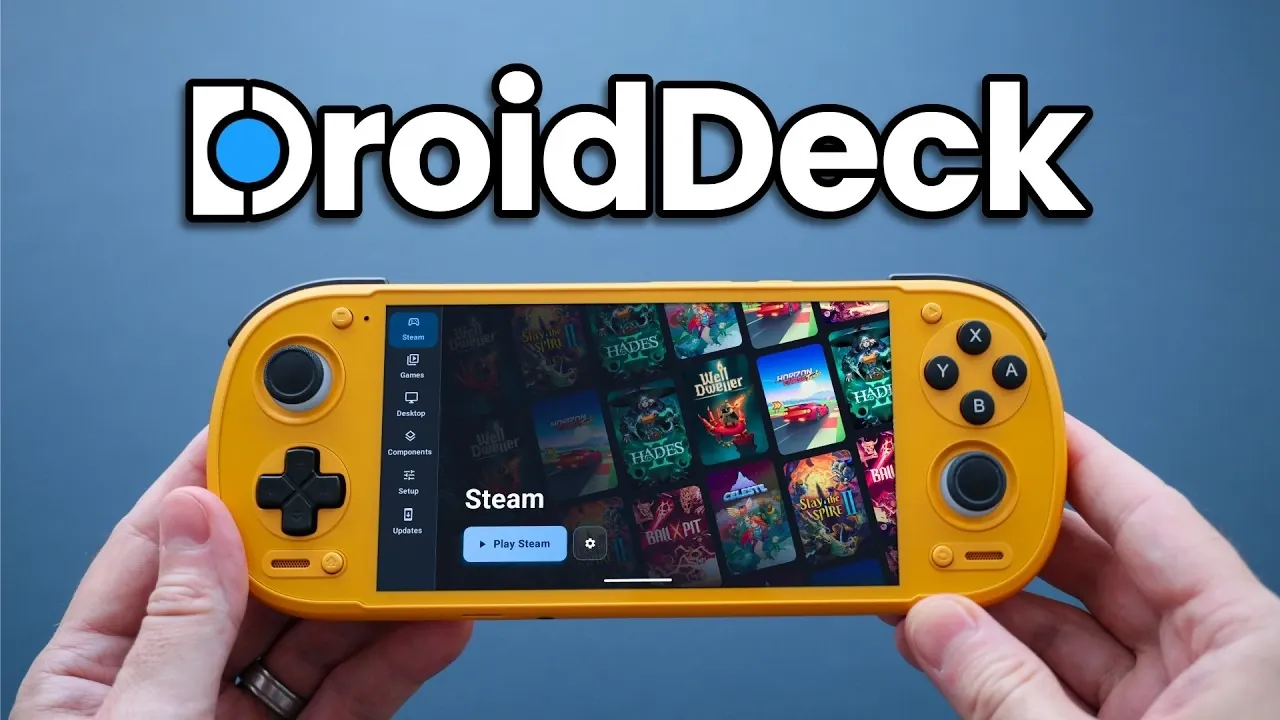
SteamOS-like functionality has arrived on Android, thanks to an app called DroidDeck. This application, highlighted by Retro Game Corps, uses Valve’s Proton and FEX translation layers to enable Android devices to run Windows and Linux-based PC games. With features such as Steam’s Big Picture Mode for a console-like interface and support for both internal storage and microSD cards, DroidDeck prioritizes accessibility. While still in its early stages, it offers a glimpse into the potential of portable PC gaming without the need for advanced technical setups or custom operating systems.
Explore how DroidDeck compares to alternatives like GameHub and ARM Linux clients and gain insight into its strengths, such as its straightforward installation process and customizable game settings. You’ll also learn about its current limitations, including occasional performance hiccups and compatibility challenges with certain titles. This analysis provides a balanced look at what DroidDeck offers today and how it might evolve to shape the future of PC gaming on Android.
Key Features of DroidDeck
- DroidDeck enables PC gaming on Android devices by using Valve’s Proton and FEX translation layers, offering a SteamOS-like experience without requiring advanced technical skills.
- The app features Big Picture Mode for a console-like interface, flexible storage options, customizable controller configurations and Steam Cloud Save for synchronized progress.
- It prioritizes simplicity and accessibility compared to alternatives like Game Native, GameHub and ARM Linux clients, which often require more technical expertise.
- Performance varies based on hardware, with popular games running smoothly at 720p, though occasional input latency and compatibility issues highlight its early development stage.
- Current limitations include performance overhead, early-stage bugs and limited performance metrics, but future updates are expected to address these challenges and enhance the user experience.
DroidDeck is designed to make PC gaming on Android devices more accessible and user-friendly. Its features are tailored to enhance usability and provide a seamless gaming experience.
- Big Picture Mode: The app runs Steam in Big Picture Mode, offering a console-like interface that is optimized for both touchscreens and controllers, making navigation intuitive and straightforward.
- Flexible Storage Options: Users can install games on either internal storage or microSD cards, providing flexibility in managing their game libraries without worrying about space constraints.
- Controller and Cloud Support: Steam Input allows for customizable controller configurations, while Steam Cloud Save ensures your game progress is synchronized across multiple devices.
- Advanced Configuration Tools: A Linux desktop client is included, allowing users to fine-tune game-specific settings for better performance and compatibility.
These features make DroidDeck an appealing choice for gamers looking to access their Steam library on Android devices without the need for extensive technical expertise.
How DroidDeck Stacks Up Against Alternatives
DroidDeck enters a competitive landscape, where it faces established alternatives such as Game Native, GameHub and ARM Linux clients. Each of these solutions offers unique advantages, but DroidDeck carves out its niche by prioritizing simplicity and accessibility.
- Game Native/GameHub: These apps are well-established and provide compatibility with PC games through translation layers. They offer a more polished and stable experience compared to DroidDeck, which is still in its developmental phase.
- ARM Linux Clients: Solutions like Armada OS deliver a full Linux-based SteamOS experience on Android devices. However, they often require unlocked bootloaders and advanced technical skills, making them less accessible to casual users.
While DroidDeck may not yet match the refinement of its competitors, its user-friendly setup and straightforward approach make it a compelling option for gamers who value convenience over complexity.

Explore further guides and articles from our vast library that you may find relevant to your interests in SteamOS.
- Valve Restructures SteamOS with Distinct X86 and ARM Builds
- SteamOS 3.8 Adds Ray Tracing and Improved 4K Display Support
- Its Time to Ditch Windows for Valve’s Lightweight SteamOS Gaming Platform
- ONEXPLAYER X2 Mini Pro Runs SteamOS with Ryzen AI Max Plus 388
- SteamOS Beta Update Fixes CPU Degradation and Wi-Fi Bugs
- Valve’s Free SteamOS Runs Arch Linux for Daily Desktop Use
- Install Armada OS on Android Handhelds to Create a Steam Deck in Under 5 Minutes
- SteamOS Update Adds Seamless Account Switching During Gameplay
- Valve Adds Initial Nvidia GPU Driver Support to SteamOS
- Official SteamOS 3.8 Builds a Powerful Gaming Tablet with 165Hz Display
Why Choose DroidDeck?
The primary advantage of DroidDeck lies in its ease of installation and use. Unlike ARM Linux clients, it does not require flashing a custom operating system or booting into a separate environment. This makes it accessible to a broader audience, including those with minimal technical expertise.
DroidDeck is compatible with a wide range of Android devices, particularly those equipped with Adreno GPUs or Snapdragon CPUs. Additionally, it supports per-game configurations and custom GPU drivers, allowing users to optimize performance for specific titles. This flexibility ensures that gamers can tailor their experience to suit their hardware and preferences.
Performance: What to Expect
The performance of DroidDeck varies depending on the game and the hardware it runs on. Popular titles such as Celeste, Hades 2, and Fallout: New Vegas perform well at 720p resolution, delivering smooth gameplay with minimal issues. However, occasional input latency and performance hiccups may occur, particularly on less powerful devices.
Some games, like Slay the Spire 2, face compatibility challenges, highlighting the app’s developmental stage. As DroidDeck continues to evolve, these issues are expected to diminish, paving the way for a more seamless gaming experience in the future.
Current Limitations
While DroidDeck shows great promise, it is not without its drawbacks. Several limitations may impact the overall user experience, particularly for those seeking a polished and fully optimized solution.
- Performance Overhead: Compared to native Linux solutions, DroidDeck introduces some performance trade-offs due to the additional layers of emulation and translation.
- Early-Stage Bugs: As a new app, it is prone to incomplete features and occasional glitches that can disrupt gameplay.
- Limited Performance Metrics: The app’s performance overlay lacks detailed metrics, making it challenging to monitor and optimize gameplay performance effectively.
These limitations are typical for an app in its early stages and are likely to improve as the development progresses.
The Road Ahead
DroidDeck represents a significant step forward in the realm of Android gaming, showcasing the potential for portable PC gaming on mobile devices. Its low barrier to entry and straightforward setup make it an attractive option for casual gamers and those new to PC gaming on Android.
By relying on Valve’s Proton and FEX translation layers, DroidDeck hints at exciting possibilities for the future of gaming on mobile platforms. As the app matures, it could inspire the development of more robust Android-based Steam solutions, potentially even from Valve itself. For now, DroidDeck offers a unique opportunity to explore PC gaming on Android, despite its current limitations.
Media Credit: Retro Game Corps
Disclosure: Some of our articles include affiliate links. If you buy something through one of these links, Geeky Gadgets may earn an affiliate commission. Learn about our Disclosure Policy.
