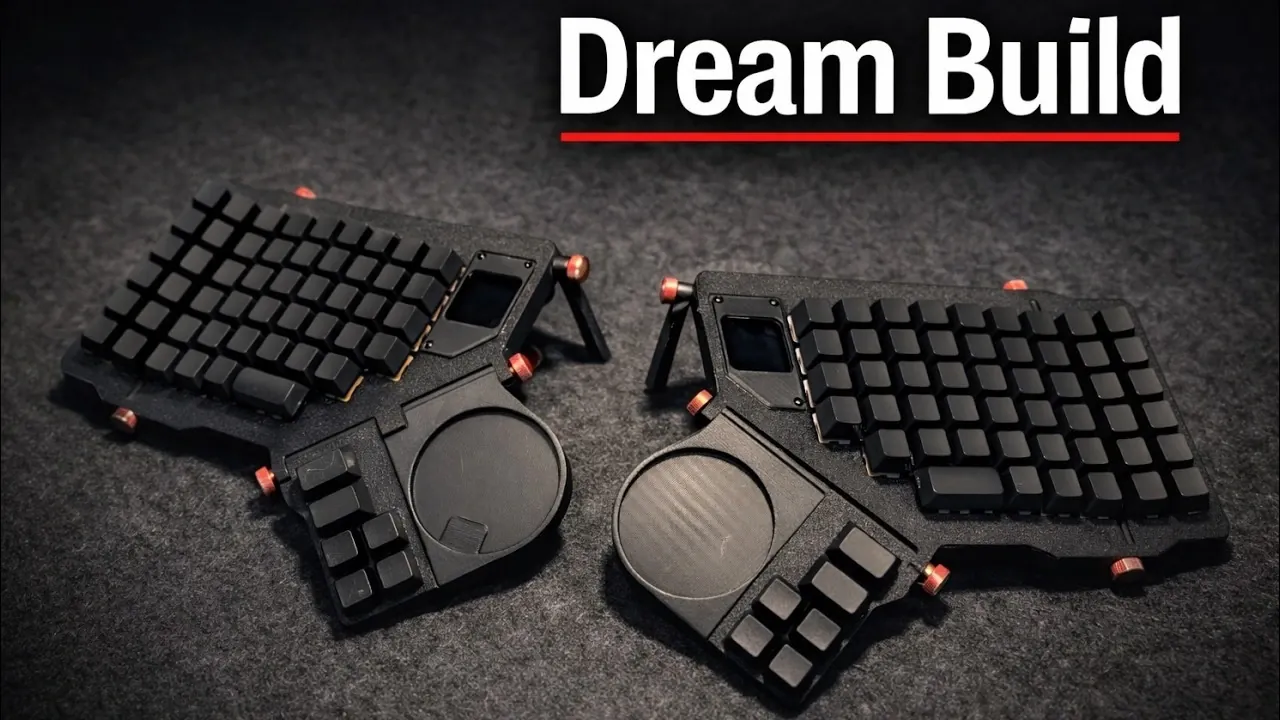
Designing a custom keyboard offers the opportunity to build a device tailored to your specific needs while addressing common shortcomings of mass-produced models. NikTheMimic highlights modularity, accessibility and repairability as central principles in this process. For instance, reversible PCB designs can simplify repairs and reduce production waste, contributing to a more sustainable and user-friendly keyboard. These practical considerations underscore the value of thoughtful design in creating a durable and functional device.
You’ll learn how to navigate key stages of the design process, such as using software like Blender and KiCad for prototyping, configuring the keyboard matrix for accurate input and incorporating features like LEDs or OLED displays. This explainer also examines firmware development to ensure smooth operation and discusses material selection to achieve the right balance between cost and durability. Each aspect is covered with the goal of helping you design a keyboard that aligns with your technical and aesthetic preferences.
Why Build a Custom Keyboard?
TL;DR Key Takeaways :
- Building a custom keyboard allows for tailored designs that address limitations in commercial options, focusing on modularity, accessibility, repairability and cost efficiency.
- The process is iterative and hands-on, requiring tools like Blender for 3D modeling and KiCad for PCB design, with learning and skill development occurring along the way.
- Key technical components include the keyboard matrix, GPIO pins, LEDs, displays and custom firmware, all of which must work cohesively for optimal functionality.
- Core design principles such as modularity, inclusivity, repairability and cost efficiency ensure the keyboard is user-friendly, sustainable and adaptable to diverse needs.
- The journey of designing a keyboard fosters personal growth, enhancing problem-solving skills and technical expertise while overcoming challenges to create a polished final product.
The decision to design a custom keyboard often stems from dissatisfaction with the limitations of commercially available options. Even high-end keyboards, such as the ZSA Moonlander, may fall short in terms of personalization, inclusivity, or long-term usability. If you’ve ever felt constrained by the features or design of off-the-shelf keyboards, creating your own offers a way to address these shortcomings. This process allows you to design a keyboard that not only meets your unique preferences but also incorporates broader considerations like repairability and accessibility. By taking control of the design, you can ensure the final product aligns with your specific requirements and values.
Getting Started: Learning as You Build
Embarking on the journey of designing a custom keyboard does not require expertise in every relevant field. Many enthusiasts begin with limited knowledge and develop their skills along the way. Transitioning between disciplines, such as mechanical engineering and electrical engineering, is a common part of the process. The key is to adopt a hands-on approach and learn through experimentation.
To get started, you’ll need tools like Blender for 3D modeling and KiCad for PCB design. These tools are essential for prototyping and refining your keyboard’s layout. Early engagement with the design process allows you to iterate and improve as your understanding deepens. This iterative approach ensures that each step of the journey contributes to both your learning and the development of a functional product.
Designing a Custom Keyboard in 2026

Here is a selection of other guides from our extensive library of content you may find of interest on keyboards.
- Clicks Power Keyboard Adds a Physical Keyboard & More to Your Phone
- Heatbuff Keyboard Heater Warms Your Fingers As You Type Or Play
- Mechaclix slim aluminum RGB mechanical keyboard
- iPadOS & iOS 26: Top Shortcuts to Boost Productivity
- KeyMouse Combines Keyboard And Mouse In One
- Condensed FPS Gaming Keyboard Unveiled By AULA
- Unique CharaChorder keyboard is now available to pre-order $200
- ClockworkPi uConsole Linux handheld PC
The Design and Iteration Process
Designing a custom keyboard is inherently iterative. Early prototypes often reveal flaws, such as incorrect key spacing, unstable connections, or challenges in manufacturing. Addressing these issues requires a methodical approach to refining both the physical design and the PCB layout.
Blender is a powerful tool for visualizing the keyboard’s physical structure, allowing you to experiment with different layouts and configurations. KiCad, on the other hand, is indispensable for designing and testing the PCB. Each iteration brings you closer to a functional design by allowing you to identify and resolve technical and conceptual challenges. This process not only improves the keyboard but also enhances your problem-solving skills and technical expertise.
Technical Foundations of Keyboard Design
A successful keyboard design relies on a solid understanding of its technical components. Key elements include:
- Keyboard Matrix: This grid-like structure determines how key presses are registered and communicated to the microcontroller.
- GPIO Pins: These pins connect the keyboard matrix to the microcontroller, allowing seamless hardware-to-firmware communication.
- LEDs and Displays: LEDs provide visual feedback, while OLED displays can show information such as active layers or system status.
- Firmware: Custom firmware ensures the keyboard operates efficiently, integrating all components into a cohesive system.
Technical challenges, such as lag, display malfunctions, or firmware inefficiencies, are common but manageable. Addressing these issues requires patience and a systematic approach. Each challenge you overcome not only improves your keyboard but also enhances your understanding of the underlying technology.
Core Design Principles
Adhering to key design principles can help you create a keyboard that is functional, user-friendly and sustainable. These principles include:
- Modularity: Designing each half of the keyboard to function independently allows for greater flexibility and future upgrades.
- Accessibility: Prioritizing inclusivity ensures the keyboard accommodates users with diverse needs, including those with physical disabilities.
- Repairability: Making components replaceable and upgradable extends the keyboard’s lifespan and reduces waste.
- Cost Efficiency: Using reversible PCB designs and carefully selecting materials can lower production costs without compromising quality.
By integrating these principles into your design, you can create a keyboard that meets a wide range of user needs while remaining adaptable and sustainable.
Exploring Future Possibilities
A functional prototype marks the beginning of a broader journey. Future enhancements could include wireless connectivity for added convenience or modular, open source components for advanced customization. Developing an online keymap customization tool could empower users to tailor their layouts with ease, further enhancing the keyboard’s versatility. These innovations aim to expand the keyboard’s functionality and appeal, making it a valuable tool for a diverse audience.
Personal Growth Through the Design Process
Designing a custom keyboard is not just a technical endeavor; it is also a journey of personal growth. Overcoming challenges, such as impostor syndrome or complex technical problems, can be daunting. However, each obstacle you face builds your confidence and expertise. As you refine your prototypes and address both hardware and software issues, you gain a deeper understanding of the design process and your own capabilities. This journey ultimately leads to a polished final product that reflects your vision and hard work.
Media Credit: NikTheMimic
Disclosure: Some of our articles include affiliate links. If you buy something through one of these links, Geeky Gadgets may earn an affiliate commission. Learn about our Disclosure Policy.
