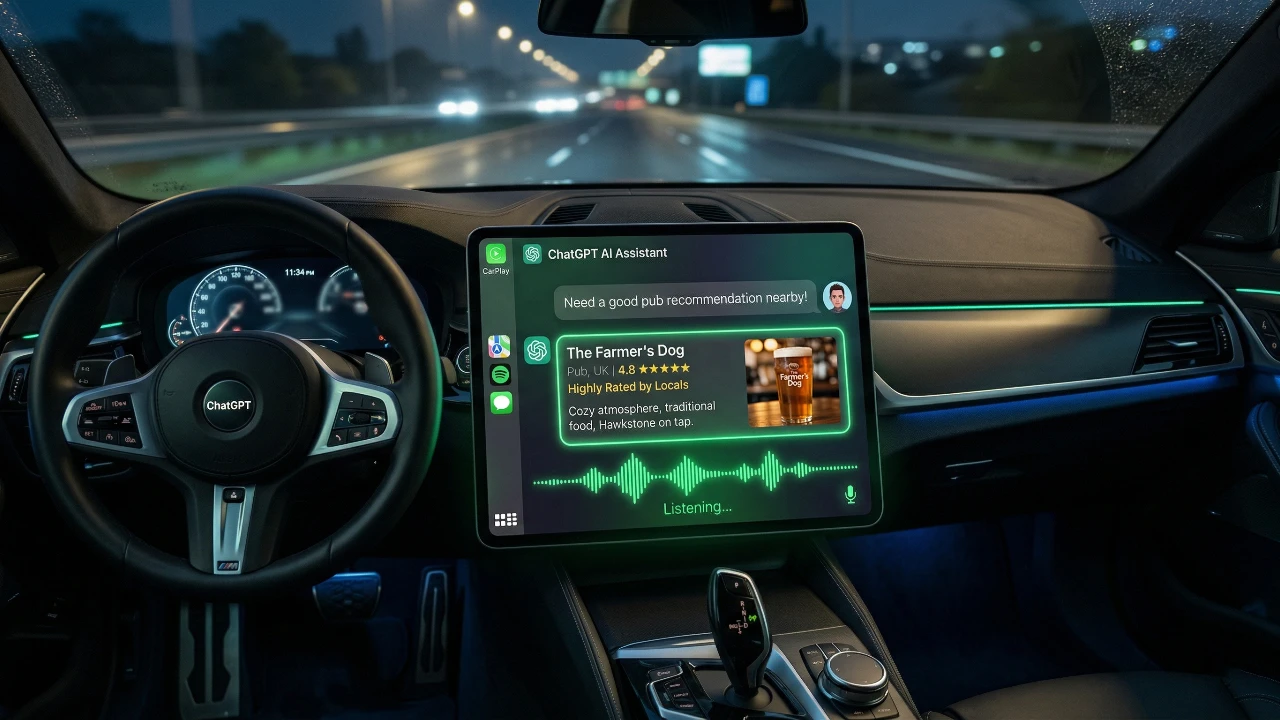
CarPlay has introduced a range of AI-driven updates designed to enhance your in-car experience by blending productivity, entertainment, and convenience. These updates include ChatGPT integration, Google Meet support, and the addition of Audiomack for music streaming. While these features bring exciting new capabilities, they are intended to complement, not replace, existing tools like Siri or navigation apps. Understanding how these updates work and their limitations can help you make the most of them during your drives. The video below from HotShotTek gives us more information about the new Apple CarPlay features.

ChatGPT Integration: A Smarter Driving Companion
CarPlay now incorporates ChatGPT, an advanced conversational AI assistant that offers more dynamic and context-aware responses compared to Siri. This integration transforms your driving experience by providing practical assistance in real-time. Here are some ways ChatGPT can enhance your journey:
- Suggesting scenic routes for road trips or leisurely drives.
- Locating nearby gas stations, charging points, or other essential services.
- Delivering real-time weather updates for your destination or along your route.
- Answering general queries, such as summarizing news or offering basic car troubleshooting tips.
Despite its versatility, ChatGPT has certain limitations. It cannot directly control vehicle functions or integrate seamlessly with navigation systems like Google Maps or Apple Maps. For example, while it can suggest routes, you’ll need to manually input these into your navigation app. Nevertheless, its conversational abilities make it a valuable Copilot, especially for drivers seeking quick answers or personalized recommendations.
Google Meet: Stay Connected Safely
CarPlay’s integration of Google Meet caters to professionals who need to stay connected while on the move. This feature enables you to manage meetings directly from your car’s dashboard, making sure productivity without compromising safety. Key functionalities include:
- Scheduling calls and viewing your calendar to stay organized.
- Joining meetings hands-free in audio-only mode, allowing you to focus on the road.
To prioritize safety, video functionality is disabled, making sure that your attention remains on driving. This makes Google Meet particularly useful for frequent travelers or those with long commutes who need to participate in discussions without distractions. By allowing seamless communication, this feature helps you stay productive without compromising road safety.
Audiomack: A Fresh Take on Music Streaming
CarPlay’s entertainment options have expanded with the addition of Audiomack, a music streaming platform that focuses on emerging artists and unique genres. While its library is smaller compared to major platforms like Spotify or Apple Music, Audiomack offers distinct advantages:
- Access to curated playlists featuring up-and-coming talent and niche genres.
- The ability to upload your personal music collection to iCloud for offline listening.
The offline listening feature is particularly beneficial for drivers looking to minimize data usage or enjoy their favorite tracks without a subscription. However, users accustomed to larger music libraries may find Audiomack’s offerings somewhat limited. Still, its focus on fresh content and offline functionality makes it a valuable addition for music enthusiasts seeking variety during their drives.
What to Consider Before Using These Features
While these updates bring exciting new capabilities to CarPlay, it’s important to understand their limitations to set realistic expectations:
- ChatGPT: Cannot replace Siri for voice commands or integrate directly with navigation systems.
- Google Meet: Limited to audio calls, as video functionality is disabled to ensure safety.
- Audiomack: Offers a smaller music library compared to major streaming platforms, which may not suit all users.
These features are best viewed as complementary tools that enhance your driving experience rather than as comprehensive replacements for existing systems. By understanding their strengths and limitations, you can use them effectively to improve your time on the road.
Real-World Scenarios: Making the Most of CarPlay
The new features introduced by CarPlay are tailored to meet diverse needs, from productivity to entertainment. Here are some practical scenarios where these updates can shine:
- ChatGPT: Perfect for road trips, helping you discover unique destinations, answer car-related questions, or plan scenic routes.
- Google Meet: Ideal for staying connected during long commutes, allowing you to participate in meetings without compromising safety.
- Audiomack: Great for offline listening, especially for drivers who prefer curated playlists or want to avoid streaming data usage.
These tools cater to a wide range of preferences and requirements, making them valuable additions to your in-car experience. Whether you’re navigating a busy workday or enjoying a leisurely drive, these features are designed to enhance both productivity and enjoyment.
CarPlay’s Evolving Role in Your Driving Experience
CarPlay’s latest updates highlight its commitment to evolving as a versatile and user-friendly in-car platform. By integrating AI tools like ChatGPT, expanding communication options with Google Meet, and introducing new entertainment features through Audiomack, CarPlay offers a more engaging and productive driving experience. While these features come with certain limitations, they represent a significant step forward in making your time on the road smoother, safer and more enjoyable. Whether you’re commuting to work, managing meetings on the go, or embarking on a cross-country adventure, these updates are designed to enhance every aspect of your journey.
Unlock more potential in Apple CarPlay by reading the previous articles we have written.
- Best Apple CarPlay Widgets for iOS 26: The Ultimate 2026 Guide
- 10 Hidden iOS 26.4 Features You Should Be Using on Your iPhone
- Everything New in iOS 26.4 Beta 4: CarPlay, AI, and More
- iOS 26.4 Beta 4 Released: Final Changes Before Public Launch?
- How to Use Apple CarPlay: A Complete 2026 Guide
- Google Maps vs Waze vs Apple Maps: Which is Best for CarPlay?
Source & Image Credit: HotshotTek
Disclosure: Some of our articles include affiliate links. If you buy something through one of these links, Geeky Gadgets may earn an affiliate commission. Learn about our Disclosure Policy.
